Introduction
A product lookup should remain usable when its optional cache stops answering. Observe the application's current failure, set a bounded cache timeout and source fallback, then restore the cache and verify that hits resume.
Complete Add a Cache to a Product Lookup first. This fresh environment supplies its own application, DynamoDB source and connected Valkey node. Use Terminal for commands and AWS View for actual state and product responses. The supplied fault control pauses only this lab's cache process; you do not need to build a fault-injection tool.
Certification Relevance
| Certification | Exam task | Practice |
|---|---|---|
| Cloud Practitioner (CLF-C02) | Task 3.4 | Distinguish an in-memory cache from authoritative source data and observe the application consequence. |
Observe an Actual Cache Timeout
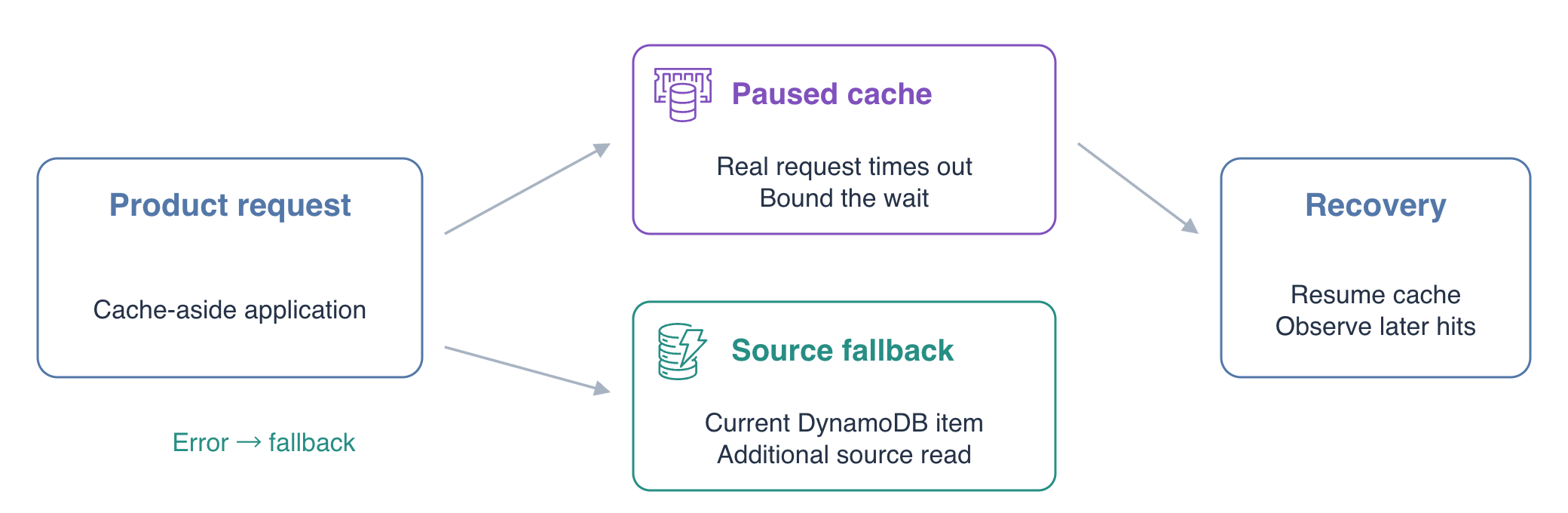
In this step, establish healthy behavior and then observe what happens when the cache stops responding. A timeout bounds how long the application waits for a response. A paused process still has a connection endpoint but cannot answer requests; this differs from a cache miss.
Confirm the identity and configuration:
cd /home/labex/project
aws sts \
  get-caller-identity
cat app.json
The ARN ends in labex-ca03-operator. The prepared application has timeout_seconds: 2 and fallback_on_error: false. Request product 101 twice while the cache is healthy:
curl -sS http://127.0.0.1:8080/api/products/101
curl -sS http://127.0.0.1:8080/api/products/101
The first request reads the source, and the second uses the cache. Activate the supplied fault:
curl -sS -X POST \
  -H 'Content-Type: application/json' \
  --data '{"action":"pause"}' \
  http://127.0.0.1:8080/api/fault
Now request the product and include its HTTP status:
curl -sS -w '\nHTTP %{http_code}\n' \
  http://127.0.0.1:8080/api/products/101
This is an intentional failure. After approximately two seconds, the application returns HTTP 503 with failure: TimeoutError; its database can still contain the product. A cache outage should not automatically become a product-catalog outage.
Bound the Wait and Fall Back to the Source
In this step, let the application read DynamoDB when the optional cache fails. Fallback is a deliberate alternate path after a cache error; a normal miss is simply the absence of a cached value.
Use a 0.2-second timeout for this controlled training scenario and enable fallback:
jq '.timeout_seconds = 0.2 | .fallback_on_error = true' \
  app.json > app.next.json
mv app.next.json app.json
Keep the cache paused. Request the same product again and display the elapsed request time:
curl -sS -w '\nHTTP %{http_code}; elapsed %{time_total}s\n' \
  http://127.0.0.1:8080/api/products/101
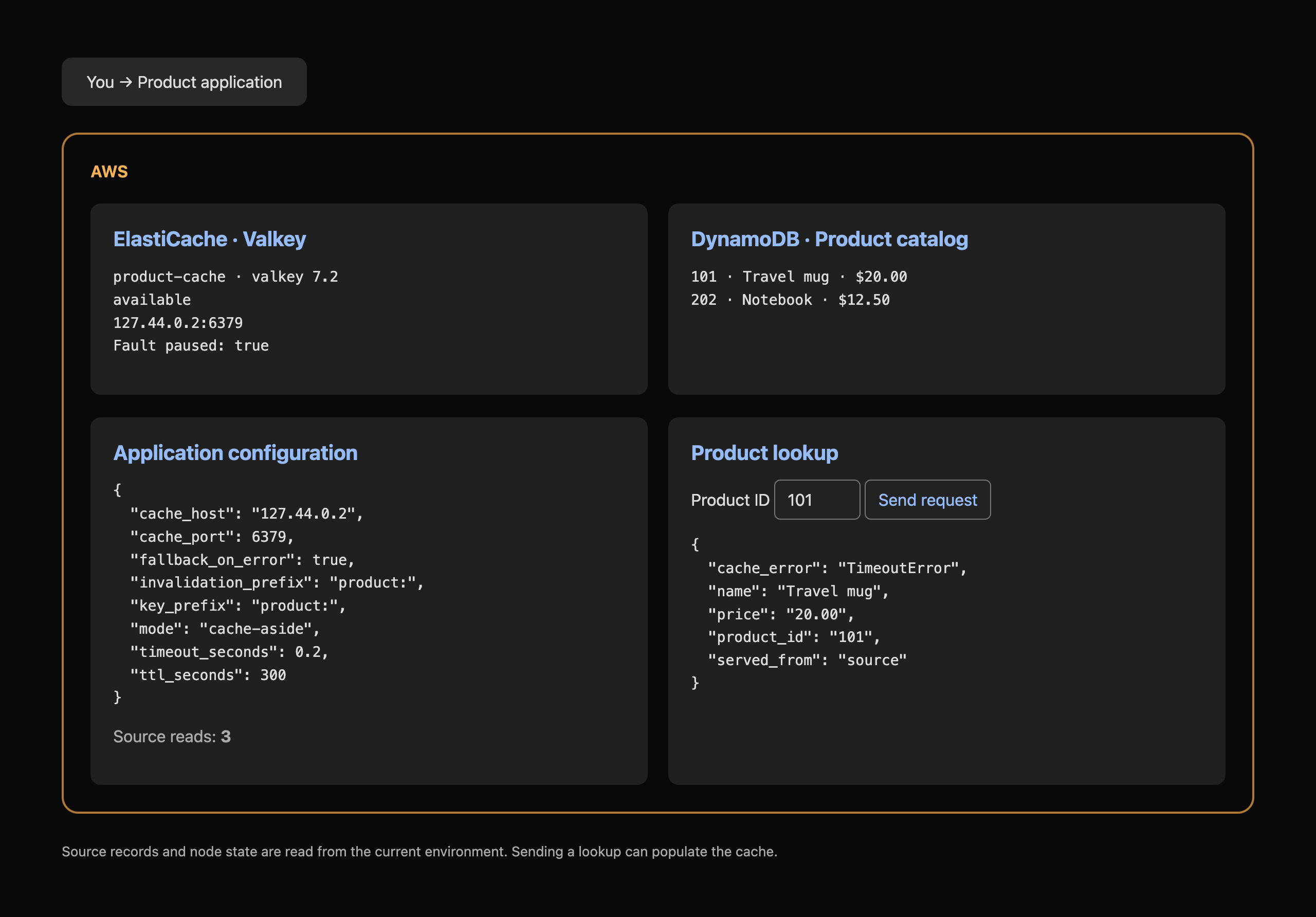
The response is HTTP 200, with the current source price 20.00, served_from: source and cache_error: TimeoutError. The controlled cache wait is now approximately 0.2 seconds. Each request during this outage adds a source read, so fallback protects functionality but increases database load.
In AWS View, compare the updated timeout, paused fault state and source-read count. This single-environment timing exercise does not establish a production timeout, load capacity or AWS availability guarantee.
Restore the Cache and Observe Hits Again
In this step, remove the controlled fault and verify that the application can use its cache again. Healthy cache behavior and successful fallback are separate outcomes.
Resume the supplied cache process:
curl -sS -X POST \
  -H 'Content-Type: application/json' \
  --data '{"action":"resume"}' \
  http://127.0.0.1:8080/api/fault
Request product 101 twice:
curl -sS http://127.0.0.1:8080/api/products/101
curl -sS http://127.0.0.1:8080/api/products/101
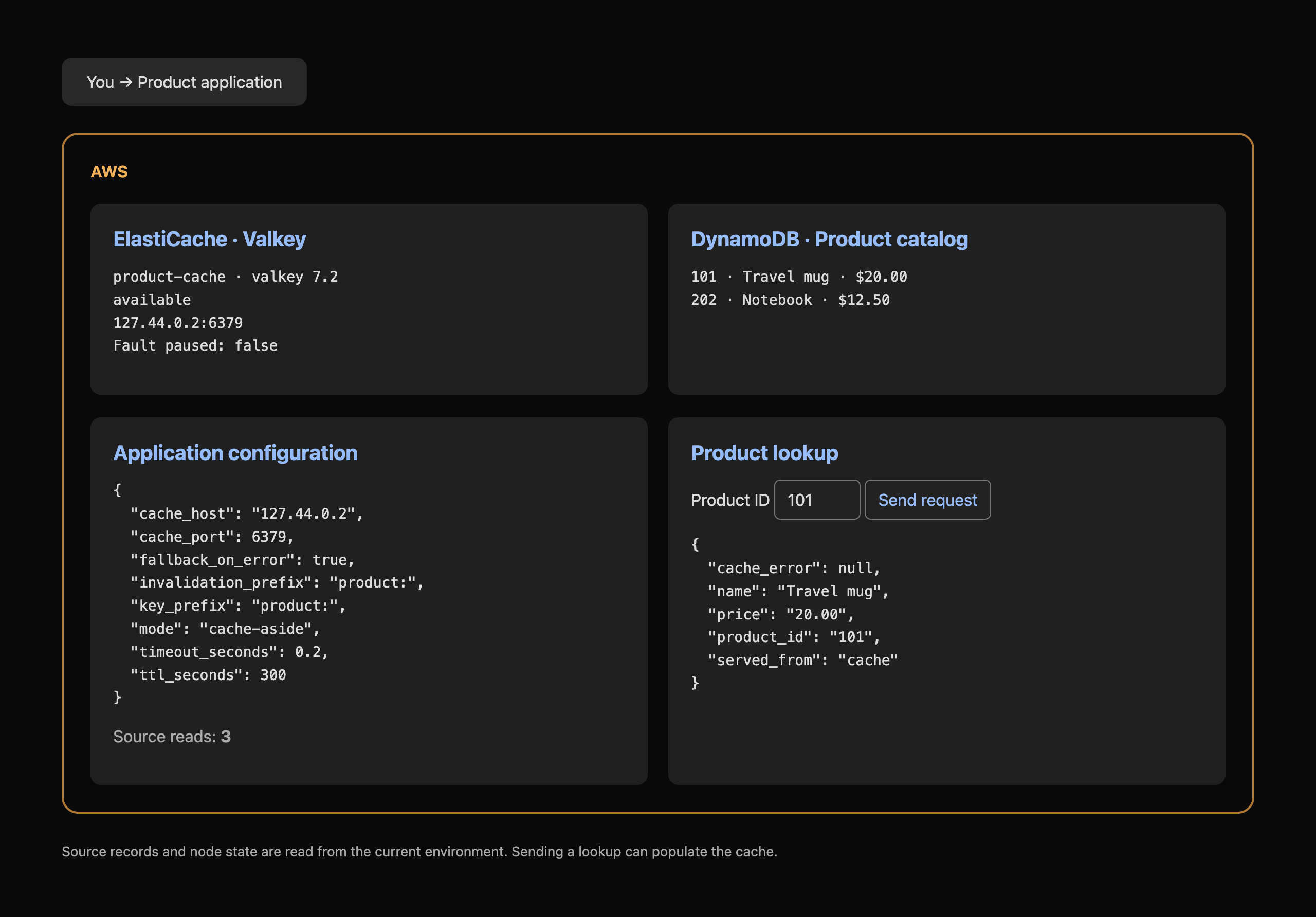
Observe served_from: cache and cache_error: null. If its original TTL expired during your investigation, the first request can repopulate the key from the source; the next request is a hit. The source-read count stops increasing for consecutive hits.
Leave the cache resumed and the bounded fallback settings enabled for verification. In a real service, monitor both cache errors and the extra source traffic during an outage; fallback cannot make an unavailable source database work.
Summary
You observed a real paused-cache timeout, enabled bounded source fallback and restored actual cache hits after recovery. Cache misses and cache errors require different handling; fallback preserves source-backed responses while adding database work during the outage.
For further reading, see the AWS reference on Choose client timeouts for the workload.