



Introduction
A support assistant feels responsive when words arrive while the model is still generating them. It also feels trustworthy when a page refresh does not erase the conversation. Those are separate engineering needs: streaming delivers incremental response chunks, while persistence saves completed messages so the same named conversation can be restored later.
In this lab, you will add both behaviors with Cloudflare's supported chat integration:
AIChatAgentstores chat messages and resumable stream data in the Agent's SQLite-backed Durable Object.streamText()produces a bounded Workers AI response instead of waiting for the complete answer.useAgentChat()turns those chunks into a React message list and restores saved history.- A short-lived signed token scopes every WebSocket and history request to one named conversation.
The browser client is supplied as a small fixture, so React is not a hidden prerequisite. You will edit only the current hook calls and message rendering needed for this Agents SDK concept. The scenario uses synthetic support text, one short model response and disposable resources. Free allocations are shared with other account activity; if the account has no Workers AI allocation remaining, stop rather than enabling a paid plan.
Before entering this course directly, complete Connect LabEx to Your Cloudflare Account. Each new LabEx VM needs its own Wrangler authorization. S01 and S02 are recommended because this lab builds on named Agent identity, SQLite state and WebSocket clients, but their VMs and resources are not reused here.
Authorize the VM and Configure the Chat Worker
In this step, you will authorize the fresh VM and describe the three Cloudflare bindings the chat needs.
Each named chat is backed by one SQLite Durable Object instance. The Worker also needs a Workers AI binding for inference and a secret binding for the session boundary.
Open a terminal and enter the prepared project:
cd /home/labex/project/persistent-support-chat
Authorize this fresh VM:
npx wrangler login
Open the displayed link, approve the documented Wrangler permissions for your dedicated learning account, then return to the terminal. Confirm the structured result:
npx wrangler whoami --json
Look for "loggedIn": true, confirm the account name, and copy that account's actual ID. Save it explicitly with a unique disposable Worker name:
ACCOUNT_ID="paste-your-confirmed-account-id"
RUN="labex-c11-s03-$(openssl rand -hex 6)"
cat > wrangler.jsonc <<JSON
{
  "\$schema": "./node_modules/wrangler/config-schema.json",
  "name": "$RUN",
  "account_id": "$ACCOUNT_ID",
  "main": "src/server.ts",
  "compatibility_date": "2026-09-18",
  "compatibility_flags": ["nodejs_compat"],
  "workers_dev": true,
  "preview_urls": false,
  "observability": { "enabled": true },
  "ai": { "binding": "AI", "remote": true },
  "durable_objects": {
    "bindings": [
      { "name": "SupportChatAgent", "class_name": "SupportChatAgent" }
    ]
  },
  "migrations": [
    { "tag": "v1", "new_sqlite_classes": ["SupportChatAgent"] }
  ]
}
JSON
The AI binding gives the Worker access to Workers AI without embedding an API key. Workers AI always uses a Cloudflare-hosted model, including during local development; remote: true makes that behavior explicit. The Durable Object binding maps a class name; the browser later supplies the separate instance name planning. Nothing has been deployed yet.
Implement a Bounded AIChatAgent
In this step, you will implement the server-side chat class, bounded inference and the signed routing boundary.
AIChatAgent specializes the base Agent with a durable chat transcript and resumable stream storage. You provide the model call; the integration handles chat protocol and persistence.
Create src/server.ts:
cat > src/server.ts <<'TS'
import { AIChatAgent, type OnChatMessageOptions } from "@cloudflare/ai-chat";
import { convertToModelMessages, streamText } from "ai";
import { routeAgentRequest } from "agents";
import { createWorkersAI } from "workers-ai-provider";
import { verifySessionRequest } from "./session-auth";

interface Env {
  AI: Ai;
  SupportChatAgent: DurableObjectNamespace<SupportChatAgent>;
  SESSION_SIGNING_KEY: string;
}

export class SupportChatAgent extends AIChatAgent<Env> {
  maxPersistedMessages = 12;

  async onChatMessage(_onFinish: unknown, options?: OnChatMessageOptions) {
    console.log(JSON.stringify({
      event: "support_chat_turn_started",
      requestId: options?.requestId ?? "unknown",
      messageCount: this.messages.length,
      continuation: Boolean(options?.continuation)
    }));

    const workersai = createWorkersAI({ binding: this.env.AI });
    const result = streamText({
      model: workersai("@cf/zai-org/glm-4.7-flash", {
        reasoning_effort: null,
        chat_template_kwargs: { enable_thinking: false }
      }),
      system: "You are a concise support assistant. Answer synthetic questions in one sentence and never request credentials.",
      messages: await convertToModelMessages(this.messages),
      maxOutputTokens: 64,
      temperature: 0,
      abortSignal: options?.abortSignal
    });

    return result.toUIMessageStreamResponse();
  }
}

export default {
  async fetch(request: Request, env: Env): Promise<Response> {
    const authorize = (candidate: Request, route: { name: string }) =>
      verifySessionRequest(candidate, route.name, env.SESSION_SIGNING_KEY);
    return (await routeAgentRequest(request, env, {
      onBeforeConnect: authorize,
      onBeforeRequest: authorize
    })) ?? new Response("Not found", { status: 404 });
  }
};
TS
Three limits matter here. maxPersistedMessages bounds stored transcript growth, maxOutputTokens bounds each model response, and the system prompt asks for one sentence. GLM 4.7 Flash can spend its token budget on internal reasoning before it produces visible text, so this short support workflow disables thinking explicitly; the learner sees a concise answer instead of an empty assistant bubble. Forwarding abortSignal lets the SDK cancel upstream inference when a turn is explicitly stopped.
Both routing hooks use the supplied HMAC verifier. onBeforeConnect protects the WebSocket handshake; onBeforeRequest also protects HTTP helpers such as /get-messages. The browser receives a signed claim, never the signing secret. The log records a request ID and count but deliberately excludes support text.
Connect the Supported React Chat Hooks
In this step, you will connect the supplied page shell to the current supported React hooks.
The prepared HTML and styles are only a shell. Now connect that shell to the named Agent. Create the TypeScript and Vite configuration:
cat > tsconfig.json <<'JSON'
{
  "extends": "agents/tsconfig",
  "compilerOptions": {
    "jsx": "react-jsx",
    "lib": ["ES2022", "DOM", "DOM.Iterable"],
    "types": ["@cloudflare/workers-types", "vite/client", "node"]
  },
  "include": ["src/**/*.ts", "src/**/*.tsx", "vite.config.ts", "worker-configuration.d.ts"]
}
JSON

cat > vite.config.ts <<'TS'
import { cloudflare } from "@cloudflare/vite-plugin";
import react from "@vitejs/plugin-react";
import agents from "agents/vite";
import { defineConfig } from "vite";

export default defineConfig({
  plugins: [react(), agents(), cloudflare()]
});
TS
Create src/client.tsx:
cat > src/client.tsx <<'TSX'
import { useAgentChat } from "@cloudflare/ai-chat/react";
import { useAgent } from "agents/react";
import { Suspense } from "react";
import { createRoot } from "react-dom/client";

function SupportChat() {
  const parameters = new URLSearchParams(window.location.search);
  const session = parameters.get("session") ?? "";
  const token = parameters.get("token") ?? "";

  if (!session || !token) {
    return <main><h1>Signed session required</h1><p className="help">Open the complete URL printed by the token command.</p></main>;
  }

  const agent = useAgent({
    agent: "SupportChatAgent",
    name: session,
    host: window.location.host,
    query: { token }
  });
  const { messages, sendMessage, status, error } = useAgentChat({ agent });

  return (
    <main>
      <p className="eyebrow">Cloudflare Agents SDK</p>
      <h1>Persistent Support Chat</h1>
      <p className="session">Conversation: <strong>{session}</strong></p>
      <p className="status">Status: <strong>{status}</strong></p>
      <section className="messages" aria-live="polite">
        {messages.length === 0 && <p className="empty">No saved messages in this conversation.</p>}
        {messages.map((message) => (
          <article className={`message ${message.role}`} key={message.id}>
            <span className="role">{message.role}</span>
            {message.parts.map((part, index) =>
              part.type === "text" ? <span key={index}>{part.text}</span> : null
            )}
          </article>
        ))}
      </section>
      <form onSubmit={(event) => {
        event.preventDefault();
        const input = event.currentTarget.elements.namedItem("message") as HTMLInputElement;
        const text = input.value.trim();
        if (!text) return;
        sendMessage({ text });
        input.value = "";
      }}>
        <input name="message" defaultValue="What does pending invoice status mean?" maxLength={160} aria-label="Support question" />
        <button type="submit" disabled={status === "streaming" || status === "submitted"}>Send</button>
      </form>
      {error && <p className="error" role="alert">{error.message}</p>}
    </main>
  );
}

createRoot(document.getElementById("root")!).render(
  <Suspense fallback={<main><p>Restoring the signed conversation…</p></main>}>
    <SupportChat />
  </Suspense>
);
TSX
useAgent() owns the signed WebSocket connection to SupportChatAgent:<session>. useAgentChat() layers the AI chat protocol on that connection: messages, streaming status, sending and initial history restoration. The token travels in the connection URL because browser WebSocket handshakes cannot add a custom authorization header; it expires after ten minutes and is scoped to one synthetic conversation.
Generate Types and Build Both Sides
In this step, you will generate exact environment types and compile both halves before starting a runtime.
Wrangler can generate exact binding types from your configuration. Run it before the normal TypeScript and Vite builds:
npx wrangler types
npm run check
npm run build
The type check connects this.env.AI, the Durable Object namespace and secret binding to the declared Env. The Vite build produces one Worker bundle and one browser bundle; successful output should include dist/client/index.html.
Test the Signed Boundary Locally
In this step, you will start the local runtime and test access control without spending a model call.
Workers AI is a remote binding, so Vite's local runtime needs the OAuth access already stored by Wrangler. Read it directly into a short-lived shell variable, pass it only to the child process and immediately clear the shell copy:
DEV_PROXY_TOKEN="$(npx wrangler auth token --json | node -e 'let data="";process.stdin.on("data",chunk=>data+=chunk).on("end",()=>process.stdout.write(JSON.parse(data).token))')"
CLOUDFLARE_API_TOKEN="$DEV_PROXY_TOKEN" CI=true npm run dev > .labex/dev.log 2>&1 < /dev/null &
echo $! > .labex/dev.pid
unset DEV_PROXY_TOKEN
Do not print this value or save it in .dev.vars. It is the existing temporary Wrangler OAuth access, not a newly created API Token. CI=true and redirected standard input keep the Vite process detached after the terminal returns.
Wait until the URL appears:
until curl -fsS http://127.0.0.1:5173/ >/dev/null; do sleep 1; done
tail -n 12 .labex/dev.log
Run the independent local check:
python3 .labex/verify.py local
This intentionally does not consume a model call. It proves a correctly signed new session can read its empty history, while an unsigned request and a valid token scoped to another name both receive HTTP 401. Local Miniflare uses the same routing hooks and secret from .dev.vars.
Deploy and Observe Persistent Streaming
In this step, you will deploy, observe one real streamed reply, restore it after refresh and prove session isolation.
Deploy the production build, then upload the generated signing key as a Worker secret:
npm run deploy
npx wrangler secret bulk .dev.vars
The secret command sends the value to Cloudflare without placing it in wrangler.jsonc or the bundle. Do not print .dev.vars.
Save the exact workers.dev origin printed by the successful deploy, then create a ten-minute token for the planning conversation:
WORKER_URL="https://paste-the-workers-dev-origin-printed-by-deploy"
TOKEN="$(node scripts/create-session-token.mjs planning)"
printf '%s/?session=planning&token=%s\n' "${WORKER_URL%/}" "$TOKEN"
WORKER_URL is only the origin, without a trailing slash or path. Keep the token in this terminal session and do not paste it into notes or screenshots.
Open the complete URL. The initial status should settle at ready, and the page should say there are no saved messages. Send the prepared synthetic question. Watch submitted change to streaming, then back to ready as text arrives.
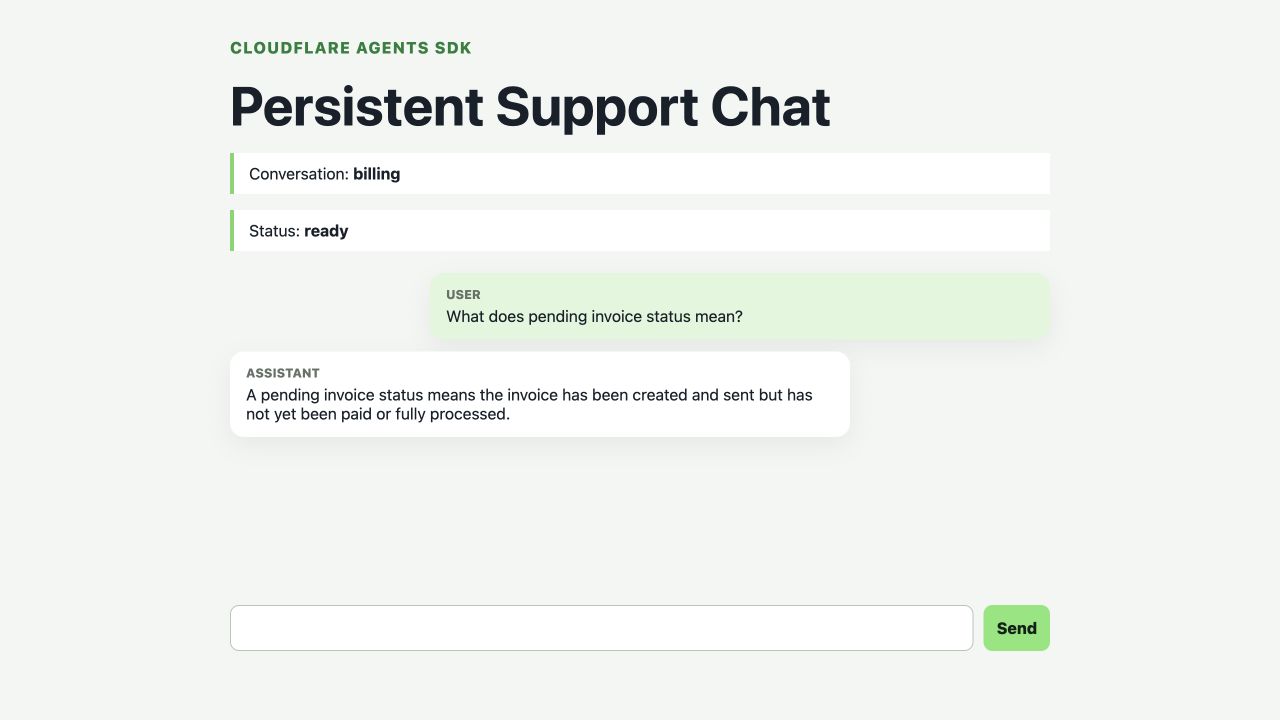
The resource and answer shown are examples from the tested disposable run. Your exact wording can differ because model output is nondeterministic.
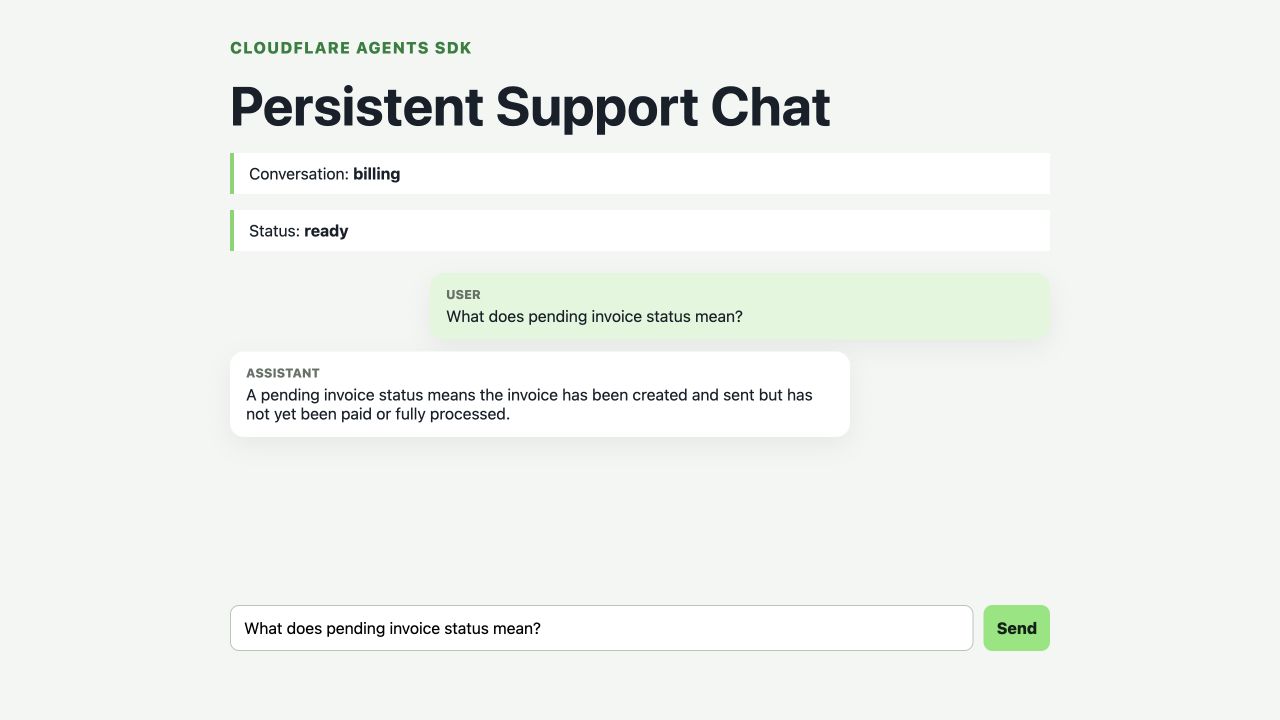
Refresh the same URL. The completed user and assistant messages should return from SQLite rather than starting over:
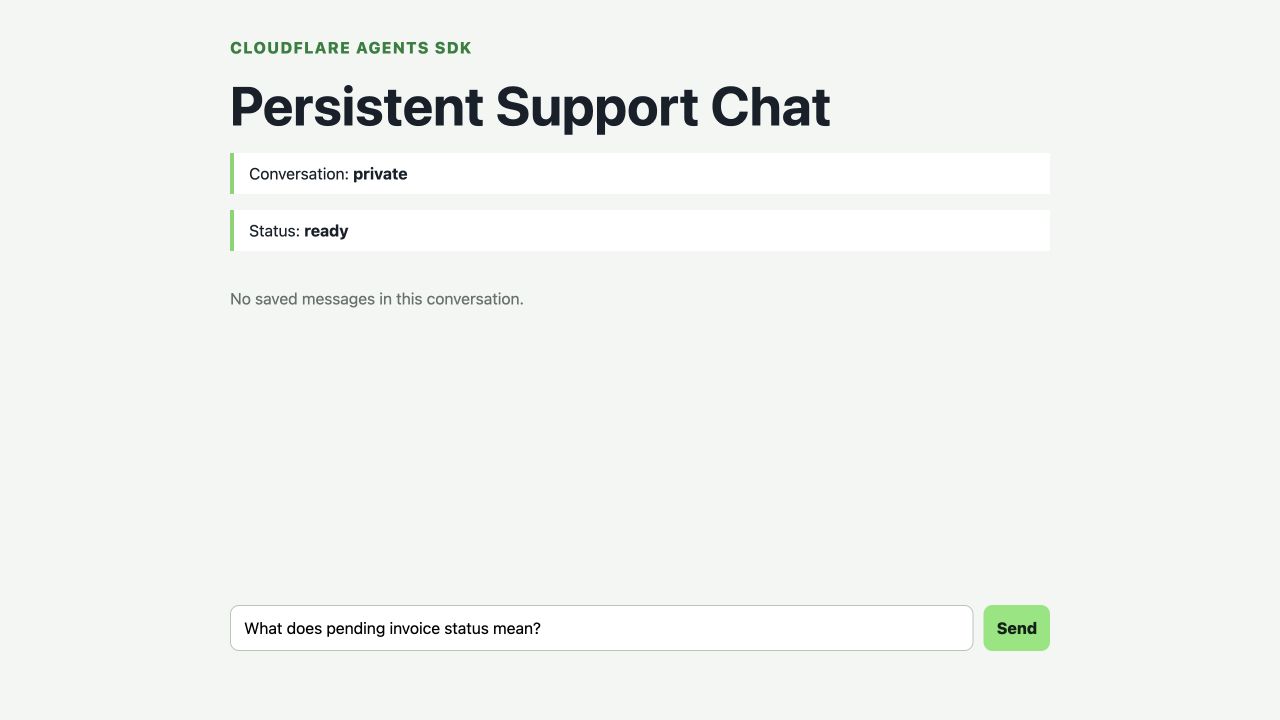
Now prove name isolation. Generate and open a separately signed URL:
PRIVATE_TOKEN="$(node scripts/create-session-token.mjs private)"
printf '%s/?session=private&token=%s\n' "${WORKER_URL%/}" "$PRIVATE_TOKEN"
The private page is authorized, but it belongs to a different named Agent instance, so its history is empty:
Finally, run one independent, run-unique remote probe. It makes one additional bounded model call, confirms multiple stream chunks, fetches the stored user and assistant messages after reconnect, checks an empty authorized second session, and rejects cross-session access:
python3 .labex/verify.py deployed
Inspect and Remove the Chat Resources
In this step, you will connect runtime behavior to Dashboard evidence, then remove only this lab's resources.
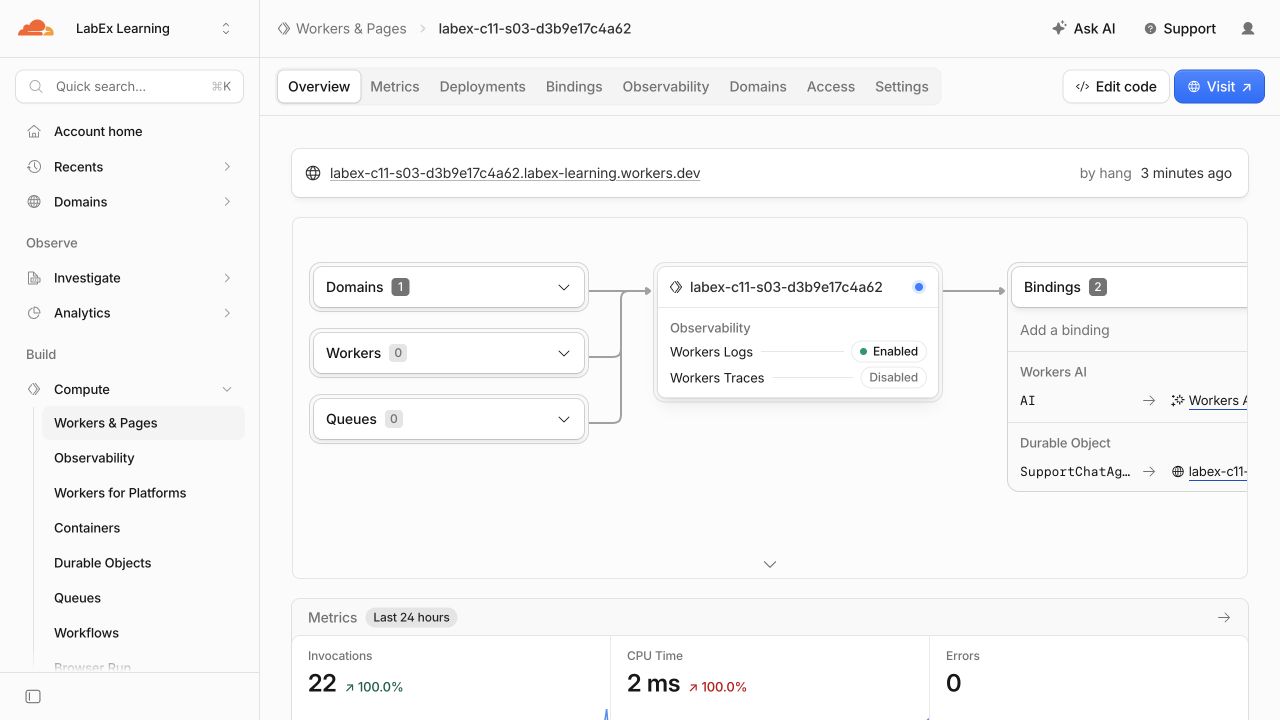
In the Cloudflare Dashboard, open Workers & Pages, select your exact labex-c11-s03-... Worker, and inspect its bindings. You should see both the AI binding and SupportChatAgent Durable Object binding:
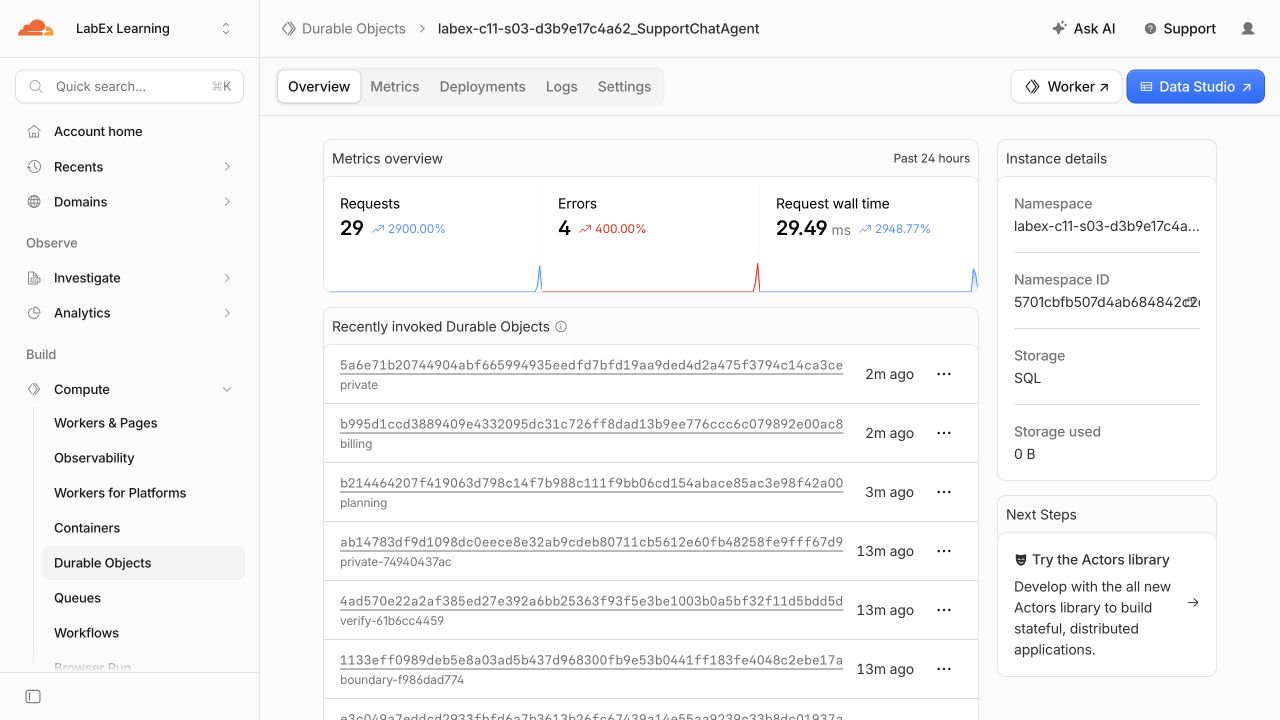
Open Durable Objects and select the SQL-backed namespace owned by this Worker. The namespace is Cloudflare's resource-level view; planning, private and verifier names are isolated instances inside it:
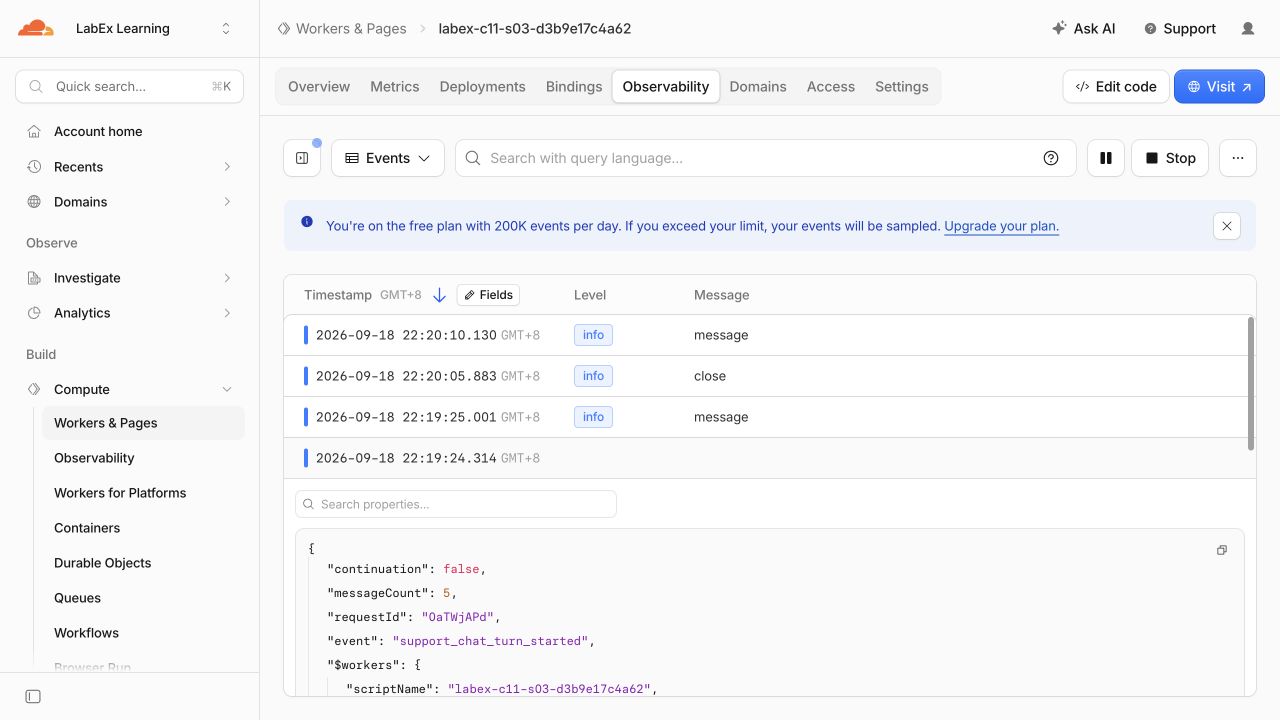
Open the Worker's logs or observability view and find support_chat_turn_started. The event shows bounded metadata such as message count, but not the learner's prompt or the model answer:
After inspection, create a deletion migration that removes only this lab's class namespace:
python3 - <<'PY'
import json
from pathlib import Path
path = Path('wrangler.jsonc')
data = json.loads(path.read_text())
data.pop('durable_objects', None)
data['migrations'].append({'tag': 'v2', 'deleted_classes': ['SupportChatAgent']})
Path('wrangler.cleanup.jsonc').write_text(json.dumps(data, indent=2) + '\n')
PY
npx wrangler deploy --config wrangler.cleanup.jsonc
npx wrangler delete --config wrangler.cleanup.jsonc --force
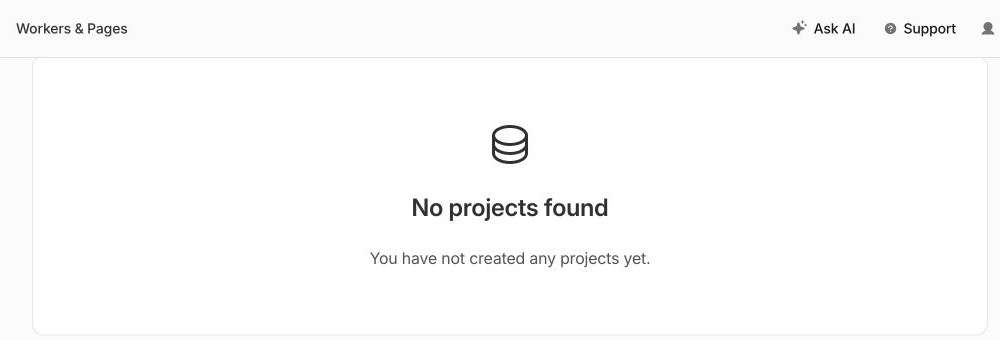
Confirm the Worker is absent from Workers & Pages:
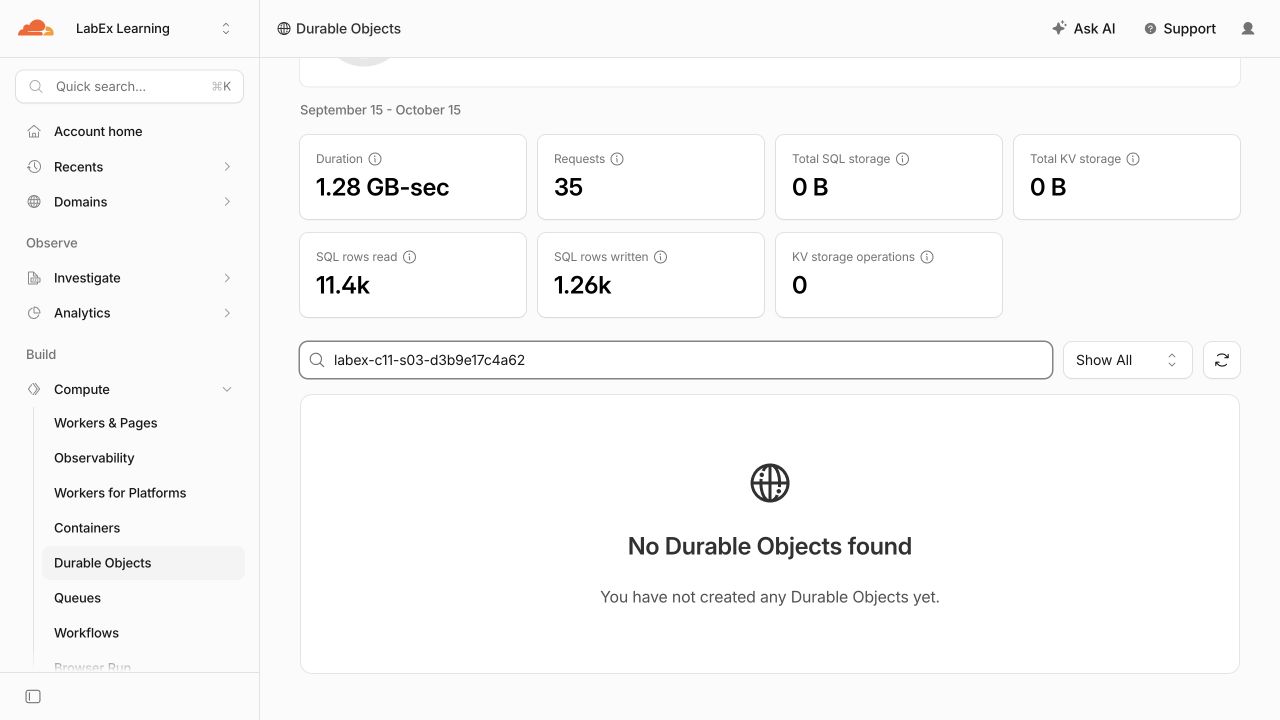
Then confirm the owned SupportChatAgent namespace is absent from Durable Objects:
Run the authenticated absence check while this VM is still authorized:
python3 .labex/verify.py deleted
Deleting the Worker alone is not enough: the explicit deleted_classes migration makes the stateful namespace lifecycle reviewable and prevents this lab's stored synthetic history from being left behind.
Revoke This VM's Authorization
In this step, you will revoke this temporary VM's authorization after proving cloud cleanup.
Cloud resources are already gone. Now revoke the OAuth authorization stored in this temporary VM:
npx wrangler logout
npx wrangler whoami --json || true
The structured result should report "loggedIn": false (or Wrangler may return a nonzero unauthenticated result). This is intentionally last: cleanup verification needs a valid authorization, while logout protects the discarded VM afterward.
Summary
You built a persistent, streamed support conversation with Cloudflare's current chat integration. You:
- extended
AIChatAgentand used a bounded Workers AIstreamText()call; - connected a supplied React shell with
useAgent()anduseAgentChat(); - protected both WebSocket and HTTP history routes with an expiring, session-scoped signature;
- observed incremental status, refreshed into SQLite-backed history and proved a different named conversation remained isolated;
- inspected privacy-bounded Cloudflare evidence; and
- deleted the exact Agent class namespace and Worker before revoking the VM authorization.
The next lab uses the same durable Agent identity for scheduled support follow-ups. Scheduling is a different lifecycle concern: it lets work run later even when no browser remains connected.


