



Introduction
A help center combines static assets—ready-made HTML, CSS, images or browser JavaScript—with responses generated by application code. Cloudflare can serve those files alongside a Worker, which is useful for keeping a small website and its API together. You will explore which one handles a request first, then make health requests reach the API and require a credential before serving a synthetic staff document.
This independent lab starts in /home/labex/project/help-center with Node.js 22.22.0, project-local Wrangler 4.131.1 and supplied HTML/CSS/JavaScript fixtures. Use your own Cloudflare learning account and the authorization, deployment and secret-file skills taught earlier. No previous VM, cloud resource, purchased domain, database or paid upgrade is required. Requests count toward normal account usage.
All content and credentials are synthetic. Keep one terminal open. The unsafe baseline stays local; only the repaired Worker is deployed. Delete the deployment, remove the local test credential and log out before ending the VM.
Observe Asset-First Routing Locally
In this step, you will inspect a supplied help-center shell and observe how matching files take priority over a Worker by default. The fixtures include a deliberately conflicting /api/health file and a fake staff handbook. Everything is synthetic and this first configuration stays local.
cd /home/labex/project/help-center
node --version
npx wrangler --version
ls -R public
Expect Node v22.22.0 and Wrangler 4.131.1. Setup installed project-local tools; use npm ci with the project lockfile when reproducing it elsewhere. The public directory holds HTML, CSS, browser JavaScript and the two routing fixtures. Do not put credentials or real internal documents in it.
WORKER_NAME="labex-help-$(openssl rand -hex 6)"
cat > wrangler.jsonc <<CONFIG
{
  "name": "$WORKER_NAME",
  "main": "src/index.js",
  "compatibility_date": "2026-09-14",
  "workers_dev": true,
  "preview_urls": false,
  "assets": {
    "directory": "./public",
    "binding": "ASSETS",
    "html_handling": "none",
    "not_found_handling": "none",
    "run_worker_first": false
  }
}
CONFIG
HTML supplies the page structure, CSS controls its appearance, and browser JavaScript calls the health API. A page can therefore look correct even when that API is broken. Routing precedence means deciding whether a matching file or your handler gets the first chance to answer a request.
directory selects files to upload, while binding exposes them to the handler as env.ASSETS. html_handling: none keeps explicit file paths; not_found_handling: none avoids automatically returning a single-page application's home page for an unknown path. This lab needs unknown routes to stay visibly distinct. The handler explicitly maps / to /index.html because automatic HTML handling is disabled. It intends to return JSON for health and delegates other paths to the asset store.
cat > src/index.js <<'JS'
export default {
  async fetch(request, env) {
    if (new URL(request.url).pathname === '/api/health') {
      return Response.json({status: 'ok', service: 'help-center'});
    }
    const assetUrl = new URL(request.url);
    if (assetUrl.pathname === '/') assetUrl.pathname = '/index.html';
    return env.ASSETS.fetch(new Request(assetUrl, request));
  }
};
JS
npx wrangler dev --ip 0.0.0.0 --port 8080 > dev.log 2>&1 &
cat dev.log
Wait for the log to report readiness before continuing; repeat cat if needed.
curl -i http://127.0.0.1:8080/
curl -i http://127.0.0.1:8080/styles.css
curl -i http://127.0.0.1:8080/api/health
curl -i http://127.0.0.1:8080/staff/handbook.html
The home page and CSS return 200. Health returns the static text STATIC_HEALTH_PLACEHOLDER, not the handler's JSON, because the matching asset wins. The synthetic handbook is also directly readable. This demonstrates routing precedence, not a safe deployment. Do not deploy this baseline. Use verification before changing it.
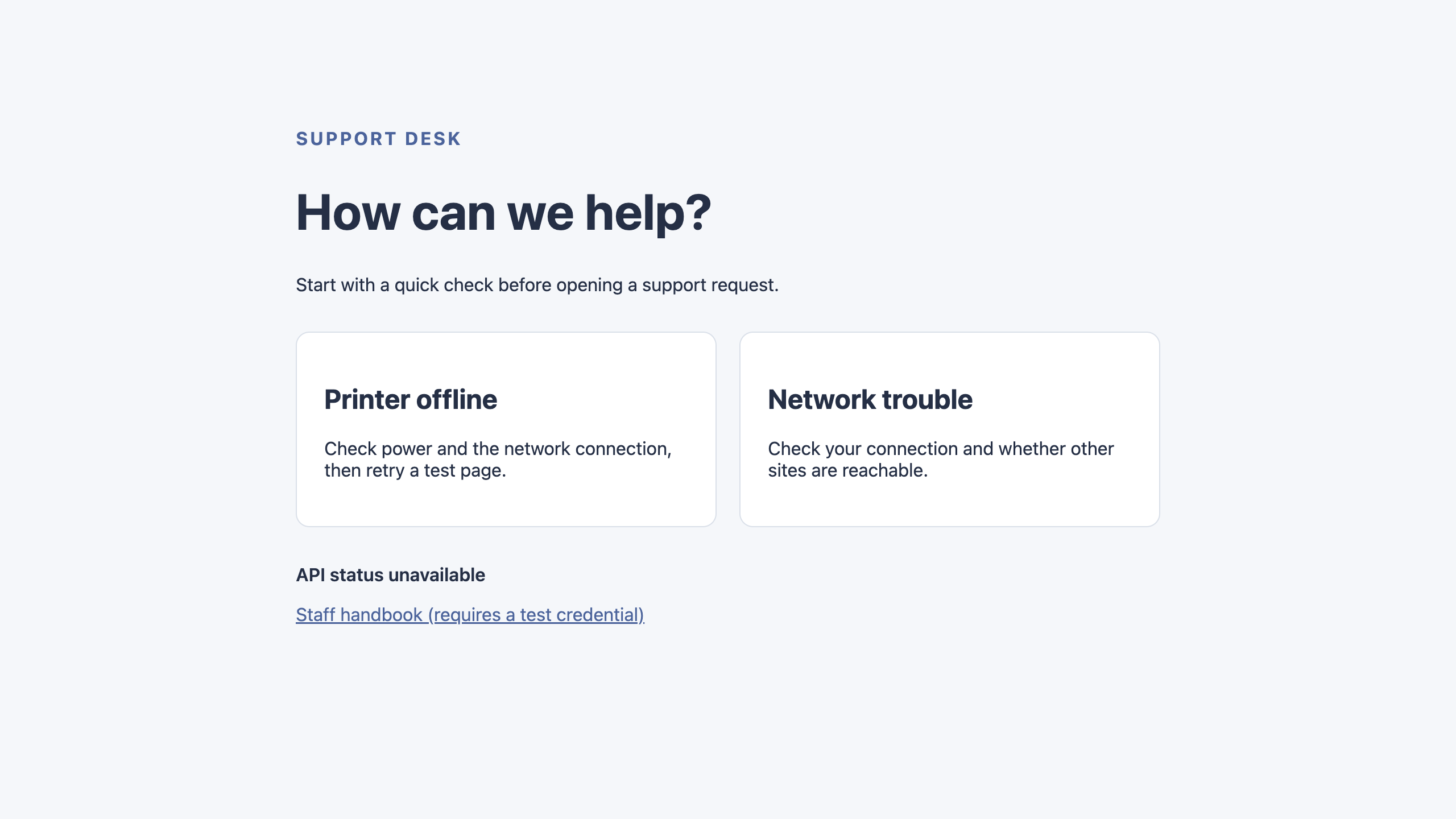
If your lab exposes a Web 8080 preview, open it now. The help-center shell loads, but its status line says API status unavailable because the browser expected JSON. Keep CLI responses as the authoritative routing checks; the preview is a visual checkpoint.
The example below shows the starting problem: the page and stylesheet load, but API status unavailable means the browser did not receive the expected health JSON. A working page shell alone does not confirm that API routing works.
Run the Worker Before Assets and Protect Staff Content
In this step, you will let the handler decide which requests may receive files. Running it first lets the API return JSON and lets the staff route check a credential before fetching a document. Public files should still load normally. Stop the actual dev job shown by jobs; the example assumes job 1.
jobs
kill %1
cat > wrangler.jsonc <<CONFIG
{
  "name": "$WORKER_NAME",
  "main": "src/index.js",
  "compatibility_date": "2026-09-14",
  "workers_dev": true,
  "preview_urls": false,
  "assets": {
    "directory": "./public",
    "binding": "ASSETS",
    "html_handling": "none",
    "not_found_handling": "none",
    "run_worker_first": true
  }
}
CONFIG
With run_worker_first: true, every request enters the handler, including files that would otherwise match directly. Selective route patterns also exist, but this small app uses a single explicit routing policy. See Static Assets configuration.
Generate a disposable staff credential using the secret-file workflow taught earlier. umask restricts new-file permissions. This is a lab-only bearer token, never an account API token. Keep it out of public files, browser JavaScript, URLs and logs.
umask 077
STAFF_TOKEN=$(openssl rand -hex 24)
printf 'STAFF_TOKEN=%s\n' "$STAFF_TOKEN" > .dev.vars
cat .gitignore
Confirm .dev.vars* and .env* are ignored. Replace the handler with the complete policy below. It decodes the path once, serves health as JSON, permits only the listed public files, checks the staff credential before fetching that asset, and rejects unknown paths. The request sent to ASSETS contains no client Authorization header. Protected responses use private, no-store.
cat > src/index.js <<'JS'
export default {
  async fetch(request, env) {
    const url = new URL(request.url);
    let path;
    try { path = decodeURIComponent(url.pathname); }
    catch { return Response.json({error: 'not_found'}, {status: 404}); }
    if (path === '/api/health') {
      if (request.method !== 'GET') {
        return Response.json({error: 'method_not_allowed'}, {status: 405, headers: {Allow: 'GET'}});
      }
      return Response.json({status: 'ok', service: 'help-center'});
    }
    const publicPaths = ['/', '/index.html', '/styles.css', '/app.js'];
    if (path === '/staff/handbook.html') {
      if (!env.STAFF_TOKEN) return Response.json({error: 'staff_unconfigured'}, {status: 503});
      if (request.headers.get('Authorization') !== `Bearer ${env.STAFF_TOKEN}`) {
        return Response.json({error: 'unauthorized'}, {status: 401});
      }
    } else if (!publicPaths.includes(path)) {
      return Response.json({error: 'not_found'}, {status: 404});
    }
    if (!['GET', 'HEAD'].includes(request.method)) {
      return Response.json({error: 'method_not_allowed'}, {status: 405, headers: {Allow: 'GET, HEAD'}});
    }
    url.pathname = path === '/' ? '/index.html' : path;
    // Only known paths reach the asset store, after any required authorization.
    const response = await env.ASSETS.fetch(new Request(url, {method: request.method}));
    if (path === '/staff/handbook.html') {
      const headers = new Headers(response.headers);
      headers.set('Cache-Control', 'private, no-store');
      return new Response(response.body, {status: response.status, headers});
    }
    return response;
  }
};
JS
npx wrangler dev --ip 0.0.0.0 --port 8080 > dev.log 2>&1 &
cat dev.log
After readiness, compare public, protected and unknown responses:
curl -i http://127.0.0.1:8080/api/health
curl -i http://127.0.0.1:8080/staff/handbook.html
curl -i http://127.0.0.1:8080/staff/handbook.html -H "Authorization: Bearer wrong-token"
curl -i http://127.0.0.1:8080/staff/handbook.html -H "Authorization: Bearer $STAFF_TOKEN"
curl -i --path-as-is http://127.0.0.1:8080/%73taff/handbook.html
curl -i http://127.0.0.1:8080/missing-page -H "Sec-Fetch-Mode: navigate"
Health now returns 200 {"status":"ok","service":"help-center"} even though the conflicting file still exists. Missing and wrong credentials return 401 JSON; the matching token returns the synthetic handbook HTML. The encoded staff path also returns 401, and the unknown navigation returns 404 JSON. Removing the fixture would hide the routing problem; retain it.
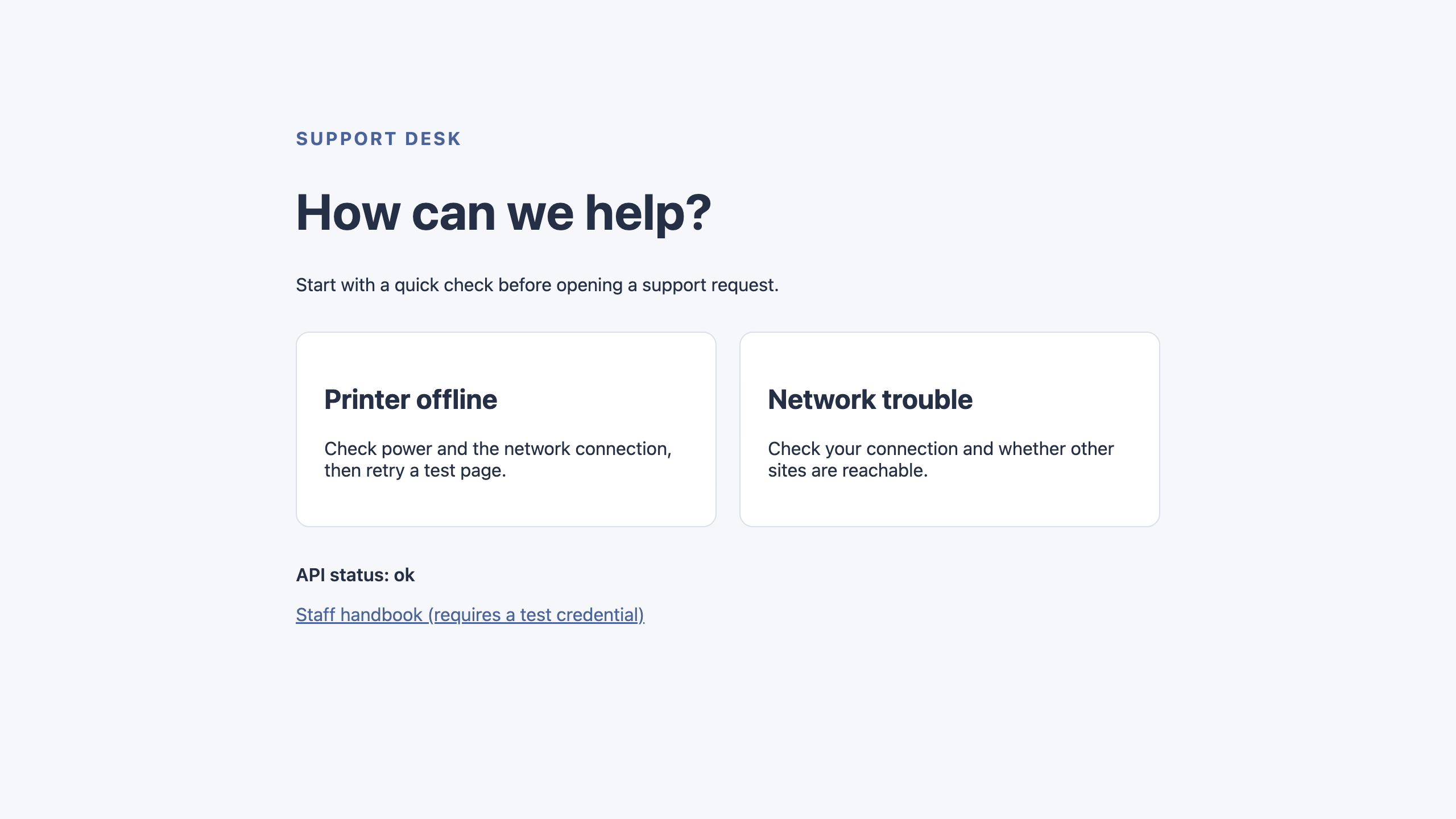
Refresh the optional Web 8080 preview: the status should now say API status: ok. The handbook endpoint returns 401 JSON without a credential. Some embedded browsers block navigation to that response and leave the previous page visible; use the curl result above to inspect it. This browser behavior is not evidence of successful access. Use curl with the synthetic header for authorized access; do not paste the secret into the address bar. Use verification with the server running. It also checks HEAD, encoded paths, alternate spellings and public asset types.
Compare the status line with the earlier preview. API status: ok now shows that the page can read the health response. This visual check covers the public health route; use the curl responses above to assess the protected handbook.
Deploy Assets and the Protected Handler
In this step, you will deploy only the repaired configuration to your learning account. Stop the current local job, using its actual number from jobs.
jobs
kill %1
npx wrangler login --device --browser=false --scopes account:read user:read workers_scripts:write workers_tail:read
Complete the displayed device link/code in your signed-in browser, review the existing Wrangler permissions and Background Access, and select your learning account. Wait for terminal completion.
npx wrangler whoami --json
Confirm the actual account name and ID, then replace YOUR_ACCOUNT_ID below with that ID. Keep the original resource name and repaired asset settings.
cat > wrangler.jsonc <<CONFIG
{
  "name": "$WORKER_NAME",
  "main": "src/index.js",
  "compatibility_date": "2026-09-14",
  "account_id": "YOUR_ACCOUNT_ID",
  "workers_dev": true,
  "preview_urls": false,
  "assets": {
    "directory": "./public",
    "binding": "ASSETS",
    "html_handling": "none",
    "not_found_handling": "none",
    "run_worker_first": true
  }
}
CONFIG
npx wrangler deploy
Wrangler uploads the public directory and deploys its handler. Copy the exact printed workers.dev URL below. Reuse the learning account's existing subdomain; first-time users can follow Wrangler's available-subdomain prompt.
APP_URL="https://YOUR_WORKER.YOUR_SUBDOMAIN.workers.dev"
curl -i "$APP_URL/staff/handbook.html"
Before uploading the secret, this route returns 503 staff_unconfigured: the handler runs first and fails closed. .dev.vars is local configuration and was not uploaded by deployment. If initial hostname propagation delays a response, retry briefly before investigating a persistent error.
npx wrangler secret bulk .dev.vars
npx wrangler secret list
Confirm STAFF_TOKEN is listed as secret_text, without displaying its value. Secret deployment can take a short time to reach every serving location. If the next requests still return staff_unconfigured, wait 10 seconds and repeat those requests, for up to two minutes. Require stable 401 without the credential and 200 with it before using verification. A persistent mismatch needs investigation; do not accept 503 as the final outcome or change the authorization policy to make a check pass.
curl -i "$APP_URL/"
curl -i "$APP_URL/api/health"
curl -i "$APP_URL/staff/handbook.html"
curl -i "$APP_URL/staff/handbook.html" -H "Authorization: Bearer $STAFF_TOKEN"
curl -i "$APP_URL/missing-page" -H "Sec-Fetch-Mode: navigate"
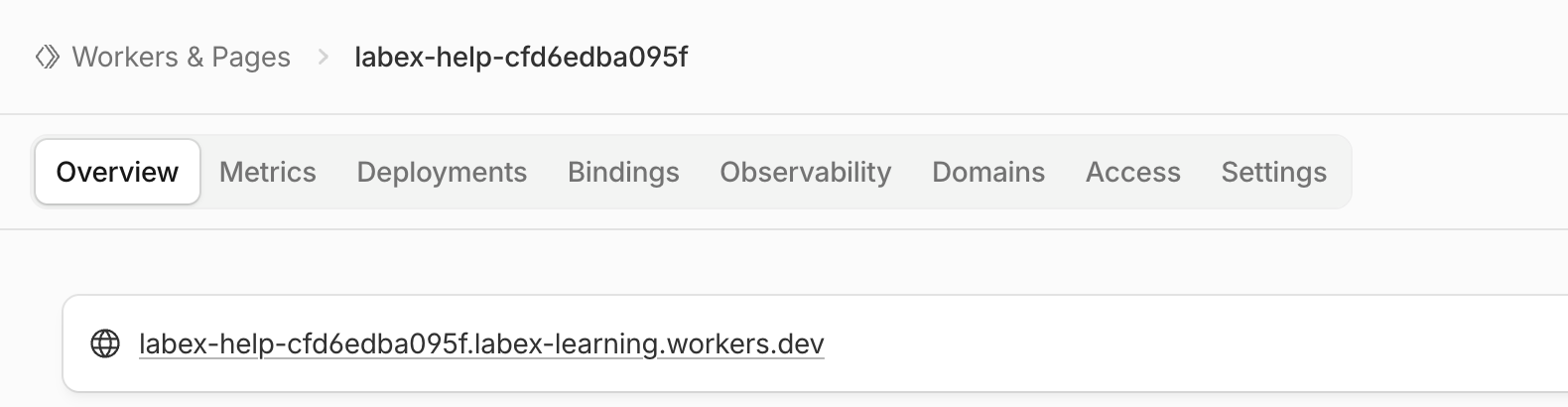
Expect public HTML, health JSON, 401 without the credential, handbook HTML with the credential, and 404 for the unknown page. In the same Dashboard account, open Compute → Workers & Pages, locate the exact Worker, and confirm its public URL. Use verification for actual ownership, deployed bindings, asset contents and authorization behavior. You may also open the public home page in your own browser; do not send the staff token through a URL. The synthetic token gate is a routing lesson, not a complete staff identity system.
On the Worker's Overview tab, compare the name in the breadcrumb and the linked workers.dev address with your deployment output. The name and subdomain in this screenshot are examples; your generated name and account subdomain will differ. This is the deployed public address, while Web 8080 previews your local development server. Opening this existing Worker does not require creating another application.
Delete the Help-Center Deployment
In this step, you will remove the lab Worker and its attached assets and secret binding while still authorized. Confirm the unique name and account:
cat wrangler.jsonc
npx wrangler delete
Check the exact lab name at the prompt, then press the single key y. Wrangler 4.131.1 may report the documented legacy Workers Sites KV authentication error after deletion. Do not broaden permissions or use that message as deletion evidence. Refresh Workers & Pages and use verification: a successful authorized inventory must show this name absent. Preserve unrelated resources, the account and its workers.dev subdomain.
Remove the Local Credential and Disconnect
In this step, you will remove the local synthetic credential after cloud cleanup is verified, then disconnect this VM.
rm .dev.vars
unset STAFF_TOKEN
npx wrangler logout
npx wrangler whoami --json
Expect explicit "loggedIn": false; a nonzero unauthenticated status exit is expected when this structured result is present. Use verification and end the VM. Browser login can remain available; neither ending the VM nor logging out deletes cloud resources for you.
Summary
You observed asset-first routing, then used Worker-first handling to keep API responses and authorization ahead of matching files. The supplied help-center shell retained public HTML, CSS and browser JavaScript, while explicit path handling blocked unauthenticated staff requests and unknown routes. You tested encoded paths and browser-style navigation, deployed the repaired site with a separate secret upload, then verified deletion and logout.
Choose routing order deliberately whenever static files and application policy share a hostname. A local response alone does not prove the deployed configuration or account identity.


