



Introduction
A support team often promises to check a ticket again later: after a customer has tried a fix, after a service window ends or before an escalation deadline. A browser timer cannot safely own that promise because closing the tab erases it. An Agent schedule stores the future action with the named Agent, so the platform can wake that durable instance when the time arrives.
In this lab, you will build a small follow-up board without a language model:
schedule()registers one delayed callback and returns its durable schedule ID.listSchedules()lets the application inspect pending work with the current asynchronous API.cancelSchedule()removes a still-pending item after the server verifies what it owns.- The callback records a bounded completion in Agent state and emits a privacy-limited log.
You will schedule a short task and watch it complete, then create a longer task and cancel it before execution. The calls use only synthetic ticket references. Identical registration requests opt into SDK idempotency, which prevents an accidental double-click from creating duplicate work.
The Agents SDK implements this lifecycle on top of a SQLite-backed Durable Object alarm. You use the higher-level schedule API instead of managing alarm timestamps and storage records yourself, but the work still belongs to one named Agent instance and survives ordinary Worker restarts.
Before entering this course directly, complete Connect LabEx to Your Cloudflare Account. Each new LabEx VM needs its own Wrangler authorization. Earlier course labs are recommended, but this lab creates and removes its own isolated resources.
Authorize the VM and Configure the Agent
In this step, you will authorize this fresh VM and define the one disposable Worker and Durable Object class used by the lab.
cd /home/labex/project/follow-up-agent
npx wrangler login
npx wrangler whoami --json
Open the printed device link in the LabEx browser, confirm the displayed code and approve the learning account. Do not send a password, token or authorization code to anyone. In the JSON result, require "loggedIn": true, read the account name and copy its ID.
Generate a unique resource name and create wrangler.jsonc:
RUN="labex-c11-s04-$(openssl rand -hex 6)"
ACCOUNT_ID="YOUR_ACCOUNT_ID"
cat > wrangler.jsonc <<JSON
{
  "\$schema": "./node_modules/wrangler/config-schema.json",
  "name": "$RUN",
  "account_id": "$ACCOUNT_ID",
  "main": "src/server.ts",
  "compatibility_date": "2026-09-18",
  "compatibility_flags": ["nodejs_compat"],
  "workers_dev": true,
  "preview_urls": false,
  "observability": { "enabled": true },
  "durable_objects": {
    "bindings": [
      { "name": "FollowUpAgent", "class_name": "FollowUpAgent" }
    ]
  },
  "migrations": [
    { "tag": "v1", "new_sqlite_classes": ["FollowUpAgent"] }
  ]
}
JSON
python3 .labex/verify.py auth
The binding name is the name used by the router and client; the class name is the implementation. Migration v1 asks Cloudflare to create SQLite-backed storage for that class. It does not create a particular named instance yet—an instance such as planning appears when traffic first addresses it.
Implement Durable Follow-Up Scheduling
In this step, you will implement registration, inspection, cancellation and the eventual callback in one named Agent.
cat > src/server.ts <<'TS'
import { Agent, callable, routeAgentRequest, type Schedule } from "agents";

type CompletedFollowUp = { ticketId: string; completedAt: string };
export type FollowUpState = { completed: CompletedFollowUp[]; revision: number };
export type PendingFollowUp = { id: string; ticketId: string; runAt: string };

export class FollowUpAgent extends Agent<Cloudflare.Env, FollowUpState> {
  initialState: FollowUpState = { completed: [], revision: 0 };

  private ticket(value: unknown): string {
    const ticketId = typeof value === "string" ? value.trim().toUpperCase() : "";
    if (!/^T-[A-Z0-9-]{3,24}$/.test(ticketId)) {
      throw new Error("ticket must look like T-DEMO-101");
    }
    return ticketId;
  }

  @callable()
  async scheduleFollowUp(ticketInput: string, delaySeconds: number): Promise<PendingFollowUp> {
    const ticketId = this.ticket(ticketInput);
    if (!Number.isInteger(delaySeconds) || delaySeconds < 3 || delaySeconds > 300) {
      throw new Error("delay must be an integer from 3 to 300 seconds");
    }
    const scheduled = await this.schedule(
      delaySeconds,
      "completeFollowUp",
      { ticketId },
      {
        idempotent: true,
        retry: { maxAttempts: 2, baseDelayMs: 100, maxDelayMs: 500 }
      }
    );
    return this.pending(scheduled);
  }

  @callable()
  async listFollowUps(): Promise<PendingFollowUp[]> {
    const schedules = await this.listSchedules({ type: "delayed" });
    return schedules
      .filter((item) => item.callback === "completeFollowUp")
      .map((item) => this.pending(item))
      .sort((left, right) => left.runAt.localeCompare(right.runAt));
  }

  @callable()
  async cancelFollowUp(scheduleId: string): Promise<boolean> {
    if (!/^[a-zA-Z0-9_-]{8,80}$/.test(scheduleId)) throw new Error("invalid schedule ID");
    const owned = await this.getScheduleById(scheduleId);
    if (!owned || owned.callback !== "completeFollowUp") return false;
    return this.cancelSchedule(scheduleId);
  }

  @callable()
  getBoard(): FollowUpState {
    return this.state;
  }

  async completeFollowUp(payload: unknown, _schedule: Schedule<unknown>): Promise<void> {
    const ticketId = this.ticket((payload as { ticketId?: unknown })?.ticketId);
    const next: FollowUpState = {
      completed: [...this.state.completed, { ticketId, completedAt: new Date().toISOString() }].slice(-5),
      revision: this.state.revision + 1
    };
    this.setState(next);
    console.log(JSON.stringify({
      event: "follow_up_completed",
      instance: this.name,
      revision: next.revision,
      completedCount: next.completed.length
    }));
  }

  private pending(schedule: Schedule<unknown>): PendingFollowUp {
    const payload = schedule.payload as { ticketId?: unknown };
    return {
      id: schedule.id,
      ticketId: this.ticket(payload.ticketId),
      runAt: new Date(schedule.time * 1000).toISOString()
    };
  }
}

export default {
  async fetch(request: Request, env: Env): Promise<Response> {
    return (await routeAgentRequest(request, env)) ?? new Response("Not found", { status: 404 });
  }
};
TS
python3 .labex/verify.py server
Cloudflare.Env comes from the Wrangler-generated binding declarations you will create before compiling, so the source does not maintain a second hand-written copy of the environment. schedule() receives a relative delay, callback name and small serializable payload. { idempotent: true } means repeating the same callback and payload returns the existing pending schedule instead of adding another. The retry policy permits at most two callback attempts with a short bounded backoff; a permanent error therefore cannot loop forever. The callback retains only five synthetic completions, and its structured log omits the ticket reference.
The list and lookup methods are deliberately awaited. Older examples may show synchronous getSchedule() or getSchedules() calls; current Agents SDK code should use getScheduleById() and listSchedules().
Connect the Follow-Up Board
In this step, you will configure the current decorator transform and connect the supplied page to one named Agent.
cat > tsconfig.json <<'JSON'
{
  "extends": "agents/tsconfig",
  "compilerOptions": { "noEmit": true },
  "include": ["src/**/*.ts", "vite.config.ts", "worker-configuration.d.ts"]
}
JSON

cat > vite.config.ts <<'TS'
import { cloudflare } from "@cloudflare/vite-plugin";
import agents from "agents/vite";
import { defineConfig } from "vite";

export default defineConfig({ plugins: [agents(), cloudflare()] });
TS

cat > src/client.ts <<'TS'
import { AgentClient } from "agents/client";
import type { FollowUpState, PendingFollowUp } from "./server";

document.querySelector<HTMLDivElement>("#app")!.innerHTML = `
  <main><p class="eyebrow">Durable scheduling</p><h1>Support Follow-Up Board</h1>
  <p id="status" class="status">Connecting to FollowUpAgent:planning…</p>
  <form id="form"><input id="ticket" value="T-DEMO-101" aria-label="Ticket reference">
  <input id="delay" type="number" min="3" max="300" value="12" aria-label="Delay in seconds">
  <button>Schedule follow-up</button></form><p id="error" class="error"></p>
  <div class="columns"><section class="panel"><h2>Pending</h2><div id="pending"></div></section>
  <section class="panel"><h2>Completed</h2><div id="completed"></div></section></div>
  <p class="notice">This demonstration uses synthetic ticket references only.</p></main>`;

const client = new AgentClient<FollowUpState>({ agent: "FollowUpAgent", name: "planning", host: window.location.host });
const pendingView = document.querySelector<HTMLDivElement>("#pending")!;
const completedView = document.querySelector<HTMLDivElement>("#completed")!;
const statusView = document.querySelector<HTMLParagraphElement>("#status")!;
const errorView = document.querySelector<HTMLParagraphElement>("#error")!;

function renderCompleted(state: FollowUpState) {
  completedView.innerHTML = state.completed.map((item) =>
    `<div class="item"><strong>${item.ticketId}</strong><br><small>${new Date(item.completedAt).toLocaleTimeString()}</small></div>`
  ).join("") || '<p class="empty">No completed follow-ups yet</p>';
}

async function refresh() {
  const pending = await client.call<PendingFollowUp[]>("listFollowUps", []);
  pendingView.innerHTML = pending.map((item) =>
    `<div class="item"><strong>${item.ticketId}</strong><br><small>${new Date(item.runAt).toLocaleTimeString()}</small><br>` +
    `<button class="secondary" data-id="${item.id}">Cancel</button></div>`
  ).join("") || '<p class="empty">No pending follow-ups</p>';
  const state = await client.call<FollowUpState>("getBoard", []);
  renderCompleted(state);
}

await client.ready;
statusView.textContent = "Connected to FollowUpAgent:planning";
await refresh();
setInterval(() => refresh().catch(() => undefined), 2000);

document.querySelector<HTMLFormElement>("#form")!.addEventListener("submit", async (event) => {
  event.preventDefault(); errorView.textContent = "";
  try {
    const ticket = document.querySelector<HTMLInputElement>("#ticket")!.value;
    const delay = Number(document.querySelector<HTMLInputElement>("#delay")!.value);
    await client.call("scheduleFollowUp", [ticket, delay]); await refresh();
  } catch (cause) { errorView.textContent = cause instanceof Error ? cause.message : String(cause); }
});

pendingView.addEventListener("click", async (event) => {
  const button = (event.target as HTMLElement).closest<HTMLButtonElement>("button[data-id]");
  if (!button) return;
  await client.call("cancelFollowUp", [button.dataset.id]); await refresh();
});
TS
python3 .labex/verify.py client
The page polls the Agent every two seconds only to keep this plain TypeScript fixture easy to read. The schedule itself is not a browser timer: closing the page does not cancel it. The server remains authoritative for validation, ownership and execution.
Generate Types and Build the Application
In this step, you will generate the binding types and build both halves of the application before starting any runtime.
Generate environment types from the exact binding, check both TypeScript sides and build the Worker plus static page:
npx wrangler types
grep -n "FollowUpAgent" worker-configuration.d.ts | head
npm run check
npm run build
find dist -maxdepth 3 -type f | sort | sed -n '1,16p'
python3 .labex/verify.py build
A clean build proves that the binding, decorator transform, shared types and bundles agree. It does not yet prove that an alarm fires or that the cloud account owns the deployed resource; those are runtime checks in the next steps.
Prove the Lifecycle Locally
In this step, you will prove that durable execution and cancellation work in the local Cloudflare runtime.
Start the local runtime as a persistent background job:
CI=true npm run dev > .labex/dev.log 2>&1 < /dev/null &
echo $! > .labex/dev.pid
for attempt in $(seq 1 40); do
  curl --silent --fail http://127.0.0.1:5173/ > /dev/null && break
  sleep 1
done
curl --silent --head http://127.0.0.1:5173/ | head
Open http://localhost:5173 in the LabEx desktop browser. Schedule T-DEMO-101 for 12 seconds. It first appears under Pending; closing or refreshing the page does not own that work. After the scheduled time, the callback removes it from the schedule store and records it under Completed.
Next schedule T-DEMO-CANCEL for 90 seconds and click Cancel. It disappears from Pending and never reaches Completed. Run the independent probe, which uses its own random Agent name and proves idempotent registration, execution and cancellation:
python3 .labex/verify.py local
Deploy and Inspect Scheduled Work
In this step, you will repeat the lifecycle on Cloudflare and connect the observable behavior to Dashboard evidence.
Stop the exact local process, deploy the production build and wait for its URL:
kill "$(cat .labex/dev.pid)"
wait "$(cat .labex/dev.pid)" 2>/dev/null || true
npm run deploy
WORKER_URL="https://YOUR_WORKER_URL"
for attempt in $(seq 1 30); do
  curl --silent --fail "$WORKER_URL/" > /dev/null && break
  sleep 2
done
Open the exact URL in the built-in browser. Schedule T-CLOUD-101 for 20 seconds and first observe the durable pending row.
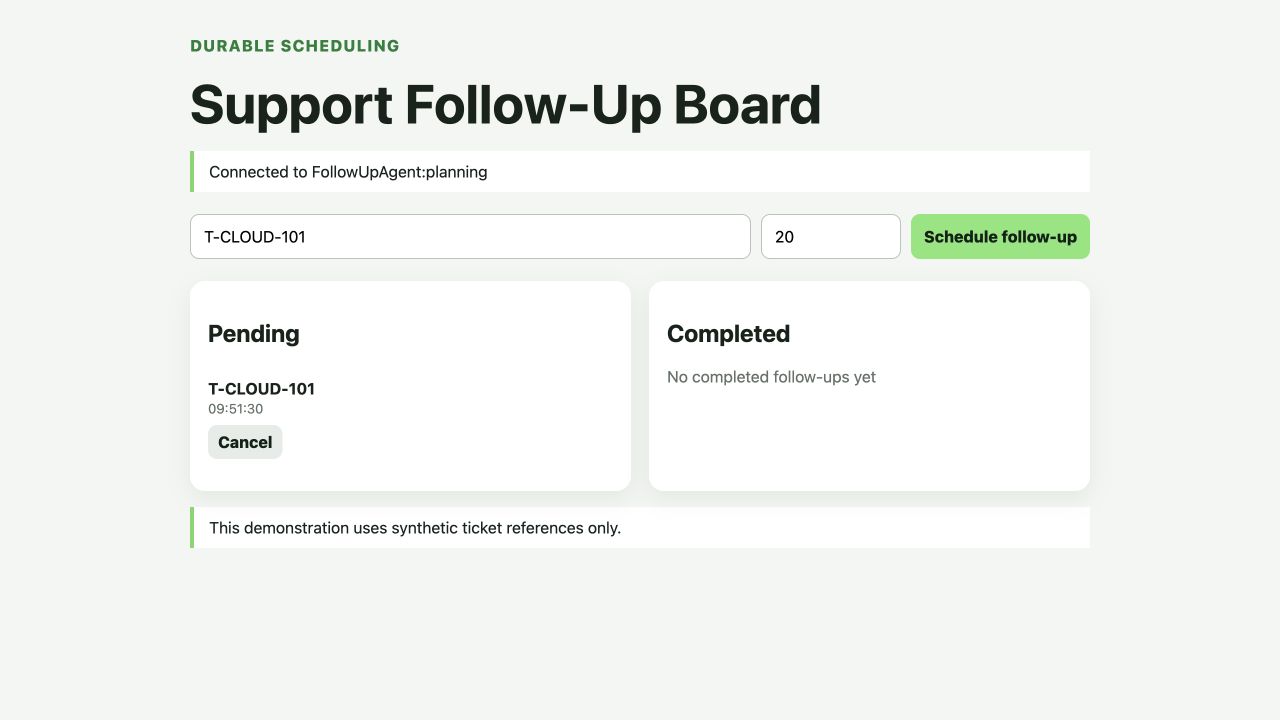
The run time and schedule ID belong to the disposable accepted run; your values differ. The important evidence is that the item is listed by the Agent, not by a countdown stored in the page.
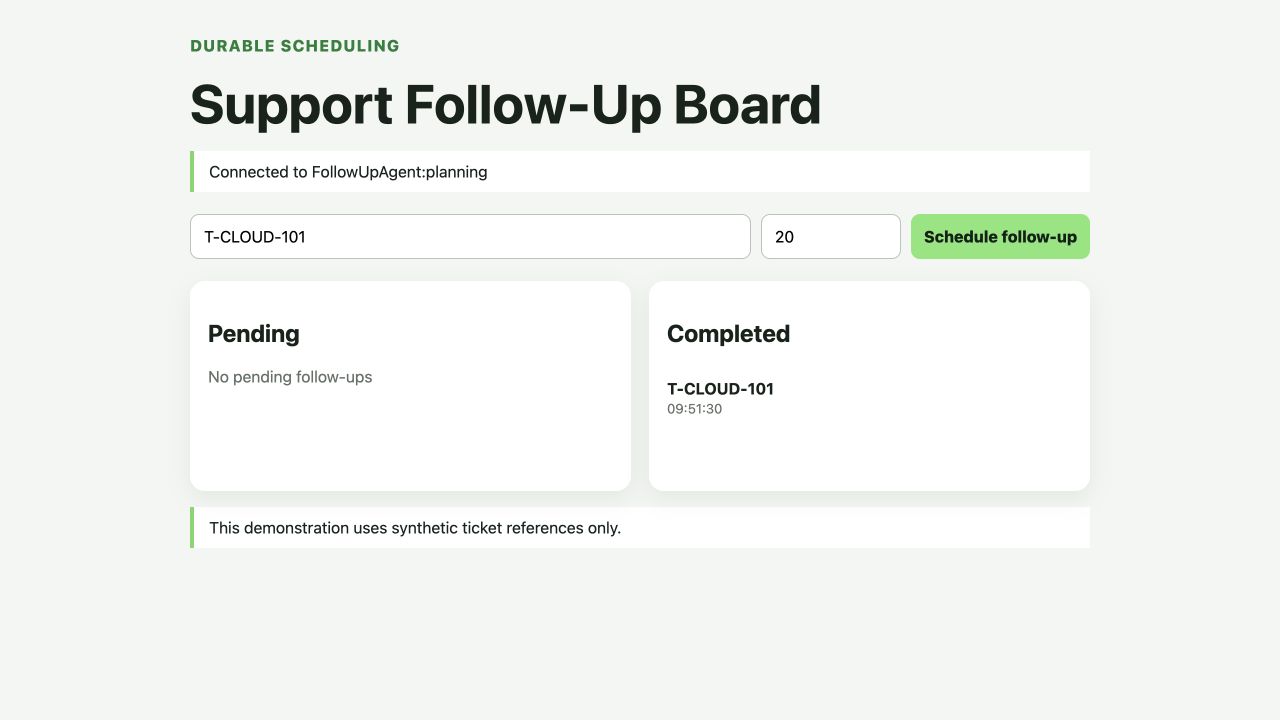
Wait for the callback and confirm the same synthetic ticket appears under Completed.
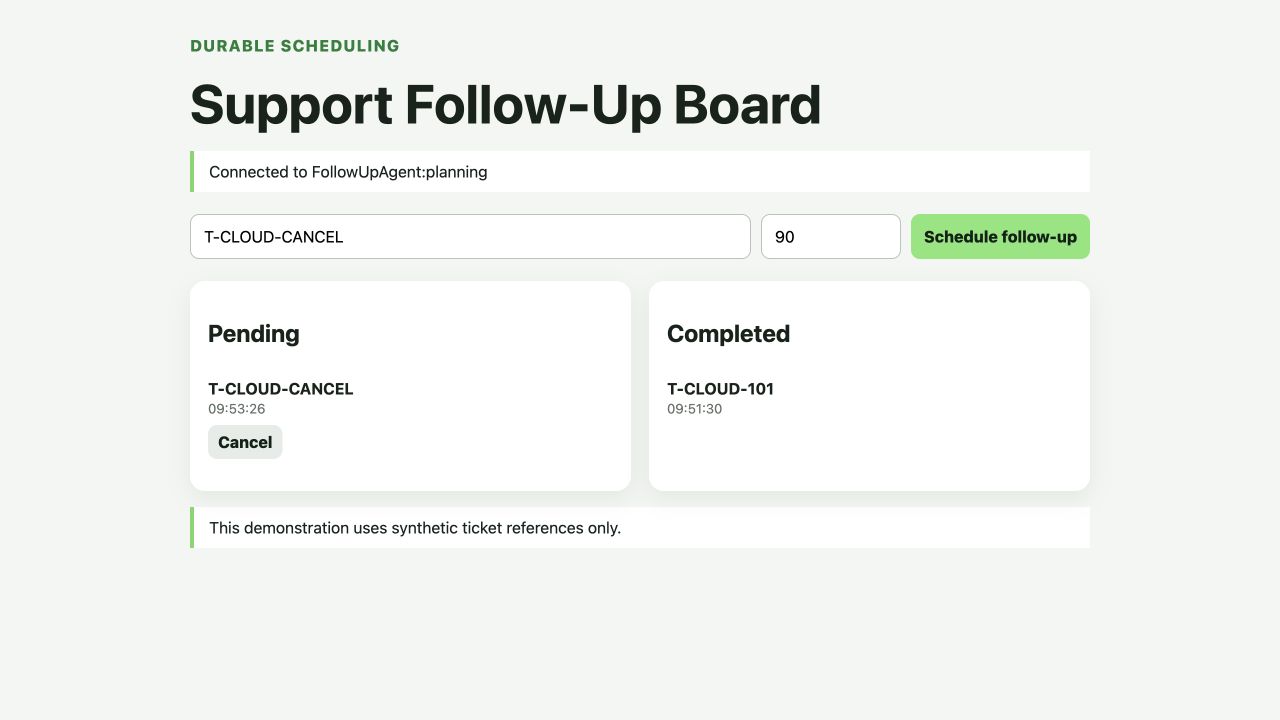
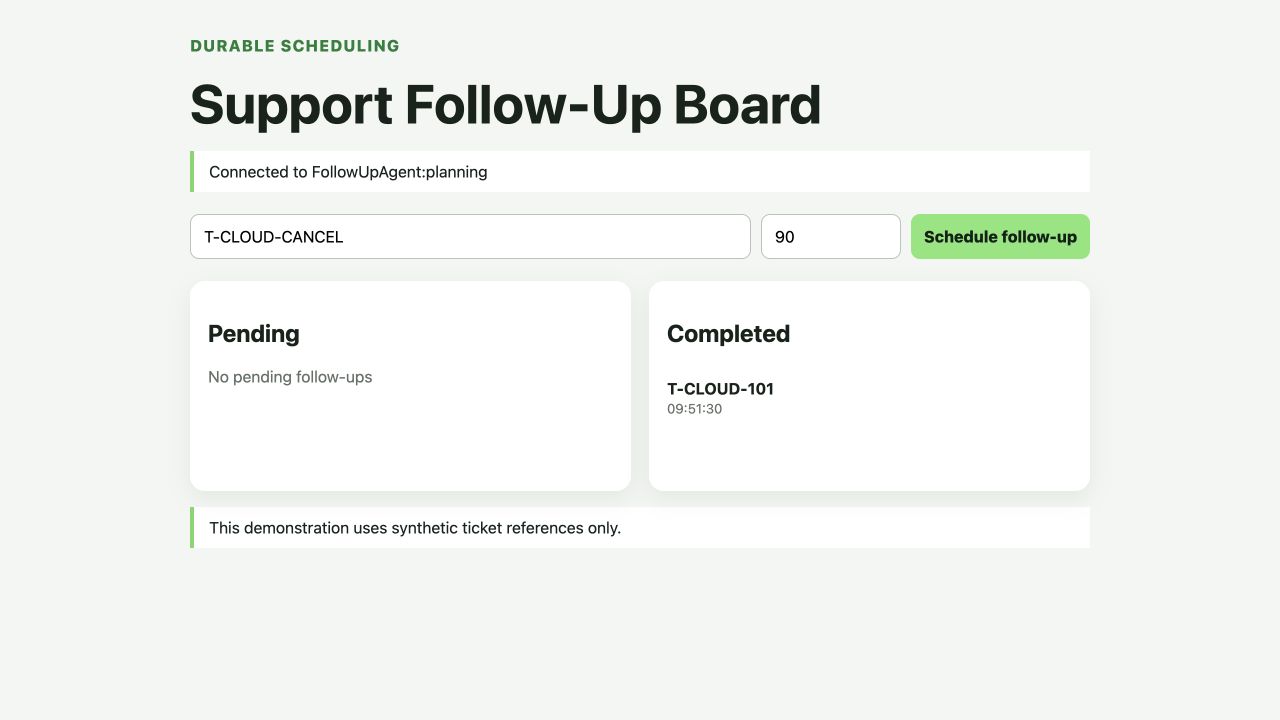
Create T-CLOUD-CANCEL for 90 seconds, capture its pending state and cancel it. The pending panel should return to empty while the completed entry remains unchanged.
Open Workers & Pages, select the exact labex-c11-s04-... Worker and inspect Bindings. Confirm that FollowUpAgent points to the same class name.
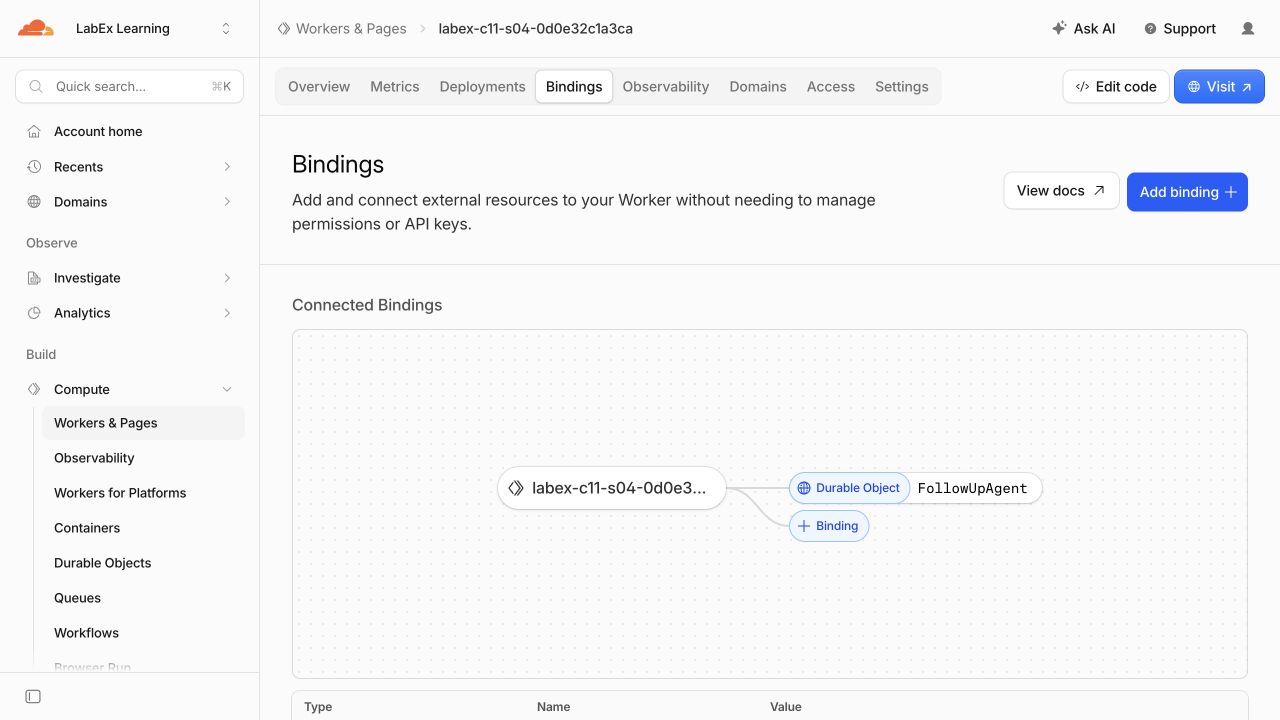
Open Durable Objects and inspect the FollowUpAgent namespace. It uses SQL storage because Agent state and schedules require durable records.
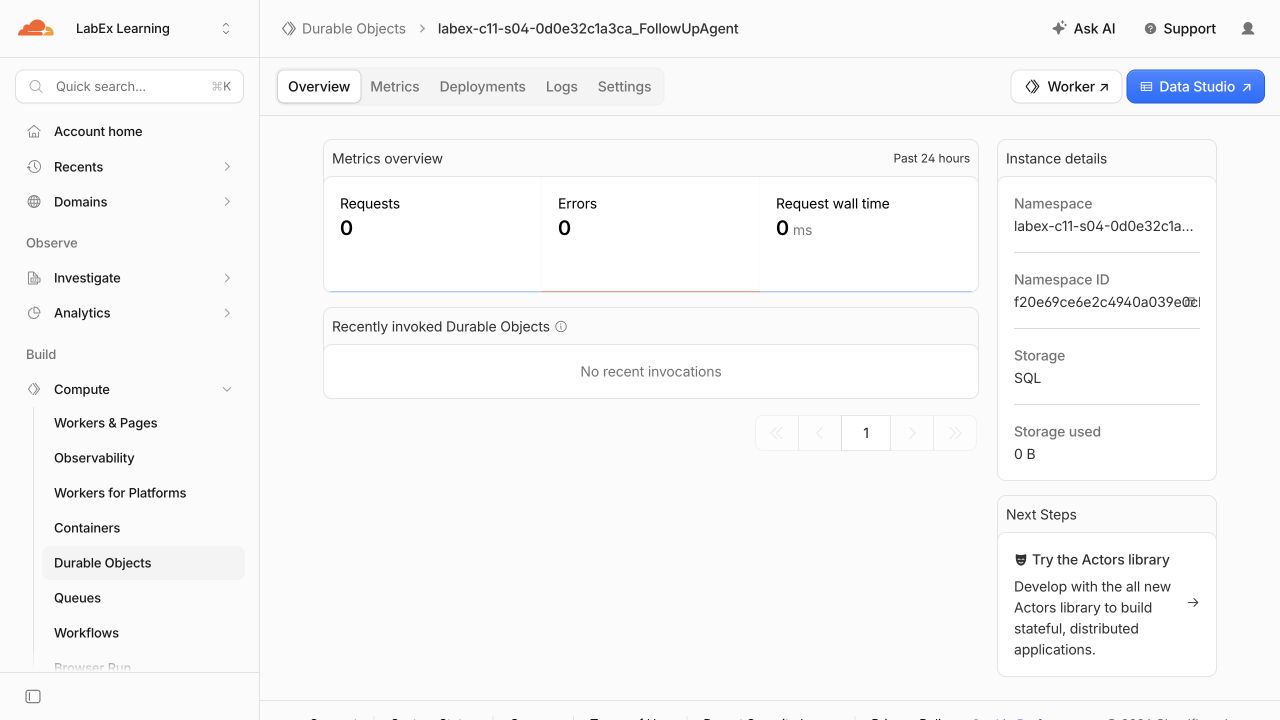
Finally open Observability → Logs, filter for follow_up_completed and expand one event. The bounded event contains the Agent instance, revision and completion count, but no ticket reference.
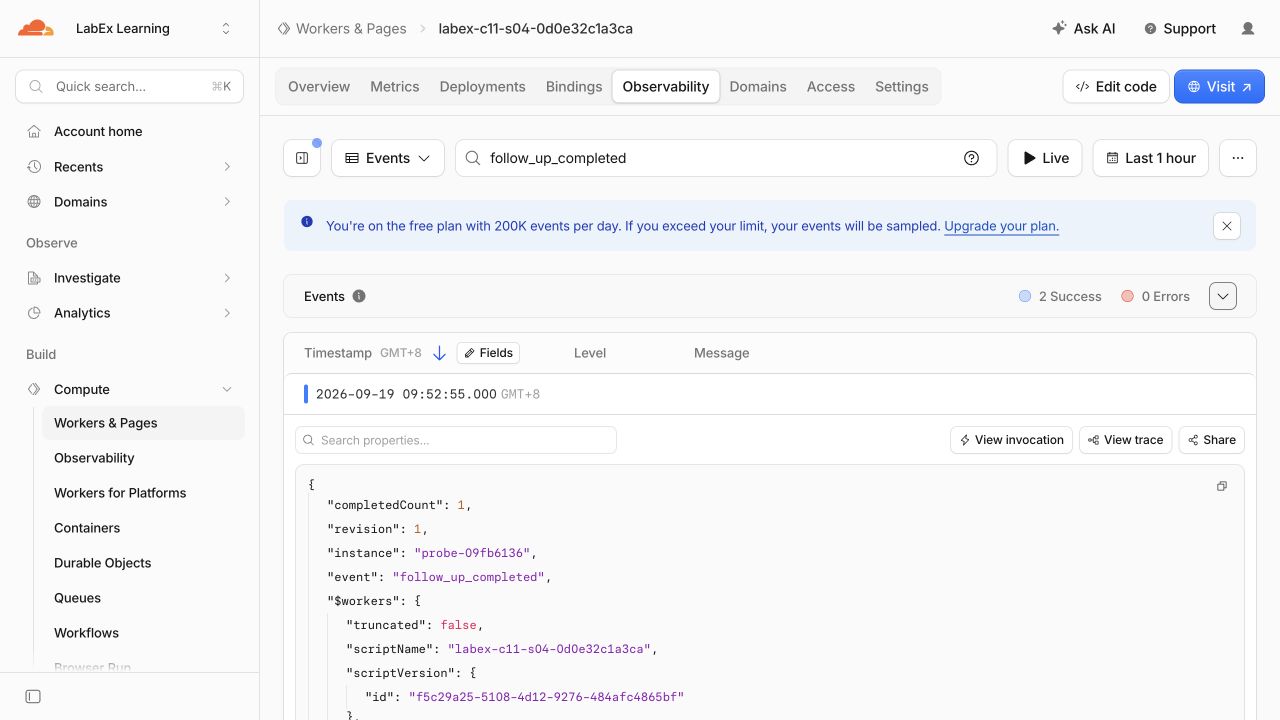
Dashboard views can arrive late, so the independent remote probe is authoritative:
python3 .labex/verify.py deployed
python3 .labex/verify.py observed
Remove the Scheduling Namespace and Worker
In this step, you will erase only the class namespace and Worker created by this lab.
Schedules and completion state live in the Durable Object class namespace. Explicitly delete that class before removing the remaining stateless Worker:
cat > src/cleanup.ts <<'TS'
export default { fetch() { return Response.json({ status: "cleanup" }, { status: 410 }); } };
TS
RUN="$(node -e 'console.log(JSON.parse(require("fs").readFileSync("wrangler.jsonc", "utf8")).name)')"
ACCOUNT_ID="$(node -e 'console.log(JSON.parse(require("fs").readFileSync("wrangler.jsonc", "utf8")).account_id)')"
cat > wrangler.cleanup.jsonc <<JSON
{
  "\$schema": "./node_modules/wrangler/config-schema.json",
  "name": "$RUN",
  "account_id": "$ACCOUNT_ID",
  "main": "src/cleanup.ts",
  "compatibility_date": "2026-09-18",
  "compatibility_flags": ["nodejs_compat"],
  "workers_dev": true,
  "preview_urls": false,
  "migrations": [
    { "tag": "v1", "new_sqlite_classes": ["FollowUpAgent"] },
    { "tag": "v2", "deleted_classes": ["FollowUpAgent"] }
  ]
}
JSON
npx wrangler deploy --config wrangler.cleanup.jsonc
npx wrangler delete --config wrangler.cleanup.jsonc --force
python3 .labex/verify.py deleted
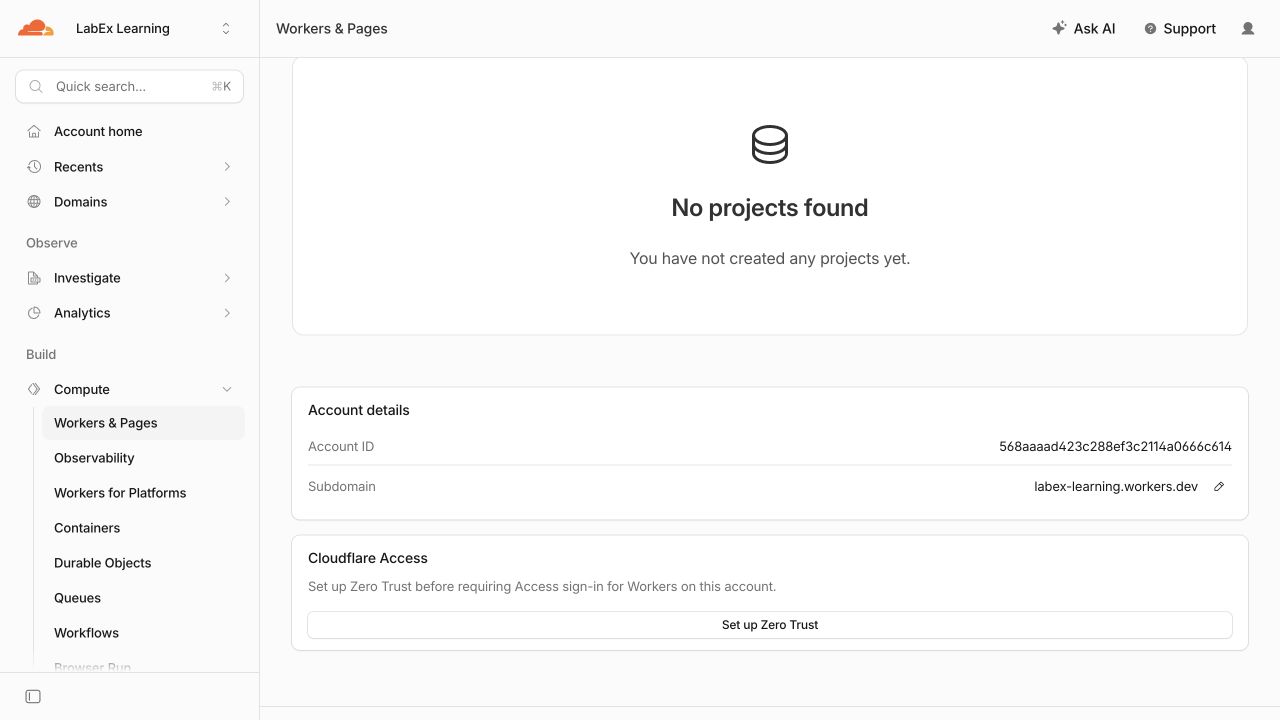
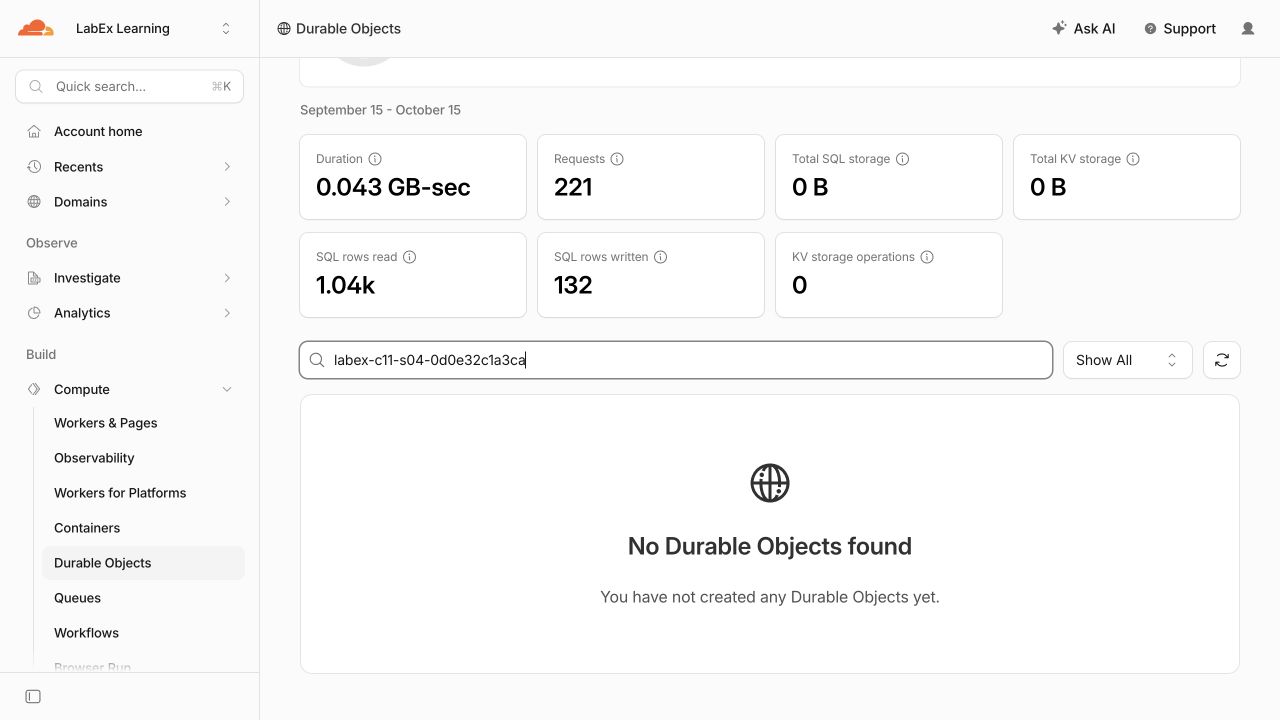
Do not delete unrelated account resources. Confirm only the exact generated Worker and its FollowUpAgent namespace are gone.
Revoke This VM's Authorization
In this step, you will remove the OAuth grant stored in this disposable VM and verify the structured logged-out state.
After cloud cleanup succeeds, remove the OAuth authorization stored in this disposable VM:
npx wrangler logout
npx wrangler whoami --json
python3 .labex/verify.py logout
Require explicit "loggedIn": false. A network error is inconclusive and should be retried. The disposable Worker, its scheduling namespace and this VM's local authorization are now removed.
Summary
You gave one named Cloudflare Agent durable future work without relying on an open browser or a language model. You registered a bounded delayed callback, made repeated registration idempotent, inspected pending schedules through the current asynchronous API, verified ownership before cancellation and recorded only a small completion history.
You also connected the SDK abstraction to its Durable Object alarm lifecycle, proved completion and cancellation locally and remotely, inspected privacy-limited evidence, and explicitly removed the class namespace, Worker and disposable VM authorization.


