



Introduction
The same application often needs different settings for testing and everyday use. Configuration supplies those settings without rewriting the code; a secret is a sensitive setting, such as a credential, that must stay out of public files and responses. You will give a support service separate preview and live settings, then protect a synthetic maintenance operation while keeping health checks public.
Use your own Cloudflare learning account and the device authorization, deployment and logging knowledge from earlier labs. This lab starts independently in /home/labex/project/worker-config, with Node.js 22.22.0, project-local Wrangler 4.131.1 and a small health-route fixture. No preceding VM or cloud resource is reused. Both deployments are disposable and the maintenance operation is a dry run. Use generated synthetic tokens only. Workers Free and workers.dev support this small exercise; requests count toward your account usage. No purchased domain, database or paid upgrade is needed.
You will remove both cloud deployments and local token files, then log out before ending the VM. Keep the same terminal open throughout.
Separate Preview and Live Configuration
In this step, you will run the same supplied health handler with two named environments. An environment groups the settings for one use of an application: preview lets a team try changes separately from live. Here both are disposable learning environments, and neither handles real production data. The preview name is a Wrangler environment, not a version preview URL.
Enter the prepared project and inspect the health-route fixture. Node and project-local Wrangler are already installed.
cd /home/labex/project/worker-config
node --version
npx wrangler --version
cat src/index.js
Expect Node v22.22.0 and Wrangler 4.131.1. The handler reads non-secret display values from env. On your own machine, install Node and add wrangler@4.131.1 as a project development dependency; reproduce existing dependencies with npm ci.
Generate a disposable base name. Command substitution inserts random hexadecimal output into the shell variable. Keep this terminal open for later commands.
WORKER_NAME="labex-config-$(openssl rand -hex 6)"
Write the configuration using a heredoc; its unquoted closing marker allows $WORKER_NAME substitution. main selects the shared code, and compatibility_date selects runtime behavior. The env objects override configuration for --env preview and --env live. Define every vars value in each environment because these bindings are not inherited. There is no database or queue resource: QUEUE_LABEL is only a public display label.
cat > wrangler.jsonc <<CONFIG
{
  "name": "$WORKER_NAME",
  "main": "src/index.js",
  "compatibility_date": "2026-09-14",
  "workers_dev": true,
  "preview_urls": false,
  "env": {
    "preview": {"vars": {"ENVIRONMENT": "preview", "QUEUE_LABEL": "sandbox"}},
    "live": {"vars": {"ENVIRONMENT": "live", "QUEUE_LABEL": "primary"}}
  }
}
CONFIG
Start both local runtimes. > redirects output, 2>&1 includes errors, and & runs the process in the background. Distinct HTTP and inspector ports avoid collisions.
npx wrangler dev --env preview --port 8080 > preview.log 2>&1 &
npx wrangler dev --env live --port 8081 --inspector-port 9230 > live.log 2>&1 &
cat preview.log
cat live.log
Wait for both logs to report readiness; repeat the corresponding cat if needed. Then compare responses:
curl -i http://127.0.0.1:8080/health
curl -i http://127.0.0.1:8081/health
Both return 200. Preview returns {"status":"ok","environment":"preview","queue":"sandbox"}; live returns {"status":"ok","environment":"live","queue":"primary"}. curl -i includes the status and headers. Use the verification button with both servers running.
The environment documentation explains environment inheritance and the default <name>-<environment> deployed names.
Protect a Maintenance Route with Local Secrets
In this step, you will protect a synthetic maintenance operation with a different token in each environment. A secret is private configuration available through env; it must not appear in public vars, returned JSON or application logs. This small bearer-token example teaches the server-side boundary, not a complete user authentication system.
A bearer token is a credential presented with a request: whoever possesses the matching value can use this example operation. Checking it in the Worker is essential because a caller can bypass a website's buttons and send a request directly. The dry run acknowledges the operation without changing stored data.
Stop the two local jobs before adding secret files. Inspect the actual job numbers; the examples assume preview is 1 and live is 2.
jobs
kill %1 %2
Generate two random test-only tokens without displaying them. umask 077 makes new files readable only by your VM user. printf writes one dotenv assignment to each environment-specific file. Never use a real account API token here.
umask 077
PREVIEW_TOKEN=$(openssl rand -hex 24)
LIVE_TOKEN=$(openssl rand -hex 24)
printf 'MAINTENANCE_TOKEN=%s\n' "$PREVIEW_TOKEN" > .dev.vars.preview
printf 'MAINTENANCE_TOKEN=%s\n' "$LIVE_TOKEN" > .dev.vars.live
cat .gitignore
Confirm .dev.vars* and .env* are excluded. Do not print or commit secret files. Wrangler loads .dev.vars.preview for --env preview and the separate live file for --env live; an environment-specific .dev.vars file replaces the generic one. These files do not automatically upload secrets to Cloudflare. See local and deployed secrets.
Replace the handler. The quoted heredoc preserves JavaScript literally. A missing configured secret returns 503; a missing or wrong request credential returns 401. Compare the Authorization header on the server before returning a success. Only a fixed event name, public environment and numeric status are logged. The accepted operation is a dry run with no stored side effect.
cat > src/index.js <<'JS'
export default {
  async fetch(request, env) {
    const path = new URL(request.url).pathname;
    if (path === '/health' && request.method === 'GET') {
      return Response.json({status: 'ok', environment: env.ENVIRONMENT, queue: env.QUEUE_LABEL});
    }
    if (path !== '/maintenance') return Response.json({error: 'not_found'}, {status: 404});
    if (request.method !== 'POST') {
      return Response.json({error: 'method_not_allowed'}, {status: 405, headers: {Allow: 'POST'}});
    }
    // Fail closed if this environment has no configured secret.
    if (!env.MAINTENANCE_TOKEN) {
      return Response.json({error: 'maintenance_unconfigured'}, {status: 503});
    }
    const authorized = request.headers.get('Authorization') === `Bearer ${env.MAINTENANCE_TOKEN}`;
    const status = authorized ? 200 : 401;
    console.log(JSON.stringify({event: 'maintenance', environment: env.ENVIRONMENT, status}));
    if (!authorized) return Response.json({error: 'unauthorized'}, {status});
    return Response.json({operation: 'dry-run', environment: env.ENVIRONMENT});
  }
};
JS
npx wrangler dev --env preview --port 8080 > preview.log 2>&1 &
npx wrangler dev --env live --port 8081 --inspector-port 9230 > live.log 2>&1 &
cat preview.log
cat live.log
After both servers report readiness, exercise the boundary. -X POST selects the method and -H supplies the bearer header. Do not use verbose curl output with real credentials.
curl -i -X POST http://127.0.0.1:8080/maintenance
curl -i -X POST http://127.0.0.1:8080/maintenance -H "Authorization: Bearer incorrect-token"
curl -i -X POST http://127.0.0.1:8080/maintenance -H "Authorization: Bearer $LIVE_TOKEN"
curl -i -X POST http://127.0.0.1:8080/maintenance -H "Authorization: Bearer $PREVIEW_TOKEN"
curl -i -X POST http://127.0.0.1:8081/maintenance -H "Authorization: Bearer $LIVE_TOKEN"
curl -i http://127.0.0.1:8080/health
curl -i http://127.0.0.1:8081/health
The first three requests return 401 unauthorized, including the other environment's otherwise valid token. The next two return 200 with operation: dry-run and their own environment. Health remains public. Use verification to check both directions of token isolation, methods, public configuration and absence of token values in the local logs.
Deploy Each Environment and Upload Its Secret
In this step, you will authorize this fresh VM, deploy each named environment, and explicitly upload its secret. Stop the local jobs first; use their actual numbers from jobs.
jobs
kill %1 %2
npx wrangler login --device --browser=false --scopes account:read user:read workers_scripts:write workers_tail:read
Use the displayed link and current code in your signed-in browser. Review Wrangler's permissions and required Background Access, select only your learning account, and authorize as taught in the connection lab. Wait for terminal completion.
npx wrangler whoami --json
Confirm loggedIn: true, account name and ID. Replace YOUR_ACCOUNT_ID below with that actual ID; retain the original resource name.
cat > wrangler.jsonc <<CONFIG
{
  "name": "$WORKER_NAME",
  "main": "src/index.js",
  "compatibility_date": "2026-09-14",
  "account_id": "YOUR_ACCOUNT_ID",
  "workers_dev": true,
  "preview_urls": false,
  "env": {
    "preview": {"vars": {"ENVIRONMENT": "preview", "QUEUE_LABEL": "sandbox"}},
    "live": {"vars": {"ENVIRONMENT": "live", "QUEUE_LABEL": "primary"}}
  }
}
CONFIG
Always include --env for this project. Otherwise Wrangler targets the unnamed top-level environment, which is not part of this lab's deployment plan.
npx wrangler deploy --env preview
npx wrangler deploy --env live
Copy each exact workers.dev address from its deployment output. Reuse the learning account's existing subdomain. First-time users should follow Wrangler's available-subdomain prompt, without changing an existing subdomain.
PREVIEW_URL="https://YOUR_BASE-preview.YOUR_SUBDOMAIN.workers.dev"
LIVE_URL="https://YOUR_BASE-live.YOUR_SUBDOMAIN.workers.dev"
curl -i -X POST "$PREVIEW_URL/maintenance"
curl -i -X POST "$LIVE_URL/maintenance"
Both return 503 maintenance_unconfigured: local secret files were not uploaded by ordinary deployment. Health is independent of maintenance authorization.
Use the standard bulk command to upload the dotenv file to its matching environment. Even one secret can use this file-based operation; its output identifies the secret name, not its value. A secret update creates and deploys a version immediately.
npx wrangler secret bulk .dev.vars.preview --env preview
npx wrangler secret bulk .dev.vars.live --env live
npx wrangler secret list --env preview
npx wrangler secret list --env live
Each list should contain MAINTENANCE_TOKEN with type secret_text. Compare public values and authorization behavior:
curl -i "$PREVIEW_URL/health"
curl -i "$LIVE_URL/health"
curl -i -X POST "$PREVIEW_URL/maintenance"
curl -i -X POST "$PREVIEW_URL/maintenance" -H "Authorization: Bearer $LIVE_TOKEN"
curl -i -X POST "$PREVIEW_URL/maintenance" -H "Authorization: Bearer $PREVIEW_TOKEN"
curl -i -X POST "$LIVE_URL/maintenance" -H "Authorization: Bearer $LIVE_TOKEN"
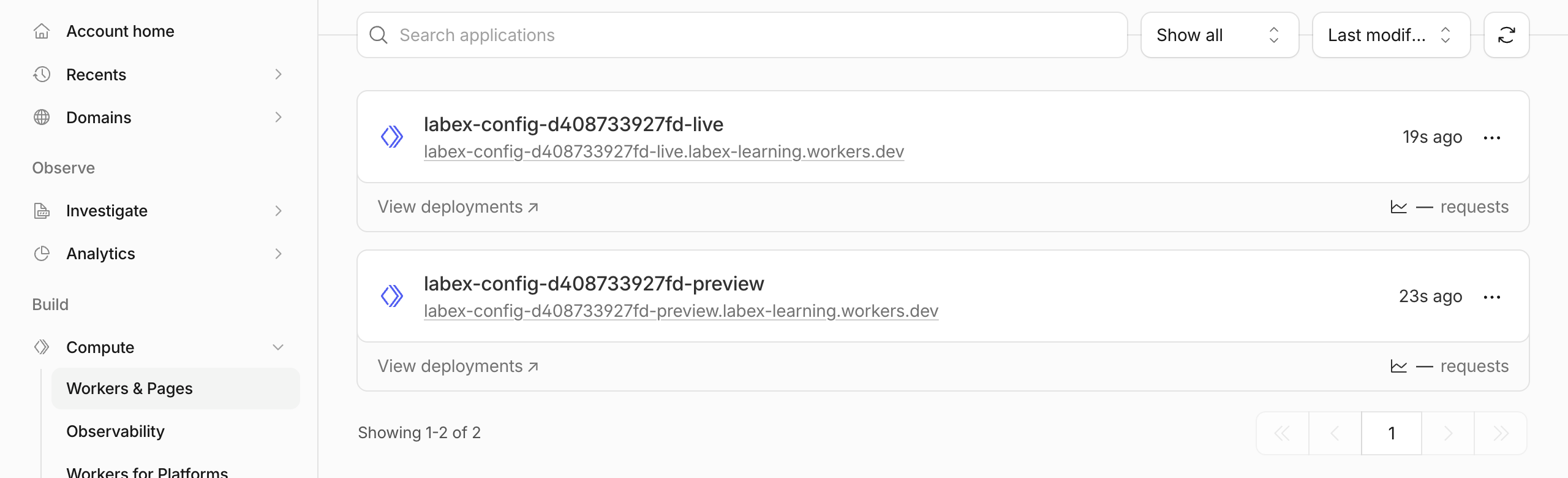
Health retains preview/sandbox and live/primary. Missing and cross-environment credentials return 401; matching tokens return 200. Allow initial hostname propagation before retrying connection errors. In the same Dashboard account, open Compute → Workers & Pages. Locate the two Workers ending in -preview and -live, and compare their full names and URLs with the deployment output. Each named Wrangler environment has its own deployed Worker in this example; do not create another application in the Dashboard.
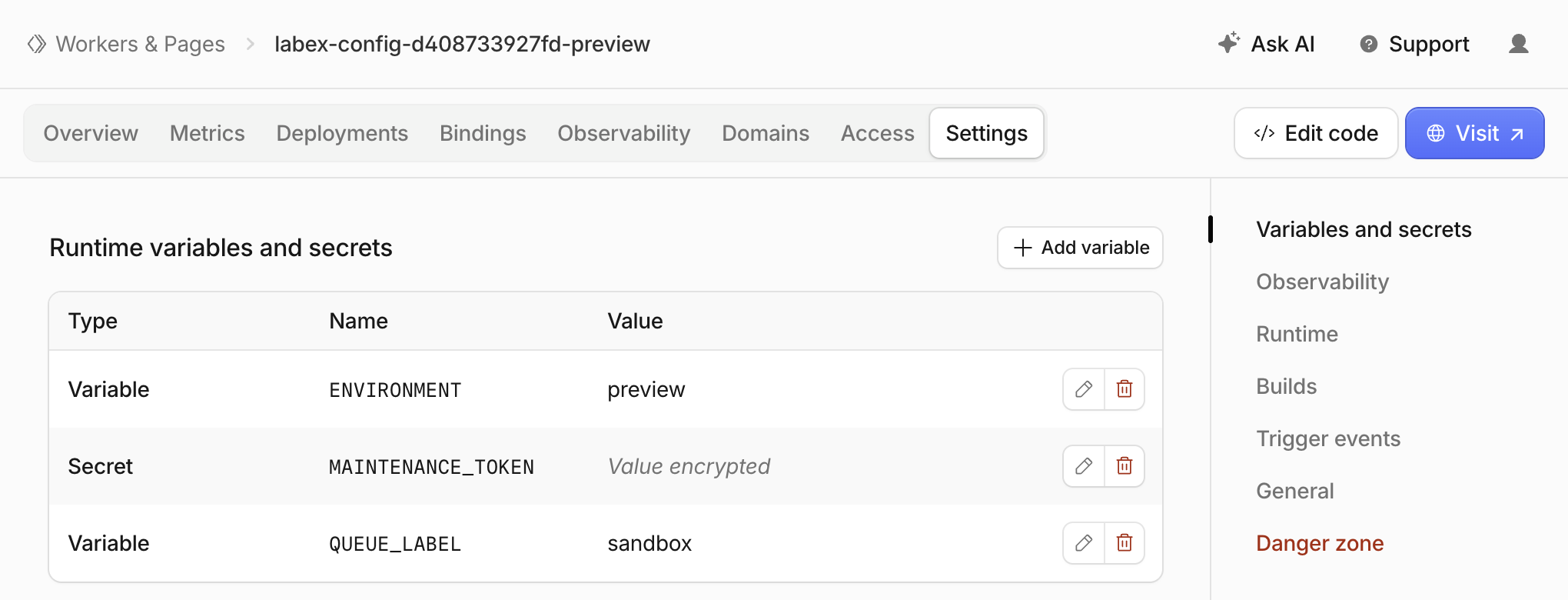
Open your -preview Worker and select Settings. In Runtime variables and secrets (the Variables and secrets section), compare the Type, Name and Value columns. ENVIRONMENT should be preview, and QUEUE_LABEL should be sandbox. MAINTENANCE_TOKEN should have type Secret, with Value encrypted instead of a readable value.
Return to Workers & Pages, open your -live Worker, and inspect the same section. Its public values should be live and primary, while its independently uploaded secret uses the same binding name. Check the Worker name in the top breadcrumb before comparing the table.
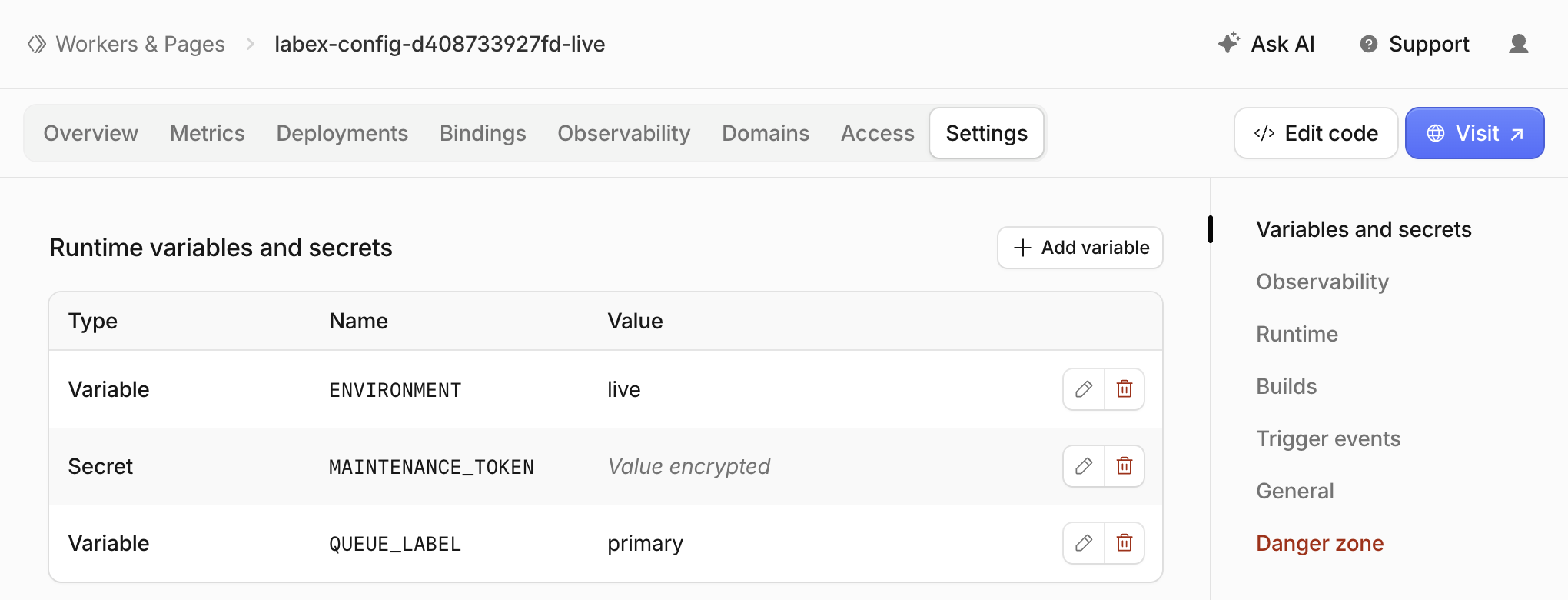
The random name suffix and subdomain in these images are example values. The encrypted display confirms the secret binding's presence and type, not that the two environments have different secret values; the matching and cross-environment HTTP checks above establish that behavior. Keep this checkpoint read-only: do not edit variables or reveal, replace or copy credentials in the Dashboard. Use verification: it checks actual ownership, deployed binding types and public behavior for both environments.
Inspect Application Logs Without Exposing Secrets
In this step, you will inspect one rejected and one accepted request in the deployed preview environment. Application logs should explain the result without copying credentials or request headers.
Start a log stream with the previously taught tail command. Pretty output displays application messages; save it so you can inspect the bounded test after stopping the stream.
npx wrangler tail --env preview --format pretty > preview-tail.log 2>&1 &
cat preview-tail.log
Wait until the stream reports that it is connected; repeat cat while it connects. Then send fresh synthetic requests:
curl -i -X POST "$PREVIEW_URL/maintenance" -H "Authorization: Bearer incorrect-token"
curl -i -X POST "$PREVIEW_URL/maintenance" -H "Authorization: Bearer $PREVIEW_TOKEN"
Use grep to display only lines containing the fixed application event name:
grep 'maintenance' preview-tail.log
Wait for events with status 401 and 200. Their public environment is preview. No token value belongs in either message. Event delivery can lag behind the HTTP response; retry the grep for up to one minute. Inspect the matching console.log in the source if an event is missing.
jobs
kill %1
Stop the actual tail job once both events are present; the example assumes it is job 1. Use verification to check the captured log and independently recheck the remote authorization contracts. This exercises synthetic requests only and does not establish safety for arbitrary future logging changes.
Remove Both Environment Deployments
In this step, you will delete both disposable environment Workers while still authorized. Confirm the base name and learning account in configuration:
cat wrangler.jsonc
Delete only this lab's preview and live deployments. At each prompt, check the exact <base>-preview or <base>-live name and press the single key y.
npx wrangler delete --env preview
npx wrangler delete --env live
Deleting these Workers also removes their attached secret bindings. Wrangler 4.131.1 may then report the previously documented legacy Workers Sites KV authentication error. Do not broaden permissions or interpret that error as proof of deletion. Refresh Workers & Pages and use verification: a successful authorized inventory must show both names absent. An authentication or network error is inconclusive. Preserve unrelated Workers, your learning account and its existing subdomain.
Remove Local Secrets and Disconnect
In this step, you will remove this lab's local secret copies after cloud cleanup is verified, then disconnect the VM. rm removes only the two files named below, and unset removes the two temporary shell variables.
rm .dev.vars.preview .dev.vars.live
unset PREVIEW_TOKEN LIVE_TOKEN
npx wrangler logout
npx wrangler whoami --json
Expect explicit "loggedIn": false; the unauthenticated command's nonzero exit is expected when that structured result is present. Use verification, then end the VM. The browser login is separate and can remain available for the next lab. Neither logout nor ending the VM substitutes for deleting cloud resources first.
Summary
You separated public configuration by Wrangler environment, loaded environment-specific local secrets, uploaded encrypted secret bindings, and checked matching, missing and cross-environment credentials. The public health route kept its environment identity while the server guarded a dry-run maintenance route. You inspected bounded application logs without printing tokens, then verified deletion before removing local credentials and logging out.
The same configuration discipline will help you diagnose preview configuration drift later in this course.


