



Introduction
A stateful application can look broken even when its data is healthy. The browser may ask for the wrong named Agent: instead of reconnecting to SupportRoutingAgent:planning, it might accidentally open SupportRoutingAgent:triage. Those names select different SQLite-backed Durable Object instances, so changing or clearing state is the wrong first response.
In this lab, a supplied support-notes client contains exactly that routing defect. A signed token says the user may enter planning, while the client selects triage. The server compares the signed session with the actual route and rejects the mismatch before state is delivered. You will read evidence from three layers:
- the browser shows the intended and selected names;
- bounded Worker logs show which route was allowed or rejected;
- independent probes show that
planningstill owns its history and another named Agent remains empty.
You will then repair the route resolver, reconnect to the intended Agent, append a normal update and refresh the page. The original history must survive throughout. This is an important diagnostic habit: identify the route before touching durable data.
The application uses synthetic notes and no language model. A session token is a short-lived, HMAC-signed statement naming the allowed session. It is suitable for demonstrating route authorization, but a production application should issue such tokens only after authenticating a real user and should use stronger key rotation and audit policies.
Before entering this course directly, complete Connect LabEx to Your Cloudflare Account. Every new LabEx VM needs its own Wrangler authorization. Earlier course labs teach Agent identity and synchronized state, but this lab explains the relevant ideas again at the point of use.
Authorize the VM and Name One Disposable Worker
In this step, you will authorize the fresh VM, confirm the intended learning account and declare one uniquely named disposable Worker.
Open a terminal and enter the prepared project:
cd /home/labex/project/agent-routing-diagnostics
npx wrangler login --device --browser=false
Wrangler prints a URL and opens an authorization page. Confirm that it names the dedicated Cloudflare learning account you intend to use, then approve the requested Workers permissions. Never paste a password, authorization code or token into course content.
Inspect the structured identity result:
npx wrangler whoami --json
Confirm that loggedIn is true and identify the dedicated learning account by its display name. Select its ID without printing it, then generate a unique disposable Worker name and local signing key:
WHOAMI="$(npx wrangler whoami --json)"
printf '%s\n' "$WHOAMI" | jq '{loggedIn, authType, accounts: [.accounts[] | {name}]}'
export LAB_ACCOUNT_ID="$(printf '%s\n' "$WHOAMI" | jq -r '.accounts[] | select(.name == "LabEx Learning") | .id')"
test -n "$LAB_ACCOUNT_ID"
export LAB_WORKER="labex-c11-s08-$(openssl rand -hex 6)"
export SESSION_SIGNING_KEY="$(openssl rand -hex 32)"
printf 'SESSION_SIGNING_KEY=%s\n' "$SESSION_SIGNING_KEY" > .dev.vars
Create the Worker configuration:
cat > wrangler.jsonc <<JSON
{
  "\$schema": "node_modules/wrangler/config-schema.json",
  "name": "$LAB_WORKER",
  "account_id": "$LAB_ACCOUNT_ID",
  "main": "src/server.ts",
  "compatibility_date": "2026-09-18",
  "compatibility_flags": ["nodejs_compat"],
  "workers_dev": true,
  "preview_urls": false,
  "observability": { "enabled": true },
  "durable_objects": {
    "bindings": [
      { "name": "SupportRoutingAgent", "class_name": "SupportRoutingAgent" }
    ]
  },
  "migrations": [
    { "tag": "v1", "new_sqlite_classes": ["SupportRoutingAgent"] }
  ]
}
JSON
SupportRoutingAgent is both the Worker binding and the exported class name. The SDK will map each lowercase instance name—such as planning or triage—to a different SQLite-backed Durable Object. The migration creates the class namespace; it does not create every named instance in advance.
If your dedicated learning account uses another display name, replace only LabEx Learning after confirming the intended account. Keep the signing key local for now; you will upload it only after the repaired Worker exists:
unset SESSION_SIGNING_KEY
Run the independent identity and configuration check:
python3 .labex/verify.py authorization
Expected result:
PASS: authorization
Implement a Session-Bound Stateful Agent
In this step, you will implement durable note state and enforce the signed session boundary on every Agent route.
Create the token verifier:
cat > src/session-auth.ts <<'TS'
type SessionClaims = { session: string; exp: number };

function decodeBase64Url(value: string): Uint8Array<ArrayBuffer> {
  const normalized = value.replace(/-/g, "+").replace(/_/g, "/");
  const binary = atob(normalized.padEnd(Math.ceil(normalized.length / 4) * 4, "="));
  const bytes = new Uint8Array(new ArrayBuffer(binary.length));
  for (let index = 0; index < binary.length; index++) {
    bytes[index] = binary.charCodeAt(index);
  }
  return bytes;
}

function encodeText(value: string): Uint8Array<ArrayBuffer> {
  const encoded = new TextEncoder().encode(value);
  const bytes = new Uint8Array(new ArrayBuffer(encoded.byteLength));
  bytes.set(encoded);
  return bytes;
}

export async function verifySessionRequest(
  request: Request,
  expectedSession: string,
  secret: string
): Promise<Response | undefined> {
  const rawToken = new URL(request.url).searchParams.get("token");
  if (!rawToken) return new Response("Missing session token", { status: 401 });

  const [payload, signature, extra] = rawToken.split(".");
  if (!payload || !signature || extra) return new Response("Invalid session token", { status: 401 });

  try {
    const key = await crypto.subtle.importKey(
      "raw",
      encodeText(secret),
      { name: "HMAC", hash: "SHA-256" },
      false,
      ["verify"]
    );
    const valid = await crypto.subtle.verify(
      "HMAC",
      key,
      decodeBase64Url(signature),
      encodeText(payload)
    );
    if (!valid) return new Response("Invalid session token", { status: 401 });

    const claims = JSON.parse(new TextDecoder().decode(decodeBase64Url(payload))) as SessionClaims;
    if (claims.session !== expectedSession || claims.exp <= Math.floor(Date.now() / 1000)) {
      return new Response("Session token does not match this Agent", { status: 401 });
    }
    return undefined;
  } catch {
    return new Response("Invalid session token", { status: 401 });
  }
}
TS
The signature proves that the session claim has not been changed. The second check is equally important: claims.session must equal the name selected by the actual Agent route. A valid token for planning is therefore invalid for triage.
Create the stateful server:
cat > src/server.ts <<'TS'
import { Agent, callable, routeAgentRequest } from "agents";
import { verifySessionRequest } from "./session-auth";

type SessionState = {
  notes: string[];
  revision: number;
  lastEvent: "initialized" | "note-added";
};

type Env = {
  SupportRoutingAgent: DurableObjectNamespace<SupportRoutingAgent>;
  SESSION_SIGNING_KEY: string;
};

export class SupportRoutingAgent extends Agent<Env, SessionState> {
  initialState: SessionState = { notes: [], revision: 0, lastEvent: "initialized" };

  @callable()
  addNote(noteInput: string): SessionState {
    const note = noteInput.trim();
    if (note.length < 3 || note.length > 80) {
      throw new Error("A note must contain 3-80 characters.");
    }
    const next: SessionState = {
      notes: [...this.state.notes, note].slice(-6),
      revision: this.state.revision + 1,
      lastEvent: "note-added"
    };
    this.setState(next);
    console.log(JSON.stringify({
      event: "agent_state_changed",
      instance: this.name,
      revision: next.revision,
      noteCount: next.notes.length
    }));
    return next;
  }
}

export default {
  async fetch(request: Request, env: Env): Promise<Response> {
    const authorize = async (candidate: Request, route: { name: string }) => {
      const rejection = await verifySessionRequest(candidate, route.name, env.SESSION_SIGNING_KEY);
      console.log(JSON.stringify({
        event: "agent_route_checked",
        requestedSession: route.name,
        outcome: rejection ? "rejected" : "allowed"
      }));
      return rejection;
    };

    return (await routeAgentRequest(request, env, {
      onBeforeConnect: authorize,
      onBeforeRequest: authorize
    })) ?? new Response("Not found", { status: 404 });
  }
} satisfies ExportedHandler<Env>;
TS

cat > tsconfig.json <<'JSON'
{
  "extends": "agents/tsconfig",
  "compilerOptions": {
    "types": ["@cloudflare/workers-types", "node"]
  },
  "include": ["src/**/*.ts", "vite.config.ts", "worker-configuration.d.ts"]
}
JSON

cat > vite.config.ts <<'TS'
import { cloudflare } from "@cloudflare/vite-plugin";
import agents from "agents/vite";
import { defineConfig } from "vite";

export default defineConfig({
  plugins: [agents(), cloudflare()]
});
TS

npx wrangler types
python3 .labex/verify.py server
The logs deliberately contain only the route name, decision, instance, revision and count. They never contain the token or note text. This makes the diagnostic trail useful without turning observability into a second data leak.
Reproduce the Wrong-Name Symptom Safely
In this step, you will run the supplied defective client and observe a safe authorization failure before any state is delivered.
Create the supplied browser client:
cat > src/client.ts <<'TS'
import { AgentClient } from "agents/client";
import { resolveAgentName } from "./route";
type SessionState = {
notes: string[];
revision: number;
lastEvent: "initialized" | "note-added";
};
const parameters = new URLSearchParams(location.search);
const session = parameters.get("session") ?? "planning";
const token = parameters.get("token") ?? "";
const selectedName = resolveAgentName(session);
const intended = document.querySelector<HTMLElement>("#intended")!;
const selected = document.querySelector<HTMLElement>("#selected")!;
const status = document.querySelector<HTMLElement>("#status")!;
const revision = document.querySelector<HTMLElement>("#revision")!;
const notes = document.querySelector<HTMLUListElement>("#notes")!;
const form = document.querySelector<HTMLFormElement>("#note-form")!;
const input = document.querySelector<HTMLInputElement>("#note")!;
const button = form.querySelector<HTMLButtonElement>("button")!;
const error = document.querySelector<HTMLElement>("#error")!;
intended.textContent = session;
selected.textContent = selectedName;
button.disabled = true;
let receivedState = false;
function escapeHtml(value: string): string {
return value.replace(/[&<>]/g, (character) =>
character === "&" ? "&" : character === "<" ? "<" : ">"
);
}
function render(state: SessionState) {
revision.textContent = `Revision ${state.revision}`;
notes.innerHTML = state.notes.length
? state.notes.map((note) => `<li>${escapeHtml(note)}</li>`).join("")
: '<li class="empty">This named Agent has no notes.</li>';
}
const client = new AgentClient<SessionState>({
agent: "SupportRoutingAgent",
name: selectedName,
host: location.host,
query: { token },
onStateUpdate(state) {
receivedState = true;
render(state);
button.disabled = false;
status.textContent = `Connected to SupportRoutingAgent:${selectedName}`;
status.className = "status connected";
}
});
client.ready.catch(() => undefined);
setTimeout(() => {
if (!receivedState) {
status.textContent = `Blocked before state delivery: token for ${session} cannot open ${selectedName}`;
status.className = "status blocked";
}
}, 1800);
form.addEventListener("submit", async (event) => {
event.preventDefault();
error.textContent = "";
try {
await client.call("addNote", [input.value]);
input.value = "";
} catch (caught) {
error.textContent = caught instanceof Error ? caught.message : String(caught);
}
});
TS
Start the local runtime as a detached process:
CI=true npm run dev > .labex/vite.log 2>&1 < /dev/null &
echo $! > .labex/vite.pid
sleep 8
curl -fsS http://127.0.0.1:5173/ > /dev/null
Generate a token for the intended planning session and print a browser URL:
TOKEN="$(node scripts/create-session-token.mjs planning)"
printf 'http://localhost:5173/?session=planning&token=%s\n' "$TOKEN"
unset TOKEN
Open the printed URL in the LabEx browser preview. The two route cards should show:
Intended session       planning
Selected Agent name    triage
After a short wait, the status becomes Blocked before state delivery. The history stays unavailable. This is a successful safe failure: the client asked for the wrong Agent, and the server rejected it before returning state.
Run the deterministic symptom check:
python3 .labex/verify.py client
python3 .labex/verify.py symptom
Expected results:
PASS: client
PASS: symptom
Trace the Route Before Touching State
In this step, you will combine browser and server evidence to locate the routing defect, then repair only the name resolver.
Inspect the resolver that chose the selected name:
sed -n '1,120p' src/route.ts
The input is normalized and validated, but the final line ignores it:
return "triage";
Now inspect only bounded local routing events:
grep 'agent_route_checked' .labex/vite.log | tail -5
You should see an event similar to:
{"event":"agent_route_checked","requestedSession":"triage","outcome":"rejected"}
The browser supplies the first half of the diagnosis—intended planning, selected triage. The server supplies the second—triage was rejected. Neither source alone is as clear as the pair.
Do not delete Durable Objects, clear browser storage or generate a token for triage. Those actions would hide the defect or weaken the authorization rule. Repair the name selection:
python3 - <<'PY'
from pathlib import Path
path = Path('src/route.ts')
text = path.read_text()
old = '  // Intentional lab defect: every browser is sent to the triage Agent.\n  return "triage";'
new = '  // Route to the validated session requested by this page.\n  return normalized;'
if old not in text:
    raise SystemExit('The expected supplied defect was not found.')
path.write_text(text.replace(old, new))
PY
Vite reloads the client automatically. Reopen the same planning URL if needed. Both route cards should now say planning, the status should be green, and the Agent should deliver its current state.
Prove Recovery, Reconnect and Isolation
In this step, you will prove that history survives reconnect, normal updates continue and another named Agent remains isolated.
The first successful connection to a new planning instance shows revision 0. Add this synthetic note in the page:
Preserve planning history during route repair
The revision advances to 1. Refresh the browser page. The same note and revision must return because the repaired client selects the same named Agent and its state lives in SQLite, not in the page.
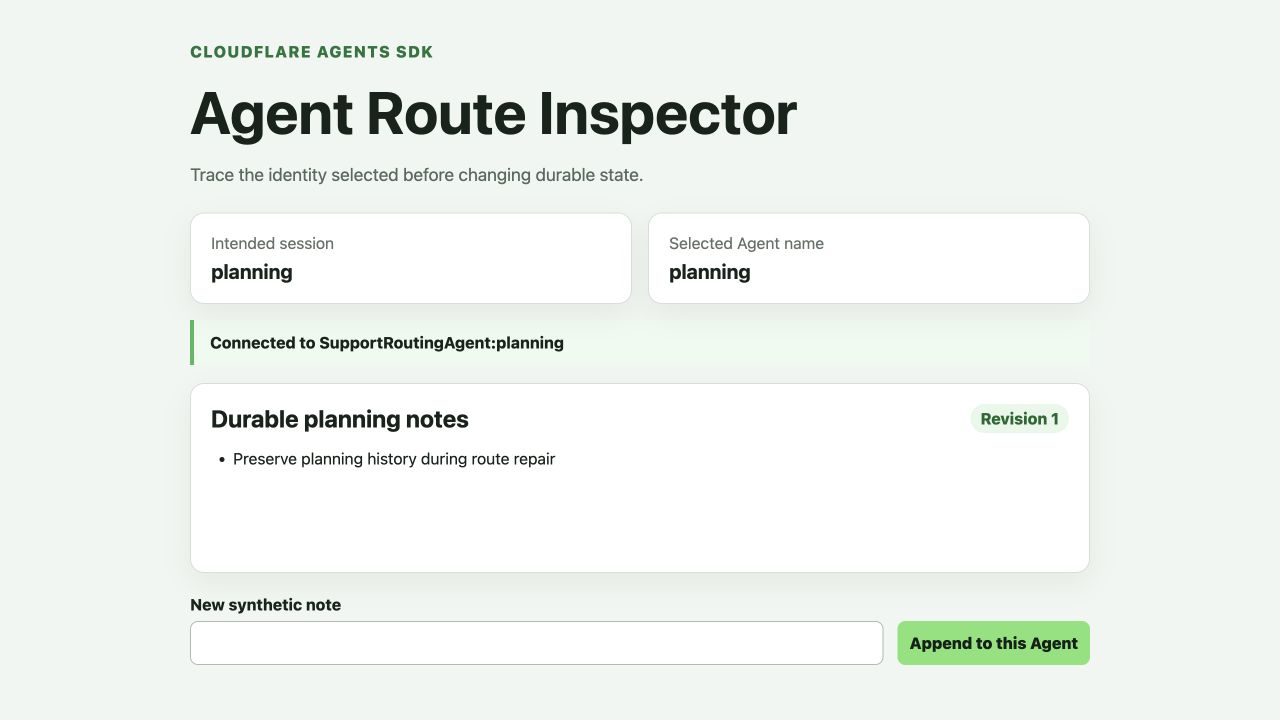
The accepted test run above uses synthetic note text and the disposable planning name. Your note can differ; the important evidence is that both route cards agree and revision 1 is visible.
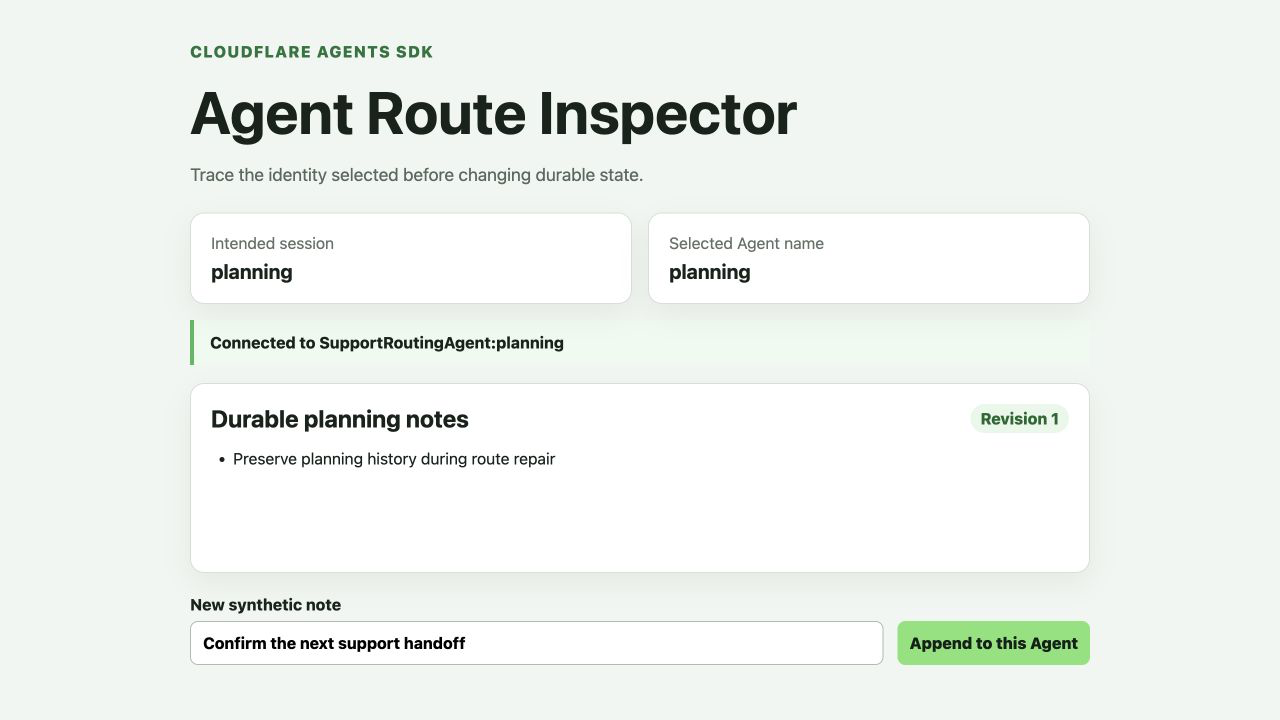
After refresh, the unchanged note and revision show that the state came back from the named Agent rather than from browser memory.
Add one more note after refresh:
Confirm normal updates after reconnect
The revision advances to 2. This separates two questions that are easy to confuse:
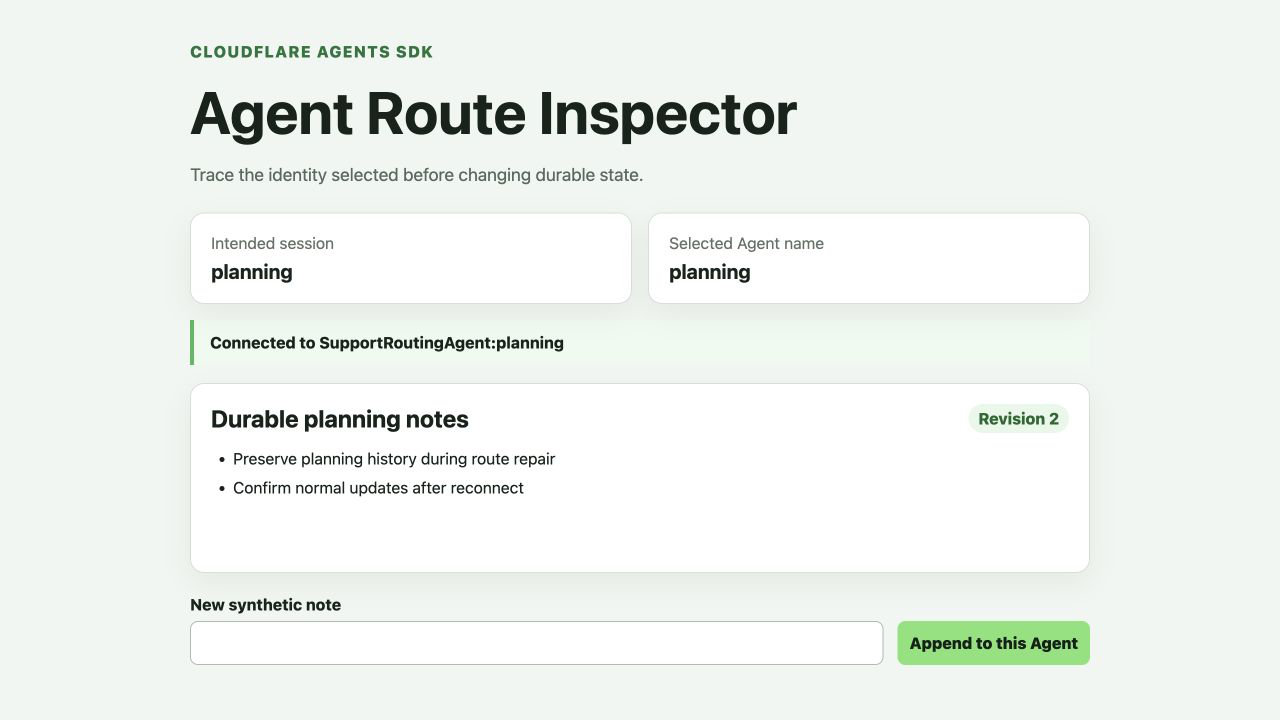
- Recovery: did the old history return after reconnect?
- Liveness: can the repaired session still accept a new normal update?
Generate a separately authorized URL for another named Agent:
PRIVATE_TOKEN="$(node scripts/create-session-token.mjs private)"
printf 'http://localhost:5173/?session=private&token=%s\n' "$PRIVATE_TOKEN"
unset PRIVATE_TOKEN
Open it in a second preview tab. It should show private in both route cards and revision 0 with no notes. A different named Agent must not receive planning history even though both instances use the same class.
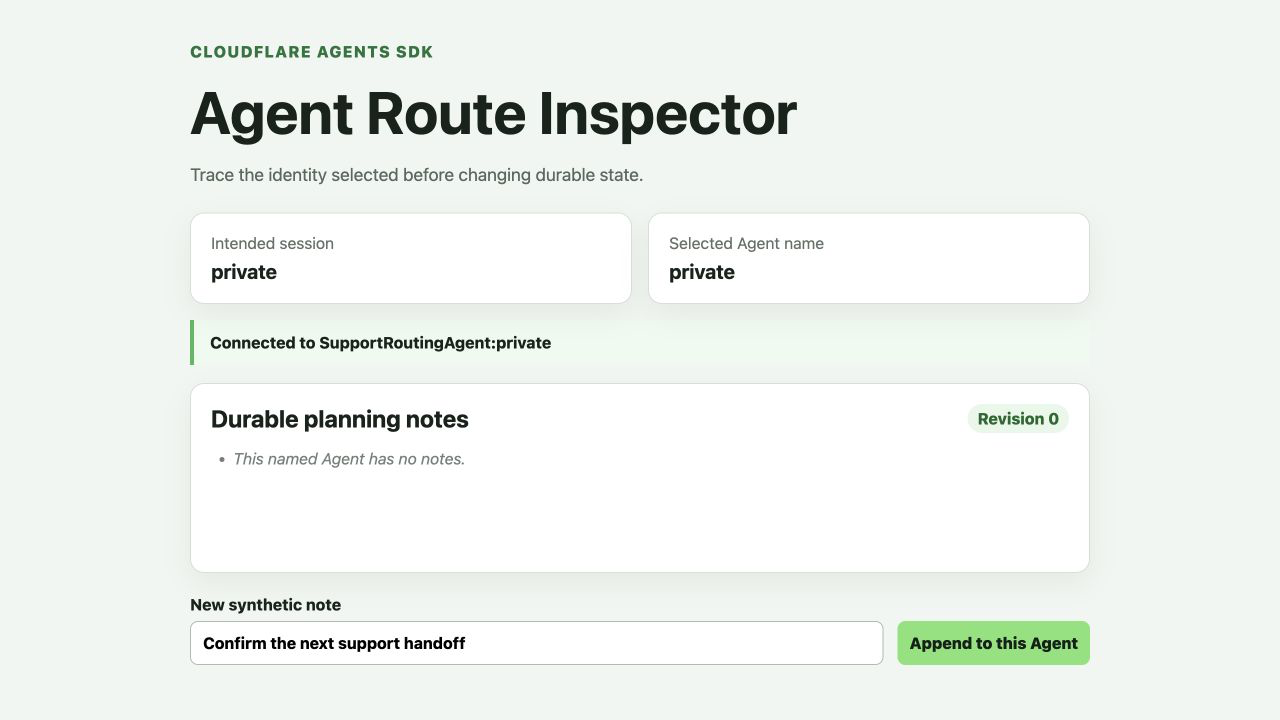
The empty private session is visual orientation evidence. The independent probe below remains authoritative because it also checks reconnect behavior and an HTTP 401 cross-session rejection.
Run the independent probe. It uses fresh random names, writes one note, closes and reconnects, writes another note, confirms a separate session remains empty, and confirms a cross-session token receives HTTP 401:
npm run check
python3 .labex/verify.py repaired
Expected result:
PASS: repaired
Deploy the Repaired Route
In this step, you will deploy the repaired application and repeat the recovery and isolation proof against Cloudflare.
Build once more, deploy the exact repaired application, and then upload the local signing key as an encrypted Worker secret:
npm run check
npm run deploy
npx wrangler secret bulk .dev.vars
Wrangler prints a URL ending in .workers.dev. Generate a fresh planning token and append it to that URL:
TOKEN="$(node scripts/create-session-token.mjs planning)"
printf 'https://%s.YOUR_WORKERS_SUBDOMAIN.workers.dev/?session=planning&token=%s\n' "$LAB_WORKER" "$TOKEN"
unset TOKEN
Replace YOUR_WORKERS_SUBDOMAIN with the subdomain from Wrangler's deployment output and open the URL. Confirm that the intended and selected names both show planning, then add a synthetic note and refresh. The remote history should return exactly as the local history did.
The local and remote instances do not share data: local state belongs to the development runtime, while the deployed Worker owns a Cloudflare Durable Object namespace. The behavior—not the literal note count—should match.
Run the independent remote proof:
python3 .labex/verify.py deployed
Expected result:
PASS: deployed
Read Cloudflare Evidence and Remove Owned State
In this step, you will inspect bounded routing evidence and then remove only the Worker and Agent namespace created by this run.
Open Workers & Pages, select the Worker whose name begins with labex-c11-s08-, and inspect Settings → Bindings. Confirm that SupportRoutingAgent points to the SupportRoutingAgent class. The binding identifies the class namespace; each route name still selects a distinct instance inside it.
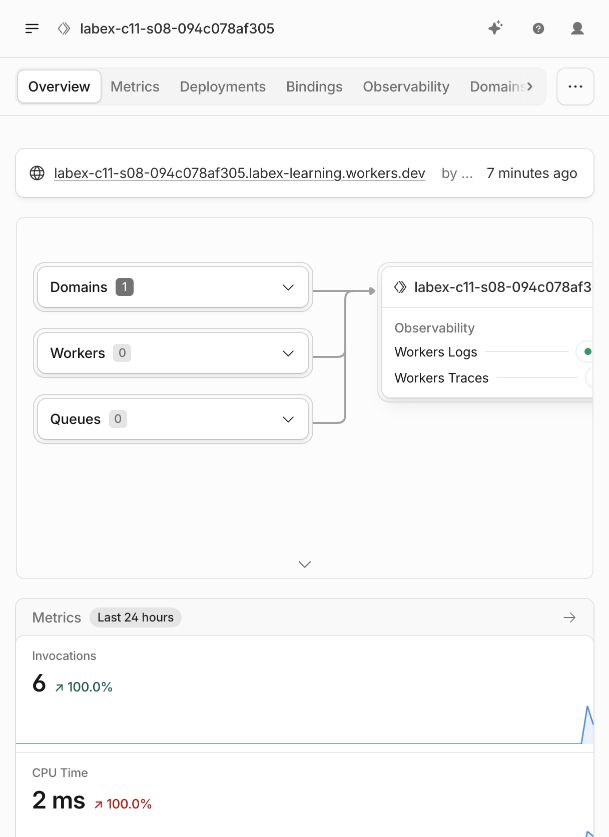
The disposable Worker name in this accepted run is only an example. Use the exact unique name generated in your own VM.
Open the account's Durable Objects area and find the SQLite namespace owned by this exact Worker and class. Do not use the namespace ID from an example or another run.
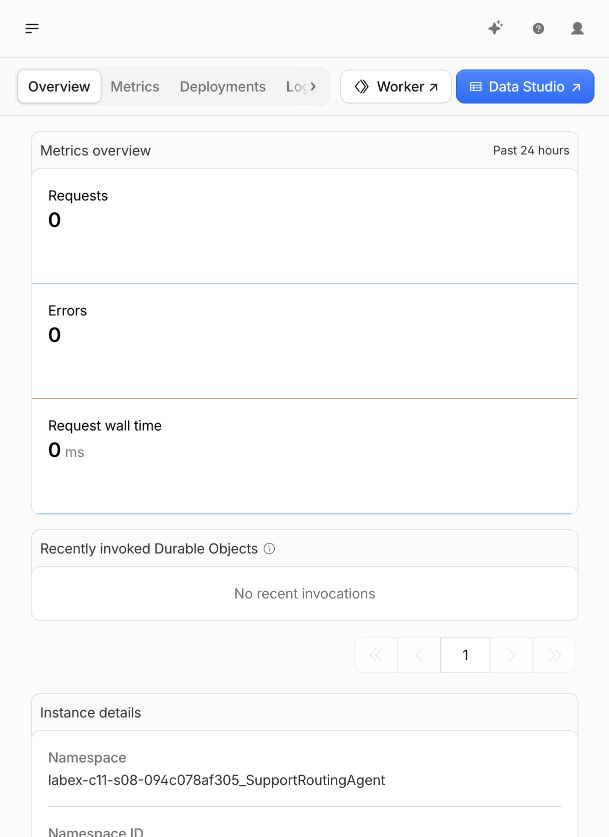
Return to the Worker and open Observability → Logs. Filter for agent_route_checked. A useful run contains rejected and allowed decisions for different diagnostic requests. The events should expose route names and outcomes, never tokens or note text. Empty recent logs are inconclusive because ingestion can be delayed; the independent live probes remain authoritative.
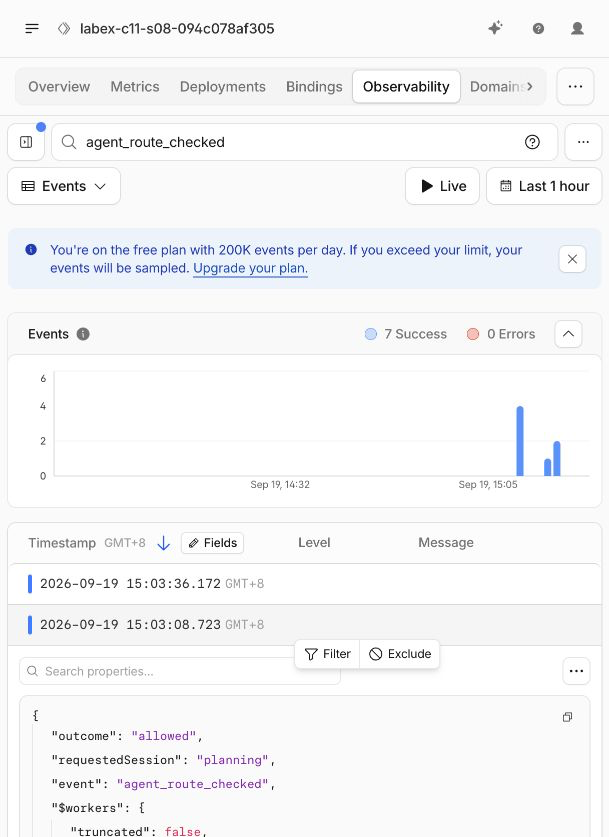
The expanded accepted-run event shows the requested session and an allowed outcome while Cloudflare redacts the token. Logs help explain a decision, but the live verifier still decides whether routing and isolation work.
Verify the owned cloud inventory before deleting anything:
python3 .labex/verify.py observed
Expected result:
PASS: observed
Delete the Agent class namespace with an append-only migration. Keep the original v1 migration and add v2:
python3 - <<'PY'
import json
from pathlib import Path
source = json.loads(Path('wrangler.jsonc').read_text())
source.pop('durable_objects', None)
source['migrations'].append({'tag': 'v2', 'deleted_classes': ['SupportRoutingAgent']})
Path('wrangler.cleanup.jsonc').write_text(json.dumps(source, indent=2) + '\n')
PY
npx wrangler deploy --config wrangler.cleanup.jsonc
npx wrangler delete --config wrangler.cleanup.jsonc --force
Deleting only the Worker script does not explicitly retire the Durable Object class. The migration first removes this lab's class namespace; the second command then removes this lab's exact Worker.
Prove both resources are absent while authorization is still valid:
python3 .labex/verify.py deleted
Expected result:
PASS: deleted
Refresh the Worker and Durable Objects lists in the Dashboard. The exact disposable names should no longer appear. Never delete a similarly named resource you did not create in this lab.
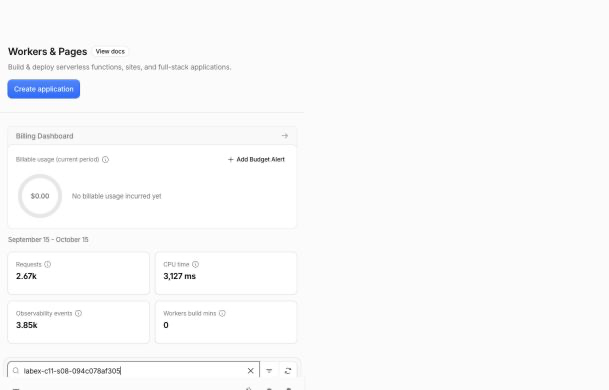
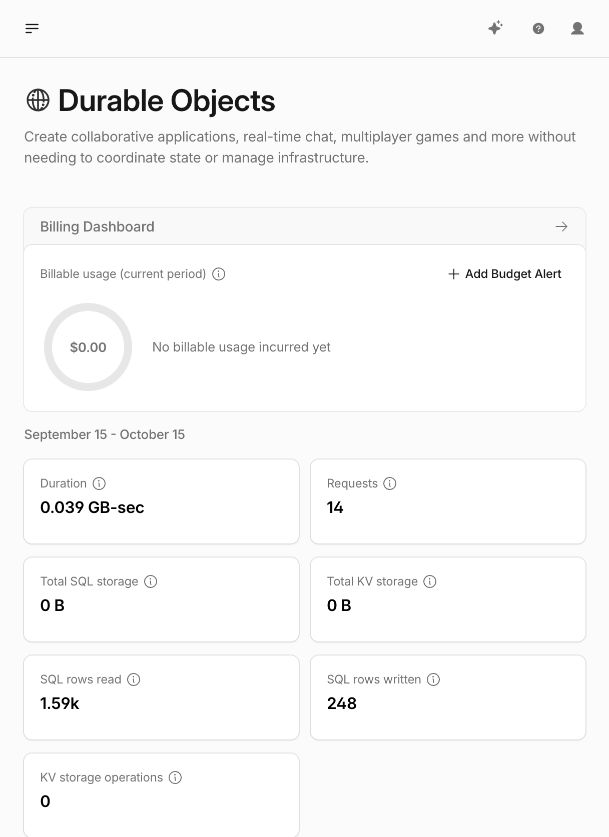
These screenshots show the accepted disposable run after cleanup. Your account may contain unrelated resources; absence must be checked against your exact Worker and namespace names, and the read-only verifier above is authoritative.
Log Out the Disposable VM
In this step, you will remove the fresh VM's stored Wrangler authorization after resource cleanup has been proved.
Remove the VM's stored Cloudflare authorization:
npx wrangler logout
npx wrangler whoami --json
The structured result should include:
{"loggedIn":false}
Run the final independent check:
python3 .labex/verify.py logout
Expected result:
PASS: logout
Logging out the VM does not delete cloud resources, which is why deletion was verified first. It also does not log your ordinary browser out of the Cloudflare Dashboard.
Summary
You diagnosed a stateful routing failure without deleting healthy data. The browser revealed that it intended to open planning but selected triage; the server safely rejected the signed-session mismatch before delivering state; bounded logs confirmed the actual route decision. You repaired the resolver to return the validated intended name, then proved durable history recovery, normal updates after reconnect, separate-name isolation and cross-session rejection locally and on Cloudflare.
The central debugging rule is reusable: when an Agent appears empty or unavailable, compare the intended session, the selected Agent name and the server's authorization decision before changing state. Named Agent identity is part of the data boundary, not merely a display label.


