

はじめに
この実験では、C++ の書式設定、ファイル入出力、名前空間について学びます。出力の書式設定方法、入力の書式設定方法、ファイルの読み書き方法、および名前空間の使い方を学びます。
コンテンツプレビュー
入出力の書式設定には <iomanip> の入出力マニピュレータを使用します。
<fstream> ヘッダーは、ファイルの入出力に ifstream(入力ファイルストリーム)と ofstream(出力ファイルストリーム)を提供します。
- 入出力の書式設定
- ファイルの入出力
- 名前空間
IO マニピュレータを使った入出力の書式設定 ( ヘッダー)
<iomanip> ヘッダは、入出力の書式設定に用いるいわゆる IO マニピュレータを提供します。
setw(int field-widht): 次の IO 操作に対する フィールド幅 を設定します。setw()は 非固定的 で、各 IO 操作の前に指定する必要があります。各操作の後にはフィールド幅がデフォルトにリセットされます (フィールドを収容するのに十分な幅になります)。setfill(char fill-char): フィールド幅に合わせて埋める文字を設定します。left|right|internal: 整列を設定します。fixed/scientific(浮動小数点数用): 固定小数点数表記 (例:12.34) または科学表記 (例:1.23e+006) を使用します。setprecision(int numDecimalDigits)(浮動小数点数用): 小数点以下の桁数を指定します。boolalpha/noboolalpha(bool用):bool値をアルファベット文字列 (true/false) または 1/0 として表示します。
/* Test Formatting Output */
#include <iostream>
#include <iomanip>    // Needed to do formatted I/O
using namespace std;

int main() {
   // Floating point numbers
   double pi = 3.14159265;
   cout << fixed << setprecision(4); // fixed format with 4 decimal places
   cout << pi << endl;
   cout << "|" << setw(8) << pi << "|" << setw(10) << pi << "|" << endl;
      // setw() is not sticky, only apply to the next operation.
   cout << setfill('-');
   cout << "|" << setw(8) << pi << "|" << setw(10) << pi << "|" << endl;
   cout << scientific;  // in scientific format with exponent
   cout << pi << endl;

   // booleans
   bool done = false;
   cout << done << endl;  // print 0 (for false) or 1 (for true)
   cout << boolalpha;     // print true or false
   cout << done << endl;
   return 0;
}
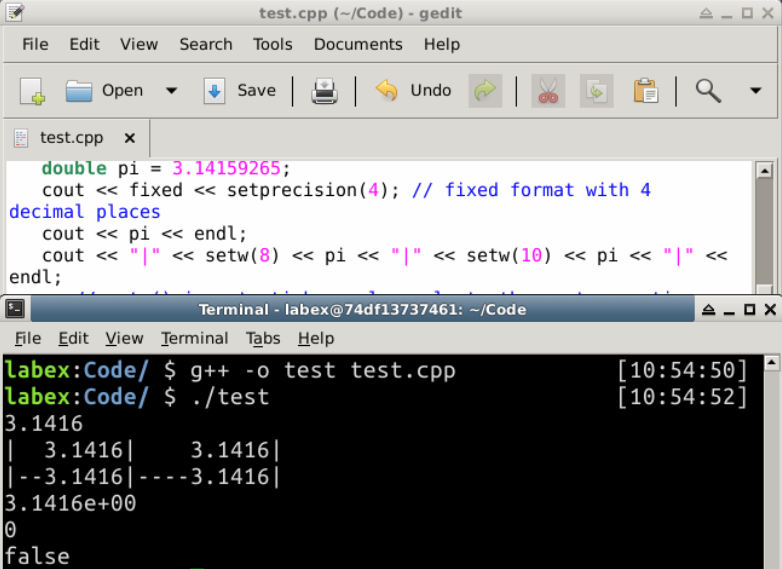
出力:
3.1416
|  3.1416|    3.1416|
|--3.1416|----3.1416|
3.1416e+00
0
false
/* Test Formatting Input */
#include <iostream>
#include <iomanip>
#include <string>
using namespace std;

int main() {
   string areaCode, phoneCode;
   string inStr;

   cout << "Enter your phone number in this format (xxx)xxx-xxxx : ";
   cin.ignore();   // skip '('
   cin >> setw(3) >> areaCode;
   cin.ignore();   // skip ')'
   cin >> setw(3) >> phoneCode;
   cin.ignore();   // skip '-'
   cin >> setw(4) >> inStr;
   phoneCode += inStr;

   cout << "Phone number is (" << areaCode << ")"
        << phoneCode.substr(0, 3) << "-"
        << phoneCode.substr(3, 4) << endl;
   return 0;
}
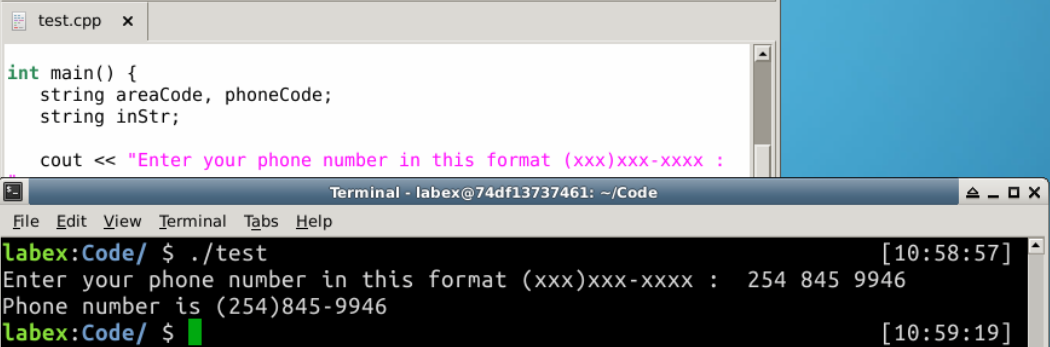
出力:
Enter your phone number in this format (xxx)xxx-xxxx :  254 845 9946
Phone number is (254)845-9946
ファイル入出力
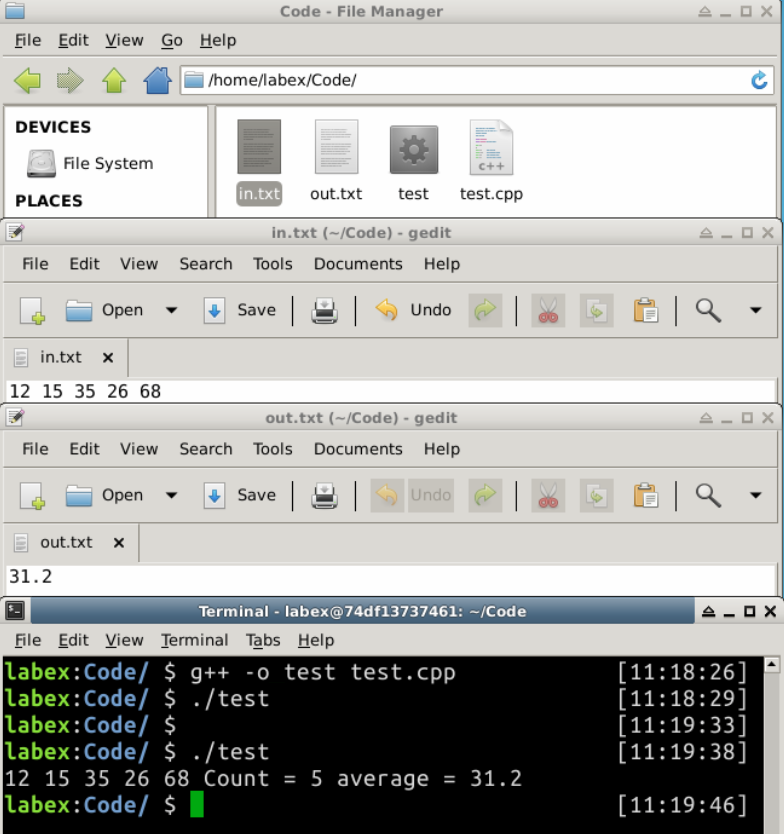
ファイルの入出力をテストするには、まず in.txt という名前のファイルを作成し、その中にいくつかの整数を空白で区切って書き込みます。実行後、計算結果は out.txt というファイルに書き込まれます。
/* Test File I/O
   Read all the integers from an input file and
   write the average to an output file        */
#include <iostream>
#include <fstream>   // file stream
#include <cstdlib>
using namespace std;

int main() {
   ifstream fin;   // Input stream
   ofstream fout;  // Output stream

   // Try opening the input file
   fin.open("in.txt");
   if (!fin.is_open()) {
      cerr << "error: open input file failed" << endl;
      abort();  // Abnormally terminate the program (in <cstdlib>)
   }

   int sum = 0, number, count = 0;
   while (fin >> number) {
      // Use >> to read
      cout << number << " ";
      sum += number;
      ++count;
   }
   double average = double(sum) / count;
   cout << "Count = " << count << " average = " << average << endl;
   fin.close();

   // Try opening the output file
   fout.open("out.txt");
   if (!fout.is_open()) {
      cerr << "error: open output file failed" << endl;
      abort();
   }
   // Write the average to the output file using <<
   fout << average;
   fout.close();
   return 0;
}
出力:
12 15 35 26 68 Count = 5 average = 31.2
プログラムのメモ:
- ファイルが開かれると、
cin >>やcout <<と同様に、入出力に>>と<<を使用できます。(高度なメモ:ifstreamはistreamのサブクラスで、cinが所属しています。ofstreamはostreamのサブクラスで、coutが所属しています。) - 同様に、
fixed、setprecision()、setw()などの IO マニピュレータもファイルストリームで機能します。
名前空間
異なるライブラリモジュールを使用する場合、異なるライブラリが異なる目的で同じ名前を使用する可能性があるため、名前の衝突の可能性が常にあります。この問題は、C++ での 名前空間 の使用によって解決できます。名前空間 は、同じ名前付けスコープ内の識別子のコレクションです。(UML と Java では パッケージ と呼ばれます。) 名前空間の下のエンティティ名は、名前空間名の後に :: (スコープ解決演算子と呼ばれます) を付けて 修飾 され、namespace::entityName の形式になります。
エンティティを名前空間の下に配置するには、次のように namespace キーワードを使用します。
// 囲まれたエンティティに対して myNamespace という名前空間を作成する
namespace myNameSpace {
   int foo;               // 変数
   int f() { ...... };    // 関数
   class Bar { ...... };  // クラスや構造体などの複合型
}

// エンティティを参照するには、次のように使用します
myNameSpace::foo
myNameSpace::f()
myNameSpace::Bar
名前空間には、変数、関数、配列、およびクラスや構造体などの複合型を含めることができます。
#include <iostream>

namespace a {   // 変数を含む
   int i1 = 8;
   int i2 = 9;
}

namespace b {   // 関数を含む
   int max(int n1, int n2) {
      return (n1 > n2)? n1 : n2;
   }
}

int main() {
   std::cout << a::i1 << std::endl;                // 8
   std::cout << b::max(a::i1, a::i2) << std::endl; // 9
}
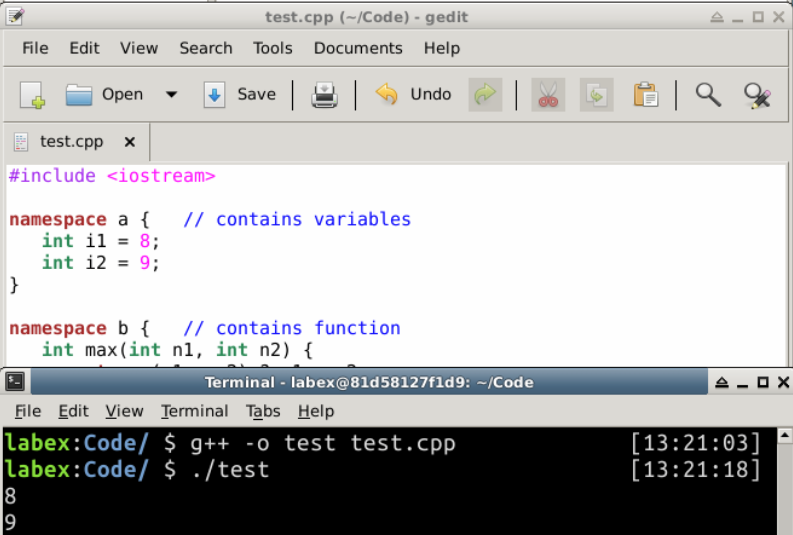
出力:
8
9
名前空間の使用
// 完全修飾名を使用する場合、
// たとえば std::cout、std::endl、std::setw() および std::string など
std::cout << std::setw(6) << 1234 << std::endl;

// 特定の識別子を宣言するために using 宣言を使用する
using std::cout;
using std::endl;
......
cout << std::setw(6) << 1234 << endl;

// using 名前空間指示子を使用する
using namespace std:
......
cout << setw(6) << 1234 << endl;

// 長い名前空間名の場合、名前空間に対する略称 (またはエイリアス) を定義できます
namespace shorthand = namespace-name;
まとめ
ファイルの入出力の手順は以下の通りです。
- 入力用に
ifstreamを作成するか、出力用にofstreamを作成する。 open(filename)を使って、ストリームを入力または出力ファイルに接続する。- ストリーム挿入演算子
<<を使って書式付き出力を行うか、ストリーム抽出演算子>>を使って入力を行う。これはcout <<やcin >>と同様である。 - ファイルを閉じ、ストリームを解放する。
C++ では、エンティティ (変数、関数、またはクラス) は グローバル名前空間 (名前空間名なしで :: で識別される) に属する。