
はじめに
現代の CI/CD パイプラインにおいて、柔軟性と自動化は不可欠な要素です。ビルドジョブに値をハードコーディングしてしまうと、ジョブが硬直化し、管理が困難になります。Jenkins では、ビルドをパラメータ化し、ビルドプロセスの一部としてスクリプトを実行することで、この問題を解決できます。
この実験では、柔軟な Jenkins ジョブを作成する方法を学びます。まず、ビルド時にユーザー入力を受け取れるようパラメータを追加します。次に、ビルドステップとしてシェルスクリプトを実行し、そのスクリプトにパラメータを渡す方法、そしてビルドの成功や失敗に応じて条件付きで動作するビルド後アクションの設定方法を学びます。これらは、Jenkins で堅牢かつ動的な自動化ワークフローを作成するための基本スキルです。
環境内ではすでに Jenkins インスタンスが実行されています。デスクトップの Firefox ブラウザを開くことで、Jenkins の Web インターフェースにアクセスできます。ブラウザは自動的に http://localhost:8080 を開くため、URL を手動で入力する必要はありません。ログインは不要です。
フリースタイルプロジェクトの作成とパラメータ化
このステップでは、新しい Jenkins フリースタイルプロジェクトを作成し、パラメータを追加します。パラメータを使用することでジョブが対話型になり、ビルドがトリガーされるたびに入力を提供できるようになります。
まずはジョブを作成しましょう。
- デスクトップインターフェースから Firefox ブラウザを開きます。ブラウザは自動的に
http://localhost:8080を開くため、URL を手動で入力する必要はありません。ログインは不要です。 - Jenkins ダッシュボードの左側メニューにある New Item をクリックします。
- アイテム名として
parameterized-script-jobと入力します。 - Freestyle project を選択し、OK をクリックします。
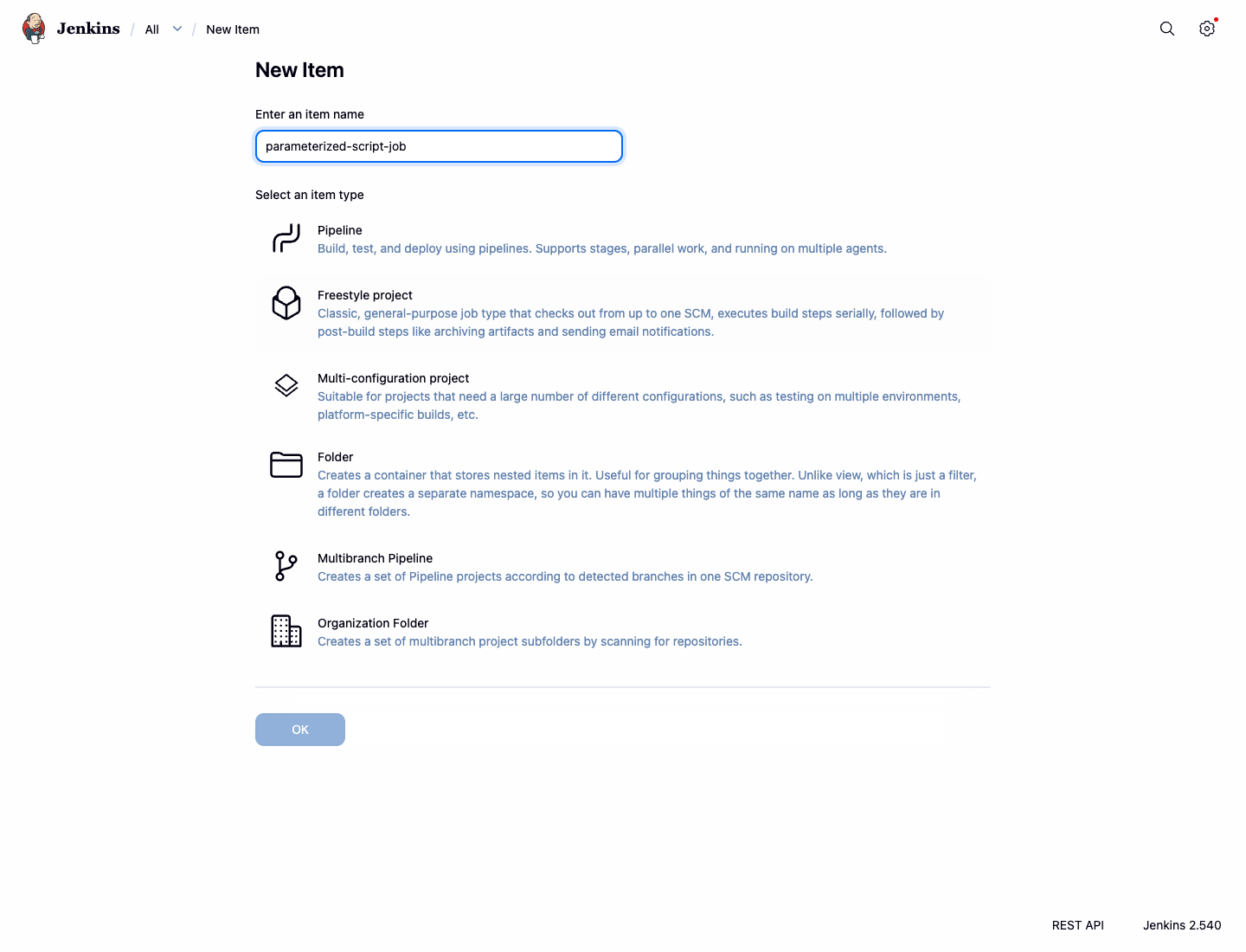
ジョブの設定ページに移動します。次に、パラメータを追加します。
General セクションで、This project is parameterized のチェックボックスをオンにします。
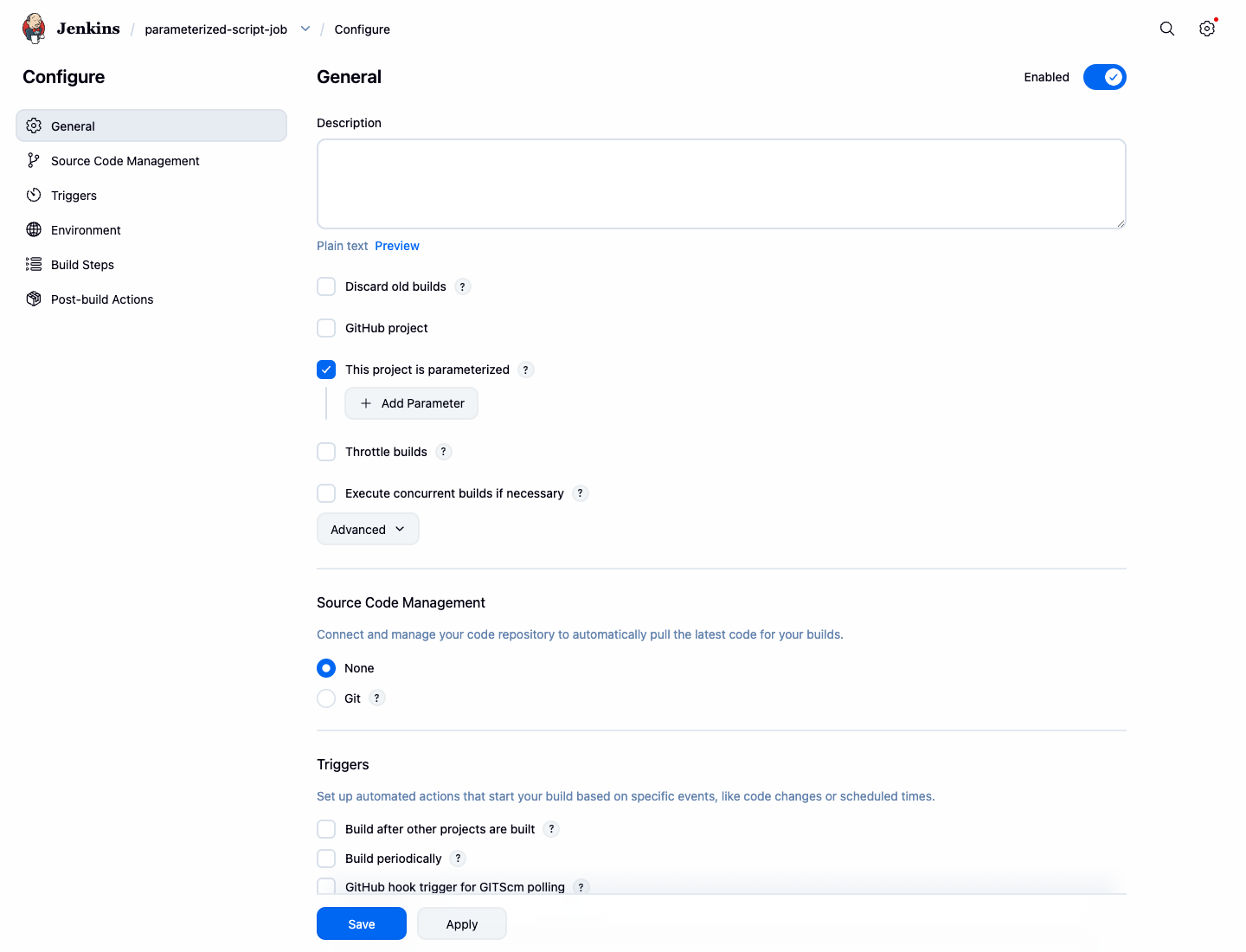
Add Parameter ドロップダウンをクリックし、String Parameter を選択します。
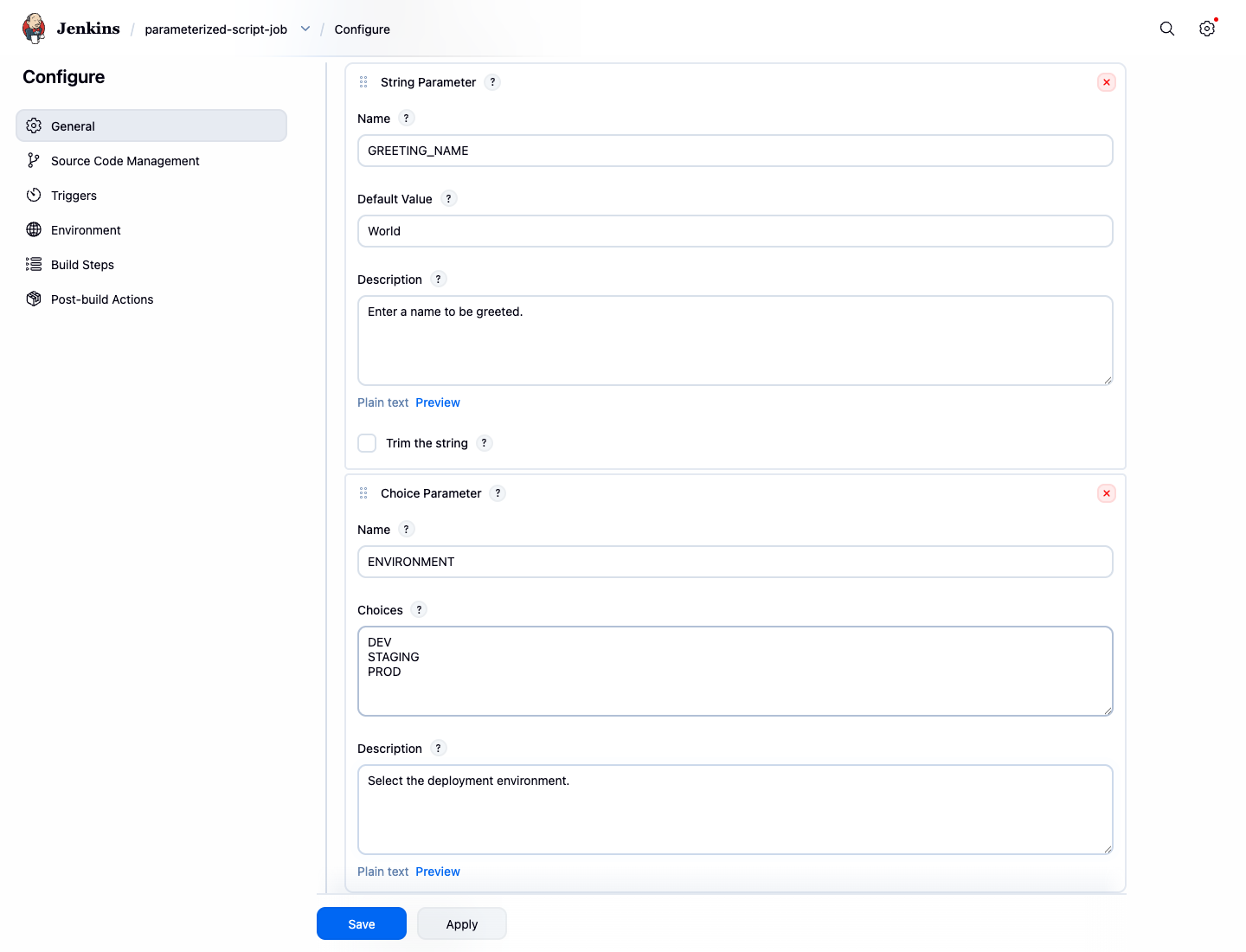
- Name:
GREETING_NAME - Default Value:
World - Description:
挨拶に使用する名前を入力してください。
- Name:
再度 Add Parameter ドロップダウンをクリックし、Choice Parameter を選択します。
Name:
ENVIRONMENTChoices: (各選択肢を新しい行に入力してください)
DEV STAGING PRODDescription:
デプロイ先の環境を選択してください。
これらのパラメータは、後のビルドステップで使用できるようになります。
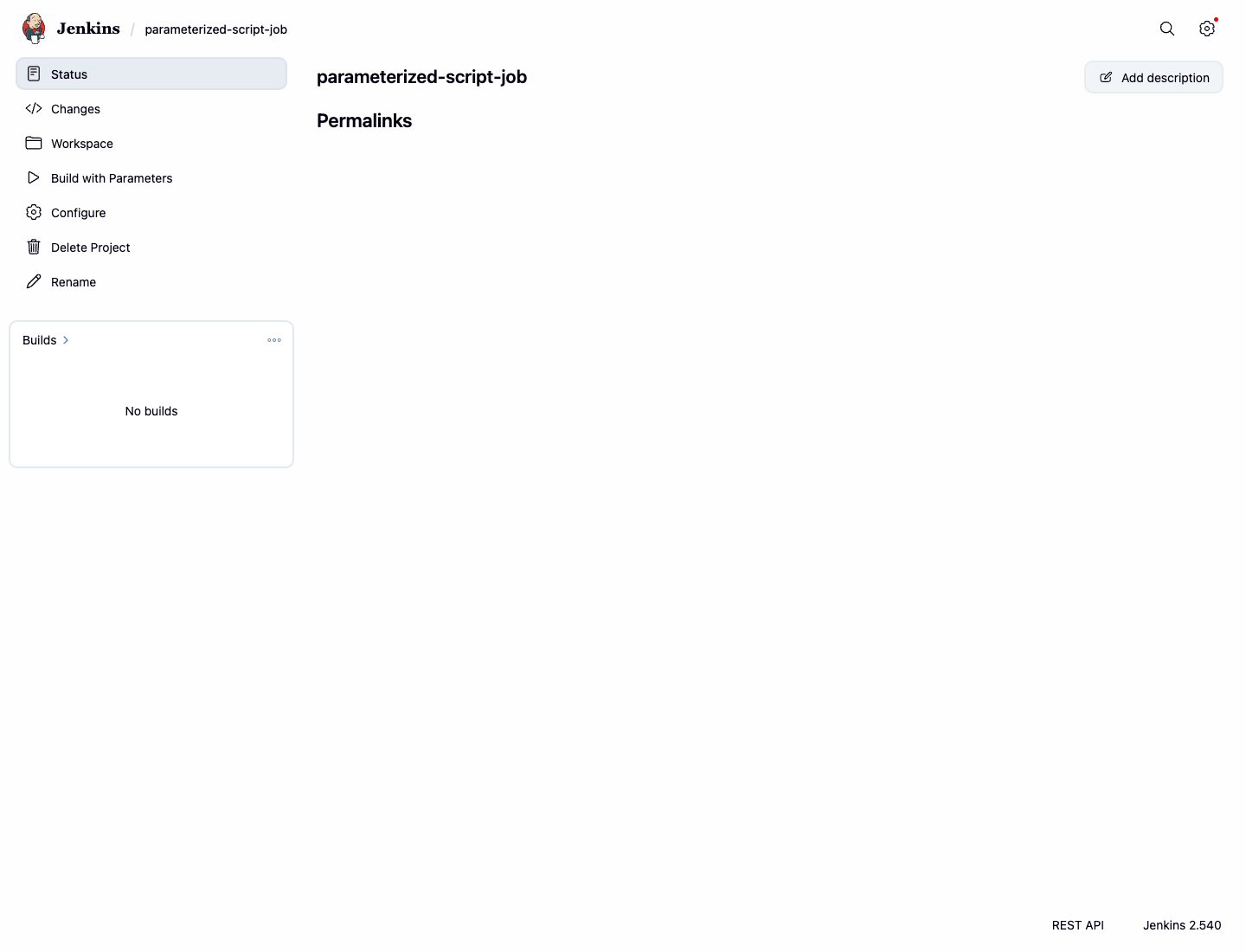
最後に、ページ下部までスクロールして Save をクリックします。ジョブのメインページにリダイレクトされ、「Build Now」の代わりに Build with Parameters オプションが表示されるようになります。
シェルスクリプトビルドステップの追加
このステップでは、ジョブのビルドプロセスにシェルスクリプトを追加します。これは、コードのコンパイル、テストの実行、アプリケーションのデプロイといったタスクを実行する一般的な方法です。
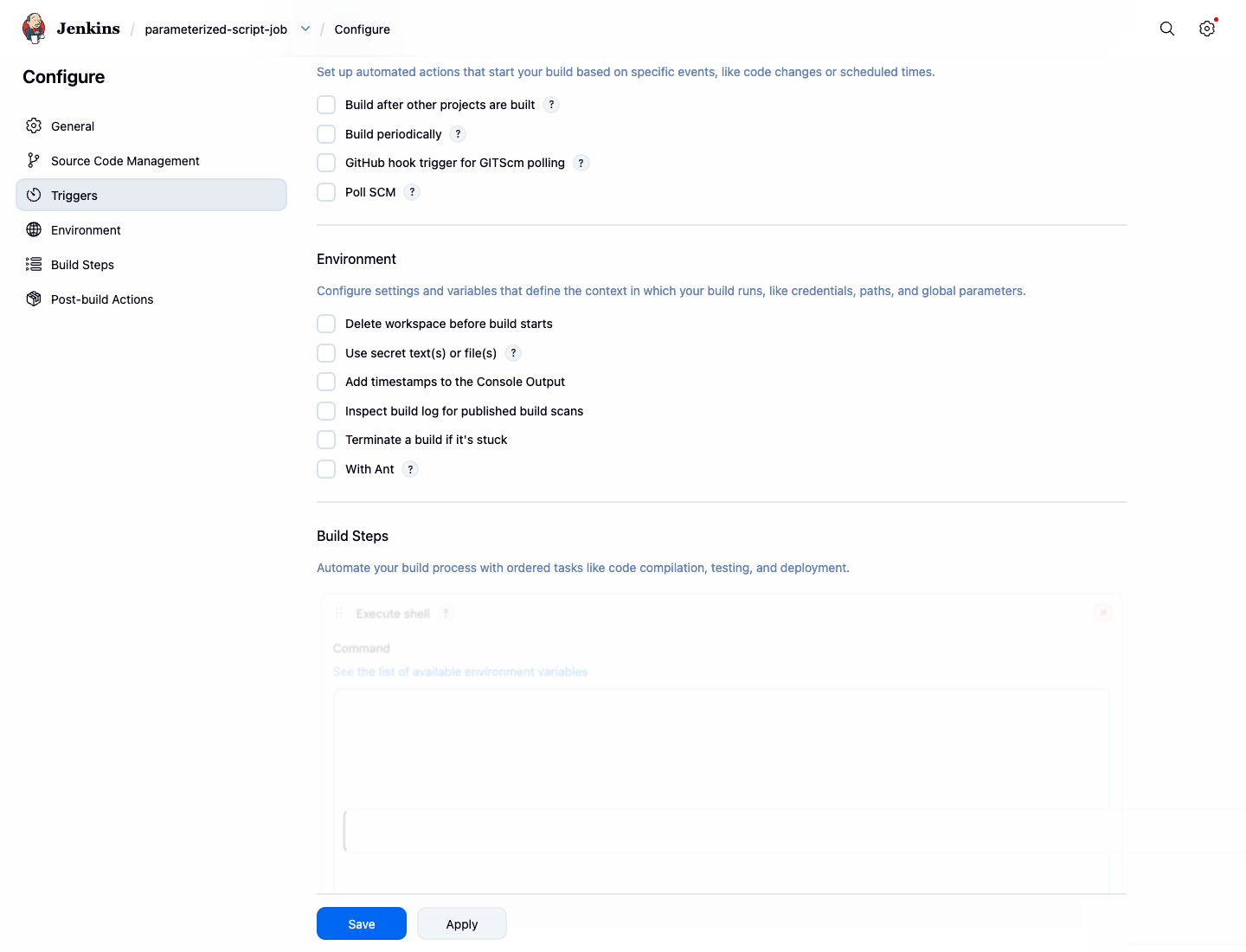
- Jenkins で
parameterized-script-jobダッシュボードに移動します。 - 左側メニューから Configure をクリックします。
- Build Steps セクションまでスクロールします。
- Add build step ドロップダウンをクリックし、Execute shell を選択します。
- Command テキストエリアに以下のスクリプトを入力します。このスクリプトは、Jenkins ワークスペース内にプロジェクトディレクトリ構造を作成し、その内容をリスト表示します。
echo "--- Starting Build Step ---"
echo "Current directory:"
pwd
echo "Creating project directory structure:"
mkdir -p my-app
echo "Version 1.0" > my-app/version.txt
echo "Listing files in the project directory:"
ls -la my-app
echo "--- Build Step Finished ---"
- Save をクリックして変更を適用します。
それでは、ジョブを実行してスクリプトの動作を確認しましょう。
- ジョブページで Build with Parameters をクリックします。
- デフォルトのパラメータ値のまま、Build ボタンをクリックします。
- 左側の Build History に新しいビルドが表示されます。ビルド番号(例:
#1)をクリックします。 - Console Output をクリックしてログを表示します。
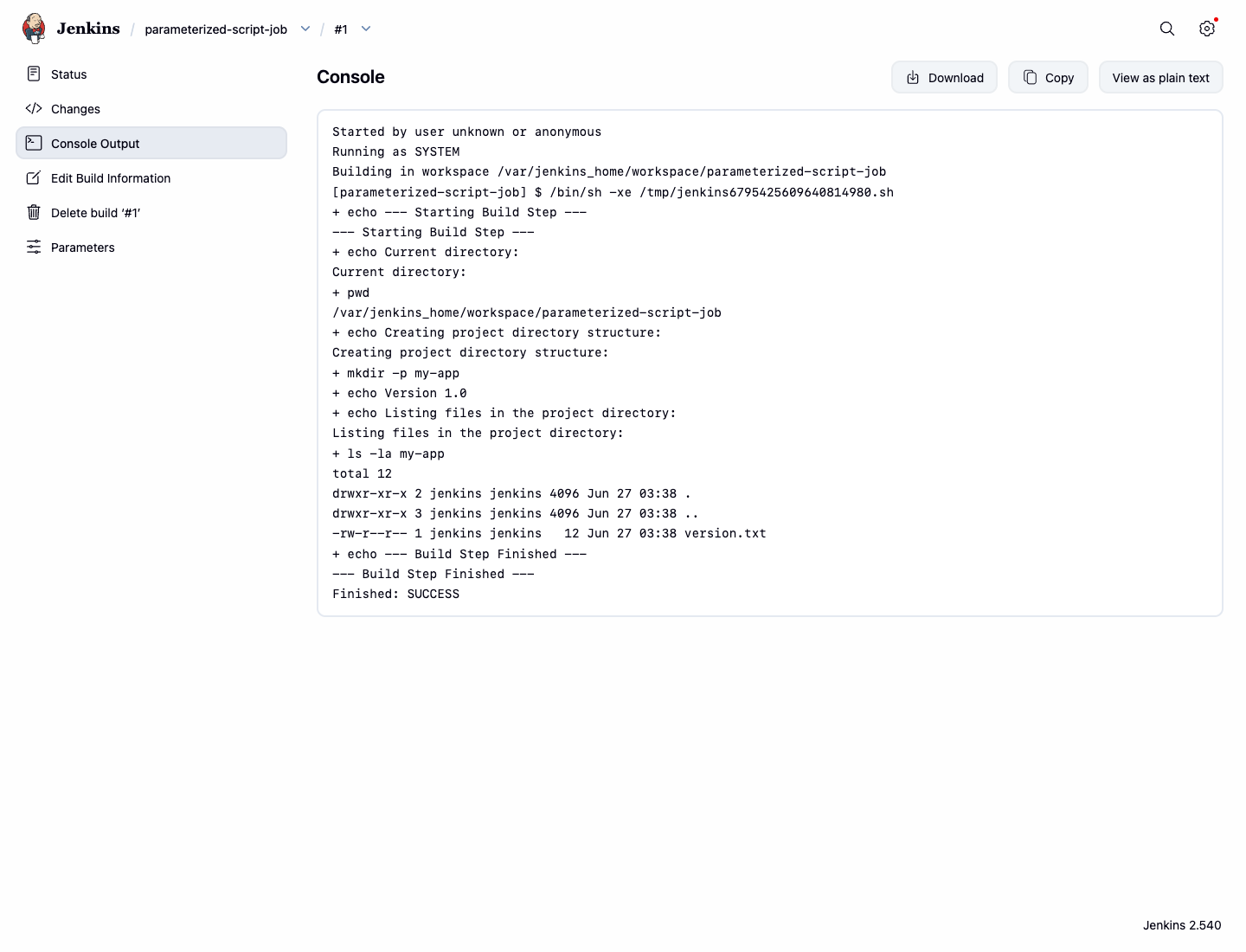
シェルスクリプトの出力(ファイルリストを含む)が表示されるはずです。
Started by user unknown or anonymous
Running as SYSTEM
Building in workspace /var/jenkins_home/workspace/parameterized-script-job
[parameterized-script-job] $ /bin/sh -xe /tmp/jenkins....sh
+ echo --- Starting Build Step ---
--- Starting Build Step ---
+ echo Current directory:
Current directory:
+ pwd
/var/jenkins_home/workspace/parameterized-script-job
+ echo Creating project directory structure:
Creating project directory structure:
+ mkdir -p my-app
+ echo Version 1.0
+ echo Listing files in the project directory:
Listing files in the project directory:
+ ls -la my-app
total 12
drwxr-xr-x 2 jenkins jenkins 4096 ... .
drwxr-xr-x 3 jenkins jenkins 4096 ... ..
-rw-r--r-- 1 jenkins jenkins   12 ... version.txt
+ echo --- Build Step Finished ---
--- Build Step Finished ---
Finished: SUCCESS
シェルスクリプトへのパラメータの受け渡し
このステップでは、ステップ 1 で定義したパラメータをシェルスクリプト内で使用する方法を学びます。Jenkins はビルドパラメータを環境変数として公開しており、スクリプト内で $VARIABLE_NAME 構文を使用してアクセスできます。
parameterized-script-jobの Configure ページに戻ります。- Build Steps セクションまでスクロールし、Execute shell コマンドボックスを見つけます。
- 既存のスクリプトを以下の内容に置き換えます。
echo "--- Starting Parameterized Build Step ---"
echo "Hello, $GREETING_NAME!"
echo "Deploying to the $ENVIRONMENT environment."

## Create project structure if not exists and read the version from the file
mkdir -p my-app
echo "Version 1.0" > my-app/version.txt
APP_VERSION=$(cat my-app/version.txt)
echo "Application version is: $APP_VERSION"
echo "--- Parameterized Build Step Finished ---"
$GREETING_NAME と $ENVIRONMENT が echo コマンド内で直接使用されていることに注目してください。ジョブが実行されると、Jenkins はこれらをユーザーが選択した値に置き換えます。
- Save をクリックします。
それでは、カスタムパラメータを指定してビルドを実行してみましょう。
- Build with Parameters をクリックします。
GREETING_NAMEをLabExに変更します。ENVIRONMENTドロップダウンからSTAGINGを選択します。- Build をクリックします。
- 新しいビルドの Console Output を確認します。
出力に、指定したカスタム値が反映されているはずです。
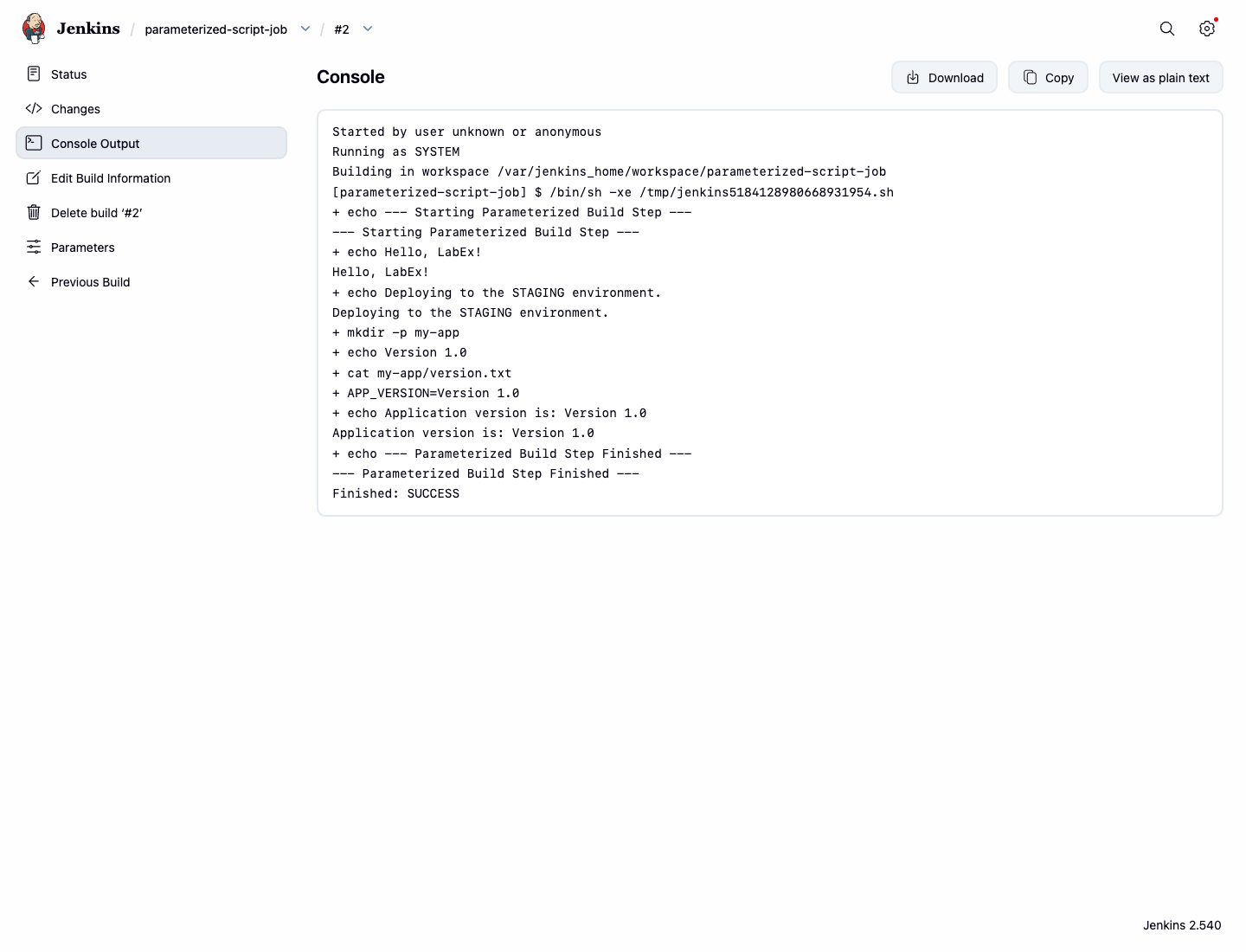
--- Starting Parameterized Build Step ---
+ echo Hello, LabEx!
Hello, LabEx!
+ echo Deploying to the STAGING environment.
Deploying to the STAGING environment.
+ mkdir -p my-app
+ echo Version 1.0
+ cat my-app/version.txt
+ APP_VERSION=Version 1.0
+ echo Application version is: Version 1.0
Application version is: Version 1.0
+ echo --- Parameterized Build Step Finished ---
--- Parameterized Build Step Finished ---
シェル条件によるビルド失敗の処理
このステップでは、シェルスクリプト内でビルド失敗をシミュレートします。これは、デプロイルールに違反した場合にフリースタイルジョブを停止させるための信頼性の高い方法です。
失敗をシミュレートするためのスクリプト修正
条件に応じて失敗するようにスクリプトを修正します。
parameterized-script-jobの Configure ページに移動します。- Execute shell コマンドボックス内のスクリプトを以下に置き換えます。
echo "Deploying to the $ENVIRONMENT environment."

if [ "$ENVIRONMENT" = "PROD" ]; then
  echo "Error: Production deployment is not allowed!"
  echo "Failure handled by shell condition."
  exit 1
fi

echo "Deployment to $ENVIRONMENT was successful."
このスクリプトは ENVIRONMENT パラメータをチェックします。もし PROD に設定されていれば、エラーを出力し、終了コード 1 で終了します。シェルスクリプトにおいて、0 以外の終了コードは Jenkins に対して失敗を通知します。
- Save をクリックします。
失敗条件のテスト
失敗条件をテストしてみましょう。
- Build with Parameters をクリックします。
ENVIRONMENTにPRODを選択し、Build をクリックします。- ビルドは失敗し、ビルド履歴に赤いアイコンが表示されます。
- Console Output を確認します。スクリプトからのエラーメッセージと、最終的な Jenkins のビルドステータスが表示されます。
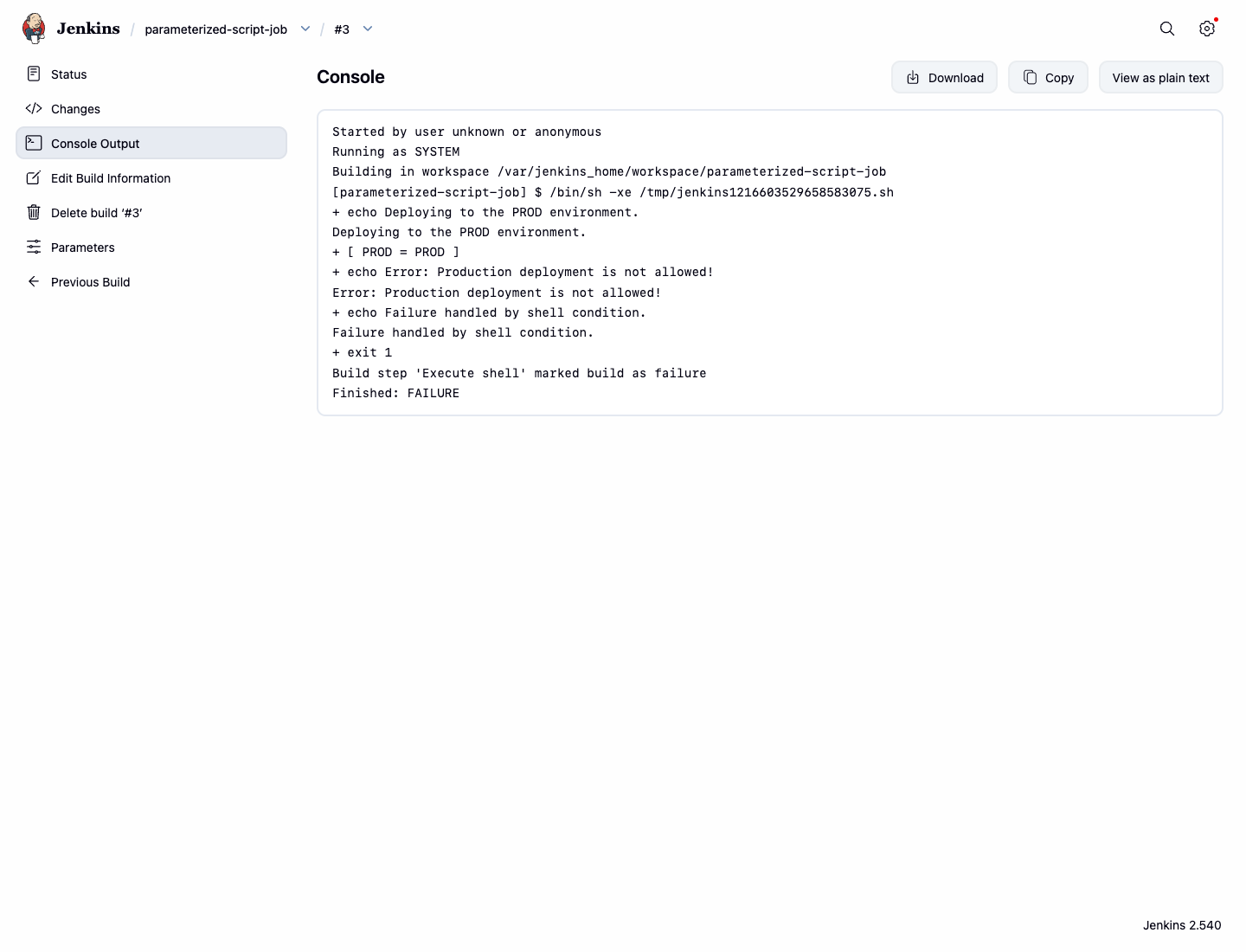
Deploying to the PROD environment.
+ [ PROD = PROD ]
+ echo Error: Production deployment is not allowed!
Error: Production deployment is not allowed!
+ echo Failure handled by shell condition.
Failure handled by shell condition.
+ exit 1
Build step 'Execute shell' marked build as failure
Finished: FAILURE
DEV または STAGING で再度ビルドを実行すれば、失敗条件がトリガーされないため、ビルドは成功します。
まとめ
お疲れ様でした。柔軟で堅牢な Jenkins ジョブの作成に成功しました。
この実験では、以下のことを学びました。
- 文字列(String)および選択(Choice)パラメータを使用した、パラメータ化された Jenkins ジョブの作成。
- ビルドプロセスの一部としてのシェルスクリプトの実行。
- スクリプト内での環境変数としてのビルドパラメータへのアクセスと利用。
- ビルド結果を制御するためのスクリプト内での条件分岐の実装。
- ビルドの成功・失敗を制御するためのシェル条件と終了コードの利用。
これらのスキルは、異なる入力に適応し、エラーをインテリジェントに処理できる高度な CI/CD パイプラインを構築するために不可欠です。これらの概念を応用して、独自の開発およびデプロイワークフローを自動化してみてください。