
介绍
欢迎来到 JavaScript DOM 操作实验。文档对象模型 (DOM) 是 Web 文档的编程接口。它代表页面,以便程序可以更改文档的结构、样式和内容。当 Web 页面加载时,浏览器会创建一个页面的 DOM,这是一个类似对象的树状结构。
在本实验中,你将学习如何使用 JavaScript 与 DOM 进行交互。你将练习选择元素、更改其内容、修改其属性以及动态创建新元素并将其添加到页面。这些是创建交互式和动态 Web 应用程序的基础技能。
完成本实验后,你将能够:
- 使用 ID 从 DOM 中选择一个元素。
- 更改元素的内容。
- 设置元素的属性。
- 创建一个新元素。
- 将新元素附加到文档。
让我们开始吧!
使用 getElementById 按 ID 选择元素
在本步骤中,你将学习如何使用其唯一 ID 选择一个 HTML 元素。document.getElementById() 方法是访问 DOM 中特定元素最常用的方法之一。
首先,在 WebIDE 左侧的文件浏览器中找到 script.js 文件。点击它在编辑器中打开。设置脚本已为你创建了此文件。
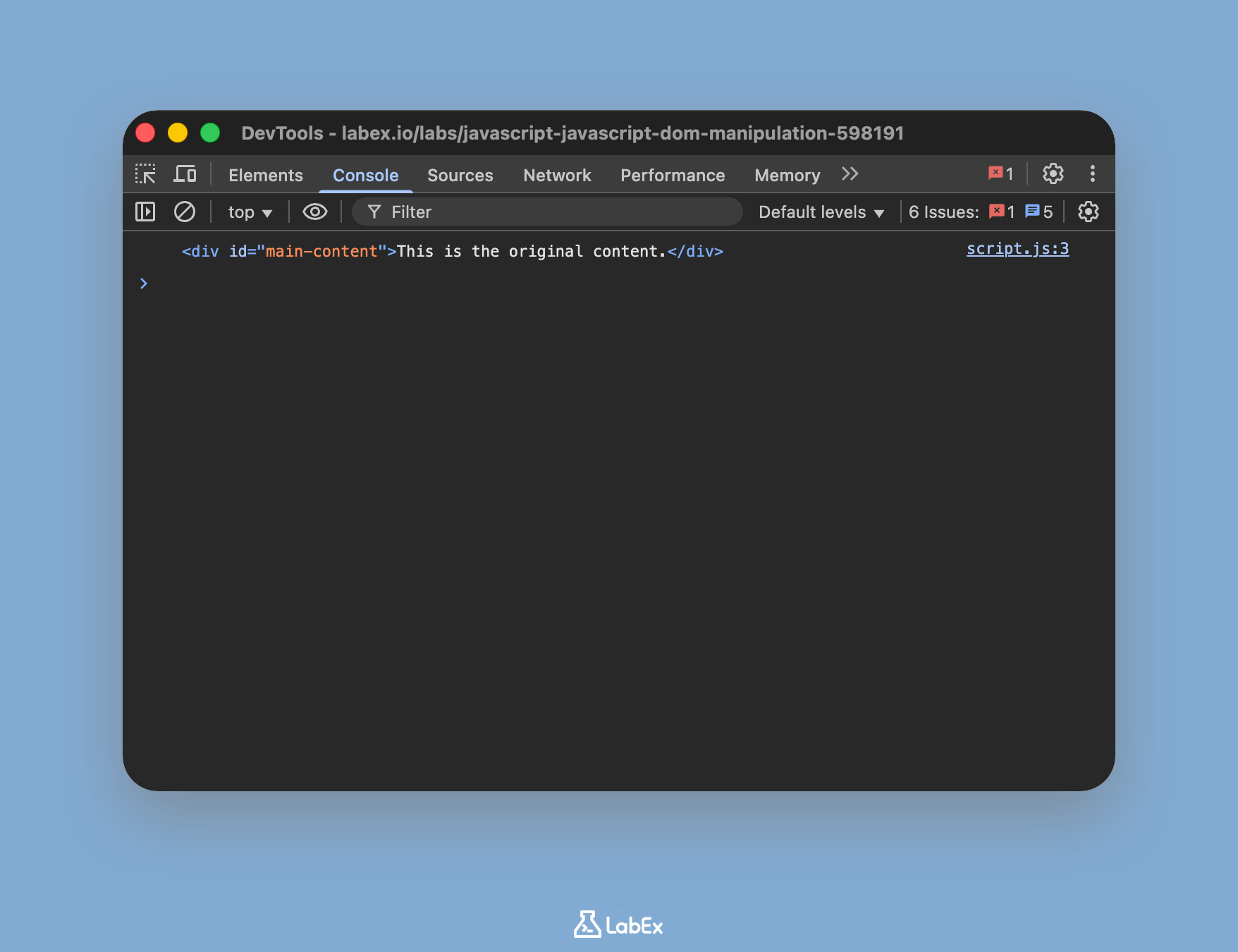
现在,将以下代码添加到 script.js。此代码将选择 ID 为 main-content 的 div 元素,并将其存储在名为 contentDiv 的变量中。然后,我们将此元素记录到控制台,以验证我们是否已正确选择它。
const contentDiv = document.getElementById("main-content");

console.log(contentDiv);
添加代码后,保存 script.js 文件。要查看结果,请点击界面顶部的“Web 8080”选项卡。你不会在页面本身看到任何视觉变化,但可以看到 console.log 的输出。要执行此操作,请打开浏览器的开发者工具(通常可以通过右键单击页面并选择“检查”,然后导航到“控制台”选项卡来完成)。你应该会在控制台中看到记录的 HTML div 元素。
使用 innerHTML 更改文本内容
在本步骤中,你将修改你选择的元素的内容。innerHTML 属性允许你获取或设置元素内的 HTML 内容。这是动态更改网页显示内容的强大方法。
继续编辑 script.js 文件。在你上一步编写的代码下方,添加以下行。这将更改我们选择的 div 中的文本。
const contentDiv = document.getElementById("main-content");

// This line is new
contentDiv.innerHTML = "The content has been changed by JavaScript!";

console.log(contentDiv);
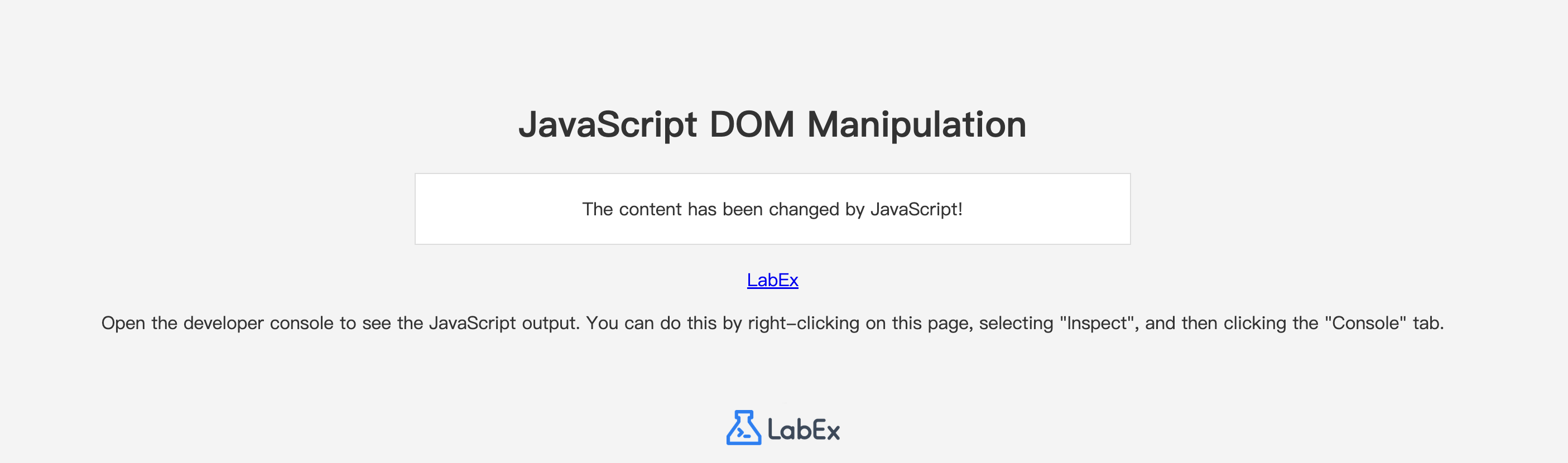
确保保存 script.js 文件。现在,切换回“Web 8080”选项卡并刷新页面。你应该会看到框内的文本已从“This is the original content.”更改为“The content has been changed by JavaScript!”。
使用 setAttribute 方法设置属性
在本步骤中,你将学习如何更改元素的属性,例如链接的 href 或图片的 src。setAttribute() 方法用于此目的。它接受两个参数:要设置的属性名称,以及该属性要设置的值。
我们的 index.html 文件包含一个 ID 为 labex-link 的链接(<a> 标签)。让我们更改其 href 属性,使其指向 LabEx 网站。
将以下代码添加到你的 script.js 文件中。
// Select the link element
const link = document.getElementById("labex-link");

// Set its href attribute
link.setAttribute("href", "https://labex.io");
你完整的 script.js 文件现在应该如下所示:
const contentDiv = document.getElementById("main-content");
contentDiv.innerHTML = "The content has been changed by JavaScript!";
console.log(contentDiv);

// Select the link element
const link = document.getElementById("labex-link");

// Set its href attribute
link.setAttribute("href", "https://labex.io");
保存文件,切换到“Web 8080”选项卡并刷新。现在,如果你将鼠标悬停在“LabEx”链接上,你应该会在浏览器的状态栏中看到它指向 https://labex.io。点击它将尝试导航到该页面。
使用 createElement 创建新元素
在本步骤中,你将使用 JavaScript 从头开始创建一个全新的 HTML 元素。这是构建动态界面的核心部分,你可能需要向列表添加新项、显示新消息等。document.createElement() 方法用于创建由标签名指定的元素。
让我们创建一个新的段落(<p>)元素。将以下代码添加到你的 script.js 文件末尾。
// Create a new paragraph element
const newParagraph = document.createElement("p");

// Set its content
newParagraph.innerHTML = "This is a new paragraph created with JavaScript.";

// Add a class for styling
newParagraph.className = "new-element";
此时,该元素已在浏览器的内存中创建,但尚未在页面上显示。我们已经创建了该元素,使用 innerHTML 设置了其内容,并为其分配了一个 CSS 类,以便它能够根据我们的 style.css 文件进行样式设置。在下一步中,你将学习如何将这个新元素添加到文档中。
使用 appendChild 添加子元素
在最后一步中,你将把在上一步中创建的元素添加到网页中。appendChild() 方法将一个节点(一个元素)添加为父元素的最后一个子元素。
首先,我们需要选择要放置新段落的父元素。我们的 index.html 中有一个 ID 为 container 的 div 用于此目的。然后,我们将使用 appendChild() 将我们的 newParagraph 添加到其中。
将以下代码添加到 script.js 的末尾。
// Get the container element
const container = document.getElementById("container");

// Append the new paragraph to the container
container.appendChild(newParagraph);
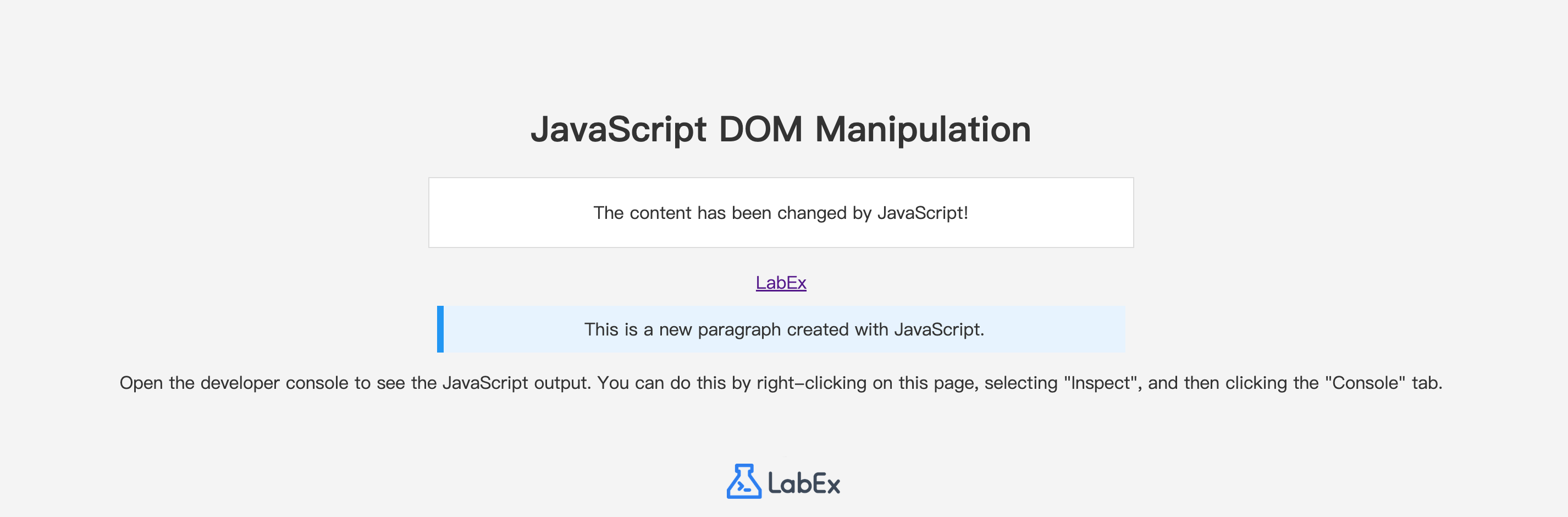
你完整的 script.js 文件现在应该包含之前所有步骤的代码。保存文件并刷新“Web 8080”选项卡。你应该能在页面上看到新的、已设置样式的段落出现在链接下方。
恭喜!你已成功操作 DOM 来更改内容、设置属性以及动态创建和显示新元素。
总结
在本实验中,你学习了使用 JavaScript 操作文档对象模型(DOM)的基本技术。这些技能对于创建动态和交互式网页至关重要。
你已成功练习了:
- 使用
document.getElementById()从 DOM 中选择元素。 - 使用
innerHTML属性更改元素的內容。 - 使用
setAttribute()方法修改元素的属性。 - 使用
document.createElement()在内存中创建新 HTML 元素。 - 使用
appendChild()将新创建的元素添加到网页中。
通过组合使用这些方法,你可以构建复杂的、响应用户操作并动态显示数据的用户界面。恭喜你完成了这个实验!