介绍
在本实验中,你将学习如何在 JavaScript 中使用条件语句。条件语句是编程的基础部分,它允许你根据某个条件是真还是假来执行不同的代码块。这使你能够创建动态且响应迅速的应用程序,这些应用程序可以做出决策并相应地改变其行为。
我们将涵盖以下关键概念:
if语句,用于在条件为真时执行代码。else子句,用于提供备用路径。else if语句,用于检查多个条件。- 松散相等 (
==) 和严格相等 (===) 运算符之间的区别。
在本实验结束时,你将构建一个简单的脚本,演示如何使用这些基本工具来控制程序的流程。
编写带比较的 if 语句
在本步骤中,你将学习使用 if 语句,这是 JavaScript 中最基本的条件语句。它仅在指定的条件评估为 true 时执行一个代码块。
基本语法如下:
if (condition) {
  // condition 为 true 时要执行的代码
}
我们将创建一个根据一天中的时间显示问候语的脚本。首先,让我们检查一下是否是早上。
- 在 WebIDE 左侧的文件浏览器中,找到并打开
script.js文件。 - 将以下代码添加到
script.js。此代码从系统中获取当前小时,如果小时数小于 12,它将更改我们 HTML 页面中<h1>元素的文本。
const greetingElement = document.getElementById("greeting");
const currentHour = new Date().getHours();

if (currentHour < 12) {
  greetingElement.textContent = "Good Morning!";
}
- 添加代码后,保存文件(你可以使用
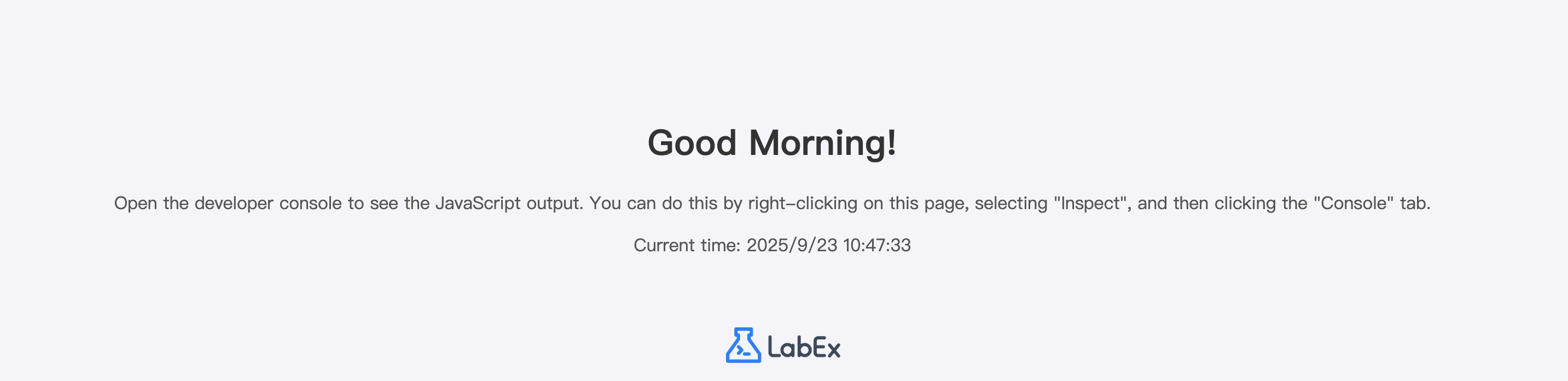
Ctrl+S或Cmd+S)。 - 要查看结果,请点击界面顶部的 Web 8080 标签页。如果当前时间在中午之前,你将看到消息 "Good Morning!"。否则,消息将保持为 "Hello!"。
添加 else 子句以处理备用路径
在本步骤中,你将为你的 if 语句添加一个 else 子句。else 子句允许你指定一个代码块,该代码块将在 if 语句中的条件为 false 时执行。这为你的程序的逻辑提供了一个备用路径。
语法如下:
if (condition) {
  // condition 为 true 时要执行的代码
} else {
  // condition 为 false 时要执行的代码
}
让我们修改脚本,以便在不是早上时显示不同的问候语。
- 在编辑器中再次打开
script.js文件。 - 修改你现有的代码以包含一个
else块。如果currentHour < 12条件为 false,这将把问候语设置为 "Good Afternoon!"。
const greetingElement = document.getElementById("greeting");
const currentHour = new Date().getHours();

if (currentHour < 12) {
  greetingElement.textContent = "Good Morning!";
} else {
  greetingElement.textContent = "Good Afternoon!";
}
- 保存
script.js文件。 - 切换到 Web 8080 标签页以查看更改。现在,如果时间已过中午,消息将从 "Hello!" 变为 "Good Afternoon!"。
使用 else if 处理多重条件
在本步骤中,你将学习使用 else if 语句来处理多个条件。当你面临两个以上可能的输出时,else if 允许你按顺序测试一系列条件。
语法如下:
if (condition1) {
  // condition1 的代码
} else if (condition2) {
  // condition2 的代码
} else {
  // 没有条件满足时的代码
}
让我们扩展问候语脚本,以包含一条晚上的消息。我们将“下午”定义为下午 6 点(18:00)之前,而“晚上”定义为之后的所有时间。
- 在
script.js文件中,更新你的代码以包含一个else if条件。现在的逻辑将是:- 如果小时数小于 12,则为“早上”。
- 否则,如果小时数小于 18,则为“下午”。
- 否则,为“晚上”。
const greetingElement = document.getElementById("greeting");
const currentHour = new Date().getHours();

if (currentHour < 12) {
  greetingElement.textContent = "Good Morning!";
} else if (currentHour < 18) {
  greetingElement.textContent = "Good Afternoon!";
} else {
  greetingElement.textContent = "Good Evening!";
}
- 保存文件并刷新 Web 8080 标签页。问候语现在将根据当前时间准确地反映是早上、下午还是晚上。
在条件中使用相等运算符 ==
在本步骤中,我们将探讨相等运算符 ==。此运算符也称为“宽松”或“抽象”相等运算符,它在尝试将两个值转换为通用类型后,比较它们是否相等。
例如,数字 10 和字符串 '10' 在使用 == 时被视为相等。
为了实际演示这一点,我们将向脚本添加一段新代码。这段代码不会影响问候语,但会将一条消息记录到浏览器的开发者控制台。
- 将以下代码添加到
script.js文件的末尾。
let numberValue = 10;
let stringValue = "10";

if (numberValue == stringValue) {
  console.log("The == operator says they are equal!");
}
- 保存文件。要查看输出,你需要打开开发者控制台。
- 在 Web 8080 标签页中,在页面任意位置右键单击并选择 "Inspect" 或 "Inspect Element"。这将打开开发者工具。
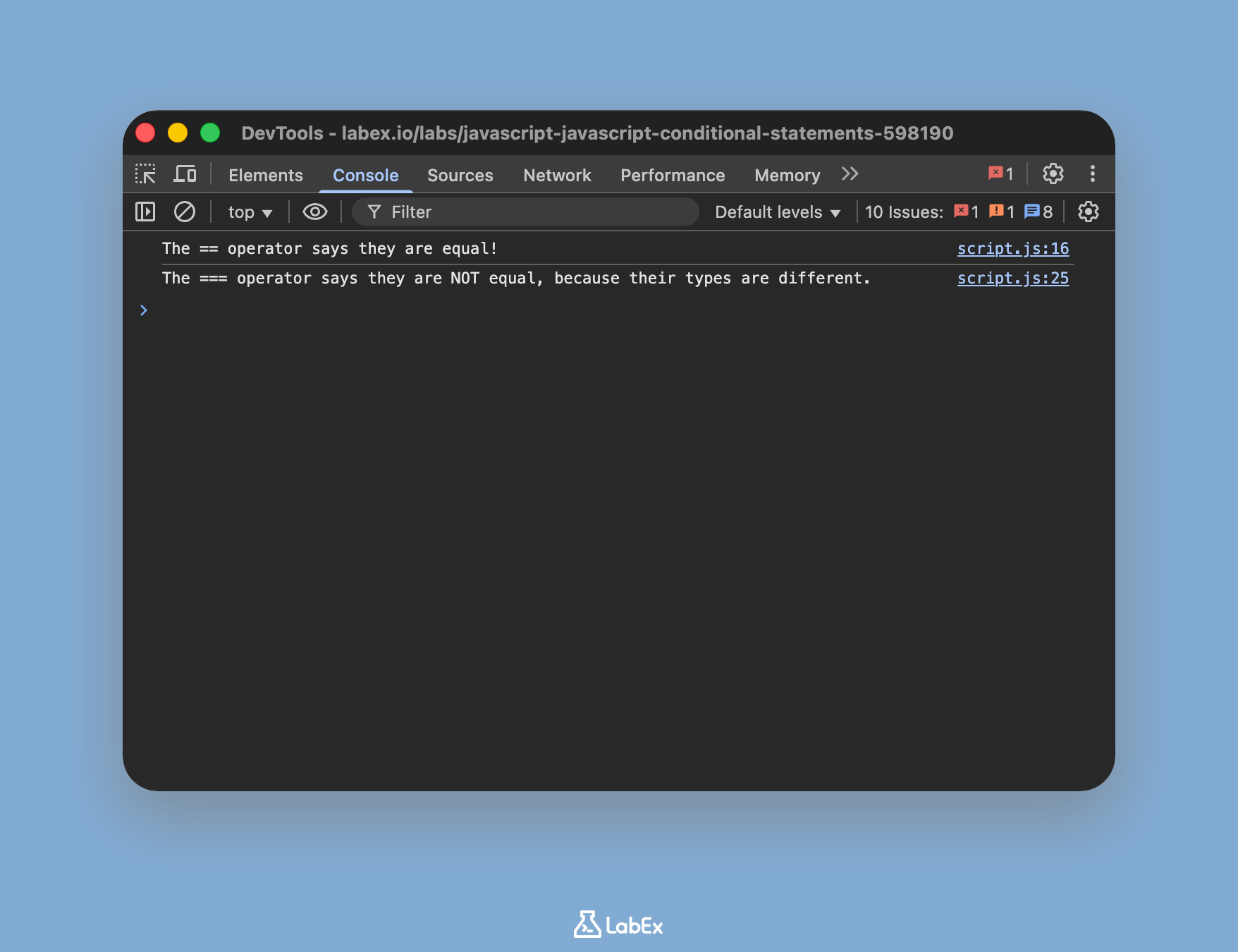
- 在开发者工具中的 "Console" 标签页上单击。你应该会看到消息:
The == operator says they are equal!。这证实了 JavaScript 在比较之前转换了类型。
使用 === 运算符测试严格相等
在最后一步中,你将了解严格相等运算符 ===。与宽松相等运算符 (==) 不同,严格相等运算符会同时比较操作数的值和类型。它不会执行类型转换。
这通常是 JavaScript 中推荐使用的相等性检查运算符,因为它行为更可预测,并有助于避免细微的错误。
让我们修改上一步的示例以使用 === 并观察差异。
- 将以下新的代码块添加到
script.js文件的末尾。
let numberValueStrict = 10;
let stringValueStrict = "10";

if (numberValueStrict === stringValueStrict) {
  console.log("The === operator says they are equal!");
} else {
  console.log(
    "The === operator says they are NOT equal, because their types are different."
  );
}
- 保存文件,然后再次查看 Web 8080 标签页中的开发者控制台。你可能需要刷新页面。
- 这次,你将看到消息:
The === operator says they are NOT equal, because their types are different.。这是因为numberValueStrict是一个number,而stringValueStrict是一个string,===运算符正确地将它们识别为不同。
总结
恭喜你完成了本次实验!你已经掌握了 JavaScript 中条件逻辑的基础知识,这是任何开发者都至关重要的技能。
在本次实验中,你:
- 使用
if语句根据单个条件执行代码。 - 添加了
else子句来处理替代情况。 - 实现了
else if来管理多个顺序条件。 - 理解并应用了宽松相等运算符 (
==),该运算符会执行类型转换。 - 理解并应用了严格相等运算符 (
===),该运算符会同时检查值和类型,并且是大多数比较的推荐选择。
掌握条件语句可以让你编写出智能、响应迅速且能够处理各种场景的代码。