소개
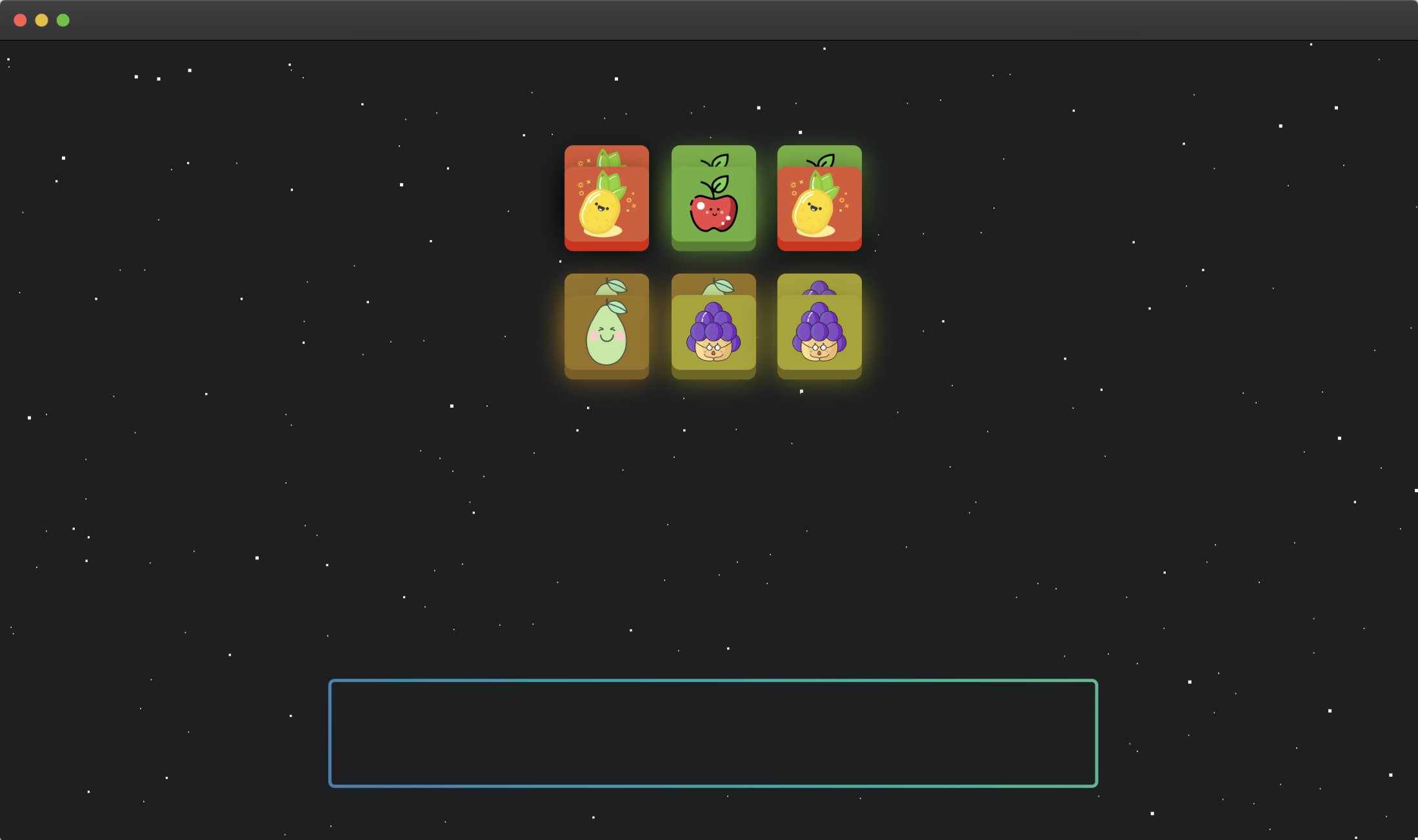
이 프로젝트에서는 HTML, CSS, 그리고 JavaScript 를 사용하여 간단한 과일 쌓기 게임을 만드는 방법을 배웁니다. 목표는 페이지 상단에서 떨어지는 과일 아이템들을 하단의 상자에 쌓는 것입니다. 상자에 동일한 과일이 세 개 있으면 자동으로 제거됩니다.
👀 미리보기
제거 효과는 다음과 같습니다:

제거되지 않는 효과는 다음과 같습니다:

🎯 과제
이 프로젝트에서 다음을 배우게 됩니다:
- 제공된 파일을 에디터에서 열어 프로젝트를 설정하는 방법
- 페이지 상단의 과일 아이템에 클릭 이벤트 핸들러를 추가하는 방법
- 과일 아이템을 추가, 제거 및 제거하는 게임 로직을 구현하는 방법
- 프로젝트를 마무리하고 기능을 테스트하는 방법
🏆 성과
이 프로젝트를 완료하면 다음을 수행할 수 있습니다:
- jQuery 를 사용하여 DOM 을 조작하고 이벤트를 처리합니다.
- JavaScript 를 사용하여 기본적인 게임 로직을 구현합니다.
- 간단하고 상호 작용적인 사용자 인터페이스를 만듭니다.
- 원하는 기능을 보장하기 위해 코드를 테스트하고 디버깅합니다.
프로젝트 구조 설정
이 단계에서는 제공된 파일을 에디터에서 열어 프로젝트를 설정합니다.
- 에디터를 열면
index.html,style.css,jquery.min.js파일과 이미지 파일을 볼 수 있습니다. - WebIDE 의 오른쪽 하단 모서리에 있는 Go Live 버튼을 클릭하여 프로젝트를 실행합니다.
- VM 상단에서 "Web 8080"을 열고 수동으로 새로 고쳐 페이지를 확인합니다.
클릭 이벤트 핸들러 추가
이 단계에서는 페이지 상단의 과일 아이템에 클릭 이벤트 핸들러를 추가합니다.
index.html파일에서<script>태그 내의 TODO 섹션을 찾습니다.<script>태그는ids변수의 빈 배열을 설정합니다.
let ids = [];

$("#card li").on("click", function (e) {
  // TODO: Please implement the function here
});
- TODO 섹션 안에 다음 코드를 추가합니다:
$("#card li").on("click", function (e) {
  // TODO: Please implement the function here
  if ($("#box li").length >= 7) {
    return;
  }
  let clone = $(this).clone();
  $("#box").append(clone);

  let currentId = $(this).data("id");
  ids.push($(this).data("id"));

  let currentIdLen = ids.filter((id) => id == currentId)?.length;

  if (currentIdLen == 3) {
    ids = ids.filter((id) => id !== currentId);
    let three = $(`#box li[data-id=${currentId}]`);
    for (let index = 0; index < three.length; index++) {
      const element = three[index];
      $(element).addClass("active");
      setTimeout(() => {
        element.remove();
      }, 200);
    }
  }

  $(this).css({
    top: "600px",
    left: "200px",
    opacity: 0,
    transition:
      "left .2s linear, top .2s cubic-bezier(.08,-0.35,.99,.33),opacity .2s linear"
  });
});
이 코드는 페이지 상단의 과일 아이템에 클릭 이벤트 핸들러를 추가합니다. 과일 아이템을 클릭하면 복제되어 페이지 하단의 상자에 추가됩니다. 상자에 동일한 과일이 세 개 있으면 제거됩니다. 하단 사각형 (id=box) 요소에 7 개의 과일이 있고 제거할 수 없는 경우, 클릭된 과일 요소 노드는 추가된 사각형 요소에 포함되지 않습니다.
프로젝트 마무리
이 마지막 단계에서는 마무리 작업을 추가하여 프로젝트를 완료합니다.
- 페이지 상단의 과일 아이템을 클릭하여 프로젝트를 테스트합니다. 과일이 상자에 추가되고 동일한 과일이 세 개 있으면 제거되는지 확인합니다. 제거 효과는 다음과 같습니다.
- 상자에 7 개의 과일이 있고 더 이상 제거할 수 없는 경우, 상단의 과일 아이템을 클릭해도 아무런 효과가 없어야 합니다. 제거 불가능 효과는 다음과 같습니다.
축하합니다! Fruit Stacker 프로젝트를 완료했습니다.
요약
축하합니다! 이 프로젝트를 완료했습니다. LabEx 에서 더 많은 랩을 연습하여 기술을 향상시킬 수 있습니다.