

Learn Cloudflare by Building: From Workers to AI Agents
A hands-on Cloudflare course path for beginners covering Workers, KV, D1, R2, Workers AI, Durable Objects, the Agents SDK, and integrated projects.
Most Cloudflare tutorials can help you deploy a first Worker. The harder question comes next: should you learn KV, D1, or R2 first, when do Durable Objects become necessary, and what foundations do you need before building an AI agent?
The new LabEx Cloudflare learning path turns those choices into an ordered set of hands-on courses. It currently maps 52 Cloudflare skills across 12 beginner courses, starting with the Workers runtime and progressing through storage, AI, stateful coordination, and integrated projects.
This is not a survey of every Cloudflare product. It is a build-and-operate path: each service is introduced through a small application, observable behavior, verification, failure diagnosis, and cleanup.
Start with a Cloudflare Workers course, not a product catalog
Cloudflare’s own Workers learning path begins with the account, development tools, and a first deployment. Those are also the right foundations for the LabEx path, but deployment is only the first checkpoint.
Cloudflare Workers for Beginners contains 11 guided labs and a configuration-repair challenge. The sequence moves from account connection and the first Worker to JavaScript APIs, secrets, local testing with Wrangler, service bindings, static assets, caching, scheduled work, release rollback, and log-based diagnosis.
The order matters. A learner sees configuration and environment boundaries before being asked to repair configuration drift. Caching appears beside request behavior rather than as an isolated definition. Rollback is practiced after deployments exist to roll back.
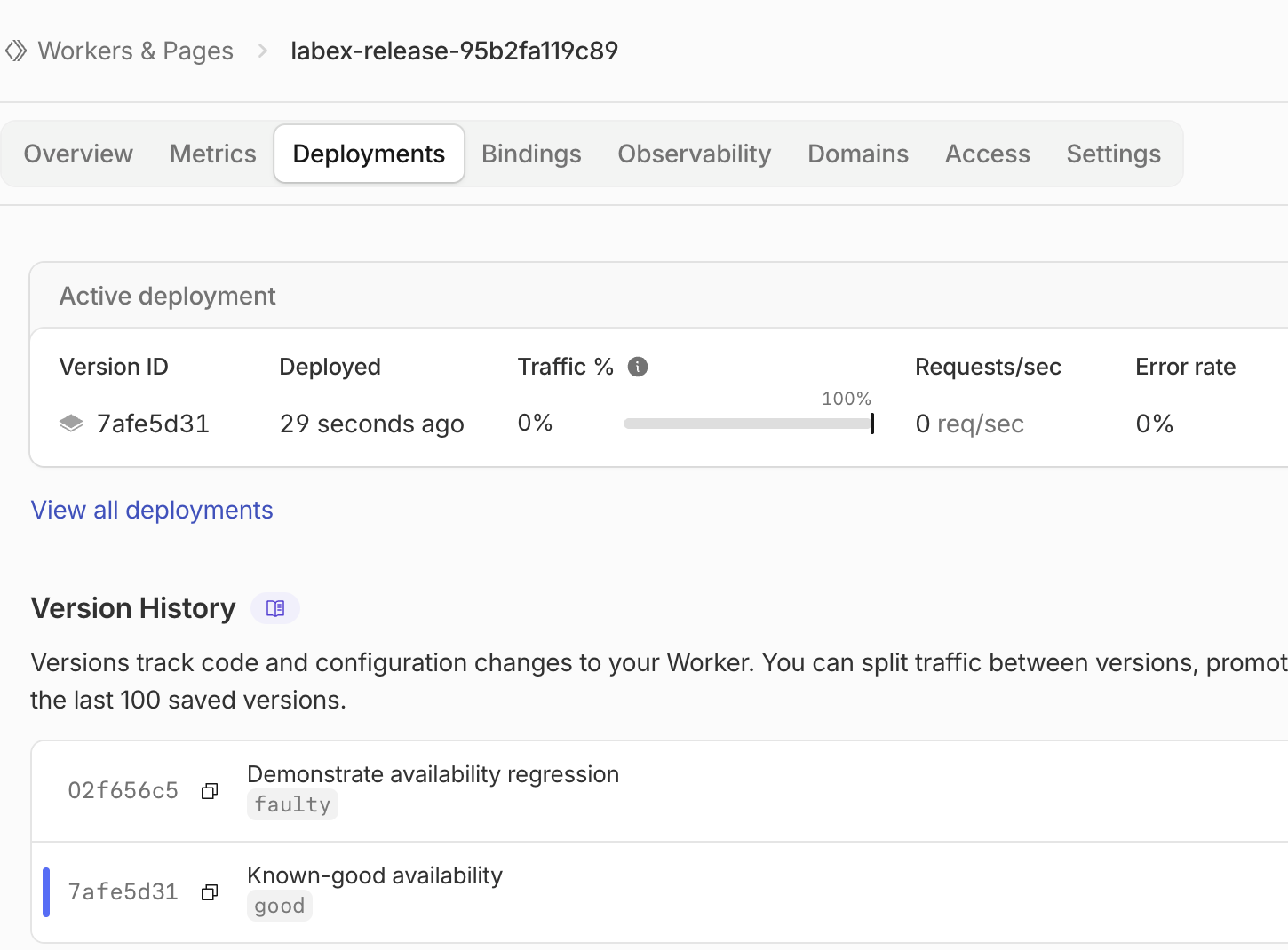
A tested course run after rollback: the known-good Worker version is active while the deliberately faulty version remains visible in version history.
The labs run from a supplied LabEx environment, but the Cloudflare work happens in the learner’s own authorized learning account. Each unit starts independently, creates uniquely named disposable resources, checks real application or service state, and includes cleanup. That makes the terminal convenient without replacing the platform being learned.
Follow service boundaries instead of memorizing product names
Cloudflare’s developer platform exposes storage and platform services to Workers through bindings. The learning path uses those boundaries to organize the next steps:
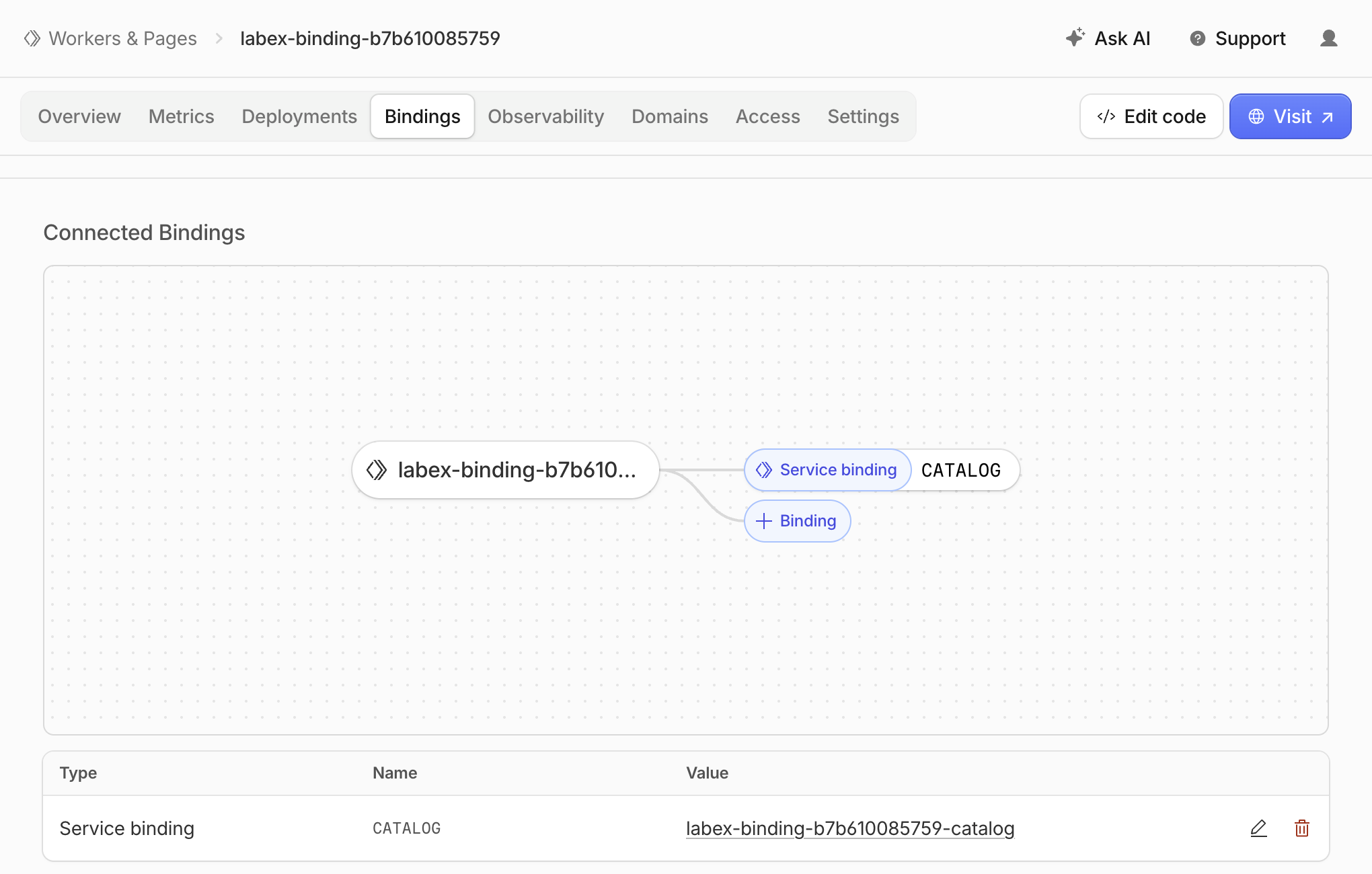
A service-binding lab in the Cloudflare Dashboard. The visible resources use disposable synthetic names created for the course run.
| Branch | Courses | What the learner has to decide or verify |
|---|---|---|
| Worker fundamentals | Cloudflare Workers for Beginners; Build and Operate a Cloudflare API | Request handling, configuration, deployment, caching, releases, and diagnosis |
| Application data | Workers KV; D1; R2; Build a Data API | Which data model fits, how the Worker reaches it, and how access and recovery behave |
| AI applications | Workers AI; Vectorize; AI Gateway | Inference, embeddings, retrieval scope, structured output, routing, limits, and failure handling |
| Stateful systems | Durable Objects; Agents SDK | Stable identity, coordination, persistence, real-time connections, tools, and approval boundaries |
| Integrated AI project | Build a RAG AI Agent with Cloudflare | Grounded retrieval, tenant isolation, durable state, model fallback, approved actions, and recovery |
This structure also gives broad searches such as “Cloudflare course” or “learn Cloudflare” a more useful answer than a flat list of features. You can begin at Workers, then take the branch that matches the system you want to build.
Learn Cloudflare storage by using the wrong abstraction carefully
KV, D1, and R2 can all hold application data, but they do not teach the same decisions.
The Cloudflare Workers KV for Beginners course uses feature flags, account preferences, temporary notices, and redirects. One lab deliberately addresses delayed configuration updates, so a learner cannot mistake a globally distributed key-value store for a strongly consistent relational database.
The Cloudflare D1 for Beginners course builds a support-ticket database and Worker API. Its labs cover safe SQL queries, schema migrations, indexes, atomic batches, sessions, export recovery, and Time Travel. SQL is introduced in the course rather than silently treated as a prerequisite.
The Cloudflare R2 for Beginners course works with application files: private objects, streaming downloads, conditional requests, temporary access, browser upload origins, multipart uploads, retention rules, and an unintended public download. The course follows the same Worker-binding model described in Cloudflare’s R2 Workers API guide, then makes authorization and cleanup part of the exercise.
After those service courses, Build a Data API with Cloudflare Workers, KV, D1, and R2 removes the step-by-step construction format. Its three challenges ask learners to launch, secure, and recover a private document library. The project is a checkpoint: it combines concepts that the preceding courses have already taught.
Build AI on Cloudflare without skipping data and state
A basic Workers AI tutorial can demonstrate one model call. A working AI application also needs bounded inputs and outputs, retrieval scope, traffic controls, state, and a way to handle side effects.
The AI branch separates those concerns:
- Cloudflare Workers AI for Beginners covers bounded inference, streaming, structured output, embeddings, validated tool calls, and controlled service failures.
- Cloudflare Vectorize for Beginners builds a semantic-search service, keeps indexed documents current, filters retrieval by customer and category, and uses retrieved evidence in a grounded answer endpoint.
- Cloudflare AI Gateway for Beginners puts routing, logs, caching, traffic controls, spending limits, and model fallback around inference traffic.
- Cloudflare Durable Objects for Beginners introduces stable object identity, SQLite-backed state, concurrency, alarms, WebSockets, and cross-room isolation before those capabilities are hidden inside a higher-level agent abstraction.
- Cloudflare Agents SDK for Beginners then adds named agent sessions, synchronized clients, persistent conversation, scheduled work, validated tools, human approval, a read-only MCP tool, and routing diagnosis.
That order reflects the underlying platform. Cloudflare describes Durable Objects as a coordination primitive with strongly consistent storage, while the Agents SDK documentation builds durable identity, state, connections, and scheduling into each agent session. Learning the lower-level boundary first makes an agent’s persistence and routing behavior easier to inspect.
The final Build a RAG AI Agent with Cloudflare project has three independent challenges: launch a source-backed support assistant, repair a cross-customer knowledge leak, and recover an approved action when the primary model route fails. Exact model prose is not treated as proof. The exercises verify schemas, identifiers, isolation, approval boundaries, observable routing, and cleanup instead.
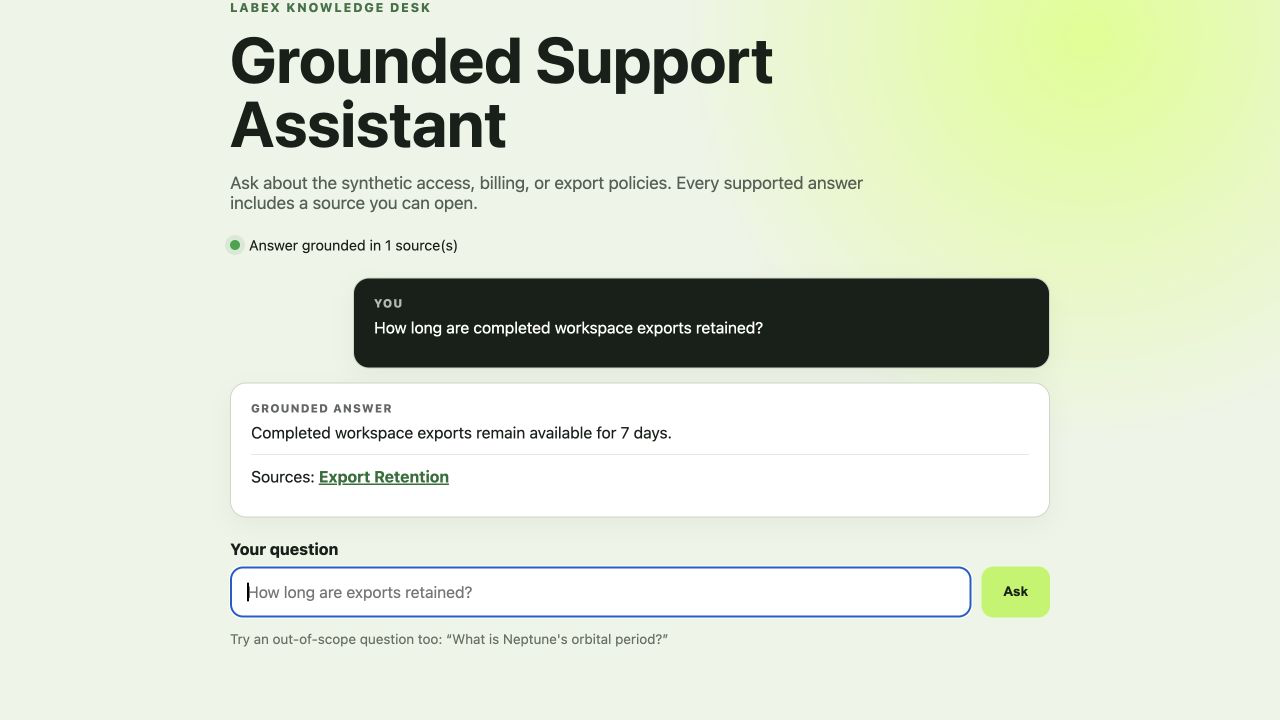
The RAG project interface after a successful grounded answer. The application reports one supporting source and exposes the synthetic policy document used as evidence.
“Hands-on” includes negative tests and cleanup
Copying a command until it exits successfully is weak evidence that a cloud application works. The labs use a stricter loop:
- Observe a concrete starting state or reproduce a fault.
- Implement or repair one principal behavior.
- Exercise both the expected path and a meaningful rejection or failure path.
- Verify application behavior and the relevant remote resource state.
- Remove the lab-owned resources and confirm cleanup before logging out.
This is why the course list includes tasks such as repairing cross-customer cache reuse, preventing a public R2 download, diagnosing cross-room state leakage, and requiring approval before an agent changes a record. The failure case defines the service boundary more clearly than another successful deployment would.
Every course also states its entry knowledge. Basic terminal use and JavaScript are enough to start the Workers course. Later branches name their dependencies: Vectorize follows Workers AI embeddings, Agents SDK follows Durable Objects, and the RAG project follows the AI and agent foundations. You do not need to finish every course before choosing a branch, and project challenges do not depend on state left behind by earlier labs.
Choose your starting point
If you are new to the platform, begin with Cloudflare Workers for Beginners in the LabEx path. It establishes the account, Wrangler, Worker, binding, deployment, verification, and cleanup workflow used by the later courses.
If you already deploy Workers, use the course map as a diagnostic:
- Choose KV, D1, or R2 when your next question is about application data.
- Choose Workers AI, Vectorize, and AI Gateway when you need inference plus retrieval and traffic controls.
- Choose Durable Objects before Agents SDK when the application needs durable identity, coordination, or real-time state.
- Use one of the three project courses when you want to test whether you can integrate and repair the services without guided steps.
The useful unit of progress is not another product name recognized. It is a boundary you can build, observe, break safely, repair, and clean up.
References
- LabEx: Learn Cloudflare — the current 12-course path, course order, lab counts, and skill map.
- Cloudflare Workers learning path — Cloudflare’s current first-Worker setup and deployment sequence.
- Cloudflare Workers bindings — how Workers connect to platform resources including KV, D1, R2, Durable Objects, AI, and Vectorize.
- Cloudflare Agents documentation — the current Agents SDK model for durable identity, state, real-time connections, scheduling, and tools.