
Создание базовой структуры и тегов HTML

HTMLBeginner
Практиковаться сейчас

Введение

В этом практическом занятии (лабораторной работе) студенты научатся основным навыкам создания базовой структуры HTML-документа и понимания важных HTML-тегов. Практическое занятие (лабораторная работа) проводит участников по этапам настройки HTML-документа с правильным объявлением DOCTYPE, добавлению корневого тега HTML, настройке раздела head и изучению различных типов HTML-тегов.

Участники начнут с создания HTML5-документа, узнав, как объявить тип документа, структурировать базовый макет страницы и понять назначение ключевых элементов, таких как <html>, <head> и <body>. К концу практического занятия (лабораторной работы) студенты получат всестороннее понимание того, как создать корректно сформированный HTML-документ и использовать различные HTML-теги для структурирования содержимого веб-страницы.

Настройка HTML-документа с объявлением DOCTYPE

На этом этапе вы узнаете, как создать базовую структуру HTML-документа, добавив объявление DOCTYPE. Объявление DOCTYPE является важным, так как оно сообщает веб-браузерам, какую версию HTML вы используете в документе, обеспечивая правильное отображение и совместимость.

Сначала откройте WebIDE и создайте новый файл с именем index.html в директории ~/project.

Объявление DOCTYPE для HTML5 простое и понятное. Вы добавите его в качестве первой строки своего HTML-документа:

<!doctype html>

Это объявление сообщает браузерам, что вы используете HTML5, последнюю версию HTML. Регистр букв не имеет значения, но для единообразия и читаемости рекомендуется использовать строчные буквы.

Давайте создадим полную базовую структуру HTML-документа с объявлением DOCTYPE:

<!doctype html>
<html lang="en">
  <head>
    <meta charset="UTF-8" />
    <title>My First HTML Page</title>
  </head>
  <body>
    <h1>Welcome to HTML!</h1>
  </body>
</html>
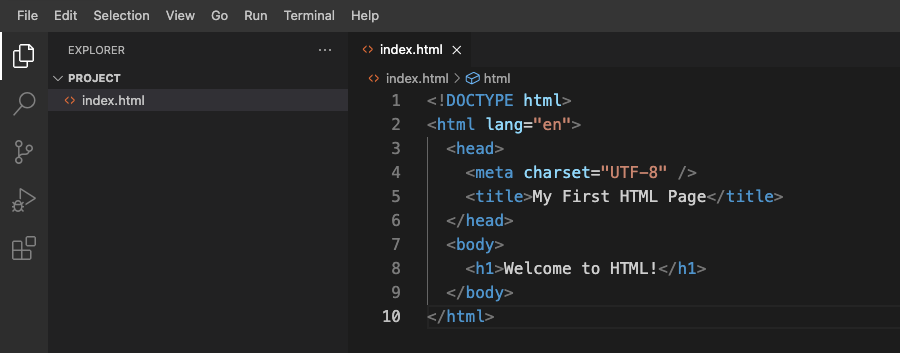
Структура HTML-документа

Примечание: Узнайте больше о Просмотре HTML-файлов в WebIDE.

Пример вывода в браузере будет выглядеть так:
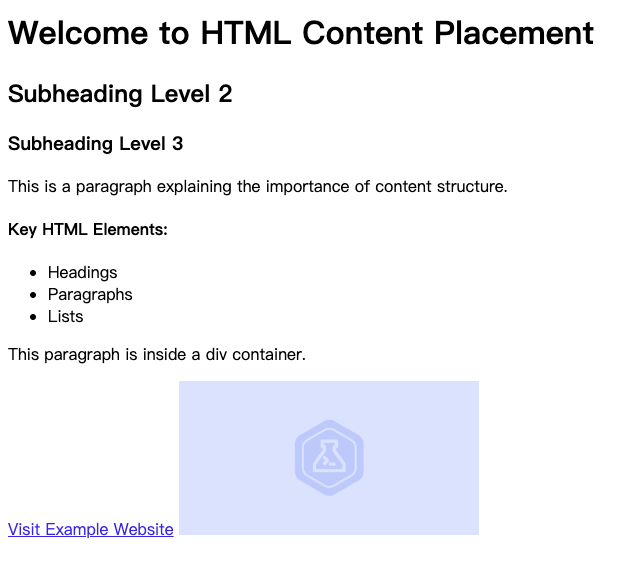
Welcome to HTML!

Основные моменты, которые необходимо запомнить:

  • Объявление DOCTYPE должно быть первой строкой в вашем HTML-документе.
  • Оно помогает браузерам понять, какую версию HTML вы используете.
  • Для современной веб-разработки используйте <!DOCTYPE html> для HTML5.
  • Объявление не является HTML-тегом; это инструкция для браузера.

Добавление корневого тега HTML и базовой структуры

На этом этапе вы узнаете о фундаментальной структуре HTML-документа, сконцентрировавшись на корневом теге HTML и базовой структуре документа. Тег <html> является контейнером для всех других HTML-элементов и служит корневым элементом HTML-страницы.

Откройте файл index.html, который вы создали на предыдущем этапе, в WebIDE. Давайте расширим предыдущую структуру HTML, добавив полный корневой тег и его важные компоненты:

<!doctype html>
<html lang="en">
  <head>
    <meta charset="UTF-8" />
    <title>My First HTML Page</title>
  </head>
  <body>
    <h1>Welcome to HTML Structure</h1>
    <p>This is the basic structure of an HTML document.</p>
  </body>
</html>

Разберем основные компоненты:

  1. Тег <html>: Корневой элемент, который заключает все остальное HTML-содержимое.
  2. Атрибут lang="en": Указывает язык документа (в данном случае - английский).
  3. Два основных дочерних элемента:
    • <head>: Содержит метаданные о документе.
    • <body>: Содержит видимое содержимое веб-страницы.

Пример вывода в веб-браузере будет выглядеть так:

Welcome to HTML Structure
This is the basic structure of an HTML document.

Основные моменты, которые необходимо запомнить:

  • Каждый HTML-документ должен иметь корневой тег <html>.
  • Атрибут lang помогает в обеспечении доступности и оптимизации для поисковых систем.
  • Документ разделен на секции <head> и <body>.
  • Правильное вложение тегов является важным для валидного HTML.

Настройка раздела с использованием мета-тегов и тега </h2> <p data-line="2">На этом этапе вы узнаете о разделе <code><head></code> HTML-документа и о том, как использовать мета-теги и тег title для предоставления важной информации о вашей веб-странице.</p> <p data-line="4">Откройте файл <code>index.html</code> в WebIDE и обновите раздел <code><head></code> с помощью следующего примера:</p> <pre data-line="6"><code class="language-html" language=html><span class="code-block"><!doctype html> <html lang="en"> <head> <meta charset="UTF-8" /> <meta name="viewport" content="width=device-width, initial-scale=1.0" /> <meta name="description" content="A simple HTML learning page" /> <title>My HTML Learning Journey</title> </head> <body> <h1>Welcome to HTML Metadata</h1> <p>This page demonstrates head section configuration.</p> </body> </html></span></code></pre> <p data-line="22">Разберем основные мета-теги и их назначения:</p> <ol data-line="24"> <li><code><meta charset="UTF-8"></code>: Указывает кодировку символов для документа.</li> <li><code><meta name="viewport"></code>: Гарантирует правильное отображение на различных устройствах.</li> <li><code><meta name="description"></code>: Предоставляет краткое описание страницы для поисковых систем.</li> <li><code><title></code>: Устанавливает заголовок страницы, отображаемый во вкладке браузера.</li> </ol> <p data-line="29">Пример вывода во вкладке браузера:</p> <pre data-line="31"><code class="language-" language=><span class="code-block">My HTML Learning Journey</span></code></pre> <p data-line="35">Основные моменты, которые необходимо запомнить:</p> <ul data-line="37"> <li>Раздел <code><head></code> содержит метаданные о HTML-документе.</li> <li>Мета-теги предоставляют дополнительную информацию для браузеров и поисковых систем.</li> <li>Тег <code><title></code> важен для идентификации страницы и SEO (поисковая оптимизация).</li> <li>Всегда включайте мета-теги кодировки символов и viewport.</li> </ul> </article></div><!----><!--]--></div><!----><!--]--><!--[--><div class="pt-24 -mt-20 relative -z-10 anchor-item" id="%D0%BF%D0%BE%D0%BD%D0%B8%D0%BC%D0%B0%D0%BD%D0%B8%D0%B5-%D0%BE%D0%B4%D0%B8%D0%BD%D0%BE%D1%87%D0%BD%D1%8B%D1%85-%D0%B8-%D0%B4%D0%B2%D0%BE%D0%B9%D0%BD%D1%8B%D1%85-html-%D1%82%D0%B5%D0%B3%D0%BE%D0%B2" data-v-21a317ea></div><div id="md-position-4" class="md-editor md-editor-previewOnly" style="background-color:transparent;" data-v-21a317ea><!--[--><div id="md-position-4-preview-wrapper" class="md-editor-preview-wrapper"><article id="md-position-4-preview" class="md-editor-preview default-theme"><h2 data-line="0" id="Понимание одиночных и двойных HTML-тегов">Понимание одиночных и двойных HTML-тегов</h2> <p data-line="2">На этом этапе вы узнаете о двух типах HTML-тегов: одиночных (самозакрывающихся) тегах и двойных тегах. Понимание различий между этими тегами является важным для создания хорошо структурированных HTML-документов.</p> <p data-line="4">Откройте файл <code>index.html</code> в WebIDE и обновите раздел body с помощью следующего примера:</p> <pre data-line="6"><code class="language-html" language=html><span class="code-block"><!doctype html> <html lang="en"> <head> <meta charset="UTF-8" /> <title>HTML Tags Exploration</title> </head> <body> <!-- Double Tags (Opening and Closing) --> <h1>Welcome to HTML Tags</h1> <p>This is a paragraph with <strong>bold text</strong>.</p> <!-- Single (Self-Closing) Tags --> <img src="example.jpg" alt="Example Image" /> <br /> <input type="text" placeholder="Enter your name" /> </body> </html></span></code></pre> <p data-line="26">Разберем разные типы тегов:</p> <p data-line="28">Двойные теги (парные теги):</p> <ul data-line="30"> <li>Имеют открывающий тег <code><tag></code> и закрывающий тег <code></tag></code>.</li> <li>Содержимое помещается между открывающим и закрывающим тегами.</li> <li>Примеры: <code><h1></code>, <code><p></code>, <code><strong></code>, <code><div></code>.</li> </ul> <p data-line="34">Одиночные теги (самозакрывающиеся теги):</p> <ul data-line="36"> <li>Не имеют отдельного закрывающего тега.</li> <li>Закрываются сами внутри тега.</li> <li>Примеры: <code><img></code>, <code><br></code>, <code><input></code>.</li> </ul> <p data-line="40">Пример вывода в браузере будет выглядеть так:</p> <pre data-line="42"><code class="language-" language=><span class="code-block">Welcome to HTML Tags This is a paragraph with bold text. [Здесь должна быть отображена картинка] [Здесь должен быть показано текстовое поле ввода]</span></code></pre> <figure><img src="/cdn-cgi/image/format=auto,quality=60,onerror=redirect/https://file.labex.io/namespace/df87b950-1f37-4316-bc07-6537a1f2c481/web/lab-create-basic-html-structure-and-tags/ru/../assets/20250110-10-53-27-6sPaawNK.png" alt="Пример вывода HTML-тегов" class="md-zoom"></figure> <p data-line="51">Основные моменты, которые необходимо запомнить:</p> <ul data-line="53"> <li>Двойные теги заключают содержимое и требуют как открывающего, так и закрывающего тегов.</li> <li>Одиночные теги являются самодостаточными и не заключают содержимое.</li> <li>Всегда закрывайте двойные теги, чтобы сохранить правильную структуру HTML.</li> <li>Некоторые одиночные теги могут иметь атрибуты для предоставления дополнительной информации.</li> </ul> </article></div><!----><!--]--></div><!----><!--]--><!--[--><div class="pt-24 -mt-20 relative -z-10 anchor-item" id="%D0%B8%D1%81%D1%81%D0%BB%D0%B5%D0%B4%D0%BE%D0%B2%D0%B0%D0%BD%D0%B8%D0%B5-%D1%82%D0%B5%D0%B3%D0%B0-%3Cbody%3E-%D0%B8-%D1%80%D0%B0%D0%B7%D0%BC%D0%B5%D1%89%D0%B5%D0%BD%D0%B8%D1%8F-%D1%81%D0%BE%D0%B4%D0%B5%D1%80%D0%B6%D0%B8%D0%BC%D0%BE%D0%B3%D0%BE-%D1%81%D1%82%D1%80%D0%B0%D0%BD%D0%B8%D1%86%D1%8B" data-v-21a317ea></div><div id="md-position-5" class="md-editor md-editor-previewOnly" style="background-color:transparent;" data-v-21a317ea><!--[--><div id="md-position-5-preview-wrapper" class="md-editor-preview-wrapper"><article id="md-position-5-preview" class="md-editor-preview default-theme"><h2 data-line="0" id="Исследование тега <body> и размещения содержимого страницы">Исследование тега <body> и размещения содержимого страницы</h2> <p data-line="2">На этом этапе вы узнаете о теге <code><body></code> и о том, как структурировать контент в HTML-документе. Тег body - это место, где размещается все видимое содержимое веб-страницы.</p> <p data-line="4">Откройте файл <code>index.html</code> в WebIDE и обновите раздел body с помощью следующего примера:</p> <pre data-line="6"><code class="language-html" language=html><span class="code-block"><!doctype html> <html lang="en"> <head> <meta charset="UTF-8" /> <title>Content Placement Example</title> </head> <body> <!-- Headings --> <h1>Welcome to HTML Content Placement</h1> <h2>Subheading Level 2</h2> <h3>Subheading Level 3</h3> <!-- Paragraphs --> <p>This is a paragraph explaining the importance of content structure.</p> <!-- Lists --> <h4>Key HTML Elements:</h4> <ul> <li>Headings</li> <li>Paragraphs</li> <li>Lists</li> </ul> <!-- Div for grouping content --> <div> <p>This paragraph is inside a div container.</p> </div> <!-- Links and Images --> <a href="https://example.com">Visit Example Website</a> <img src="example.jpg" alt="Example Image" width="300" /> </body> </html></span></code></pre> <p data-line="42">Пример вывода в браузере будет выглядеть так:</p> <figure><img src="/cdn-cgi/image/format=auto,quality=60,onerror=redirect/https://file.labex.io/namespace/df87b950-1f37-4316-bc07-6537a1f2c481/web/lab-create-basic-html-structure-and-tags/ru/../assets/20250113-15-36-31-2tbySUGL.png" alt="Пример вывода размещения контента HTML" class="md-zoom"></figure> <p data-line="46">Основные моменты, которые необходимо запомнить:</p> <ul data-line="48"> <li>Тег <code><body></code> содержит все видимое содержимое страницы.</li> <li>Используйте заголовочные теги (<code><h1></code> - <code><h6></code>), чтобы создать иерархию контента.</li> <li>Абзацы, списки и другие элементы помогают организовать информацию.</li> <li>Тег <code><div></code> может группировать и структурировать контент.</li> <li>Включайте ссылки и изображения, чтобы повысить интерактивность страницы.</li> </ul> </article></div><!----><!--]--></div><!----><!--]--><!--[--><div class="pt-24 -mt-20 relative -z-10 anchor-item" id="%D1%80%D0%B5%D0%B7%D1%8E%D0%BC%D0%B5" data-v-21a317ea></div><div id="md-position-6" class="md-editor md-editor-previewOnly" style="background-color:transparent;" data-v-21a317ea><!--[--><div id="md-position-6-preview-wrapper" class="md-editor-preview-wrapper"><article id="md-position-6-preview" class="md-editor-preview default-theme"><h2 data-line="0" id="Резюме">Резюме</h2> <p data-line="2">В этом практическом занятии (лабораторной работе) участники научились основным этапам создания базовой структуры HTML-документа. Процесс начался с настройки объявления DOCTYPE, которое является важным для обеспечения правильного отображения страницы в браузере и совместимости с HTML5. Участники изучили основные HTML-теги, включая корневой тег <code><html></code>, разделы <code><head></code> и <code><body></code>, и поняли их конкретные роли в организации документа.</p> <p data-line="4">В рамках практического занятия студенты были приведены к созданию полноценного HTML-документа. Было показано, как добавлять мета-теги, устанавливать кодировку символов, определять заголовок страницы и размещать контент внутри тега body. Участники получили практический опыт в создании хорошо структурированной HTML-страницы, изучив ключевые концепции, такие как одиночные и двойные HTML-теги, правильное вложение тегов и важность семантической разметки в веб-разработке.</p> </article></div><!----><!--]--></div><!----><!--]--><!--]--></div><span></span></div><div class="w-40 hidden lg:block shrink-0 sticky top-24"><div id="tutorial-detail-sidebar"><div class="mb-10"><!--[--><p class="text-xs font-bold uppercase mt-10">Поделиться</p><div class="flex gap-2 mt-5"><!--[--><a class="focus:outline-none disabled:cursor-not-allowed disabled:opacity-75 flex-shrink-0 font-medium rounded-md text-sm gap-x-1.5 p-1.5 shadow-sm dark:text-gray-900 disabled:bg-primary-500 dark:bg-primary-400 dark:hover:bg-primary-500 dark:disabled:bg-primary-400 focus-visible:outline focus-visible:outline-2 focus-visible:outline-offset-2 focus-visible:outline-primary-500 dark:focus-visible:outline-primary-400 inline-flex items-center text-gray-800 bg-gray-200 hover:bg-gray-300" aria-label="Поделиться в Twitter" href="https://twitter.com/intent/tweet?text=%D0%A1%D0%BE%D0%B7%D0%B4%D0%B0%D0%BD%D0%B8%D0%B5%20%D0%B1%D0%B0%D0%B7%D0%BE%D0%B2%D0%BE%D0%B9%20%D1%81%D1%82%D1%80%D1%83%D0%BA%D1%82%D1%83%D1%80%D1%8B%20%D0%B8%20%D1%82%D0%B5%D0%B3%D0%BE%D0%B2%20HTML%20%7C%20LabEx&url=https://labex.io/ru/tutorials/html-create-basic-html-structure-and-tags-451029" rel="noopener noreferrer" target="_blank"><!--[--><!--[--><!----><!--]--><!--[--><svg class="svg-icon" aria-hidden="true"><use href="/_nuxt/icons.Wi8CUnX3.svg#twitter" fill="#333"></use></svg><!--]--><!--[--><!----><!--]--><!--]--></a><!--]--><!--[--><a class="focus:outline-none disabled:cursor-not-allowed disabled:opacity-75 flex-shrink-0 font-medium rounded-md text-sm gap-x-1.5 p-1.5 shadow-sm dark:text-gray-900 disabled:bg-primary-500 dark:bg-primary-400 dark:hover:bg-primary-500 dark:disabled:bg-primary-400 focus-visible:outline focus-visible:outline-2 focus-visible:outline-offset-2 focus-visible:outline-primary-500 dark:focus-visible:outline-primary-400 inline-flex items-center text-gray-800 bg-gray-200 hover:bg-gray-300" aria-label="Поделиться в Facebook" href="https://www.facebook.com/sharer.php?title=%D0%A1%D0%BE%D0%B7%D0%B4%D0%B0%D0%BD%D0%B8%D0%B5%20%D0%B1%D0%B0%D0%B7%D0%BE%D0%B2%D0%BE%D0%B9%20%D1%81%D1%82%D1%80%D1%83%D0%BA%D1%82%D1%83%D1%80%D1%8B%20%D0%B8%20%D1%82%D0%B5%D0%B3%D0%BE%D0%B2%20HTML%20%7C%20LabEx&u=https://labex.io/ru/tutorials/html-create-basic-html-structure-and-tags-451029" rel="noopener noreferrer" target="_blank"><!--[--><!--[--><!----><!--]--><!--[--><svg class="svg-icon" aria-hidden="true"><use href="/_nuxt/icons.Wi8CUnX3.svg#facebook" fill="#333"></use></svg><!--]--><!--[--><!----><!--]--><!--]--></a><!--]--><!--[--><a class="focus:outline-none disabled:cursor-not-allowed disabled:opacity-75 flex-shrink-0 font-medium rounded-md text-sm gap-x-1.5 p-1.5 shadow-sm dark:text-gray-900 disabled:bg-primary-500 dark:bg-primary-400 dark:hover:bg-primary-500 dark:disabled:bg-primary-400 focus-visible:outline focus-visible:outline-2 focus-visible:outline-offset-2 focus-visible:outline-primary-500 dark:focus-visible:outline-primary-400 inline-flex items-center text-gray-800 bg-gray-200 hover:bg-gray-300" aria-label="Поделиться в Google Classroom" href="https://classroom.google.com/share?url=https://labex.io/ru/tutorials/html-create-basic-html-structure-and-tags-451029" rel="noopener noreferrer" target="_blank"><!--[--><!--[--><!----><!--]--><!--[--><svg class="svg-icon" aria-hidden="true"><use href="/_nuxt/icons.Wi8CUnX3.svg#google-classroom-black" fill="#333"></use></svg><!--]--><!--[--><!----><!--]--><!--]--></a><!--]--></div><!--]--></div><p class="text-xs font-bold uppercase">Темы</p><div class="flex flex-wrap gap-1 mt-5"><!--[--><!--[--><a class="focus:outline-none disabled:cursor-not-allowed disabled:opacity-75 flex-shrink-0 font-medium rounded-md text-xs gap-x-1.5 px-2.5 py-1.5 dark:text-gray-900 disabled:bg-primary-500 dark:bg-primary-400 dark:hover:bg-primary-500 dark:disabled:bg-primary-400 focus-visible:outline focus-visible:outline-2 focus-visible:outline-offset-2 focus-visible:outline-primary-500 dark:focus-visible:outline-primary-400 inline-flex items-center text-gray-800 bg-gray-200 hover:bg-gray-300 shadow-none" href="/ru/tutorials/category/linux"><!--[--><!--[--><!----><!--]--><!--[-->Linux<!--]--><!--[--><!----><!--]--><!--]--></a><!--]--><!--[--><a class="focus:outline-none disabled:cursor-not-allowed disabled:opacity-75 flex-shrink-0 font-medium rounded-md text-xs gap-x-1.5 px-2.5 py-1.5 dark:text-gray-900 disabled:bg-primary-500 dark:bg-primary-400 dark:hover:bg-primary-500 dark:disabled:bg-primary-400 focus-visible:outline focus-visible:outline-2 focus-visible:outline-offset-2 focus-visible:outline-primary-500 dark:focus-visible:outline-primary-400 inline-flex items-center text-gray-800 bg-gray-200 hover:bg-gray-300 shadow-none" href="/ru/tutorials/category/devops"><!--[--><!--[--><!----><!--]--><!--[-->DevOps<!--]--><!--[--><!----><!--]--><!--]--></a><!--]--><!--[--><a class="focus:outline-none disabled:cursor-not-allowed disabled:opacity-75 flex-shrink-0 font-medium rounded-md text-xs gap-x-1.5 px-2.5 py-1.5 dark:text-gray-900 disabled:bg-primary-500 dark:bg-primary-400 dark:hover:bg-primary-500 dark:disabled:bg-primary-400 focus-visible:outline focus-visible:outline-2 focus-visible:outline-offset-2 focus-visible:outline-primary-500 dark:focus-visible:outline-primary-400 inline-flex items-center text-gray-800 bg-gray-200 hover:bg-gray-300 shadow-none" href="/ru/tutorials/category/cybersecurity"><!--[--><!--[--><!----><!--]--><!--[-->Кибербезопасность<!--]--><!--[--><!----><!--]--><!--]--></a><!--]--><!--[--><a class="focus:outline-none disabled:cursor-not-allowed disabled:opacity-75 flex-shrink-0 font-medium rounded-md text-xs gap-x-1.5 px-2.5 py-1.5 dark:text-gray-900 disabled:bg-primary-500 dark:bg-primary-400 dark:hover:bg-primary-500 dark:disabled:bg-primary-400 focus-visible:outline focus-visible:outline-2 focus-visible:outline-offset-2 focus-visible:outline-primary-500 dark:focus-visible:outline-primary-400 inline-flex items-center text-gray-800 bg-gray-200 hover:bg-gray-300 shadow-none" href="/ru/tutorials/category/kali"><!--[--><!--[--><!----><!--]--><!--[-->Kali Linux<!--]--><!--[--><!----><!--]--><!--]--></a><!--]--><!--[--><a class="focus:outline-none disabled:cursor-not-allowed disabled:opacity-75 flex-shrink-0 font-medium rounded-md text-xs gap-x-1.5 px-2.5 py-1.5 dark:text-gray-900 disabled:bg-primary-500 dark:bg-primary-400 dark:hover:bg-primary-500 dark:disabled:bg-primary-400 focus-visible:outline focus-visible:outline-2 focus-visible:outline-offset-2 focus-visible:outline-primary-500 dark:focus-visible:outline-primary-400 inline-flex items-center text-gray-800 bg-gray-200 hover:bg-gray-300 shadow-none" href="/ru/tutorials/category/devops-engineer"><!--[--><!--[--><!----><!--]--><!--[-->DevOps Engineer<!--]--><!--[--><!----><!--]--><!--]--></a><!--]--><!--[--><a class="focus:outline-none disabled:cursor-not-allowed disabled:opacity-75 flex-shrink-0 font-medium rounded-md text-xs gap-x-1.5 px-2.5 py-1.5 dark:text-gray-900 disabled:bg-primary-500 dark:bg-primary-400 dark:hover:bg-primary-500 dark:disabled:bg-primary-400 focus-visible:outline focus-visible:outline-2 focus-visible:outline-offset-2 focus-visible:outline-primary-500 dark:focus-visible:outline-primary-400 inline-flex items-center text-gray-800 bg-gray-200 hover:bg-gray-300 shadow-none" href="/ru/tutorials/category/cybersecurity-engineer"><!--[--><!--[--><!----><!--]--><!--[-->Cybersecurity Engineer<!--]--><!--[--><!----><!--]--><!--]--></a><!--]--><!--[--><a class="focus:outline-none disabled:cursor-not-allowed disabled:opacity-75 flex-shrink-0 font-medium rounded-md text-xs gap-x-1.5 px-2.5 py-1.5 dark:text-gray-900 disabled:bg-primary-500 dark:bg-primary-400 dark:hover:bg-primary-500 dark:disabled:bg-primary-400 focus-visible:outline focus-visible:outline-2 focus-visible:outline-offset-2 focus-visible:outline-primary-500 dark:focus-visible:outline-primary-400 inline-flex items-center text-gray-800 bg-gray-200 hover:bg-gray-300 shadow-none" href="/ru/tutorials/category/database"><!--[--><!--[--><!----><!--]--><!--[-->База данных<!--]--><!--[--><!----><!--]--><!--]--></a><!--]--><!--[--><a class="focus:outline-none disabled:cursor-not-allowed disabled:opacity-75 flex-shrink-0 font-medium rounded-md text-xs gap-x-1.5 px-2.5 py-1.5 dark:text-gray-900 disabled:bg-primary-500 dark:bg-primary-400 dark:hover:bg-primary-500 dark:disabled:bg-primary-400 focus-visible:outline focus-visible:outline-2 focus-visible:outline-offset-2 focus-visible:outline-primary-500 dark:focus-visible:outline-primary-400 inline-flex items-center text-gray-800 bg-gray-200 hover:bg-gray-300 shadow-none" href="/ru/tutorials/category/datascience"><!--[--><!--[--><!----><!--]--><!--[-->Наука о данных<!--]--><!--[--><!----><!--]--><!--]--></a><!--]--><!--[--><a class="focus:outline-none disabled:cursor-not-allowed disabled:opacity-75 flex-shrink-0 font-medium rounded-md text-xs gap-x-1.5 px-2.5 py-1.5 dark:text-gray-900 disabled:bg-primary-500 dark:bg-primary-400 dark:hover:bg-primary-500 dark:disabled:bg-primary-400 focus-visible:outline focus-visible:outline-2 focus-visible:outline-offset-2 focus-visible:outline-primary-500 dark:focus-visible:outline-primary-400 inline-flex items-center text-gray-800 bg-gray-200 hover:bg-gray-300 shadow-none" href="/ru/tutorials/category/rhel"><!--[--><!--[--><!----><!--]--><!--[-->Red Hat Enterprise Linux<!--]--><!--[--><!----><!--]--><!--]--></a><!--]--><!--[--><a class="focus:outline-none disabled:cursor-not-allowed disabled:opacity-75 flex-shrink-0 font-medium rounded-md text-xs gap-x-1.5 px-2.5 py-1.5 dark:text-gray-900 disabled:bg-primary-500 dark:bg-primary-400 dark:hover:bg-primary-500 dark:disabled:bg-primary-400 focus-visible:outline focus-visible:outline-2 focus-visible:outline-offset-2 focus-visible:outline-primary-500 dark:focus-visible:outline-primary-400 inline-flex items-center text-gray-800 bg-gray-200 hover:bg-gray-300 shadow-none" href="/ru/tutorials/category/comptia"><!--[--><!--[--><!----><!--]--><!--[-->CompTIA<!--]--><!--[--><!----><!--]--><!--]--></a><!--]--><!--[--><a class="focus:outline-none disabled:cursor-not-allowed disabled:opacity-75 flex-shrink-0 font-medium rounded-md text-xs gap-x-1.5 px-2.5 py-1.5 dark:text-gray-900 disabled:bg-primary-500 dark:bg-primary-400 dark:hover:bg-primary-500 dark:disabled:bg-primary-400 focus-visible:outline focus-visible:outline-2 focus-visible:outline-offset-2 focus-visible:outline-primary-500 dark:focus-visible:outline-primary-400 inline-flex items-center text-gray-800 bg-gray-200 hover:bg-gray-300 shadow-none" href="/ru/tutorials/category/docker"><!--[--><!--[--><!----><!--]--><!--[-->Docker<!--]--><!--[--><!----><!--]--><!--]--></a><!--]--><!--[--><a class="focus:outline-none disabled:cursor-not-allowed disabled:opacity-75 flex-shrink-0 font-medium rounded-md text-xs gap-x-1.5 px-2.5 py-1.5 dark:text-gray-900 disabled:bg-primary-500 dark:bg-primary-400 dark:hover:bg-primary-500 dark:disabled:bg-primary-400 focus-visible:outline focus-visible:outline-2 focus-visible:outline-offset-2 focus-visible:outline-primary-500 dark:focus-visible:outline-primary-400 inline-flex items-center text-gray-800 bg-gray-200 hover:bg-gray-300 shadow-none" href="/ru/tutorials/category/kubernetes"><!--[--><!--[--><!----><!--]--><!--[-->Kubernetes<!--]--><!--[--><!----><!--]--><!--]--></a><!--]--><!--[--><a class="focus:outline-none disabled:cursor-not-allowed disabled:opacity-75 flex-shrink-0 font-medium rounded-md text-xs gap-x-1.5 px-2.5 py-1.5 dark:text-gray-900 disabled:bg-primary-500 dark:bg-primary-400 dark:hover:bg-primary-500 dark:disabled:bg-primary-400 focus-visible:outline focus-visible:outline-2 focus-visible:outline-offset-2 focus-visible:outline-primary-500 dark:focus-visible:outline-primary-400 inline-flex items-center text-gray-800 bg-gray-200 hover:bg-gray-300 shadow-none" href="/ru/tutorials/category/python"><!--[--><!--[--><!----><!--]--><!--[-->Python<!--]--><!--[--><!----><!--]--><!--]--></a><!--]--><!--[--><a class="focus:outline-none disabled:cursor-not-allowed disabled:opacity-75 flex-shrink-0 font-medium rounded-md text-xs gap-x-1.5 px-2.5 py-1.5 dark:text-gray-900 disabled:bg-primary-500 dark:bg-primary-400 dark:hover:bg-primary-500 dark:disabled:bg-primary-400 focus-visible:outline focus-visible:outline-2 focus-visible:outline-offset-2 focus-visible:outline-primary-500 dark:focus-visible:outline-primary-400 inline-flex items-center text-gray-800 bg-gray-200 hover:bg-gray-300 shadow-none" href="/ru/tutorials/category/git"><!--[--><!--[--><!----><!--]--><!--[-->Git<!--]--><!--[--><!----><!--]--><!--]--></a><!--]--><!--[--><a class="focus:outline-none disabled:cursor-not-allowed disabled:opacity-75 flex-shrink-0 font-medium rounded-md text-xs gap-x-1.5 px-2.5 py-1.5 dark:text-gray-900 disabled:bg-primary-500 dark:bg-primary-400 dark:hover:bg-primary-500 dark:disabled:bg-primary-400 focus-visible:outline focus-visible:outline-2 focus-visible:outline-offset-2 focus-visible:outline-primary-500 dark:focus-visible:outline-primary-400 inline-flex items-center text-gray-800 bg-gray-200 hover:bg-gray-300 shadow-none" href="/ru/tutorials/category/shell"><!--[--><!--[--><!----><!--]--><!--[-->Shell<!--]--><!--[--><!----><!--]--><!--]--></a><!--]--><!--[--><a class="focus:outline-none disabled:cursor-not-allowed disabled:opacity-75 flex-shrink-0 font-medium rounded-md text-xs gap-x-1.5 px-2.5 py-1.5 dark:text-gray-900 disabled:bg-primary-500 dark:bg-primary-400 dark:hover:bg-primary-500 dark:disabled:bg-primary-400 focus-visible:outline focus-visible:outline-2 focus-visible:outline-offset-2 focus-visible:outline-primary-500 dark:focus-visible:outline-primary-400 inline-flex items-center text-gray-800 bg-gray-200 hover:bg-gray-300 shadow-none" href="/ru/tutorials/category/nmap"><!--[--><!--[--><!----><!--]--><!--[-->Nmap<!--]--><!--[--><!----><!--]--><!--]--></a><!--]--><!--[--><a class="focus:outline-none disabled:cursor-not-allowed disabled:opacity-75 flex-shrink-0 font-medium rounded-md text-xs gap-x-1.5 px-2.5 py-1.5 dark:text-gray-900 disabled:bg-primary-500 dark:bg-primary-400 dark:hover:bg-primary-500 dark:disabled:bg-primary-400 focus-visible:outline focus-visible:outline-2 focus-visible:outline-offset-2 focus-visible:outline-primary-500 dark:focus-visible:outline-primary-400 inline-flex items-center text-gray-800 bg-gray-200 hover:bg-gray-300 shadow-none" href="/ru/tutorials/category/wireshark"><!--[--><!--[--><!----><!--]--><!--[-->Wireshark<!--]--><!--[--><!----><!--]--><!--]--></a><!--]--><!--[--><a class="focus:outline-none disabled:cursor-not-allowed disabled:opacity-75 flex-shrink-0 font-medium rounded-md text-xs gap-x-1.5 px-2.5 py-1.5 dark:text-gray-900 disabled:bg-primary-500 dark:bg-primary-400 dark:hover:bg-primary-500 dark:disabled:bg-primary-400 focus-visible:outline focus-visible:outline-2 focus-visible:outline-offset-2 focus-visible:outline-primary-500 dark:focus-visible:outline-primary-400 inline-flex items-center text-gray-800 bg-gray-200 hover:bg-gray-300 shadow-none" href="/ru/tutorials/category/hydra"><!--[--><!--[--><!----><!--]--><!--[-->Hydra<!--]--><!--[--><!----><!--]--><!--]--></a><!--]--><!--[--><a class="focus:outline-none disabled:cursor-not-allowed disabled:opacity-75 flex-shrink-0 font-medium rounded-md text-xs gap-x-1.5 px-2.5 py-1.5 dark:text-gray-900 disabled:bg-primary-500 dark:bg-primary-400 dark:hover:bg-primary-500 dark:disabled:bg-primary-400 focus-visible:outline focus-visible:outline-2 focus-visible:outline-offset-2 focus-visible:outline-primary-500 dark:focus-visible:outline-primary-400 inline-flex items-center text-gray-800 bg-gray-200 hover:bg-gray-300 shadow-none" href="/ru/tutorials/category/java"><!--[--><!--[--><!----><!--]--><!--[-->Java<!--]--><!--[--><!----><!--]--><!--]--></a><!--]--><!--[--><a class="focus:outline-none disabled:cursor-not-allowed disabled:opacity-75 flex-shrink-0 font-medium rounded-md text-xs gap-x-1.5 px-2.5 py-1.5 dark:text-gray-900 disabled:bg-primary-500 dark:bg-primary-400 dark:hover:bg-primary-500 dark:disabled:bg-primary-400 focus-visible:outline focus-visible:outline-2 focus-visible:outline-offset-2 focus-visible:outline-primary-500 dark:focus-visible:outline-primary-400 inline-flex items-center text-gray-800 bg-gray-200 hover:bg-gray-300 shadow-none" href="/ru/tutorials/category/sqlite"><!--[--><!--[--><!----><!--]--><!--[-->SQLite<!--]--><!--[--><!----><!--]--><!--]--></a><!--]--><!--[--><a class="focus:outline-none disabled:cursor-not-allowed disabled:opacity-75 flex-shrink-0 font-medium rounded-md text-xs gap-x-1.5 px-2.5 py-1.5 dark:text-gray-900 disabled:bg-primary-500 dark:bg-primary-400 dark:hover:bg-primary-500 dark:disabled:bg-primary-400 focus-visible:outline focus-visible:outline-2 focus-visible:outline-offset-2 focus-visible:outline-primary-500 dark:focus-visible:outline-primary-400 inline-flex items-center text-gray-800 bg-gray-200 hover:bg-gray-300 shadow-none" href="/ru/tutorials/category/postgresql"><!--[--><!--[--><!----><!--]--><!--[-->PostgreSQL<!--]--><!--[--><!----><!--]--><!--]--></a><!--]--><!--[--><a class="focus:outline-none disabled:cursor-not-allowed disabled:opacity-75 flex-shrink-0 font-medium rounded-md text-xs gap-x-1.5 px-2.5 py-1.5 dark:text-gray-900 disabled:bg-primary-500 dark:bg-primary-400 dark:hover:bg-primary-500 dark:disabled:bg-primary-400 focus-visible:outline focus-visible:outline-2 focus-visible:outline-offset-2 focus-visible:outline-primary-500 dark:focus-visible:outline-primary-400 inline-flex items-center text-gray-800 bg-gray-200 hover:bg-gray-300 shadow-none" href="/ru/tutorials/category/mysql"><!--[--><!--[--><!----><!--]--><!--[-->MySQL<!--]--><!--[--><!----><!--]--><!--]--></a><!--]--><!--[--><a class="focus:outline-none disabled:cursor-not-allowed disabled:opacity-75 flex-shrink-0 font-medium rounded-md text-xs gap-x-1.5 px-2.5 py-1.5 dark:text-gray-900 disabled:bg-primary-500 dark:bg-primary-400 dark:hover:bg-primary-500 dark:disabled:bg-primary-400 focus-visible:outline focus-visible:outline-2 focus-visible:outline-offset-2 focus-visible:outline-primary-500 dark:focus-visible:outline-primary-400 inline-flex items-center text-gray-800 bg-gray-200 hover:bg-gray-300 shadow-none" href="/ru/tutorials/category/redis"><!--[--><!--[--><!----><!--]--><!--[-->Redis<!--]--><!--[--><!----><!--]--><!--]--></a><!--]--><!--[--><a class="focus:outline-none disabled:cursor-not-allowed disabled:opacity-75 flex-shrink-0 font-medium rounded-md text-xs gap-x-1.5 px-2.5 py-1.5 dark:text-gray-900 disabled:bg-primary-500 dark:bg-primary-400 dark:hover:bg-primary-500 dark:disabled:bg-primary-400 focus-visible:outline focus-visible:outline-2 focus-visible:outline-offset-2 focus-visible:outline-primary-500 dark:focus-visible:outline-primary-400 inline-flex items-center text-gray-800 bg-gray-200 hover:bg-gray-300 shadow-none" href="/ru/tutorials/category/mongodb"><!--[--><!--[--><!----><!--]--><!--[-->MongoDB<!--]--><!--[--><!----><!--]--><!--]--></a><!--]--><!--[--><a class="focus:outline-none disabled:cursor-not-allowed disabled:opacity-75 flex-shrink-0 font-medium rounded-md text-xs gap-x-1.5 px-2.5 py-1.5 dark:text-gray-900 disabled:bg-primary-500 dark:bg-primary-400 dark:hover:bg-primary-500 dark:disabled:bg-primary-400 focus-visible:outline focus-visible:outline-2 focus-visible:outline-offset-2 focus-visible:outline-primary-500 dark:focus-visible:outline-primary-400 inline-flex items-center text-gray-800 bg-gray-200 hover:bg-gray-300 shadow-none" href="/ru/tutorials/category/go"><!--[--><!--[--><!----><!--]--><!--[-->Golang<!--]--><!--[--><!----><!--]--><!--]--></a><!--]--><!--[--><a class="focus:outline-none disabled:cursor-not-allowed disabled:opacity-75 flex-shrink-0 font-medium rounded-md text-xs gap-x-1.5 px-2.5 py-1.5 dark:text-gray-900 disabled:bg-primary-500 dark:bg-primary-400 dark:hover:bg-primary-500 dark:disabled:bg-primary-400 focus-visible:outline focus-visible:outline-2 focus-visible:outline-offset-2 focus-visible:outline-primary-500 dark:focus-visible:outline-primary-400 inline-flex items-center text-gray-800 bg-gray-200 hover:bg-gray-300 shadow-none" href="/ru/tutorials/category/cpp"><!--[--><!--[--><!----><!--]--><!--[-->C++<!--]--><!--[--><!----><!--]--><!--]--></a><!--]--><!--[--><a class="focus:outline-none disabled:cursor-not-allowed disabled:opacity-75 flex-shrink-0 font-medium rounded-md text-xs gap-x-1.5 px-2.5 py-1.5 dark:text-gray-900 disabled:bg-primary-500 dark:bg-primary-400 dark:hover:bg-primary-500 dark:disabled:bg-primary-400 focus-visible:outline focus-visible:outline-2 focus-visible:outline-offset-2 focus-visible:outline-primary-500 dark:focus-visible:outline-primary-400 inline-flex items-center text-gray-800 bg-gray-200 hover:bg-gray-300 shadow-none" href="/ru/tutorials/category/c"><!--[--><!--[--><!----><!--]--><!--[-->C<!--]--><!--[--><!----><!--]--><!--]--></a><!--]--><!--[--><a class="focus:outline-none disabled:cursor-not-allowed disabled:opacity-75 flex-shrink-0 font-medium rounded-md text-xs gap-x-1.5 px-2.5 py-1.5 dark:text-gray-900 disabled:bg-primary-500 dark:bg-primary-400 dark:hover:bg-primary-500 dark:disabled:bg-primary-400 focus-visible:outline focus-visible:outline-2 focus-visible:outline-offset-2 focus-visible:outline-primary-500 dark:focus-visible:outline-primary-400 inline-flex items-center text-gray-800 bg-gray-200 hover:bg-gray-300 shadow-none" href="/ru/tutorials/category/jenkins"><!--[--><!--[--><!----><!--]--><!--[-->Jenkins<!--]--><!--[--><!----><!--]--><!--]--></a><!--]--><!--[--><a class="focus:outline-none disabled:cursor-not-allowed disabled:opacity-75 flex-shrink-0 font-medium rounded-md text-xs gap-x-1.5 px-2.5 py-1.5 dark:text-gray-900 disabled:bg-primary-500 dark:bg-primary-400 dark:hover:bg-primary-500 dark:disabled:bg-primary-400 focus-visible:outline focus-visible:outline-2 focus-visible:outline-offset-2 focus-visible:outline-primary-500 dark:focus-visible:outline-primary-400 inline-flex items-center text-gray-800 bg-gray-200 hover:bg-gray-300 shadow-none" href="/ru/tutorials/category/ansible"><!--[--><!--[--><!----><!--]--><!--[-->Ansible<!--]--><!--[--><!----><!--]--><!--]--></a><!--]--><!--[--><a class="focus:outline-none disabled:cursor-not-allowed disabled:opacity-75 flex-shrink-0 font-medium rounded-md text-xs gap-x-1.5 px-2.5 py-1.5 dark:text-gray-900 disabled:bg-primary-500 dark:bg-primary-400 dark:hover:bg-primary-500 dark:disabled:bg-primary-400 focus-visible:outline focus-visible:outline-2 focus-visible:outline-offset-2 focus-visible:outline-primary-500 dark:focus-visible:outline-primary-400 inline-flex items-center text-gray-800 bg-gray-200 hover:bg-gray-300 shadow-none" href="/ru/tutorials/category/pandas"><!--[--><!--[--><!----><!--]--><!--[-->Pandas<!--]--><!--[--><!----><!--]--><!--]--></a><!--]--><!--[--><a class="focus:outline-none disabled:cursor-not-allowed disabled:opacity-75 flex-shrink-0 font-medium rounded-md text-xs gap-x-1.5 px-2.5 py-1.5 dark:text-gray-900 disabled:bg-primary-500 dark:bg-primary-400 dark:hover:bg-primary-500 dark:disabled:bg-primary-400 focus-visible:outline focus-visible:outline-2 focus-visible:outline-offset-2 focus-visible:outline-primary-500 dark:focus-visible:outline-primary-400 inline-flex items-center text-gray-800 bg-gray-200 hover:bg-gray-300 shadow-none" href="/ru/tutorials/category/numpy"><!--[--><!--[--><!----><!--]--><!--[-->NumPy<!--]--><!--[--><!----><!--]--><!--]--></a><!--]--><!--[--><a class="focus:outline-none disabled:cursor-not-allowed disabled:opacity-75 flex-shrink-0 font-medium rounded-md text-xs gap-x-1.5 px-2.5 py-1.5 dark:text-gray-900 disabled:bg-primary-500 dark:bg-primary-400 dark:hover:bg-primary-500 dark:disabled:bg-primary-400 focus-visible:outline focus-visible:outline-2 focus-visible:outline-offset-2 focus-visible:outline-primary-500 dark:focus-visible:outline-primary-400 inline-flex items-center text-gray-800 bg-gray-200 hover:bg-gray-300 shadow-none" href="/ru/tutorials/category/sklearn"><!--[--><!--[--><!----><!--]--><!--[-->scikit-learn<!--]--><!--[--><!----><!--]--><!--]--></a><!--]--><!--[--><a class="focus:outline-none disabled:cursor-not-allowed disabled:opacity-75 flex-shrink-0 font-medium rounded-md text-xs gap-x-1.5 px-2.5 py-1.5 dark:text-gray-900 disabled:bg-primary-500 dark:bg-primary-400 dark:hover:bg-primary-500 dark:disabled:bg-primary-400 focus-visible:outline focus-visible:outline-2 focus-visible:outline-offset-2 focus-visible:outline-primary-500 dark:focus-visible:outline-primary-400 inline-flex items-center text-gray-800 bg-gray-200 hover:bg-gray-300 shadow-none" href="/ru/tutorials/category/matplotlib"><!--[--><!--[--><!----><!--]--><!--[-->Matplotlib<!--]--><!--[--><!----><!--]--><!--]--></a><!--]--><!--[--><a class="focus:outline-none disabled:cursor-not-allowed disabled:opacity-75 flex-shrink-0 font-medium rounded-md text-xs gap-x-1.5 px-2.5 py-1.5 dark:text-gray-900 disabled:bg-primary-500 dark:bg-primary-400 dark:hover:bg-primary-500 dark:disabled:bg-primary-400 focus-visible:outline focus-visible:outline-2 focus-visible:outline-offset-2 focus-visible:outline-primary-500 dark:focus-visible:outline-primary-400 inline-flex items-center text-gray-800 bg-gray-200 hover:bg-gray-300 shadow-none" href="/ru/tutorials/category/webdev"><!--[--><!--[--><!----><!--]--><!--[-->Веб-разработка<!--]--><!--[--><!----><!--]--><!--]--></a><!--]--><!--[--><a class="focus:outline-none disabled:cursor-not-allowed disabled:opacity-75 flex-shrink-0 font-medium rounded-md text-xs gap-x-1.5 px-2.5 py-1.5 dark:text-gray-900 disabled:bg-primary-500 dark:bg-primary-400 dark:hover:bg-primary-500 dark:disabled:bg-primary-400 focus-visible:outline focus-visible:outline-2 focus-visible:outline-offset-2 focus-visible:outline-primary-500 dark:focus-visible:outline-primary-400 inline-flex items-center text-gray-800 bg-gray-200 hover:bg-gray-300 shadow-none" href="/ru/tutorials/category/css"><!--[--><!--[--><!----><!--]--><!--[-->CSS<!--]--><!--[--><!----><!--]--><!--]--></a><!--]--><!--[--><a class="focus:outline-none disabled:cursor-not-allowed disabled:opacity-75 flex-shrink-0 font-medium rounded-md text-xs gap-x-1.5 px-2.5 py-1.5 dark:text-gray-900 disabled:bg-primary-500 dark:bg-primary-400 dark:hover:bg-primary-500 dark:disabled:bg-primary-400 focus-visible:outline focus-visible:outline-2 focus-visible:outline-offset-2 focus-visible:outline-primary-500 dark:focus-visible:outline-primary-400 inline-flex items-center text-gray-800 bg-gray-200 hover:bg-gray-300 shadow-none" href="/ru/tutorials/category/javascript"><!--[--><!--[--><!----><!--]--><!--[-->JavaScript<!--]--><!--[--><!----><!--]--><!--]--></a><!--]--><!--[--><a class="focus:outline-none disabled:cursor-not-allowed disabled:opacity-75 flex-shrink-0 font-medium rounded-md text-xs gap-x-1.5 px-2.5 py-1.5 dark:text-gray-900 disabled:bg-primary-500 dark:bg-primary-400 dark:hover:bg-primary-500 dark:disabled:bg-primary-400 focus-visible:outline focus-visible:outline-2 focus-visible:outline-offset-2 focus-visible:outline-primary-500 dark:focus-visible:outline-primary-400 inline-flex items-center text-gray-800 bg-gray-200 hover:bg-gray-300 shadow-none" href="/ru/tutorials/category/react"><!--[--><!--[--><!----><!--]--><!--[-->React<!--]--><!--[--><!----><!--]--><!--]--></a><!--]--><!--]--></div></div></div></div><div class="py-20"><div class="flex items-center align-center text-center w-full flex-row"><div class="flex border-gray-200 dark:border-gray-800 w-full border-t border-solid"></div><!--[--><div class="font-medium text-gray-700 dark:text-gray-200 flex mx-3 whitespace-nowrap"><!--[--><span class="text-2xl">Связанные <a href="/learn/html" class="">HTML Курсы</a></span><!--]--></div><div class="flex border-gray-200 dark:border-gray-800 w-full border-t border-solid"></div><!--]--></div><div class="grid grid-cols-12 gap-6 mt-10"><!--[--><div class="col-span-12 sm:col-span-6 lg:col-span-4"><a href="/ru/courses/html-for-beginners" class="course-card" data-v-784b32aa><div class="text-gray-800 bg-white overflow-hidden rounded-md shadow l-hover-shadow l-hover-translate-y" data-v-784b32aa><div class="relative l-bg-divider overflow-hidden course-image" data-v-784b32aa><div class="overflow-hidden cover course undefined" data-v-784b32aa data-v-1737ff8a><img src="/cdn-cgi/image/width=1130,height=582,quality=85,format=auto,onerror=redirect/https://course-cover.labex.io/html-for-beginners.png?lang=ru" onerror="this.setAttribute('data-error', 1)" width="525" height="270" alt="HTML для начинающих" loading="lazy" data-nuxt-img sizes="(max-width: 767px) 100vw, (max-width: 991px) 50vw, (max-width: 1199px) 33vw, 25vw" srcset="/cdn-cgi/image/width=300,height=154,quality=85,format=auto,onerror=redirect/https://course-cover.labex.io/html-for-beginners.png?lang=ru 300w, /cdn-cgi/image/width=327,height=168,quality=85,format=auto,onerror=redirect/https://course-cover.labex.io/html-for-beginners.png?lang=ru 327w, /cdn-cgi/image/width=384,height=197,quality=85,format=auto,onerror=redirect/https://course-cover.labex.io/html-for-beginners.png?lang=ru 384w, /cdn-cgi/image/width=565,height=291,quality=85,format=auto,onerror=redirect/https://course-cover.labex.io/html-for-beginners.png?lang=ru 565w, /cdn-cgi/image/width=600,height=308,quality=85,format=auto,onerror=redirect/https://course-cover.labex.io/html-for-beginners.png?lang=ru 600w, /cdn-cgi/image/width=654,height=336,quality=85,format=auto,onerror=redirect/https://course-cover.labex.io/html-for-beginners.png?lang=ru 654w, /cdn-cgi/image/width=768,height=394,quality=85,format=auto,onerror=redirect/https://course-cover.labex.io/html-for-beginners.png?lang=ru 768w, /cdn-cgi/image/width=1130,height=582,quality=85,format=auto,onerror=redirect/https://course-cover.labex.io/html-for-beginners.png?lang=ru 1130w" class="w-full h-auto" fetchpriority="auto" data-v-1737ff8a></div></div><div class="p-3" data-v-784b32aa><p class="h-14 text-xl font-semibold line-clamp-2 mb-4" data-v-784b32aa><span data-v-784b32aa>HTML для начинающих</span></p><div class="flex items-center fs-0" data-v-784b32aa><div class="flex-auto truncate overflow-hidden" data-v-784b32aa><!--[--><span class="inline-flex items-center font-medium text-xs px-1.5 py-0.5 dark:bg-primary-400 dark:text-gray-900 text-gray-800 bg-white ring-1 ring-inset ring-gray-800 rounded-full me-2" data-v-784b32aa><!--[-->html<!--]--></span><span class="inline-flex items-center font-medium text-xs px-1.5 py-0.5 dark:bg-primary-400 dark:text-gray-900 text-gray-800 bg-white ring-1 ring-inset ring-gray-800 rounded-full me-2" data-v-784b32aa><!--[-->web-development<!--]--></span><!--]--></div></div></div></div></a></div><div class="col-span-12 sm:col-span-6 lg:col-span-4"><a href="/ru/courses/project-build-a-tic-tac-toe-web-app" class="course-card" data-v-784b32aa><div class="text-gray-800 bg-white overflow-hidden rounded-md shadow l-hover-shadow l-hover-translate-y" data-v-784b32aa><div class="relative l-bg-divider overflow-hidden course-image" data-v-784b32aa><div class="overflow-hidden cover course undefined" data-v-784b32aa data-v-1737ff8a><img src="/cdn-cgi/image/width=1130,height=582,quality=85,format=auto,onerror=redirect/https://course-cover.labex.io/project-build-a-tic-tac-toe-web-app.png?lang=ru" onerror="this.setAttribute('data-error', 1)" width="525" height="270" alt="Создание веб-приложения для игры в крестики-нолики" loading="lazy" data-nuxt-img sizes="(max-width: 767px) 100vw, (max-width: 991px) 50vw, (max-width: 1199px) 33vw, 25vw" srcset="/cdn-cgi/image/width=300,height=154,quality=85,format=auto,onerror=redirect/https://course-cover.labex.io/project-build-a-tic-tac-toe-web-app.png?lang=ru 300w, /cdn-cgi/image/width=327,height=168,quality=85,format=auto,onerror=redirect/https://course-cover.labex.io/project-build-a-tic-tac-toe-web-app.png?lang=ru 327w, /cdn-cgi/image/width=384,height=197,quality=85,format=auto,onerror=redirect/https://course-cover.labex.io/project-build-a-tic-tac-toe-web-app.png?lang=ru 384w, /cdn-cgi/image/width=565,height=291,quality=85,format=auto,onerror=redirect/https://course-cover.labex.io/project-build-a-tic-tac-toe-web-app.png?lang=ru 565w, /cdn-cgi/image/width=600,height=308,quality=85,format=auto,onerror=redirect/https://course-cover.labex.io/project-build-a-tic-tac-toe-web-app.png?lang=ru 600w, /cdn-cgi/image/width=654,height=336,quality=85,format=auto,onerror=redirect/https://course-cover.labex.io/project-build-a-tic-tac-toe-web-app.png?lang=ru 654w, /cdn-cgi/image/width=768,height=394,quality=85,format=auto,onerror=redirect/https://course-cover.labex.io/project-build-a-tic-tac-toe-web-app.png?lang=ru 768w, /cdn-cgi/image/width=1130,height=582,quality=85,format=auto,onerror=redirect/https://course-cover.labex.io/project-build-a-tic-tac-toe-web-app.png?lang=ru 1130w" class="w-full h-auto" fetchpriority="auto" data-v-1737ff8a></div></div><div class="p-3" data-v-784b32aa><p class="h-14 text-xl font-semibold line-clamp-2 mb-4" data-v-784b32aa><span data-v-784b32aa>Создание веб-приложения для игры в крестики-нолики</span></p><div class="flex items-center fs-0" data-v-784b32aa><div class="flex-auto truncate overflow-hidden" data-v-784b32aa><!--[--><span class="inline-flex items-center font-medium text-xs px-1.5 py-0.5 dark:bg-primary-400 dark:text-gray-900 text-gray-800 bg-white ring-1 ring-inset ring-gray-800 rounded-full me-2" data-v-784b32aa><!--[-->javascript<!--]--></span><span class="inline-flex items-center font-medium text-xs px-1.5 py-0.5 dark:bg-primary-400 dark:text-gray-900 text-gray-800 bg-white ring-1 ring-inset ring-gray-800 rounded-full me-2" data-v-784b32aa><!--[-->web-development<!--]--></span><!--]--></div></div></div></div></a></div><div class="col-span-12 sm:col-span-6 lg:col-span-4"><a href="/ru/courses/project-creating-a-whack-a-mole-web-game" class="course-card" data-v-784b32aa><div class="text-gray-800 bg-white overflow-hidden rounded-md shadow l-hover-shadow l-hover-translate-y" data-v-784b32aa><div class="relative l-bg-divider overflow-hidden course-image" data-v-784b32aa><div class="overflow-hidden cover course undefined" data-v-784b32aa data-v-1737ff8a><img src="/cdn-cgi/image/width=1130,height=582,quality=85,format=auto,onerror=redirect/https://course-cover.labex.io/project-creating-a-whack-a-mole-web-game.png?lang=ru" onerror="this.setAttribute('data-error', 1)" width="525" height="270" alt="Создание веб-игры «Бей-кабанчика»" loading="lazy" data-nuxt-img sizes="(max-width: 767px) 100vw, (max-width: 991px) 50vw, (max-width: 1199px) 33vw, 25vw" srcset="/cdn-cgi/image/width=300,height=154,quality=85,format=auto,onerror=redirect/https://course-cover.labex.io/project-creating-a-whack-a-mole-web-game.png?lang=ru 300w, /cdn-cgi/image/width=327,height=168,quality=85,format=auto,onerror=redirect/https://course-cover.labex.io/project-creating-a-whack-a-mole-web-game.png?lang=ru 327w, /cdn-cgi/image/width=384,height=197,quality=85,format=auto,onerror=redirect/https://course-cover.labex.io/project-creating-a-whack-a-mole-web-game.png?lang=ru 384w, /cdn-cgi/image/width=565,height=291,quality=85,format=auto,onerror=redirect/https://course-cover.labex.io/project-creating-a-whack-a-mole-web-game.png?lang=ru 565w, /cdn-cgi/image/width=600,height=308,quality=85,format=auto,onerror=redirect/https://course-cover.labex.io/project-creating-a-whack-a-mole-web-game.png?lang=ru 600w, /cdn-cgi/image/width=654,height=336,quality=85,format=auto,onerror=redirect/https://course-cover.labex.io/project-creating-a-whack-a-mole-web-game.png?lang=ru 654w, /cdn-cgi/image/width=768,height=394,quality=85,format=auto,onerror=redirect/https://course-cover.labex.io/project-creating-a-whack-a-mole-web-game.png?lang=ru 768w, /cdn-cgi/image/width=1130,height=582,quality=85,format=auto,onerror=redirect/https://course-cover.labex.io/project-creating-a-whack-a-mole-web-game.png?lang=ru 1130w" class="w-full h-auto" fetchpriority="auto" data-v-1737ff8a></div></div><div class="p-3" data-v-784b32aa><p class="h-14 text-xl font-semibold line-clamp-2 mb-4" data-v-784b32aa><span data-v-784b32aa>Создание веб-игры «Бей-кабанчика»</span></p><div class="flex items-center fs-0" data-v-784b32aa><div class="flex-auto truncate overflow-hidden" data-v-784b32aa><!--[--><span class="inline-flex items-center font-medium text-xs px-1.5 py-0.5 dark:bg-primary-400 dark:text-gray-900 text-gray-800 bg-white ring-1 ring-inset ring-gray-800 rounded-full me-2" data-v-784b32aa><!--[-->javascript<!--]--></span><span class="inline-flex items-center font-medium text-xs px-1.5 py-0.5 dark:bg-primary-400 dark:text-gray-900 text-gray-800 bg-white ring-1 ring-inset ring-gray-800 rounded-full me-2" data-v-784b32aa><!--[-->web-development<!--]--></span><!--]--></div></div></div></div></a></div><!--]--></div></div><!--]--></div></section><!----></div><!--]--><!--]--><span></span><span></span><footer class="bg-slate-800"><div class="pt-10 pb-1"><div class="mx-auto px-4 sm:px-6 lg:px-8 max-w-7xl"><!--[--><div class="flex flex-col"><div class="flex items-center justify-between w-full"><a href="/ru" class="" aria-label="LabEx"><img src="/labex-logo-light.svg" onerror="this.setAttribute('data-error', 1)" width="98" height="30" alt="LabEx" loading="lazy" data-nuxt-img sizes="(max-width: 991px) 78px, 98px" srcset="/labex-logo-light.svg 78w, /labex-logo-light.svg 98w, /labex-logo-light.svg 156w, /labex-logo-light.svg 196w"></a><div><div class="language-switch" data-v-8a0b34f8><div data-headlessui-state class="relative inline-flex text-left rtl:text-right" data-v-8a0b34f8><div id="headlessui-menu-button-2jHQtkq50D:1" aria-haspopup="menu" aria-expanded="false" data-headlessui-state class="inline-flex w-full" role="button" data-n-ids="{"2jHQtkq50D:0":"2jHQtkq50D:1"}"><!--[--><button type="button" class="focus:outline-none focus-visible:outline-0 disabled:cursor-not-allowed disabled:opacity-75 flex-shrink-0 font-medium rounded-md text-sm px-2.5 py-1.5 dark:text-gray-200 dark:hover:text-white dark:hover:bg-gray-800 focus-visible:ring-inset focus-visible:ring-2 focus-visible:ring-primary-500 dark:focus-visible:ring-primary-400 flex items-center gap-2 text-white hover:text-white hover:bg-slate-700" data-v-8a0b34f8><!--[--><!--[--><!----><!--]--><!--[--><span data-v-8a0b34f8>🇷🇺 Русский</span><!--]--><!--[--><!----><!--]--><!--]--></button><!--]--></div><!----></div></div></div></div><p class="mt-4 mb-4 text-gray-400">Изучайте Linux, DevOps и кибербезопасность с помощью практических лабораторий</p></div><div class="border-b border-gray-700 mb-8"></div><div class="grid gap-6 pb-10 lg:grid-cols-4 md:grid-cols-2 sm:grid-cols-1"><!--[--><div class="flex flex-col"><div class="text-xl font-medium text-white mb-2">ПРАКТИЧЕСКИЕ КУРСЫ</div><!--[--><div class="flex flex-col gap-2"><a href="https://labex.io/ru/learn/linux" rel="noopener noreferrer" class="hover:text-white text-gray-400 line-clamp-5">Изучить Linux</a></div><div class="flex flex-col gap-2"><a href="https://labex.io/ru/learn/python" rel="noopener noreferrer" class="hover:text-white text-gray-400 line-clamp-5">Изучить Python</a></div><div class="flex flex-col gap-2"><a href="https://labex.io/ru/learn/cybersecurity" rel="noopener noreferrer" class="hover:text-white text-gray-400 line-clamp-5">Изучить кибербезопасность</a></div><div class="flex flex-col gap-2"><a href="https://labex.io/ru/learn/docker" rel="noopener noreferrer" class="hover:text-white text-gray-400 line-clamp-5">Изучить Docker</a></div><div class="flex flex-col gap-2"><a href="https://labex.io/ru/learn/comptia" rel="noopener noreferrer" class="hover:text-white text-gray-400 line-clamp-5">Изучить CompTIA</a></div><div class="flex flex-col gap-2"><a href="https://labex.io/ru/learn/java" rel="noopener noreferrer" class="hover:text-white text-gray-400 line-clamp-5">Изучить Java</a></div><div class="flex flex-col gap-2"><a href="https://labex.io/ru/learn/data-science" rel="noopener noreferrer" class="hover:text-white text-gray-400 line-clamp-5">Изучить Data Science</a></div><div class="flex flex-col gap-2"><a href="https://labex.io/ru/learn/git" rel="noopener noreferrer" class="hover:text-white text-gray-400 line-clamp-5">Изучить Git</a></div><div class="flex flex-col gap-2"><a href="https://labex.io/ru/learn/kubernetes" rel="noopener noreferrer" class="hover:text-white text-gray-400 line-clamp-5">Изучить Kubernetes</a></div><div class="flex flex-col gap-2"><a href="https://labex.io/ru/learn/kali" rel="noopener noreferrer" class="hover:text-white text-gray-400 line-clamp-5">Изучить Kali Linux</a></div><div class="flex flex-col gap-2"><a href="https://labex.io/ru/learn/ansible" rel="noopener noreferrer" class="hover:text-white text-gray-400 line-clamp-5">Изучить Ansible</a></div><div class="flex flex-col gap-2"><a href="https://labex.io/ru/learn/devops" rel="noopener noreferrer" class="hover:text-white text-gray-400 line-clamp-5">Изучить DevOps</a></div><div class="flex flex-col gap-2"><a href="https://labex.io/ru/learn/ml" rel="noopener noreferrer" class="hover:text-white text-gray-400 line-clamp-5">Изучить машинное обучение</a></div><div class="flex flex-col gap-2"><a href="https://labex.io/ru/courses/rhcsa-certification-exam-practice-exercises" rel="noopener noreferrer" class="hover:text-white text-gray-400 line-clamp-5">Практический экзамен RHCSA</a></div><div class="flex flex-col gap-2"><a href="https://labex.io/ru/courses/comptia-linux-plus-training-labs" rel="noopener noreferrer" class="hover:text-white text-gray-400 line-clamp-5">CompTIA Linux+</a></div><div class="flex flex-col gap-2"><a href="https://labex.io/ru/exercises/python" rel="noopener noreferrer" class="hover:text-white text-gray-400 line-clamp-5">Упражнения по Python</a></div><div class="flex flex-col gap-2"><a href="https://linux-commands.labex.io/" rel="noopener noreferrer" class="hover:text-white text-gray-400 line-clamp-5">Шпаргалка по командам Linux</a></div><!--]--></div><div class="flex flex-col"><div class="text-xl font-medium text-white mb-2">ПРАКТИЧЕСКИЕ ЛАБОРАТОРИИ</div><!--[--><div class="flex flex-col gap-2"><a href="https://labex.io/ru/projects/category/linux" rel="noopener noreferrer" class="hover:text-white text-gray-400 line-clamp-5">Проекты Linux</a></div><div class="flex flex-col gap-2"><a href="https://labex.io/ru/projects/category/python" rel="noopener noreferrer" class="hover:text-white text-gray-400 line-clamp-5">Проекты Python</a></div><div class="flex flex-col gap-2"><a href="https://labex.io/ru/projects/category/java" rel="noopener noreferrer" class="hover:text-white text-gray-400 line-clamp-5">Проекты Java</a></div><div class="flex flex-col gap-2"><a href="https://labex.io/ru/projects/category/c" rel="noopener noreferrer" class="hover:text-white text-gray-400 line-clamp-5">Проекты на C</a></div><div class="flex flex-col gap-2"><a href="https://labex.io/ru/projects/category/devops" rel="noopener noreferrer" class="hover:text-white text-gray-400 line-clamp-5">Проекты DevOps</a></div><div class="flex flex-col gap-2"><a href="https://labex.io/ru/projects/category/go" rel="noopener noreferrer" class="hover:text-white text-gray-400 line-clamp-5">Проекты Golang</a></div><div class="flex flex-col gap-2"><a href="https://labex.io/ru/free-labs/git" rel="noopener noreferrer" class="hover:text-white text-gray-400 line-clamp-5">Практика Git</a></div><div class="flex flex-col gap-2"><a href="https://labex.io/ru/free-labs/shell" rel="noopener noreferrer" class="hover:text-white text-gray-400 line-clamp-5">Практика Shell</a></div><div class="flex flex-col gap-2"><a href="https://labex.io/ru/free-labs/java" rel="noopener noreferrer" class="hover:text-white text-gray-400 line-clamp-5">Практика Java</a></div><div class="flex flex-col gap-2"><a href="https://labex.io/ru/free-labs/docker" rel="noopener noreferrer" class="hover:text-white text-gray-400 line-clamp-5">Практика Docker</a></div><div class="flex flex-col gap-2"><a href="https://labex.io/ru/free-labs/mysql" rel="noopener noreferrer" class="hover:text-white text-gray-400 line-clamp-5">Практика MySQL</a></div><div class="flex flex-col gap-2"><a href="https://labex.io/ru/free-labs/mongodb" rel="noopener noreferrer" class="hover:text-white text-gray-400 line-clamp-5">Практика MongoDB</a></div><div class="flex flex-col gap-2"><a href="https://labex.io/ru/free-labs/kubernetes" rel="noopener noreferrer" class="hover:text-white text-gray-400 line-clamp-5">Практика Kubernetes</a></div><div class="flex flex-col gap-2"><a href="https://labex.io/ru/free-labs/ml" rel="noopener noreferrer" class="hover:text-white text-gray-400 line-clamp-5">Практика машинного обучения</a></div><div class="flex flex-col gap-2"><a href="https://labex.io/ru/free-labs/cybersecurity" rel="noopener noreferrer" class="hover:text-white text-gray-400 line-clamp-5">Практика кибербезопасности</a></div><div class="flex flex-col gap-2"><a href="https://labex.io/ru/free-labs/nmap" rel="noopener noreferrer" class="hover:text-white text-gray-400 line-clamp-5">Практика Nmap</a></div><div class="flex flex-col gap-2"><a href="https://labex.io/ru/free-labs/wireshark" rel="noopener noreferrer" class="hover:text-white text-gray-400 line-clamp-5">Практика Wireshark</a></div><!--]--></div><div class="flex flex-col"><div class="text-xl font-medium text-white mb-2">ИГРОВЫЕ ПЛОЩАДКИ</div><!--[--><div class="flex flex-col gap-2"><a href="https://labex.io/ru/tutorials/linux-online-linux-terminal-and-playground-372915" rel="noopener noreferrer" class="hover:text-white text-gray-400 line-clamp-5">Онлайн-терминал Linux</a></div><div class="flex flex-col gap-2"><a href="https://labex.io/ru/tutorials/docker-online-docker-playground-372912" rel="noopener noreferrer" class="hover:text-white text-gray-400 line-clamp-5">Песочница Docker</a></div><div class="flex flex-col gap-2"><a href="https://labex.io/ru/tutorials/kubernetes-online-kubernetes-playground-593609" rel="noopener noreferrer" class="hover:text-white text-gray-400 line-clamp-5">Песочница Kubernetes</a></div><div class="flex flex-col gap-2"><a href="https://labex.io/ru/tutorials/python-online-python-playground-372886" rel="noopener noreferrer" class="hover:text-white text-gray-400 line-clamp-5">Песочница Python</a></div><div class="flex flex-col gap-2"><a href="https://labex.io/ru/tutorials/go-online-golang-playground-372913" rel="noopener noreferrer" class="hover:text-white text-gray-400 line-clamp-5">Песочница Golang</a></div><div class="flex flex-col gap-2"><a href="https://labex.io/ru/tutorials/cpp-online-c-playground-372911" rel="noopener noreferrer" class="hover:text-white text-gray-400 line-clamp-5">Онлайн-компилятор C++</a></div><div class="flex flex-col gap-2"><a href="https://labex.io/ru/tutorials/ansible-online-ansible-playground-415831" rel="noopener noreferrer" class="hover:text-white text-gray-400 line-clamp-5">Песочница Ansible</a></div><div class="flex flex-col gap-2"><a href="https://labex.io/ru/tutorials/jenkins-online-jenkins-playground-415838" rel="noopener noreferrer" class="hover:text-white text-gray-400 line-clamp-5">Песочница Jenkins</a></div><div class="flex flex-col gap-2"><a href="https://labex.io/ru/tutorials/java-online-java-playground-372914" rel="noopener noreferrer" class="hover:text-white text-gray-400 line-clamp-5">Песочница Java</a></div><div class="flex flex-col gap-2"><a href="https://labex.io/ru/tutorials/rust-online-rust-playground-372918" rel="noopener noreferrer" class="hover:text-white text-gray-400 line-clamp-5">Песочница Rust</a></div><div class="flex flex-col gap-2"><a href="https://labex.io/ru/tutorials/kali-online-kali-linux-terminal-and-playground-592935" rel="noopener noreferrer" class="hover:text-white text-gray-400 line-clamp-5">Kali Linux Онлайн</a></div><div class="flex flex-col gap-2"><a href="https://labex.io/ru/tutorials/nmap-online-nmap-playground-593613" rel="noopener noreferrer" class="hover:text-white text-gray-400 line-clamp-5">Nmap Онлайн</a></div><div class="flex flex-col gap-2"><a href="https://labex.io/ru/tutorials/wireshark-online-wireshark-playground-593624" rel="noopener noreferrer" class="hover:text-white text-gray-400 line-clamp-5">Wireshark Онлайн</a></div><div class="flex flex-col gap-2"><a href="https://labex.io/ru/tutorials/mysql-online-mysql-playground-372916" rel="noopener noreferrer" class="hover:text-white text-gray-400 line-clamp-5">MySQL Онлайн</a></div><div class="flex flex-col gap-2"><a href="https://labex.io/ru/tutorials/kali-online-postgresql-database-playground-593616" rel="noopener noreferrer" class="hover:text-white text-gray-400 line-clamp-5">PostgreSQL Онлайн</a></div><div class="flex flex-col gap-2"><a href="https://labex.io/ru/tutorials/rhel-online-rhel-terminal-rhcsa-and-rhce-exam-playground-592933" rel="noopener noreferrer" class="hover:text-white text-gray-400 line-clamp-5">Симулятор экзамена RHCSA</a></div><div class="flex flex-col gap-2"><a href="https://labex.io/ru/lesson/choosing-a-linux-distribution" rel="noopener noreferrer" class="hover:text-white text-gray-400 line-clamp-5">Лучший дистрибутив Linux</a></div><!--]--></div><div class="flex flex-col"><div class="text-xl font-medium text-white mb-2">УЧЕБНЫЕ МАТЕРИАЛЫ</div><!--[--><div class="flex flex-col gap-2"><a href="https://labex.io/ru/tutorials/category/linux" rel="noopener noreferrer" class="hover:text-white text-gray-400 line-clamp-5">Учебник по Linux</a></div><div class="flex flex-col gap-2"><a href="https://labex.io/ru/tutorials/category/docker" rel="noopener noreferrer" class="hover:text-white text-gray-400 line-clamp-5">Учебник по Docker</a></div><div class="flex flex-col gap-2"><a href="https://labex.io/ru/tutorials/category/kubernetes" rel="noopener noreferrer" class="hover:text-white text-gray-400 line-clamp-5">Учебник по Kubernetes</a></div><div class="flex flex-col gap-2"><a href="https://labex.io/ru/tutorials/category/mongodb" rel="noopener noreferrer" class="hover:text-white text-gray-400 line-clamp-5">Учебник по MongoDB</a></div><div class="flex flex-col gap-2"><a href="https://labex.io/ru/tutorials/category/postgresql" rel="noopener noreferrer" class="hover:text-white text-gray-400 line-clamp-5">Учебник по PostgreSQL</a></div><div class="flex flex-col gap-2"><a href="https://labex.io/ru/tutorials/category/wireshark" rel="noopener noreferrer" class="hover:text-white text-gray-400 line-clamp-5">Учебник по Wireshark</a></div><div class="flex flex-col gap-2"><a href="https://labex.io/ru/tutorials/category/devops" rel="noopener noreferrer" class="hover:text-white text-gray-400 line-clamp-5">Учебник по DevOps</a></div><div class="flex flex-col gap-2"><a href="https://labex.io/ru/tutorials/category/cybersecurity" rel="noopener noreferrer" class="hover:text-white text-gray-400 line-clamp-5">Учебник по кибербезопасности</a></div><div class="flex flex-col gap-2"><a href="https://labex.io/ru/tutorials/java-java-interview-questions-and-answers-593685" rel="noopener noreferrer" class="hover:text-white text-gray-400 line-clamp-5">Вопросы для собеседования по Java</a></div><div class="flex flex-col gap-2"><a href="https://labex.io/ru/tutorials/python-python-interview-questions-and-answers-593698" rel="noopener noreferrer" class="hover:text-white text-gray-400 line-clamp-5">Вопросы для собеседования по Python</a></div><div class="flex flex-col gap-2"><a href="https://labex.io/ru/tutorials/kubernetes-kubernetes-interview-questions-and-answers-593688" rel="noopener noreferrer" class="hover:text-white text-gray-400 line-clamp-5">Вопросы для собеседования по Kubernetes</a></div><div class="flex flex-col gap-2"><a href="https://labex.io/ru/tutorials/linux-devops-interview-questions-and-answers-593679" rel="noopener noreferrer" class="hover:text-white text-gray-400 line-clamp-5">Вопросы для собеседования по DevOps</a></div><div class="flex flex-col gap-2"><a href="https://labex.io/ru/tutorials/cybersecurity-cybersecurity-interview-questions-and-answers-593676" rel="noopener noreferrer" class="hover:text-white text-gray-400 line-clamp-5">Вопросы для собеседования по кибербезопасности</a></div><div class="flex flex-col gap-2"><a href="https://labex.io/ru/tutorials/docker-docker-interview-questions-and-answers-593680" rel="noopener noreferrer" class="hover:text-white text-gray-400 line-clamp-5">Вопросы для собеседования по Docker</a></div><div class="flex flex-col gap-2"><a href="https://labex.io/ru/tutorials/linux-linux-interview-questions-and-answers-593689" rel="noopener noreferrer" class="hover:text-white text-gray-400 line-clamp-5">Вопросы для собеседования по Linux</a></div><div class="flex flex-col gap-2"><a href="https://labex.io/ru/tutorials/mongodb-mongodb-interview-questions-and-answers-593692" rel="noopener noreferrer" class="hover:text-white text-gray-400 line-clamp-5">Вопросы для собеседования по MongoDB</a></div><div class="flex flex-col gap-2"><a href="https://labex.io/ru/tutorials/linux-database-interview-questions-and-answers-593677" rel="noopener noreferrer" class="hover:text-white text-gray-400 line-clamp-5">Вопросы для собеседования по базам данных</a></div><!--]--></div><!--]--></div><div class="flex flex-wrap justify-center items-center gap-2 text-sm text-gray-400"><a href="https://support.labex.io" target="_blank" class="hover:text-white">ПОДДЕРЖКА</a><span class="text-gray-600">|</span><a href="mailto:info@labex.io" class="hover:text-white">СВЯЗАТЬСЯ С НАМИ</a><span class="text-gray-600">|</span><a href="/ru/forum" class="hover:text-white">ФОРУМ</a><span class="text-gray-600">|</span><a href="/ru/tutorials" class="hover:text-white">РУКОВОДСТВА</a><span class="text-gray-600">|</span><a href="/ru/free-labs" class="hover:text-white">БЕСПЛАТНЫЕ ЛАБЫ</a><span class="text-gray-600">|</span><a href="/ru/linuxjourney" class="hover:text-white">LINUX JOURNEY</a><span class="text-gray-600">|</span><a href="/ru/exercises" class="hover:text-white">УПРАЖНЕНИЯ</a><span class="text-gray-600">|</span><a href="/ru/teams" class="hover:text-white">LABEX TEAMS</a><span class="text-gray-600">|</span><a href="https://labex.io/ru/questions/labex-affiliate-program-a6jov663" rel="noopener noreferrer" class="hover:text-white">ПАРТНЁРСКАЯ ПРОГРАММА</a><span class="text-gray-600">|</span><a href="https://sitemap.labex.io/" rel="noopener noreferrer" class="hover:text-white">КАРТА САЙТА</a><span class="text-gray-600">|</span><a href="/ru/privacy" class="hover:text-white">ПОЛИТИКА КОНФИДЕНЦИАЛЬНОСТИ</a><span class="text-gray-600">|</span><a href="/ru/terms" class="hover:text-white">УСЛОВИЯ ОБСЛУЖИВАНИЯ</a></div><div class="sm:col-span-2 md:col-span-3 lg:col-span-4 text-gray-400 text-center"><div class="flex gap-2 mt-4 justify-center"><!--[--><a class="focus:outline-none focus-visible:outline-0 disabled:cursor-not-allowed disabled:opacity-75 flex-shrink-0 font-medium rounded-md text-sm gap-x-2 p-2 ring-1 hover:ring-0 ring-inset ring-current dark:text-primary-400 hover:bg-primary-500 disabled:bg-transparent dark:hover:bg-primary-500 dark:disabled:bg-transparent focus-visible:ring-2 focus-visible:ring-primary-500 dark:focus-visible:ring-primary-400 inline-flex items-center text-gray-400 hover:text-white" aria-label="Twitter" href="https://x.com/intent/follow?screen_name=wearelabex" rel="noopener noreferrer" target="_blank"><!--[--><!--[--><!----><!--]--><!--[--><svg class="svg-icon" aria-hidden="true"><use href="/_nuxt/icons.Wi8CUnX3.svg#x-black" fill="#333"></use></svg><!--]--><!--[--><!----><!--]--><!--]--></a><!--]--><!--[--><a class="focus:outline-none focus-visible:outline-0 disabled:cursor-not-allowed disabled:opacity-75 flex-shrink-0 font-medium rounded-md text-sm gap-x-2 p-2 ring-1 hover:ring-0 ring-inset ring-current dark:text-primary-400 hover:bg-primary-500 disabled:bg-transparent dark:hover:bg-primary-500 dark:disabled:bg-transparent focus-visible:ring-2 focus-visible:ring-primary-500 dark:focus-visible:ring-primary-400 inline-flex items-center text-gray-400 hover:text-white" aria-label="Facebook" href="https://www.facebook.com/WeAreLabEx/" rel="noopener noreferrer" target="_blank"><!--[--><!--[--><!----><!--]--><!--[--><svg class="svg-icon" aria-hidden="true"><use href="/_nuxt/icons.Wi8CUnX3.svg#facebook" fill="#333"></use></svg><!--]--><!--[--><!----><!--]--><!--]--></a><!--]--><!--[--><a class="focus:outline-none focus-visible:outline-0 disabled:cursor-not-allowed disabled:opacity-75 flex-shrink-0 font-medium rounded-md text-sm gap-x-2 p-2 ring-1 hover:ring-0 ring-inset ring-current dark:text-primary-400 hover:bg-primary-500 disabled:bg-transparent dark:hover:bg-primary-500 dark:disabled:bg-transparent focus-visible:ring-2 focus-visible:ring-primary-500 dark:focus-visible:ring-primary-400 inline-flex items-center text-gray-400 hover:text-white" aria-label="LinkedIn" href="https://www.linkedin.com/company/wearelabex/mycompany/" rel="noopener noreferrer" target="_blank"><!--[--><!--[--><!----><!--]--><!--[--><svg class="svg-icon" aria-hidden="true"><use href="/_nuxt/icons.Wi8CUnX3.svg#linkedin" fill="#333"></use></svg><!--]--><!--[--><!----><!--]--><!--]--></a><!--]--><!--[--><a class="focus:outline-none focus-visible:outline-0 disabled:cursor-not-allowed disabled:opacity-75 flex-shrink-0 font-medium rounded-md text-sm gap-x-2 p-2 ring-1 hover:ring-0 ring-inset ring-current dark:text-primary-400 hover:bg-primary-500 disabled:bg-transparent dark:hover:bg-primary-500 dark:disabled:bg-transparent focus-visible:ring-2 focus-visible:ring-primary-500 dark:focus-visible:ring-primary-400 inline-flex items-center text-gray-400 hover:text-white" aria-label="TikTok" href="https://www.tiktok.com/@labexcoding" rel="noopener noreferrer" target="_blank"><!--[--><!--[--><!----><!--]--><!--[--><svg class="svg-icon" aria-hidden="true"><use href="/_nuxt/icons.Wi8CUnX3.svg#tiktok" fill="#333"></use></svg><!--]--><!--[--><!----><!--]--><!--]--></a><!--]--><!--[--><a class="focus:outline-none focus-visible:outline-0 disabled:cursor-not-allowed disabled:opacity-75 flex-shrink-0 font-medium rounded-md text-sm gap-x-2 p-2 ring-1 hover:ring-0 ring-inset ring-current dark:text-primary-400 hover:bg-primary-500 disabled:bg-transparent dark:hover:bg-primary-500 dark:disabled:bg-transparent focus-visible:ring-2 focus-visible:ring-primary-500 dark:focus-visible:ring-primary-400 inline-flex items-center text-gray-400 hover:text-white" aria-label="YouTube" href="https://www.youtube.com/@labexio" rel="noopener noreferrer" target="_blank"><!--[--><!--[--><!----><!--]--><!--[--><svg class="svg-icon" aria-hidden="true"><use href="/_nuxt/icons.Wi8CUnX3.svg#youtube" fill="#333"></use></svg><!--]--><!--[--><!----><!--]--><!--]--></a><!--]--><!--[--><a class="focus:outline-none focus-visible:outline-0 disabled:cursor-not-allowed disabled:opacity-75 flex-shrink-0 font-medium rounded-md text-sm gap-x-2 p-2 ring-1 hover:ring-0 ring-inset ring-current dark:text-primary-400 hover:bg-primary-500 disabled:bg-transparent dark:hover:bg-primary-500 dark:disabled:bg-transparent focus-visible:ring-2 focus-visible:ring-primary-500 dark:focus-visible:ring-primary-400 inline-flex items-center text-gray-400 hover:text-white" aria-label="Discord" href="https://discord.gg/J6k3u69nU6" rel="noopener noreferrer" target="_blank"><!--[--><!--[--><!----><!--]--><!--[--><svg class="svg-icon" aria-hidden="true"><use href="/_nuxt/icons.Wi8CUnX3.svg#discord" fill="#333"></use></svg><!--]--><!--[--><!----><!--]--><!--]--></a><!--]--><!--[--><a class="focus:outline-none focus-visible:outline-0 disabled:cursor-not-allowed disabled:opacity-75 flex-shrink-0 font-medium rounded-md text-sm gap-x-2 p-2 ring-1 hover:ring-0 ring-inset ring-current dark:text-primary-400 hover:bg-primary-500 disabled:bg-transparent dark:hover:bg-primary-500 dark:disabled:bg-transparent focus-visible:ring-2 focus-visible:ring-primary-500 dark:focus-visible:ring-primary-400 inline-flex items-center text-gray-400 hover:text-white" aria-label="Github" href="https://github.com/labex-labs" rel="noopener noreferrer" target="_blank"><!--[--><!--[--><!----><!--]--><!--[--><svg class="svg-icon" aria-hidden="true"><use href="/_nuxt/icons.Wi8CUnX3.svg#github" fill="#333"></use></svg><!--]--><!--[--><!----><!--]--><!--]--></a><!--]--><!--[--><a class="focus:outline-none focus-visible:outline-0 disabled:cursor-not-allowed disabled:opacity-75 flex-shrink-0 font-medium rounded-md text-sm gap-x-2 p-2 ring-1 hover:ring-0 ring-inset ring-current dark:text-primary-400 hover:bg-primary-500 disabled:bg-transparent dark:hover:bg-primary-500 dark:disabled:bg-transparent focus-visible:ring-2 focus-visible:ring-primary-500 dark:focus-visible:ring-primary-400 inline-flex items-center text-gray-400 hover:text-white" aria-label="Dockerhub" href="https://hub.docker.com/u/labex" rel="noopener noreferrer" target="_blank"><!--[--><!--[--><!----><!--]--><!--[--><svg class="svg-icon" aria-hidden="true"><use href="/_nuxt/icons.Wi8CUnX3.svg#docker-white" fill="#333"></use></svg><!--]--><!--[--><!----><!--]--><!--]--></a><!--]--></div></div><!--]--></div></div><div class="py-3"><div class="mx-auto px-4 sm:px-6 lg:px-8 max-w-7xl"><!--[--><p class="text-gray-400 font-medium text-center mb-0"> © 2017-2026 Chengdu Hangnuo Laibai Technology Co., Ltd. All Rights Reserved </p><!--]--></div></div></footer><!--]--><div class="alert-box" data-v-285a8eec><!--[--><!--]--></div><div></div><!--]--></div><script type="application/json" id="__NUXT_DATA__" data-ssr="true">[["Reactive",1],{"data":2,"state":872,"once":1137,"_errors":1138,"serverRendered":298,"path":1139},{"footerData_ru":3,"tutorialDetail-html-create-basic-html-structure-and-tags-451029-ru":221,"skillTreeListData":343,"tutorialRecommendCourseListData":457,"skillTreeDetailData":481},{"groups":4},[5,59,113,167],{"name":6,"items":7},"ПРАКТИЧЕСКИЕ КУРСЫ",[8,11,14,17,20,23,26,29,32,35,38,41,44,47,50,53,56],{"name":9,"url":10},"Изучить Linux","https://labex.io/ru/learn/linux",{"name":12,"url":13},"Изучить Python","https://labex.io/ru/learn/python",{"name":15,"url":16},"Изучить кибербезопасность","https://labex.io/ru/learn/cybersecurity",{"name":18,"url":19},"Изучить Docker","https://labex.io/ru/learn/docker",{"name":21,"url":22},"Изучить CompTIA","https://labex.io/ru/learn/comptia",{"name":24,"url":25},"Изучить Java","https://labex.io/ru/learn/java",{"name":27,"url":28},"Изучить Data Science","https://labex.io/ru/learn/data-science",{"name":30,"url":31},"Изучить Git","https://labex.io/ru/learn/git",{"name":33,"url":34},"Изучить Kubernetes","https://labex.io/ru/learn/kubernetes",{"name":36,"url":37},"Изучить Kali Linux","https://labex.io/ru/learn/kali",{"name":39,"url":40},"Изучить Ansible","https://labex.io/ru/learn/ansible",{"name":42,"url":43},"Изучить DevOps","https://labex.io/ru/learn/devops",{"name":45,"url":46},"Изучить машинное обучение","https://labex.io/ru/learn/ml",{"name":48,"url":49},"Практический экзамен RHCSA","https://labex.io/ru/courses/rhcsa-certification-exam-practice-exercises",{"name":51,"url":52},"CompTIA Linux+","https://labex.io/ru/courses/comptia-linux-plus-training-labs",{"name":54,"url":55},"Упражнения по Python","https://labex.io/ru/exercises/python",{"name":57,"url":58},"Шпаргалка по командам Linux","https://linux-commands.labex.io/",{"name":60,"items":61},"ПРАКТИЧЕСКИЕ ЛАБОРАТОРИИ",[62,65,68,71,74,77,80,83,86,89,92,95,98,101,104,107,110],{"name":63,"url":64},"Проекты Linux","https://labex.io/ru/projects/category/linux",{"name":66,"url":67},"Проекты Python","https://labex.io/ru/projects/category/python",{"name":69,"url":70},"Проекты Java","https://labex.io/ru/projects/category/java",{"name":72,"url":73},"Проекты на C","https://labex.io/ru/projects/category/c",{"name":75,"url":76},"Проекты DevOps","https://labex.io/ru/projects/category/devops",{"name":78,"url":79},"Проекты Golang","https://labex.io/ru/projects/category/go",{"name":81,"url":82},"Практика Git","https://labex.io/ru/free-labs/git",{"name":84,"url":85},"Практика Shell","https://labex.io/ru/free-labs/shell",{"name":87,"url":88},"Практика Java","https://labex.io/ru/free-labs/java",{"name":90,"url":91},"Практика Docker","https://labex.io/ru/free-labs/docker",{"name":93,"url":94},"Практика MySQL","https://labex.io/ru/free-labs/mysql",{"name":96,"url":97},"Практика MongoDB","https://labex.io/ru/free-labs/mongodb",{"name":99,"url":100},"Практика Kubernetes","https://labex.io/ru/free-labs/kubernetes",{"name":102,"url":103},"Практика машинного обучения","https://labex.io/ru/free-labs/ml",{"name":105,"url":106},"Практика кибербезопасности","https://labex.io/ru/free-labs/cybersecurity",{"name":108,"url":109},"Практика Nmap","https://labex.io/ru/free-labs/nmap",{"name":111,"url":112},"Практика Wireshark","https://labex.io/ru/free-labs/wireshark",{"name":114,"items":115},"ИГРОВЫЕ ПЛОЩАДКИ",[116,119,122,125,128,131,134,137,140,143,146,149,152,155,158,161,164],{"name":117,"url":118},"Онлайн-терминал Linux","https://labex.io/ru/tutorials/linux-online-linux-terminal-and-playground-372915",{"name":120,"url":121},"Песочница Docker","https://labex.io/ru/tutorials/docker-online-docker-playground-372912",{"name":123,"url":124},"Песочница Kubernetes","https://labex.io/ru/tutorials/kubernetes-online-kubernetes-playground-593609",{"name":126,"url":127},"Песочница Python","https://labex.io/ru/tutorials/python-online-python-playground-372886",{"name":129,"url":130},"Песочница Golang","https://labex.io/ru/tutorials/go-online-golang-playground-372913",{"name":132,"url":133},"Онлайн-компилятор C++","https://labex.io/ru/tutorials/cpp-online-c-playground-372911",{"name":135,"url":136},"Песочница Ansible","https://labex.io/ru/tutorials/ansible-online-ansible-playground-415831",{"name":138,"url":139},"Песочница Jenkins","https://labex.io/ru/tutorials/jenkins-online-jenkins-playground-415838",{"name":141,"url":142},"Песочница Java","https://labex.io/ru/tutorials/java-online-java-playground-372914",{"name":144,"url":145},"Песочница Rust","https://labex.io/ru/tutorials/rust-online-rust-playground-372918",{"name":147,"url":148},"Kali Linux Онлайн","https://labex.io/ru/tutorials/kali-online-kali-linux-terminal-and-playground-592935",{"name":150,"url":151},"Nmap Онлайн","https://labex.io/ru/tutorials/nmap-online-nmap-playground-593613",{"name":153,"url":154},"Wireshark Онлайн","https://labex.io/ru/tutorials/wireshark-online-wireshark-playground-593624",{"name":156,"url":157},"MySQL Онлайн","https://labex.io/ru/tutorials/mysql-online-mysql-playground-372916",{"name":159,"url":160},"PostgreSQL Онлайн","https://labex.io/ru/tutorials/kali-online-postgresql-database-playground-593616",{"name":162,"url":163},"Симулятор экзамена RHCSA","https://labex.io/ru/tutorials/rhel-online-rhel-terminal-rhcsa-and-rhce-exam-playground-592933",{"name":165,"url":166},"Лучший дистрибутив Linux","https://labex.io/ru/lesson/choosing-a-linux-distribution",{"name":168,"items":169},"УЧЕБНЫЕ МАТЕРИАЛЫ",[170,173,176,179,182,185,188,191,194,197,200,203,206,209,212,215,218],{"name":171,"url":172},"Учебник по Linux","https://labex.io/ru/tutorials/category/linux",{"name":174,"url":175},"Учебник по Docker","https://labex.io/ru/tutorials/category/docker",{"name":177,"url":178},"Учебник по Kubernetes","https://labex.io/ru/tutorials/category/kubernetes",{"name":180,"url":181},"Учебник по MongoDB","https://labex.io/ru/tutorials/category/mongodb",{"name":183,"url":184},"Учебник по PostgreSQL","https://labex.io/ru/tutorials/category/postgresql",{"name":186,"url":187},"Учебник по Wireshark","https://labex.io/ru/tutorials/category/wireshark",{"name":189,"url":190},"Учебник по DevOps","https://labex.io/ru/tutorials/category/devops",{"name":192,"url":193},"Учебник по кибербезопасности","https://labex.io/ru/tutorials/category/cybersecurity",{"name":195,"url":196},"Вопросы для собеседования по Java","https://labex.io/ru/tutorials/java-java-interview-questions-and-answers-593685",{"name":198,"url":199},"Вопросы для собеседования по Python","https://labex.io/ru/tutorials/python-python-interview-questions-and-answers-593698",{"name":201,"url":202},"Вопросы для собеседования по Kubernetes","https://labex.io/ru/tutorials/kubernetes-kubernetes-interview-questions-and-answers-593688",{"name":204,"url":205},"Вопросы для собеседования по DevOps","https://labex.io/ru/tutorials/linux-devops-interview-questions-and-answers-593679",{"name":207,"url":208},"Вопросы для собеседования по кибербезопасности","https://labex.io/ru/tutorials/cybersecurity-cybersecurity-interview-questions-and-answers-593676",{"name":210,"url":211},"Вопросы для собеседования по Docker","https://labex.io/ru/tutorials/docker-docker-interview-questions-and-answers-593680",{"name":213,"url":214},"Вопросы для собеседования по Linux","https://labex.io/ru/tutorials/linux-linux-interview-questions-and-answers-593689",{"name":216,"url":217},"Вопросы для собеседования по MongoDB","https://labex.io/ru/tutorials/mongodb-mongodb-interview-questions-and-answers-593692",{"name":219,"url":220},"Вопросы для собеседования по базам данных","https://labex.io/ru/tutorials/linux-database-interview-questions-and-answers-593677",{"tutorial":222,"steps":313,"skilltrees":341},{"id":223,"name":224,"fee_type":225,"type":226,"difficulty":227,"time":228,"from_community":229,"max_lab_num":230,"allow_to_start":229,"remain_num":226,"allow_to_view":229,"skills":231,"hidden":229,"path":295,"alias":296,"icon":297,"show_in_tutorial":298,"description":299,"default_console_type":300,"meta_title":224,"meta_description":299,"meta_keywords":301,"skilltree_alias":237,"practice_url":239,"langs":302,"ai_verify":229,"repo_full_name":312},451029,"Создание базовой структуры и тегов HTML",2,0,"Beginner",25,false,-1,[232,244,250,256,262,268,277,286],{"key":233,"name":234,"desc":235,"project":236,"group":240},"html/basic_elems","Basic Elements","Basic HTML elements such as \u003Chtml>, \u003Chead>, \u003Ctitle>, and \u003Cbody> are essential components of any HTML document, providing the overall structure and content.",{"key":237,"name":238,"desc":239},"html","HTML","",{"key":241,"name":242,"desc":243},"html/BasicStructureGroup","Basic Structure","Basic Structure covers the fundamental elements and declarations necessary for creating the basic structure of an HTML document. It includes basic elements, head elements, character encoding, language declaration, and viewport declaration.",{"key":245,"name":246,"desc":247,"project":248,"group":249},"html/head_elems","Head Elements","Head elements like \u003Cmeta>, \u003Clink>, and \u003Cscript> are used to define metadata, link external resources, and include scripts in the document's head section.",{"key":237,"name":238,"desc":239},{"key":241,"name":242,"desc":243},{"key":251,"name":252,"desc":253,"project":254,"group":255},"html/charset","Character Encoding","Character encoding, specified with \u003Cmeta charset>, determines how characters are represented in the document, ensuring proper text rendering.",{"key":237,"name":238,"desc":239},{"key":241,"name":242,"desc":243},{"key":257,"name":258,"desc":259,"project":260,"group":261},"html/lang_decl","Language Declaration","The \u003Chtml> tag's 'lang' attribute declares the language of the document, aiding in accessibility and proper rendering for different languages.",{"key":237,"name":238,"desc":239},{"key":241,"name":242,"desc":243},{"key":263,"name":264,"desc":265,"project":266,"group":267},"html/viewport","Viewport Declaration","Viewport declarations using the \u003Cmeta viewport> tag help control how the web page is displayed on various devices, enhancing responsiveness.",{"key":237,"name":238,"desc":239},{"key":241,"name":242,"desc":243},{"key":269,"name":270,"desc":271,"project":272,"group":273},"html/text_head","Text and Headings","HTML provides tags like \u003Cp>, \u003Ch1> to \u003Ch6>, and \u003Cspan> for organizing and formatting text, including headings of various levels.",{"key":237,"name":238,"desc":239},{"key":274,"name":275,"desc":276},"html/TextContentandFormattingGroup","Text Content and Formatting","Text Content and Formatting focuses on working with text content, headings, paragraphs, lists, quotations, and text direction in HTML documents.",{"key":278,"name":279,"desc":280,"project":281,"group":282},"html/doc_flow","Document Flow Understanding","Understanding the natural document flow and display properties of HTML elements is essential for creating cohesive and responsive layouts.",{"key":237,"name":238,"desc":239},{"key":283,"name":284,"desc":285},"html/LayoutandSectioningGroup","Layout and Sectioning","Layout and Sectioning focuses on layout-related HTML elements, navigation, document flow, and considerations for effective web page structure.",{"key":287,"name":288,"desc":289,"project":290,"group":291},"html/inter_elems","Interactive and Dynamic Elements","Interactive and dynamic elements, such as \u003Ciframe>, \u003Caudio>, \u003Cvideo>, and \u003Ccanvas>, enable the creation of engaging and interactive web content that responds to user actions.",{"key":237,"name":238,"desc":239},{"key":292,"name":293,"desc":294},"html/AdvancedElementsGroup","Advanced Elements","Advanced Elements covers advanced HTML elements and features, including custom data attributes, accessibility considerations, and HTML templating.","web/lab-create-basic-html-structure-and-tags","html-create-basic-html-structure-and-tags-451029","https://icons.labex.io/create-basic-html-structure-and-tags.png",true,"Узнайте, как создать базовую структуру HTML-документа, понять основные HTML-теги и построить базовую веб-страницу с правильной семантической разметкой.",4,"HTML, веб-разработка, HTML-теги, структура документа, DOCTYPE, мета-теги, HTML5",[303,304,305,306,307,308,309,310,311],"zh","es","fr","de","ja","ru","ko","pt","en","labex-labs/labs",[314,318,323,326,330,333,337],{"position":226,"title":315,"layout":316,"text":317,"need_verify":229,"has_solution":229},"Введение","doc-fullscreen","## Введение\n\nВ этом практическом занятии (лабораторной работе) студенты научатся основным навыкам создания базовой структуры HTML-документа и понимания важных HTML-тегов. Практическое занятие (лабораторная работа) проводит участников по этапам настройки HTML-документа с правильным объявлением DOCTYPE, добавлению корневого тега HTML, настройке раздела head и изучению различных типов HTML-тегов.\n\nУчастники начнут с создания HTML5-документа, узнав, как объявить тип документа, структурировать базовый макет страницы и понять назначение ключевых элементов, таких как `\u003Chtml>`, `\u003Chead>` и `\u003Cbody>`. К концу практического занятия (лабораторной работы) студенты получат всестороннее понимание того, как создать корректно сформированный HTML-документ и использовать различные HTML-теги для структурирования содержимого веб-страницы.\n",{"position":319,"title":320,"layout":321,"text":322,"need_verify":298,"has_solution":229},1,"Настройка HTML-документа с объявлением DOCTYPE","doc-workbench-split","## Настройка HTML-документа с объявлением DOCTYPE\n\nНа этом этапе вы узнаете, как создать базовую структуру HTML-документа, добавив объявление DOCTYPE. Объявление DOCTYPE является важным, так как оно сообщает веб-браузерам, какую версию HTML вы используете в документе, обеспечивая правильное отображение и совместимость.\n\nСначала откройте WebIDE и создайте новый файл с именем `index.html` в директории `~/project`.\n\nОбъявление DOCTYPE для HTML5 простое и понятное. Вы добавите его в качестве первой строки своего HTML-документа:\n\n```html\n\u003C!doctype html>\n```\n\nЭто объявление сообщает браузерам, что вы используете HTML5, последнюю версию HTML. Регистр букв не имеет значения, но для единообразия и читаемости рекомендуется использовать строчные буквы.\n\nДавайте создадим полную базовую структуру HTML-документа с объявлением DOCTYPE:\n\n```html\n\u003C!doctype html>\n\u003Chtml lang=\"en\">\n \u003Chead>\n \u003Cmeta charset=\"UTF-8\" />\n \u003Ctitle>My First HTML Page\u003C/title>\n \u003C/head>\n \u003Cbody>\n \u003Ch1>Welcome to HTML!\u003C/h1>\n \u003C/body>\n\u003C/html>\n```\n\n![Структура HTML-документа](https://file.labex.io/namespace/df87b950-1f37-4316-bc07-6537a1f2c481/web/lab-create-basic-html-structure-and-tags/ru/../assets/20250110-10-11-33-jardiBc9.png)\n\n> Примечание: Узнайте больше о [Просмотре HTML-файлов в WebIDE](https://support.labex.io/en/labex-vm/webide#preview-html).\n\nПример вывода в браузере будет выглядеть так:\n\n```\nWelcome to HTML!\n```\n\nОсновные моменты, которые необходимо запомнить:\n\n- Объявление DOCTYPE должно быть первой строкой в вашем HTML-документе.\n- Оно помогает браузерам понять, какую версию HTML вы используете.\n- Для современной веб-разработки используйте `\u003C!DOCTYPE html>` для HTML5.\n- Объявление не является HTML-тегом; это инструкция для браузера.\n",{"position":225,"title":324,"layout":321,"text":325,"need_verify":298,"has_solution":229},"Добавление корневого тега HTML и базовой структуры","## Добавление корневого тега HTML и базовой структуры\n\nНа этом этапе вы узнаете о фундаментальной структуре HTML-документа, сконцентрировавшись на корневом теге HTML и базовой структуре документа. Тег `\u003Chtml>` является контейнером для всех других HTML-элементов и служит корневым элементом HTML-страницы.\n\nОткройте файл `index.html`, который вы создали на предыдущем этапе, в WebIDE. Давайте расширим предыдущую структуру HTML, добавив полный корневой тег и его важные компоненты:\n\n```html\n\u003C!doctype html>\n\u003Chtml lang=\"en\">\n \u003Chead>\n \u003Cmeta charset=\"UTF-8\" />\n \u003Ctitle>My First HTML Page\u003C/title>\n \u003C/head>\n \u003Cbody>\n \u003Ch1>Welcome to HTML Structure\u003C/h1>\n \u003Cp>This is the basic structure of an HTML document.\u003C/p>\n \u003C/body>\n\u003C/html>\n```\n\nРазберем основные компоненты:\n\n1. Тег `\u003Chtml>`: Корневой элемент, который заключает все остальное HTML-содержимое.\n2. Атрибут `lang=\"en\"`: Указывает язык документа (в данном случае - английский).\n3. Два основных дочерних элемента:\n - `\u003Chead>`: Содержит метаданные о документе.\n - `\u003Cbody>`: Содержит видимое содержимое веб-страницы.\n\nПример вывода в веб-браузере будет выглядеть так:\n\n```\nWelcome to HTML Structure\nThis is the basic structure of an HTML document.\n```\n\nОсновные моменты, которые необходимо запомнить:\n\n- Каждый HTML-документ должен иметь корневой тег `\u003Chtml>`.\n- Атрибут `lang` помогает в обеспечении доступности и оптимизации для поисковых систем.\n- Документ разделен на секции `\u003Chead>` и `\u003Cbody>`.\n- Правильное вложение тегов является важным для валидного HTML.\n",{"position":327,"title":328,"layout":321,"text":329,"need_verify":298,"has_solution":229},3,"Настройка раздела \u003Chead> с использованием мета-тегов и тега \u003Ctitle>","## Настройка раздела \u003Chead> с использованием мета-тегов и тега \u003Ctitle>\n\nНа этом этапе вы узнаете о разделе `\u003Chead>` HTML-документа и о том, как использовать мета-теги и тег title для предоставления важной информации о вашей веб-странице.\n\nОткройте файл `index.html` в WebIDE и обновите раздел `\u003Chead>` с помощью следующего примера:\n\n```html\n\u003C!doctype html>\n\u003Chtml lang=\"en\">\n \u003Chead>\n \u003Cmeta charset=\"UTF-8\" />\n \u003Cmeta name=\"viewport\" content=\"width=device-width, initial-scale=1.0\" />\n \u003Cmeta name=\"description\" content=\"A simple HTML learning page\" />\n \u003Ctitle>My HTML Learning Journey\u003C/title>\n \u003C/head>\n \u003Cbody>\n \u003Ch1>Welcome to HTML Metadata\u003C/h1>\n \u003Cp>This page demonstrates head section configuration.\u003C/p>\n \u003C/body>\n\u003C/html>\n```\n\nРазберем основные мета-теги и их назначения:\n\n1. `\u003Cmeta charset=\"UTF-8\">`: Указывает кодировку символов для документа.\n2. `\u003Cmeta name=\"viewport\">`: Гарантирует правильное отображение на различных устройствах.\n3. `\u003Cmeta name=\"description\">`: Предоставляет краткое описание страницы для поисковых систем.\n4. `\u003Ctitle>`: Устанавливает заголовок страницы, отображаемый во вкладке браузера.\n\nПример вывода во вкладке браузера:\n\n```\nMy HTML Learning Journey\n```\n\nОсновные моменты, которые необходимо запомнить:\n\n- Раздел `\u003Chead>` содержит метаданные о HTML-документе.\n- Мета-теги предоставляют дополнительную информацию для браузеров и поисковых систем.\n- Тег `\u003Ctitle>` важен для идентификации страницы и SEO (поисковая оптимизация).\n- Всегда включайте мета-теги кодировки символов и viewport.\n",{"position":300,"title":331,"layout":321,"text":332,"need_verify":298,"has_solution":229},"Понимание одиночных и двойных HTML-тегов","## Понимание одиночных и двойных HTML-тегов\n\nНа этом этапе вы узнаете о двух типах HTML-тегов: одиночных (самозакрывающихся) тегах и двойных тегах. Понимание различий между этими тегами является важным для создания хорошо структурированных HTML-документов.\n\nОткройте файл `index.html` в WebIDE и обновите раздел body с помощью следующего примера:\n\n```html\n\u003C!doctype html>\n\u003Chtml lang=\"en\">\n \u003Chead>\n \u003Cmeta charset=\"UTF-8\" />\n \u003Ctitle>HTML Tags Exploration\u003C/title>\n \u003C/head>\n \u003Cbody>\n \u003C!-- Double Tags (Opening and Closing) -->\n \u003Ch1>Welcome to HTML Tags\u003C/h1>\n \u003Cp>This is a paragraph with \u003Cstrong>bold text\u003C/strong>.\u003C/p>\n\n \u003C!-- Single (Self-Closing) Tags -->\n \u003Cimg src=\"example.jpg\" alt=\"Example Image\" />\n \u003Cbr />\n \u003Cinput type=\"text\" placeholder=\"Enter your name\" />\n \u003C/body>\n\u003C/html>\n```\n\nРазберем разные типы тегов:\n\nДвойные теги (парные теги):\n\n- Имеют открывающий тег `\u003Ctag>` и закрывающий тег `\u003C/tag>`.\n- Содержимое помещается между открывающим и закрывающим тегами.\n- Примеры: `\u003Ch1>`, `\u003Cp>`, `\u003Cstrong>`, `\u003Cdiv>`.\n\nОдиночные теги (самозакрывающиеся теги):\n\n- Не имеют отдельного закрывающего тега.\n- Закрываются сами внутри тега.\n- Примеры: `\u003Cimg>`, `\u003Cbr>`, `\u003Cinput>`.\n\nПример вывода в браузере будет выглядеть так:\n\n```\nWelcome to HTML Tags\nThis is a paragraph with bold text.\n[Здесь должна быть отображена картинка]\n[Здесь должен быть показано текстовое поле ввода]\n```\n\n![Пример вывода HTML-тегов](https://file.labex.io/namespace/df87b950-1f37-4316-bc07-6537a1f2c481/web/lab-create-basic-html-structure-and-tags/ru/../assets/20250110-10-53-27-6sPaawNK.png)\n\nОсновные моменты, которые необходимо запомнить:\n\n- Двойные теги заключают содержимое и требуют как открывающего, так и закрывающего тегов.\n- Одиночные теги являются самодостаточными и не заключают содержимое.\n- Всегда закрывайте двойные теги, чтобы сохранить правильную структуру HTML.\n- Некоторые одиночные теги могут иметь атрибуты для предоставления дополнительной информации.\n",{"position":334,"title":335,"layout":321,"text":336,"need_verify":298,"has_solution":229},5,"Исследование тега \u003Cbody> и размещения содержимого страницы","## Исследование тега \u003Cbody> и размещения содержимого страницы\n\nНа этом этапе вы узнаете о теге `\u003Cbody>` и о том, как структурировать контент в HTML-документе. Тег body - это место, где размещается все видимое содержимое веб-страницы.\n\nОткройте файл `index.html` в WebIDE и обновите раздел body с помощью следующего примера:\n\n```html\n\u003C!doctype html>\n\u003Chtml lang=\"en\">\n \u003Chead>\n \u003Cmeta charset=\"UTF-8\" />\n \u003Ctitle>Content Placement Example\u003C/title>\n \u003C/head>\n \u003Cbody>\n \u003C!-- Headings -->\n \u003Ch1>Welcome to HTML Content Placement\u003C/h1>\n \u003Ch2>Subheading Level 2\u003C/h2>\n \u003Ch3>Subheading Level 3\u003C/h3>\n\n \u003C!-- Paragraphs -->\n \u003Cp>This is a paragraph explaining the importance of content structure.\u003C/p>\n\n \u003C!-- Lists -->\n \u003Ch4>Key HTML Elements:\u003C/h4>\n \u003Cul>\n \u003Cli>Headings\u003C/li>\n \u003Cli>Paragraphs\u003C/li>\n \u003Cli>Lists\u003C/li>\n \u003C/ul>\n\n \u003C!-- Div for grouping content -->\n \u003Cdiv>\n \u003Cp>This paragraph is inside a div container.\u003C/p>\n \u003C/div>\n\n \u003C!-- Links and Images -->\n \u003Ca href=\"https://example.com\">Visit Example Website\u003C/a>\n \u003Cimg src=\"example.jpg\" alt=\"Example Image\" width=\"300\" />\n \u003C/body>\n\u003C/html>\n```\n\nПример вывода в браузере будет выглядеть так:\n\n![Пример вывода размещения контента HTML](https://file.labex.io/namespace/df87b950-1f37-4316-bc07-6537a1f2c481/web/lab-create-basic-html-structure-and-tags/ru/../assets/20250113-15-36-31-2tbySUGL.png)\n\nОсновные моменты, которые необходимо запомнить:\n\n- Тег `\u003Cbody>` содержит все видимое содержимое страницы.\n- Используйте заголовочные теги (`\u003Ch1>` - `\u003Ch6>`), чтобы создать иерархию контента.\n- Абзацы, списки и другие элементы помогают организовать информацию.\n- Тег `\u003Cdiv>` может группировать и структурировать контент.\n- Включайте ссылки и изображения, чтобы повысить интерактивность страницы.\n",{"position":338,"title":339,"layout":316,"text":340,"need_verify":229,"has_solution":229},6,"Резюме","## Резюме\n\nВ этом практическом занятии (лабораторной работе) участники научились основным этапам создания базовой структуры HTML-документа. Процесс начался с настройки объявления DOCTYPE, которое является важным для обеспечения правильного отображения страницы в браузере и совместимости с HTML5. Участники изучили основные HTML-теги, включая корневой тег `\u003Chtml>`, разделы `\u003Chead>` и `\u003Cbody>`, и поняли их конкретные роли в организации документа.\n\nВ рамках практического занятия студенты были приведены к созданию полноценного HTML-документа. Было показано, как добавлять мета-теги, устанавливать кодировку символов, определять заголовок страницы и размещать контент внутри тега body. Участники получили практический опыт в создании хорошо структурированной HTML-страницы, изучив ключевые концепции, такие как одиночные и двойные HTML-теги, правильное вложение тегов и важность семантической разметки в веб-разработке.\n",[342],{"name":238,"alias":237},{"paths":344},[345,348,351,354,357,360,363,366,369,372,375,378,381,384,387,390,393,396,399,402,405,408,411,414,417,420,423,426,429,432,435,438,441,444,447,448,451,454],{"alias":346,"name":347},"linux","Linux",{"alias":349,"name":350},"devops","DevOps",{"alias":352,"name":353},"cybersecurity","Кибербезопасность",{"alias":355,"name":356},"kali","Kali Linux",{"alias":358,"name":359},"devops-engineer","DevOps Engineer",{"alias":361,"name":362},"cybersecurity-engineer","Cybersecurity Engineer",{"alias":364,"name":365},"database","База данных",{"alias":367,"name":368},"datascience","Наука о данных",{"alias":370,"name":371},"rhel","Red Hat Enterprise Linux",{"alias":373,"name":374},"comptia","CompTIA",{"alias":376,"name":377},"docker","Docker",{"alias":379,"name":380},"kubernetes","Kubernetes",{"alias":382,"name":383},"python","Python",{"alias":385,"name":386},"git","Git",{"alias":388,"name":389},"shell","Shell",{"alias":391,"name":392},"nmap","Nmap",{"alias":394,"name":395},"wireshark","Wireshark",{"alias":397,"name":398},"hydra","Hydra",{"alias":400,"name":401},"java","Java",{"alias":403,"name":404},"sqlite","SQLite",{"alias":406,"name":407},"postgresql","PostgreSQL",{"alias":409,"name":410},"mysql","MySQL",{"alias":412,"name":413},"redis","Redis",{"alias":415,"name":416},"mongodb","MongoDB",{"alias":418,"name":419},"go","Golang",{"alias":421,"name":422},"cpp","C++",{"alias":424,"name":425},"c","C",{"alias":427,"name":428},"jenkins","Jenkins",{"alias":430,"name":431},"ansible","Ansible",{"alias":433,"name":434},"pandas","Pandas",{"alias":436,"name":437},"numpy","NumPy",{"alias":439,"name":440},"sklearn","scikit-learn",{"alias":442,"name":443},"matplotlib","Matplotlib",{"alias":445,"name":446},"webdev","Веб-разработка",{"alias":237,"name":238},{"alias":449,"name":450},"css","CSS",{"alias":452,"name":453},"javascript","JavaScript",{"alias":455,"name":456},"react","React",{"courses":458},[459,467,474],{"id":460,"alias":461,"name":462,"cover":463,"user_count":464,"level":319,"fee_type":226,"lab_coins":226,"tags":465,"type":226,"status":319,"has_cert":298,"hidden":229},9428,"html-for-beginners","HTML для начинающих","https://course-cover.labex.io/html-for-beginners.png?lang=ru",3889,[237,466],"web-development",{"id":468,"alias":469,"name":470,"cover":471,"user_count":472,"level":319,"fee_type":226,"lab_coins":226,"tags":473,"type":327,"status":319,"has_cert":298,"hidden":229},1823,"project-build-a-tic-tac-toe-web-app","Создание веб-приложения для игры в крестики-нолики","https://course-cover.labex.io/project-build-a-tic-tac-toe-web-app.png?lang=ru",149,[452,466],{"id":475,"alias":476,"name":477,"cover":478,"user_count":479,"level":319,"fee_type":226,"lab_coins":226,"tags":480,"type":327,"status":319,"has_cert":298,"hidden":229},1827,"project-creating-a-whack-a-mole-web-game","Создание веб-игры «Бей-кабанчика»","https://course-cover.labex.io/project-creating-a-whack-a-mole-web-game.png?lang=ru",38,[452,466],{"path":482,"team":871},{"id":483,"alias":237,"name":238,"img_url":484,"course_count":319,"hours":485,"enable_uid":229,"skills_count":486,"is_online":298,"is_followed":229,"has_cert":298,"cert_threshold":487,"skilltree":237,"project_count":488,"category":239,"followers_count":489,"tags":490,"url":239,"description":491,"icon":239,"authors":492,"labs_count":334,"levels":493,"learned_skills_count":226,"is_path_group":229,"groups":853,"meta_title":854,"meta_description":855,"meta_keywords":856,"parent_paths":857,"langs":869,"first_lab_alias":870,"first_course_alias":461},52,"https://file.labex.io/upload/u/1991/eGCPCGgBJ3WY.png",30,28,8000,57,12577,[],"Learn HTML, the cornerstone of web development, with this comprehensive learning path. Designed for beginners, this roadmap provides a structured approach to mastering HTML. The interactive HTML courses cover document structure, tags, and semantic markup. Gain real-world experience by completing hands-on, non-video exercises in a dynamic HTML playground to create well-structured web pages.",[],[494,501],{"level":319,"name":495,"courses":496},"courses",[497],{"id":460,"alias":461,"name":498,"cover":499,"user_count":464,"level":319,"fee_type":226,"lab_coins":226,"tags":500,"type":226,"status":319,"has_cert":298,"hidden":229},"HTML for Beginners","https://course-cover.labex.io/html-for-beginners.png",[237,466],{"level":225,"name":502,"courses":503},"projects",[504,508,512,519,526,533,540,547,553,559,565,571,578,584,590,596,602,608,614,621,628,634,640,647,654,660,666,672,678,684,690,696,702,708,714,720,726,732,738,744,750,756,762,768,774,780,786,792,798,804,810,816,822,828,834,840,846],{"id":468,"alias":469,"name":505,"cover":506,"user_count":472,"level":319,"fee_type":226,"lab_coins":226,"tags":507,"type":327,"status":319,"has_cert":298,"hidden":229},"Build a Tic-Tac-Toe Web App","https://course-cover.labex.io/project-build-a-tic-tac-toe-web-app.png",[452,466],{"id":475,"alias":476,"name":509,"cover":510,"user_count":479,"level":319,"fee_type":226,"lab_coins":226,"tags":511,"type":327,"status":319,"has_cert":298,"hidden":229},"Creating a Whack-a-Mole Web Game","https://course-cover.labex.io/project-creating-a-whack-a-mole-web-game.png",[452,466],{"id":513,"alias":514,"name":515,"cover":516,"user_count":517,"level":319,"fee_type":226,"lab_coins":226,"tags":518,"type":327,"status":319,"has_cert":298,"hidden":229},2117,"project-create-a-notes-app-using-react","Create a Notes App Using React","https://course-cover.labex.io/project-create-a-notes-app-using-react.png",63,[455,452,466],{"id":520,"alias":521,"name":522,"cover":523,"user_count":524,"level":319,"fee_type":226,"lab_coins":226,"tags":525,"type":327,"status":319,"has_cert":298,"hidden":229},2120,"project-building-a-expense-splitter-web-app","Building a Modern Expense Splitter Web App","https://course-cover.labex.io/project-building-a-expense-splitter-web-app.png",16,[452,466],{"id":527,"alias":528,"name":529,"cover":530,"user_count":531,"level":319,"fee_type":226,"lab_coins":226,"tags":532,"type":327,"status":319,"has_cert":298,"hidden":229},2121,"project-creating-a-drawing-board-web-app","Creating a Drawing Board Web App","https://course-cover.labex.io/project-creating-a-drawing-board-web-app.png",11,[452,466],{"id":534,"alias":535,"name":536,"cover":537,"user_count":538,"level":319,"fee_type":226,"lab_coins":226,"tags":539,"type":327,"status":319,"has_cert":298,"hidden":229},2126,"project-creating-a-task-timer-web-app","Creating a Task Timer Web App","https://course-cover.labex.io/project-creating-a-task-timer-web-app.png",17,[452,466],{"id":541,"alias":542,"name":543,"cover":544,"user_count":545,"level":319,"fee_type":226,"lab_coins":226,"tags":546,"type":327,"status":319,"has_cert":298,"hidden":229},2152,"project-create-a-swiper-carousel-web-app","Create a Swiper Carousel Web App","https://course-cover.labex.io/project-create-a-swiper-carousel-web-app.png",9,[452,466],{"id":548,"alias":549,"name":550,"cover":551,"user_count":225,"level":319,"fee_type":226,"lab_coins":226,"tags":552,"type":327,"status":319,"has_cert":298,"hidden":229},2205,"project-monty-hall-problem-simulation-web-app","Monty Hall Simulation Web App","https://course-cover.labex.io/project-monty-hall-problem-simulation-web-app.png",[452,466],{"id":554,"alias":555,"name":556,"cover":557,"user_count":300,"level":225,"fee_type":226,"lab_coins":226,"tags":558,"type":327,"status":319,"has_cert":298,"hidden":229},2217,"project-building-a-web-avoiding-block-game","Building a Web Avoiding Block Game","https://course-cover.labex.io/project-building-a-web-avoiding-block-game.png",[452,466],{"id":560,"alias":561,"name":562,"cover":563,"user_count":334,"level":319,"fee_type":226,"lab_coins":226,"tags":564,"type":327,"status":319,"has_cert":298,"hidden":229},2243,"project-2048-web-game-using-jquery","2048 Web Game Using jQuery","https://course-cover.labex.io/project-2048-web-game-using-jquery.png",[452,466],{"id":566,"alias":567,"name":568,"cover":569,"user_count":524,"level":319,"fee_type":226,"lab_coins":226,"tags":570,"type":327,"status":319,"has_cert":298,"hidden":229},2250,"project-developing-a-simple-online-chat-room-using-flask","Developing a Simple Online Chat Room Using Flask","https://course-cover.labex.io/project-developing-a-simple-online-chat-room-using-flask.png",[382,466],{"id":572,"alias":573,"name":574,"cover":575,"user_count":576,"level":319,"fee_type":226,"lab_coins":226,"tags":577,"type":327,"status":319,"has_cert":298,"hidden":229},2260,"project-build-a-sliding-puzzle-game-with-javascript","Build a Sliding Puzzle Game With JavaScript","https://course-cover.labex.io/project-build-a-sliding-puzzle-game-with-javascript.png",8,[452,466],{"id":579,"alias":580,"name":581,"cover":582,"user_count":334,"level":319,"fee_type":226,"lab_coins":226,"tags":583,"type":327,"status":319,"has_cert":298,"hidden":229},2261,"project-create-a-pixel-art-animator-with-react","Create a Pixel Art Animator With React","https://course-cover.labex.io/project-create-a-pixel-art-animator-with-react.png",[455,452,466],{"id":585,"alias":586,"name":587,"cover":588,"user_count":300,"level":319,"fee_type":226,"lab_coins":226,"tags":589,"type":327,"status":319,"has_cert":298,"hidden":229},2262,"project-jquery-flip-puzzle-game","jQuery Flip Puzzle Game","https://course-cover.labex.io/project-jquery-flip-puzzle-game.png",[452,466],{"id":591,"alias":592,"name":593,"cover":594,"user_count":300,"level":319,"fee_type":226,"lab_coins":226,"tags":595,"type":327,"status":319,"has_cert":298,"hidden":229},2293,"project-creating-a-minesweeper-game-with-javascript","Creating a Minesweeper Game With JavaScript","https://course-cover.labex.io/project-creating-a-minesweeper-game-with-javascript.png",[452,466],{"id":597,"alias":598,"name":599,"cover":600,"user_count":300,"level":319,"fee_type":226,"lab_coins":226,"tags":601,"type":327,"status":319,"has_cert":298,"hidden":229},2320,"project-build-a-simple-markdown-editor-with-live-preview","Build a Simple Markdown Editor With Live Preview","https://course-cover.labex.io/project-build-a-simple-markdown-editor-with-live-preview.png",[452,466],{"id":603,"alias":604,"name":605,"cover":606,"user_count":319,"level":319,"fee_type":226,"lab_coins":226,"tags":607,"type":327,"status":319,"has_cert":298,"hidden":229},2321,"project-implement-a-magnifying-glass-effect-using-canvas","Implement a Magnifying Glass Effect Using Canvas","https://course-cover.labex.io/project-implement-a-magnifying-glass-effect-using-canvas.png",[452,466],{"id":609,"alias":610,"name":611,"cover":612,"user_count":226,"level":319,"fee_type":226,"lab_coins":226,"tags":613,"type":327,"status":319,"has_cert":298,"hidden":229},2363,"project-build-an-image-cropping-tool-using-html5","Build an Image Cropping Tool Using HTML5","https://course-cover.labex.io/project-build-an-image-cropping-tool-using-html5.png",[452,466],{"id":615,"alias":616,"name":617,"cover":618,"user_count":619,"level":225,"fee_type":226,"lab_coins":226,"tags":620,"type":327,"status":319,"has_cert":298,"hidden":229},2826,"project-building-a-christmas-wish-list-builder-in-react","Building a Christmas Wish List Builder in React","https://course-cover.labex.io/project-building-a-christmas-wish-list-builder-in-react.png",21,[455,452,466],{"id":622,"alias":623,"name":624,"cover":625,"user_count":531,"level":319,"fee_type":226,"lab_coins":226,"tags":626,"type":327,"status":319,"has_cert":298,"hidden":229},4544,"project-deploying-mobilenet-with-tensorflowjs-and-flask","Deploying MobileNet With TensorFlow.js and Flask","https://course-cover.labex.io/project-deploying-mobilenet-with-tensorflowjs-and-flask.png",[382,627],"data-science",{"id":629,"alias":630,"name":631,"cover":632,"user_count":319,"level":319,"fee_type":226,"lab_coins":226,"tags":633,"type":327,"status":319,"has_cert":298,"hidden":229},4573,"project-dont-step-on-the-white-tile","Don't Step on the White Tile","https://course-cover.labex.io/project-dont-step-on-the-white-tile.png",[452,466],{"id":635,"alias":636,"name":637,"cover":638,"user_count":225,"level":319,"fee_type":226,"lab_coins":226,"tags":639,"type":327,"status":319,"has_cert":298,"hidden":229},4574,"project-scratch-card-game","Build a Scratch Card Web Game","https://course-cover.labex.io/project-scratch-card-game.png",[452,466],{"id":641,"alias":642,"name":643,"cover":644,"user_count":645,"level":327,"fee_type":226,"lab_coins":226,"tags":646,"type":327,"status":319,"has_cert":298,"hidden":229},4719,"project-build-a-simple-url-shortener-with-flask-and-mysql","Build a Simple URL Shortener With Flask and MySQL","https://course-cover.labex.io/project-build-a-simple-url-shortener-with-flask-and-mysql.png",31,[452,466],{"id":648,"alias":649,"name":650,"cover":651,"user_count":652,"level":319,"fee_type":226,"lab_coins":226,"tags":653,"type":327,"status":319,"has_cert":298,"hidden":229},4871,"project-build-a-web-based-tcp-port-scanner","Build a Web Based TCP Port Scanner","https://course-cover.labex.io/project-build-a-web-based-tcp-port-scanner.png",12,[352,391,346],{"id":655,"alias":656,"name":657,"cover":658,"user_count":300,"level":319,"fee_type":226,"lab_coins":226,"tags":659,"type":327,"status":319,"has_cert":298,"hidden":229},5455,"project-do-a-search","Vue.js Search Functionality Development","https://course-cover.labex.io/project-do-a-search.png",[452,466],{"id":661,"alias":662,"name":663,"cover":664,"user_count":334,"level":319,"fee_type":226,"lab_coins":226,"tags":665,"type":327,"status":319,"has_cert":298,"hidden":229},5456,"project-dynamic-tab-bar","Implement Dynamic Sticky Tab Bar","https://course-cover.labex.io/project-dynamic-tab-bar.png",[449,466],{"id":667,"alias":668,"name":669,"cover":670,"user_count":225,"level":319,"fee_type":226,"lab_coins":226,"tags":671,"type":327,"status":319,"has_cert":298,"hidden":229},5459,"project-a-good-review-for-the-takeout","A Good Review for the Takeout","https://course-cover.labex.io/project-a-good-review-for-the-takeout.png",[452,466],{"id":673,"alias":674,"name":675,"cover":676,"user_count":327,"level":319,"fee_type":226,"lab_coins":226,"tags":677,"type":327,"status":319,"has_cert":298,"hidden":229},5460,"project-add-new-address","Address Management Web Application","https://course-cover.labex.io/project-add-new-address.png",[452,466],{"id":679,"alias":680,"name":681,"cover":682,"user_count":319,"level":319,"fee_type":226,"lab_coins":226,"tags":683,"type":327,"status":319,"has_cert":298,"hidden":229},5467,"project-holiday-greeting-card","Random Greeting Card Generator","https://course-cover.labex.io/project-holiday-greeting-card.png",[452,466],{"id":685,"alias":686,"name":687,"cover":688,"user_count":327,"level":319,"fee_type":226,"lab_coins":226,"tags":689,"type":327,"status":319,"has_cert":298,"hidden":229},5468,"project-movie-ticket-reservation","Movie Ticket Reservation System","https://course-cover.labex.io/project-movie-ticket-reservation.png",[452,466],{"id":691,"alias":692,"name":693,"cover":694,"user_count":225,"level":319,"fee_type":226,"lab_coins":226,"tags":695,"type":327,"status":319,"has_cert":298,"hidden":229},5476,"project-web-ppt","Web-based HTML Presentation Builder","https://course-cover.labex.io/project-web-ppt.png",[452,466],{"id":697,"alias":698,"name":699,"cover":700,"user_count":226,"level":319,"fee_type":226,"lab_coins":226,"tags":701,"type":327,"status":319,"has_cert":298,"hidden":229},5479,"project-fun-shopping","Vue.js Shopping Cart with Drag and Drop","https://course-cover.labex.io/project-fun-shopping.png",[452,466],{"id":703,"alias":704,"name":705,"cover":706,"user_count":319,"level":319,"fee_type":226,"lab_coins":226,"tags":707,"type":327,"status":319,"has_cert":298,"hidden":229},5481,"project-layout-switch","Product List with Layout Switching","https://course-cover.labex.io/project-layout-switch.png",[452,466],{"id":709,"alias":710,"name":711,"cover":712,"user_count":226,"level":319,"fee_type":226,"lab_coins":226,"tags":713,"type":327,"status":319,"has_cert":298,"hidden":229},5485,"project-read-it","Build a Vue.js E-book Reader","https://course-cover.labex.io/project-read-it.png",[452,466],{"id":715,"alias":716,"name":717,"cover":718,"user_count":226,"level":319,"fee_type":226,"lab_coins":226,"tags":719,"type":327,"status":319,"has_cert":298,"hidden":229},5488,"project-switch-business-status","Building a Vue.js Store Status Switcher","https://course-cover.labex.io/project-switch-business-status.png",[452,466],{"id":721,"alias":722,"name":723,"cover":724,"user_count":319,"level":319,"fee_type":226,"lab_coins":226,"tags":725,"type":327,"status":319,"has_cert":298,"hidden":229},5537,"project-atomic-css","Implement Atomic Flex Layout with CSS","https://course-cover.labex.io/project-atomic-css.png",[449,466],{"id":727,"alias":728,"name":729,"cover":730,"user_count":327,"level":319,"fee_type":226,"lab_coins":226,"tags":731,"type":327,"status":319,"has_cert":298,"hidden":229},5538,"project-creating-website-homepage","Building a Responsive News Website Homepage","https://course-cover.labex.io/project-creating-website-homepage.png",[449,466],{"id":733,"alias":734,"name":735,"cover":736,"user_count":327,"level":319,"fee_type":226,"lab_coins":226,"tags":737,"type":327,"status":319,"has_cert":298,"hidden":229},5539,"project-creative-billboard","Creative Billboard Design with Wooden Textures","https://course-cover.labex.io/project-creative-billboard.png",[449,466],{"id":739,"alias":740,"name":741,"cover":742,"user_count":300,"level":319,"fee_type":226,"lab_coins":226,"tags":743,"type":327,"status":319,"has_cert":298,"hidden":229},5543,"project-fix-website-display","Fixing Website Display Issues","https://course-cover.labex.io/project-fix-website-display.png",[449,466],{"id":745,"alias":746,"name":747,"cover":748,"user_count":334,"level":319,"fee_type":226,"lab_coins":226,"tags":749,"type":327,"status":319,"has_cert":298,"hidden":229},5544,"project-flex-dice-layout","Responsive Dice Layout with Flexbox","https://course-cover.labex.io/project-flex-dice-layout.png",[449,466],{"id":751,"alias":752,"name":753,"cover":754,"user_count":327,"level":319,"fee_type":226,"lab_coins":226,"tags":755,"type":327,"status":319,"has_cert":298,"hidden":229},5549,"project-give-your-page-a-makeover","Give Your Page a Makeover","https://course-cover.labex.io/project-give-your-page-a-makeover.png",[449,466],{"id":757,"alias":758,"name":759,"cover":760,"user_count":531,"level":319,"fee_type":226,"lab_coins":226,"tags":761,"type":327,"status":319,"has_cert":298,"hidden":229},5550,"project-labex-knowledge-network","Simple and Beautiful Home Page Design","https://course-cover.labex.io/project-labex-knowledge-network.png",[449,466],{"id":763,"alias":764,"name":765,"cover":766,"user_count":300,"level":319,"fee_type":226,"lab_coins":226,"tags":767,"type":327,"status":319,"has_cert":298,"hidden":229},5551,"project-movie-theater-seat-arrangement","Movie Theater Seat Arrangement","https://course-cover.labex.io/project-movie-theater-seat-arrangement.png",[449,466],{"id":769,"alias":770,"name":771,"cover":772,"user_count":319,"level":319,"fee_type":226,"lab_coins":226,"tags":773,"type":327,"status":319,"has_cert":298,"hidden":229},5552,"project-responsive-page-layout","Responsive Web Design with Gulp","https://course-cover.labex.io/project-responsive-page-layout.png",[449,466],{"id":775,"alias":776,"name":777,"cover":778,"user_count":334,"level":319,"fee_type":226,"lab_coins":226,"tags":779,"type":327,"status":319,"has_cert":298,"hidden":229},5553,"project-responsive-web-design","Responsive Web Design for All Screens","https://course-cover.labex.io/project-responsive-web-design.png",[449,466],{"id":781,"alias":782,"name":783,"cover":784,"user_count":319,"level":319,"fee_type":226,"lab_coins":226,"tags":785,"type":327,"status":319,"has_cert":298,"hidden":229},5594,"project-table-data-conversion","Data Formatting and Visualization with Vue.js","https://course-cover.labex.io/project-table-data-conversion.png",[452,466],{"id":787,"alias":788,"name":789,"cover":790,"user_count":300,"level":319,"fee_type":226,"lab_coins":226,"tags":791,"type":327,"status":319,"has_cert":298,"hidden":229},5595,"project-vanished-into-thin-air","Vanished Into Thin Air","https://course-cover.labex.io/project-vanished-into-thin-air.png",[452,466],{"id":793,"alias":794,"name":795,"cover":796,"user_count":226,"level":319,"fee_type":226,"lab_coins":226,"tags":797,"type":327,"status":319,"has_cert":298,"hidden":229},5596,"project-wish-sticky-note","Wish Sticky Note App with Vue.js","https://course-cover.labex.io/project-wish-sticky-note.png",[452,466],{"id":799,"alias":800,"name":801,"cover":802,"user_count":226,"level":319,"fee_type":226,"lab_coins":226,"tags":803,"type":327,"status":319,"has_cert":298,"hidden":229},5607,"project-dynamization-of-homepage-data","Dynamization of Homepage Data","https://course-cover.labex.io/project-dynamization-of-homepage-data.png",[452,466],{"id":805,"alias":806,"name":807,"cover":808,"user_count":225,"level":319,"fee_type":226,"lab_coins":226,"tags":809,"type":327,"status":319,"has_cert":298,"hidden":229},5609,"project-food-protein-revealed","Data Visualization with Echarts and JSON","https://course-cover.labex.io/project-food-protein-revealed.png",[452,466],{"id":811,"alias":812,"name":813,"cover":814,"user_count":226,"level":319,"fee_type":226,"lab_coins":226,"tags":815,"type":327,"status":319,"has_cert":298,"hidden":229},5611,"project-lets-have-a-meeting-together","Let’s Have a Meeting Together","https://course-cover.labex.io/project-lets-have-a-meeting-together.png",[452,466],{"id":817,"alias":818,"name":819,"cover":820,"user_count":319,"level":319,"fee_type":226,"lab_coins":226,"tags":821,"type":327,"status":319,"has_cert":298,"hidden":229},5612,"project-missing-token","Building Login with Vue.js and Vuex","https://course-cover.labex.io/project-missing-token.png",[452,466],{"id":823,"alias":824,"name":825,"cover":826,"user_count":226,"level":319,"fee_type":226,"lab_coins":226,"tags":827,"type":327,"status":319,"has_cert":298,"hidden":229},5618,"project-time-management-master","Build a Vue.js Task Manager","https://course-cover.labex.io/project-time-management-master.png",[452,466],{"id":829,"alias":830,"name":831,"cover":832,"user_count":226,"level":319,"fee_type":226,"lab_coins":226,"tags":833,"type":327,"status":319,"has_cert":298,"hidden":229},5695,"project-implement-user-login-function","Implement User Login Function","https://course-cover.labex.io/project-implement-user-login-function.png",[452,466],{"id":835,"alias":836,"name":837,"cover":838,"user_count":319,"level":319,"fee_type":226,"lab_coins":226,"tags":839,"type":327,"status":319,"has_cert":298,"hidden":229},5713,"project-time-with-your-phone","Time With Your Phone","https://course-cover.labex.io/project-time-with-your-phone.png",[452,466],{"id":841,"alias":842,"name":843,"cover":844,"user_count":319,"level":319,"fee_type":226,"lab_coins":226,"tags":845,"type":327,"status":319,"has_cert":298,"hidden":229},5714,"project-weather-trend","Weather Trend Chart with Vue and Echarts","https://course-cover.labex.io/project-weather-trend.png",[452,466],{"id":847,"alias":848,"name":849,"cover":850,"user_count":851,"level":319,"fee_type":226,"lab_coins":226,"tags":852,"type":327,"status":319,"has_cert":298,"hidden":229},5720,"project-counting-access-times-by-ip","Counting Access Times by IP","https://course-cover.labex.io/project-counting-access-times-by-ip.png",13,[400],[],"Learn HTML | HTML Courses Online","Learn HTML with a structured learning path designed for beginners. These interactive HTML courses allow you to practice web design in a dynamic HTML playground and build foundational skills.","Learn HTML, HTML Courses, HTML for beginners, learn html online, html tutorials, web fundamentals, html basics, html practice",[858],{"id":859,"alias":466,"name":860,"img_url":861,"course_count":334,"hours":862,"enable_uid":229,"skills_count":863,"is_online":298,"is_followed":229,"has_cert":298,"cert_threshold":487,"skilltree":466,"project_count":864,"category":239,"followers_count":865,"tags":866,"url":239,"description":867,"icon":239,"authors":868,"labs_count":645},71,"Web Development","https://file.labex.io/upload/u/1991/Y5b0Qn21hQLI.png",300,99,130,13079,[],"Learn Web Development with this comprehensive learning path designed for beginners. These structured Web Development Courses provide a clear roadmap to master both front-end and back-end technologies, from fundamentals like HTML, CSS, and JavaScript to popular frameworks. Through hands-on, non-video modules and practical coding exercises, you will build real-world websites and web applications in an interactive environment.",[],[303,307,304,305,306,308,309,310,311],"html-html-document-structure-597898",[],{"$snuxt-i18n-meta":873,"$scolor-mode":874,"$suser":-1,"$scopywriting":876,"$sjoined_teams":1123,"$sowned_teams":1124,"$sjoined_skill_strees":1125,"$sget_joined_skill_strees_pending":298,"$suser_streaks":1126,"$stoday_get_streak":229,"$snext_skill_badge":1126,"$snext_streak_badge":1126,"$sis_pc":298,"$swindow_width":226,"$slabby_settings":1127,"$schat_list":1129,"$schat_pending":298,"$schat_branch":229,"$schat_error_msg":239,"$schat_background":1126,"$sstep_questins":1130,"$sshow_panel":229,"$sshow_transition":298,"$stransition_height":226,"$spanel_width":226,"$sacquired_badges":1131,"$sstop_generating":229,"$scan_stop_generating":229,"$sshow_driver":229,"$scurrent_lab_steps":1132,"$scurrent_step_index":226,"$ssite-config":1133},{},{"preference":875,"value":875,"unknown":298,"forced":229},"light",[877,918,995,1058,1063],{"key":878,"text":239,"tags":879,"data":881},"free_modal",[880],"free_user",{"close":882,"free_modal":884},{"hours":883},24,{"confirm_button":885,"sub_title":898,"title":908},{"label":886,"type":896,"url":897},{"de":887,"en":888,"es":889,"fr":890,"ja":891,"ko":892,"pt":893,"ru":894,"zh":895},"Level up mit LabEx Pro","Level Up With LabEx Pro","Sube de nivel con LabEx Pro","Montez de niveau avec LabEx Pro","LabEx Pro にレベルアップ","LabEx Pro로 레벨업","Suba de nível com LabEx Pro","Повысьте уровень с LabEx Pro","升级到 LabEx Pro","link","/pricing",{"de":899,"en":900,"es":901,"fr":902,"ja":903,"ko":904,"pt":905,"ru":906,"zh":907},"🚀 Seit 2017 · Vertraut von 1M+ Lernenden · 100% Praxisorientiert","🚀 Since 2017 · Trusted by 1M+ Learners · 100% Hands-On","🚀 Desde 2017 · Confiado por 1M+ Estudiantes · 100% Práctico","🚀 Depuis 2017 · Fait confiance par 1M+ Apprenants · 100% Pratique","🚀 2017年以来 · 100万人以上の学習者に信頼 · 100% ハンズオン","🚀 2017년부터 · 100만명+ 학습자가 신뢰 · 100% 실습","🚀 Desde 2017 · Confiado por 1M+ Aprendizes · 100% Prático","🚀 С 2017 года · Доверие 1M+ учащихся · 100% Практика","🚀 自2017年 · 100万+学习者信赖 · 100% 动手实践",{"de":909,"en":910,"es":911,"fr":912,"ja":913,"ko":914,"pt":915,"ru":916,"zh":917},"Kostenloser Plan auf 3 VM-Starts pro Tag begrenzt","Free Plan Limited to 3 VM Launches Per Day","Plan gratuito limitado a 3 lanzamientos de VM por día","Plan gratuit limité à 3 lancements de VM par jour","無料プランは1日3回のVM起動に制限されています","무료 플랜은 하루 3회 VM 실행으로 제한됩니다","Plano gratuito limitado a 3 inicializações de VM por dia","Бесплатный план ограничен 3 запусками ВМ в день","免费计划每天限制启动3个虚拟机",{"key":919,"text":239,"tags":920,"data":921},"country_codes",[880],{"codes":922},[923,926,929,932,935,938,941,944,947,950,953,956,959,962,965,968,971,974,977,980,983,986,989,992],{"code":924,"emoji":925},"IN","🇮🇳",{"code":927,"emoji":928},"ID","🇮🇩",{"code":930,"emoji":931},"EG","🇪🇬",{"code":933,"emoji":934},"PK","🇵🇰",{"code":936,"emoji":937},"MY","🇲🇾",{"code":939,"emoji":940},"VN","🇻🇳",{"code":942,"emoji":943},"UG","🇺🇬",{"code":945,"emoji":946},"PH","🇵🇭",{"code":948,"emoji":949},"BR","🇧🇷",{"code":951,"emoji":952},"ET","🇪🇹",{"code":954,"emoji":955},"BD","🇧🇩",{"code":957,"emoji":958},"NG","🇳🇬",{"code":960,"emoji":961},"KE","🇰🇪",{"code":963,"emoji":964},"IR","🇮🇷",{"code":966,"emoji":967},"MX","🇲🇽",{"code":969,"emoji":970},"TR","🇹🇷",{"code":972,"emoji":973},"DZ","🇩🇿",{"code":975,"emoji":976},"SD","🇸🇩",{"code":978,"emoji":979},"AO","🇦🇴",{"code":981,"emoji":982},"PE","🇵🇪",{"code":984,"emoji":985},"GH","🇬🇭",{"code":987,"emoji":988},"MZ","🇲🇿",{"code":990,"emoji":991},"IQ","🇮🇶",{"code":993,"emoji":994},"UZ","🇺🇿",{"key":996,"text":997,"tags":998,"data":1002},"free_labs_page","free labs 页面 TDK",[880,999,1000,1001],"trial_user","pro_user","not_logged_in",{"free_labs_page":1003},[1004,1010,1016,1022,1028,1034,1040,1046,1052],{"description":1005,"lang":311,"meta_description":1006,"meta_keywords":1007,"meta_title":1008,"title":1009},"1000+ Free Interactive Labs in 30+ Tech Fields for Developers and Students. Practice and enhance your skills with free hands-on exercises and real-world scenarios.\n","Discover LabEx's 1000+ free interactive labs across Linux, DevOps, Cybersecurity, Data Science, Web Development, Machine Learning, and more. Gain free access to expert-led training and hands-on practice in a dynamic environment.\n","Free Labs, LabEx, Interactive Labs, Free Tech Skills, Free Hands-On Practice, Online Learning\n","Free Labs | Interactive Practice in 30+ Tech Fields","Free Labs",{"description":1011,"lang":303,"meta_description":1012,"meta_keywords":1013,"meta_title":1014,"title":1015},"为开发者和学生量身打造的 1000+ 免费互动实验,覆盖 30+ 技术领域。 通过免费实践练习和真实场景,提升您的技能。\n","探索 LabEx 提供的 1000+ 免费互动实验,涵盖 Linux、DevOps、网络安全、数据科学、 Web 开发、机器学习等领域。在动态环境中免费获得专家指导的培训和实践机会。\n","免费实验, LabEx, 互动实验, 免费技术技能, 免费实践练习, 在线学习\n","免费实验 | 30+ 技术领域互动实践","免费实验",{"description":1017,"lang":304,"meta_description":1018,"meta_keywords":1019,"meta_title":1020,"title":1021},"Más de 1000 laboratorios interactivos gratuitos en más de 30 áreas tecnológicas para desarrolladores y estudiantes. Mejora tus habilidades con ejercicios prácticos gratuitos y escenarios del mundo real.\n","Explora más de 1000 laboratorios interactivos gratuitos de LabEx en Linux, DevOps, Ciberseguridad, Ciencia de Datos, Desarrollo Web, Machine Learning y más. Accede gratis a formación guiada por expertos y práctica en entornos dinámicos.\n","Laboratorios Gratuitos, LabEx, Laboratorios Interactivos, Habilidades Técnicas Gratis, Práctica Práctica Gratuita, Aprendizaje en Línea\n","Laboratorios Gratuitos | Práctica Interactiva en Más de 30 Áreas Tecnológicas","Laboratorios Gratuitos",{"description":1023,"lang":305,"meta_description":1024,"meta_keywords":1025,"meta_title":1026,"title":1027},"Plus de 1000 laboratoires interactifs gratuits dans plus de 30 domaines technologiques pour les développeurs et les étudiants. Améliorez vos compétences avec des exercices pratiques gratuits et des scénarios réels.\n","Découvrez plus de 1000 laboratoires interactifs gratuits de LabEx en Linux, DevOps, Cybersécurité, Science des Données, Développement Web, Machine Learning et plus encore. Accédez gratuitement à des formations dirigées par des experts et à des exercices pratiques dans un environnement dynamique.\n","Laboratoires Gratuits, LabEx, Laboratoires Interactifs, Compétences Techniques Gratuites, Pratique Pratique Gratuite, Apprentissage en Ligne\n","Laboratoires Gratuits | Pratique Interactive dans Plus de 30 Domaines Technologiques","Laboratoires Gratuits",{"description":1029,"lang":306,"meta_description":1030,"meta_keywords":1031,"meta_title":1032,"title":1033},"Über 1000 kostenlose interaktive Labs in über 30 Technologiebereichen für Entwickler und Studierende. Verbessere deine Fähigkeiten mit kostenlosen praktischen Übungen und realen Szenarien.\n","Entdecke über 1000 kostenlose interaktive Labs von LabEx in Bereichen wie Linux, DevOps, Cybersicherheit, Datenwissenschaft, Webentwicklung, maschinelles Lernen und mehr. Erhalte kostenlosen Zugang zu von Experten geleiteten Schulungen und praktischen Übungen in einer dynamischen Umgebung.\n","Kostenlose Labs, LabEx, Interaktive Labs, Kostenlose Technische Fähigkeiten, Kostenlose Praktische Übungen, Online-Lernen\n","Kostenlose Labs | Interaktive Übungen in Über 30 Technologiebereichen","Kostenlose Labs",{"description":1035,"lang":307,"meta_description":1036,"meta_keywords":1037,"meta_title":1038,"title":1039},"開発者や学生向けに、30以上の技術分野をカバーする1000以上の無料インタラクティブなラボ。 無料の実践練習と現実のシナリオでスキルを向上させましょう。\n","LabExの1000以上の無料インタラクティブなラボを、Linux、DevOps、サイバーセキュリティ、 データサイエンス、ウェブ開発、機械学習などで体験。専門家による指導とダイナミックな環境での 無料実践練習を利用できます。\n","無料ラボ, LabEx, インタラクティブなラボ, 無料技術スキル, 無料実践練習, オンライン学習\n","無料ラボ | 30以上の技術分野でインタラクティブな実践","無料ラボ",{"description":1041,"lang":308,"meta_description":1042,"meta_keywords":1043,"meta_title":1044,"title":1045},"Более 1000 бесплатных интерактивных лабораторий в более чем 30 технических областях для разработчиков и студентов. Совершенствуйте свои навыки с бесплатными практическими упражнениями и реальными сценариями.\n","Ознакомьтесь с более чем 1000 бесплатных интерактивных лабораторий от LabEx по Linux, DevOps, кибербезопасности, науке о данных, веб-разработке, машинному обучению и многому другому. Получите бесплатный доступ к обучению под руководством экспертов и практическим упражнениям в динамичной среде.\n","Бесплатные Лаборатории, LabEx, Интерактивные Лаборатории, Бесплатные Технические Навыки, Бесплатная Практика, Онлайн-Обучение\n","Бесплатные Лаборатории | Интерактивная Практика в Более Чем 30 Технических Областях","Бесплатные Лаборатории",{"description":1047,"lang":309,"meta_description":1048,"meta_keywords":1049,"meta_title":1050,"title":1051},"개발자와 학생을 위해 30개 이상의 기술 분야를 다루는 1000개 이상의 무료 인터랙티브 랩. 무료 실습 연습과 실제 시나리오로 스킬을 향상하세요.\n","LabEx의 1000개 이상의 무료 인터랙티브 랩을 통해 Linux, DevOps, 사이버 보안, 데이터 사이언스, 웹 개발, 머신 러닝 등을 탐구하세요. 전문가가 이끄는 교육과 동적 환경에서의 무료 실습 기회를 누리세요.\n","무료 랩, LabEx, 인터랙티브 랩, 무료 기술 스킬, 무료 실습 연습, 온라인 학습\n","무료 랩 | 30개 이상의 기술 분야에서 인터랙티브 연습","무료 랩",{"description":1053,"lang":310,"meta_description":1054,"meta_keywords":1055,"meta_title":1056,"title":1057},"Mais de 1000 laboratórios interativos gratuitos em mais de 30 áreas tecnológicas para desenvolvedores e estudantes. Aprimore suas habilidades com exercícios práticos gratuitos e cenários do mundo real.\n","Explore mais de 1000 laboratórios interativos gratuitos da LabEx em Linux, DevOps, Cibersegurança, Ciência de Dados, Desenvolvimento Web, Machine Learning e mais. Obtenha acesso gratuito a treinamentos liderados por especialistas e prática em ambientes dinâmicos.\n","Laboratórios Gratuitos, LabEx, Laboratórios Interativos, Habilidades Técnicas Gratuitas, Prática Prática Gratuita, Aprendizado Online\n","Laboratórios Gratuitos | Prática Interativa em Mais de 30 Áreas Tecnológicas","Laboratórios Gratuitos",{"key":1059,"text":1060,"tags":1061,"data":1062},"ai_check","ai inspect 是否开启",[880,999,1000],{"ai_check":298},{"key":1064,"text":1065,"tags":1066,"data":1067},"exercises_page","Exercises 页面 TDK",[880,999,1000,1001],{"exercises_page":1068},[1069,1075,1081,1087,1093,1099,1105,1111,1117],{"description":1070,"lang":311,"meta_description":1071,"meta_keywords":1072,"meta_title":1073,"title":1074},"Explore 2000+ hands-on exercises and real-world challenges across 30+ tech domains. Build your skills with guided practice and interactive scenarios.\n","Practice hands-on skills across Linux, Python, DevOps, Cybersecurity, and more. Level up through guided tasks, troubleshooting labs, and scenario-based exercises built for real-world learning.\n","Exercises, Challenges, LabEx, Hands-On Practice, Tech Skills, Interactive Learning, Online Exercises\n","Interactive Exercises & Real-World Challenges","Exercises",{"description":1076,"lang":303,"meta_description":1077,"meta_keywords":1078,"meta_title":1079,"title":1080},"探索覆盖 30+ 技术领域的 2000+ 动手练习和真实挑战,通过引导式练习提升实战能力。\n","覆盖 Linux、Python、DevOps、网络安全等领域的动手技能练习。 通过引导任务、故障排查实验和基于场景的练习,提升实战能力。\n","技术练习, 挑战任务, LabEx, 动手实践, 技术技能提升, 在线练习, 互动学习\n","互动练习与真实挑战","技术练习",{"description":1082,"lang":304,"meta_description":1083,"meta_keywords":1084,"meta_title":1085,"title":1086},"Explora más de 2000 ejercicios prácticos y desafíos reales en más de 30 áreas tecnológicas. Mejora tus habilidades con práctica guiada e interactiva.\n","Practica habilidades prácticas en Linux, Python, DevOps, Ciberseguridad y más. Mejora con tareas guiadas, laboratorios de resolución de problemas y ejercicios basados en escenarios reales.\n","Ejercicios, Desafíos, LabEx, Práctica Práctica, Habilidades Técnicas, Aprendizaje Interactivo, Ejercicios en Línea\n","Ejercicios Interactivos y Desafíos Reales","Ejercicios",{"description":1088,"lang":305,"meta_description":1089,"meta_keywords":1090,"meta_title":1091,"title":1092},"Découvrez plus de 2000 exercices pratiques et défis concrets dans plus de 30 domaines technologiques. Renforcez vos compétences grâce à une pratique guidée et interactive.\n","Pratiquez des compétences pratiques en Linux, Python, DevOps, Cybersécurité et plus encore. Progressez grâce à des tâches guidées, des labs de dépannage et des exercices basés sur des scénarios réels.\n","Exercices, Défis, LabEx, Pratique Interactive, Compétences Techniques, Apprentissage en Ligne\n","Exercices Interactifs et Défis Concrets","Exercices",{"description":1094,"lang":306,"meta_description":1095,"meta_keywords":1096,"meta_title":1097,"title":1098},"Über 2000 praktische Übungen und reale Herausforderungen in über 30 Technologiebereichen. Stärke deine Fähigkeiten durch geführte und interaktive Praxis.\n","Trainiere praktische Fähigkeiten in Linux, Python, DevOps, Cybersicherheit und mehr. Steigere dein Können mit geführten Aufgaben, Fehlersuche-Labs und szenariobasierten Übungen für echtes Lernen.\n","Übungen, Herausforderungen, LabEx, Praktische Übung, Technische Fähigkeiten, Interaktives Lernen, Online-Übungen\n","Interaktive Übungen & Reale Herausforderungen","Übungen",{"description":1100,"lang":307,"meta_description":1101,"meta_keywords":1102,"meta_title":1103,"title":1104},"30以上の技術分野にわたる2000以上の実践的な練習問題やチャレンジを体験。ガイド付きの練習でスキルを磨きましょう。\n","Linux、Python、DevOps、サイバーセキュリティなどの実践スキルを習得しましょう。 ガイド付きタスクやトラブルシューティングラボ、シナリオに基づいた演習でスキルを向上させましょう。\n","練習問題, チャレンジ, LabEx, 実践スキル, 技術力向上, インタラクティブラーニング, オンライン練習\n","インタラクティブな練習問題と現実的なチャレンジ","練習問題",{"description":1106,"lang":308,"meta_description":1107,"meta_keywords":1108,"meta_title":1109,"title":1110},"Более 2000 практических упражнений и реальных задач в более чем 30 технических областях. Развивайте свои навыки через интерактивную практику.\n","Отрабатывайте практические навыки в Linux, Python, DevOps, кибербезопасности и других областях. Повышайте уровень через пошаговые задания, лаборатории по устранению неполадок и упражнения, основанные на реальных сценариях.\n","Упражнения, Задачи, LabEx, Практика, Технические Навыки, Интерактивное Обучение, Онлайн Упражнения\n","Интерактивные Упражнения и Реальные Задачи","Упражнения",{"description":1112,"lang":309,"meta_description":1113,"meta_keywords":1114,"meta_title":1115,"title":1116},"30개 이상의 기술 분야에 걸친 2000개 이상의 실습 연습 및 실제 과제를 경험하세요. 가이드형 실습으로 기술 능력을 향상하세요。\n","Linux, Python, DevOps, 사이버 보안 등 다양한 분야의 실습 스킬을 연습하세요. 가이드 과제, 문제 해결 랩, 시나리오 기반 연습을 통해 실전 역량을 향상하세요.\n","연습문제, 도전과제, LabEx, 실습훈련, 기술역량 향상, 인터랙티브 학습, 온라인 연습\n","인터랙티브 연습 & 실전 도전 과제","연습문제",{"description":1118,"lang":310,"meta_description":1119,"meta_keywords":1120,"meta_title":1121,"title":1122},"Explore mais de 2000 exercícios práticos e desafios reais em mais de 30 áreas tecnológicas. Melhore suas habilidades com prática guiada e interativa.\n","Pratique habilidades práticas em Linux, Python, DevOps, Cibersegurança e mais. Evolua com tarefas guiadas, laboratórios de resolução de problemas e exercícios baseados em cenários reais.\n","Exercícios, Desafios, LabEx, Prática Interativa, Habilidades Técnicas, Exercícios Online, Aprendizado Prático\n","Exercícios Interativos e Desafios Reais","Exercícios",[],[],[],null,{"fontSize":1128,"darkTheme":229,"monitoring":229},"md",[],[],[],[],{"currentLocale":308,"defaultLocale":311,"env":1134,"name":1135,"url":1136},"production","LabEx","https://labex.io",["Set"],{"tutorialDetail-html-create-basic-html-structure-and-tags-451029-ru":1126,"footerData_ru":1126,"skillTreeDetailData":1126,"skillTreeListData":1126,"tutorialRecommendCourseListData":1126},"/ru/tutorials/html-create-basic-html-structure-and-tags-451029"]</script> <script>window.__NUXT__={};window.__NUXT__.config={public:{turnstile:{siteKey:"0x4AAAAAAAKM2eNgDcxF-9yH"},env:"production",appVersion:"ac32c73",cookie:{domain:""},gtag:{id:"G-ZFCX52ZJTZ"},ads:{id:"AW-882002536",registerConversionTag:"MBFrCIGFxNQYEOiUyaQD",subscriptionConversionTag:"crfuCO_z2tQYEOiUyaQD",purchaseConversionTag:"53Q2COvEvO0YEOiUyaQD"},gtm:{id:"GTM-TN7PC69C"},clarityProjectId:"qfnofdz0u8",apiBaseUrl:"https://labex.io/api/v2",ossBaseUrl:"https://file.labex.io",paypalClientId:"AZZ0ZORi-uwIWCMBvvWS8pN7yKq3dEmOuztg95XoqmPv0WihfrIU3XYEByj3y1sZcB6g2CW5tjcQOlHX",googleClientId:"359324822670-0i8infpcje3uh1ttca1d6stgdmdmhk1a.apps.googleusercontent.com",webPushServerKey:"BHIC0R48BSznqt8oCmKfQJkty77I0SV-EWdNqJ-3EPJ-HUBqnXKlrw_6cowDynxkVdNA26Y1q6s-VTaUdBYYICU",xAuth:"",stripeKey:"pk_live_51NnFfaISCR4x8ogMvIwl9UJQpDybg8tc41t8igKNOtejuDkPiQBvjShWmA94hm6Ii7hBpCxyiJ5CceACBNvIJWFj00KyBHumTT",i18n:{baseUrl:"https://labex.io",defaultLocale:"en",defaultDirection:"ltr",strategy:"prefix_except_default",lazy:false,rootRedirect:"",routesNameSeparator:"___",defaultLocaleRouteNameSuffix:"default",skipSettingLocaleOnNavigate:false,differentDomains:false,trailingSlash:false,locales:[{code:"en",iso:"en-US",language:"en",files:["/app/i18n/locales/en.json","/app/i18n/locales/linuxjourney/en.yml"],dir:"ltr",name:"English",flag:"🇺🇸"},{code:"zh",iso:"zh-CN",language:"zh",files:["/app/i18n/locales/zh.json","/app/i18n/locales/linuxjourney/zh.yml"],dir:"ltr",name:"简体中文",flag:"🇨🇳"},{code:"es",iso:"es-ES",language:"es",files:["/app/i18n/locales/es.json","/app/i18n/locales/linuxjourney/es.yml"],dir:"ltr",name:"Español",flag:"🇪🇸"},{code:"ja",iso:"ja-JP",language:"ja",files:["/app/i18n/locales/ja.json","/app/i18n/locales/linuxjourney/ja.yml"],dir:"ltr",name:"日本語",flag:"🇯🇵"},{code:"fr",iso:"fr-FR",language:"fr",files:["/app/i18n/locales/fr.json","/app/i18n/locales/linuxjourney/fr.yml"],dir:"ltr",name:"Français",flag:"🇫🇷"},{code:"de",iso:"de-DE",language:"de",files:["/app/i18n/locales/de.json","/app/i18n/locales/linuxjourney/de.yml"],dir:"ltr",name:"Deutsch",flag:"🇩🇪"},{code:"ru",iso:"ru-RU",language:"ru",files:["/app/i18n/locales/ru.json","/app/i18n/locales/linuxjourney/ru.yml"],dir:"ltr",name:"Русский",flag:"🇷🇺"},{code:"pt",iso:"pt-PT",language:"pt",files:["/app/i18n/locales/pt.json","/app/i18n/locales/linuxjourney/pt.yml"],dir:"ltr",name:"Português",flag:"🇧🇷"},{code:"ko",iso:"ko-KR",language:"ko",files:["/app/i18n/locales/ko.json","/app/i18n/locales/linuxjourney/ko.yml"],dir:"ltr",name:"한국어",flag:"🇰🇷"}],detectBrowserLanguage:false,experimental:{localeDetector:"",switchLocalePathLinkSSR:false,autoImportTranslationFunctions:false,typedPages:true,typedOptionsAndMessages:false},multiDomainLocales:false}},app:{baseURL:"/",buildAssetsDir:"/_nuxt/",cdnURL:""}}</script> <script type="application/ld+json" id="schema-org-graph" data-hid="3437552">{"@context":"https://schema.org","@graph":[{"@id":"https://labex.io#website","@type":"WebSite","inLanguage":"ru","name":"LabEx","url":"https://labex.io"},{"@id":"https://labex.io/ru/tutorials/html-create-basic-html-structure-and-tags-451029#webpage","@type":"WebPage","description":"Узнайте, как создать базовую структуру HTML-документа, понять основные HTML-теги и построить базовую веб-страницу с правильной семантической разметкой.","name":"Создание базовой структуры и тегов HTML | LabEx","url":"https://labex.io/ru/tutorials/html-create-basic-html-structure-and-tags-451029","isPartOf":{"@id":"https://labex.io#website"},"potentialAction":[{"@type":"ReadAction","target":["https://labex.io/ru/tutorials/html-create-basic-html-structure-and-tags-451029"]}]}]}</script></body></html><script>(function(){function c(){var b=a.contentDocument||a.contentWindow.document;if(b){var d=b.createElement('script');d.innerHTML="window.__CF$cv$params={r:'9ed126479d7aa0d6',t:'MTc3NjMyMTExMg=='};var a=document.createElement('script');a.src='/cdn-cgi/challenge-platform/scripts/jsd/main.js';document.getElementsByTagName('head')[0].appendChild(a);";b.getElementsByTagName('head')[0].appendChild(d)}}if(document.body){var a=document.createElement('iframe');a.height=1;a.width=1;a.style.position='absolute';a.style.top=0;a.style.left=0;a.style.border='none';a.style.visibility='hidden';document.body.appendChild(a);if('loading'!==document.readyState)c();else if(window.addEventListener)document.addEventListener('DOMContentLoaded',c);else{var e=document.onreadystatechange||function(){};document.onreadystatechange=function(b){e(b);'loading'!==document.readyState&&(document.onreadystatechange=e,c())}}}})();</script>