




소개
이 랩에서는 C++ 의 서식 지정, 파일 I/O 및 네임스페이스에 대해 배우게 됩니다. 출력 서식 지정 방법, 입력 서식 지정 방법, 파일 읽기 및 쓰기 방법, 그리고 네임스페이스 사용법을 배우게 됩니다.
내용 미리보기
입력 및 출력을 서식 지정하기 위해 <iomanip> I/O 조작자를 사용합니다.
<fstream> 헤더는 파일 입출력을 위해 ifstream (입력 파일 스트림) 및 ofstream (출력 파일 스트림) 을 제공합니다.
- 입력 및 출력 서식 지정
- 파일 입출력
- 네임스페이스
IO 조작자를 사용한 입력/출력 형식 지정 (헤더 )
<iomanip> 헤더는 입력 및 출력을 서식 지정하기 위한 소위 I/O 조작자를 제공합니다.
setw(int field-widht): 다음 IO 작업에 대한 필드 너비를 설정합니다.setw()는 *비고정적 (non-sticky)*이며 각 IO 작업 전에 지정해야 합니다. 필드 너비는 각 작업 후 기본값으로 재설정됩니다 (필드를 수용할 수 있을 만큼 충분한 너비로).setfill(char fill-char): 필드 너비에 대한 패딩에 사용할 채움 문자를 설정합니다.left|right|internal: 정렬을 설정합니다.fixed/scientific(부동 소수점 숫자의 경우): 고정 소수점 표기법 (예: 12.34) 또는 과학적 표기법 (예: 1.23e+006) 을 사용합니다.setprecision(int numDecimalDigits)(부동 소수점 숫자의 경우): 소수점 이하 자릿수를 지정합니다.boolalpha/noboolalpha(forbool):bool값을 알파벳 문자열 (true/false) 또는 1/0 으로 표시합니다.
/* Test Formatting Output */
#include <iostream>
#include <iomanip>    // Needed to do formatted I/O
using namespace std;

int main() {
   // Floating point numbers
   double pi = 3.14159265;
   cout << fixed << setprecision(4); // fixed format with 4 decimal places
   cout << pi << endl;
   cout << "|" << setw(8) << pi << "|" << setw(10) << pi << "|" << endl;
      // setw() is not sticky, only apply to the next operation.
   cout << setfill('-');
   cout << "|" << setw(8) << pi << "|" << setw(10) << pi << "|" << endl;
   cout << scientific;  // in scientific format with exponent
   cout << pi << endl;

   // booleans
   bool done = false;
   cout << done << endl;  // print 0 (for false) or 1 (for true)
   cout << boolalpha;     // print true or false
   cout << done << endl;
   return 0;
}
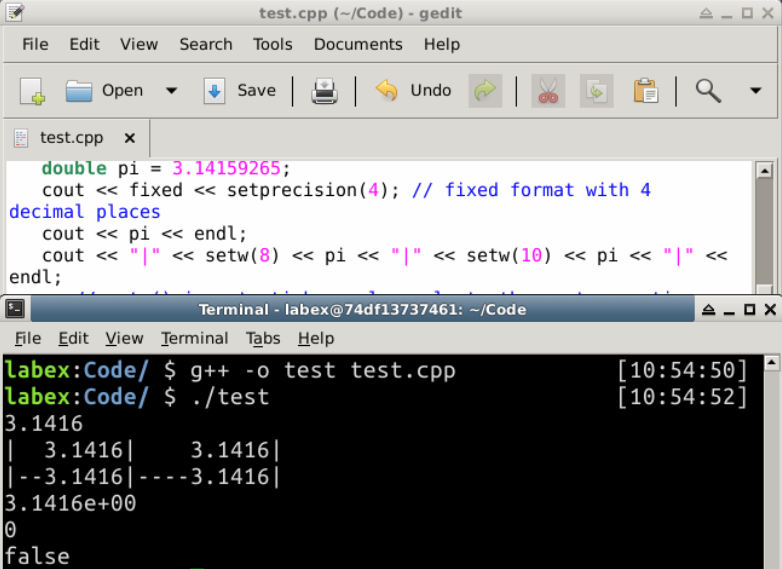
출력:
3.1416
|  3.1416|    3.1416|
|--3.1416|----3.1416|
3.1416e+00
0
false
/* Test Formatting Input */
#include <iostream>
#include <iomanip>
#include <string>
using namespace std;

int main() {
   string areaCode, phoneCode;
   string inStr;

   cout << "Enter your phone number in this format (xxx)xxx-xxxx : ";
   cin.ignore();   // skip '('
   cin >> setw(3) >> areaCode;
   cin.ignore();   // skip ')'
   cin >> setw(3) >> phoneCode;
   cin.ignore();   // skip '-'
   cin >> setw(4) >> inStr;
   phoneCode += inStr;

   cout << "Phone number is (" << areaCode << ")"
        << phoneCode.substr(0, 3) << "-"
        << phoneCode.substr(3, 4) << endl;
   return 0;
}
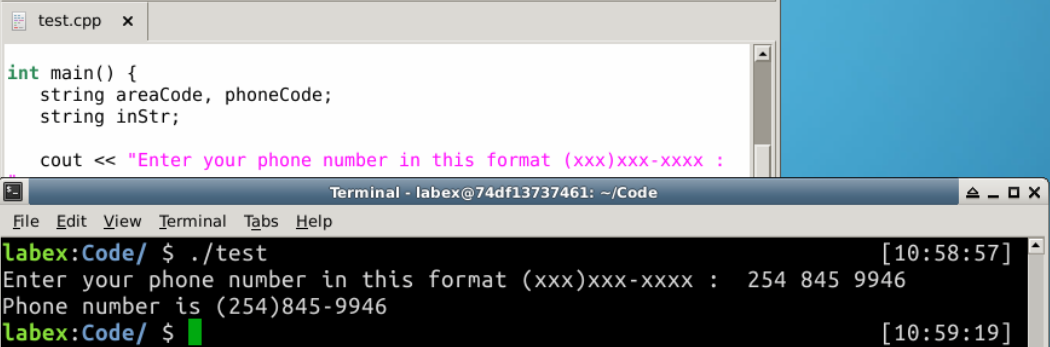
출력:
Enter your phone number in this format (xxx)xxx-xxxx :  254 845 9946
Phone number is (254)845-9946
파일 입출력
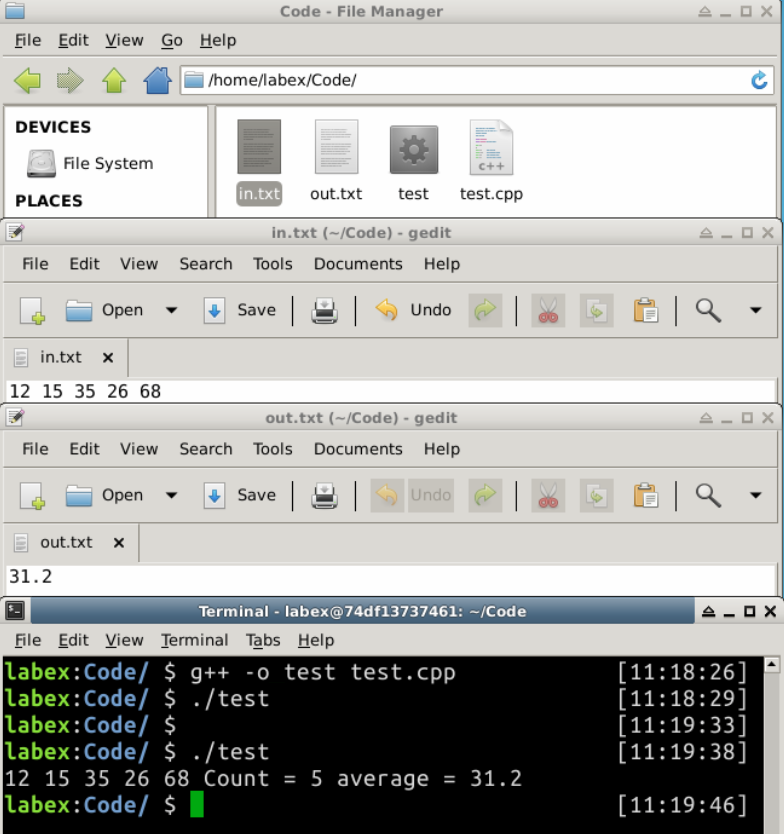
파일 입출력을 테스트하기 위해 먼저 in.txt 라는 파일을 생성하고 공백으로 구분된 몇 개의 정수를 작성합니다. 실행 후 계산 결과는 out.txt 파일에 기록됩니다.
/* Test File I/O
   Read all the integers from an input file and
   write the average to an output file        */
#include <iostream>
#include <fstream>   // file stream
#include <cstdlib>
using namespace std;

int main() {
   ifstream fin;   // Input stream
   ofstream fout;  // Output stream

   // Try opening the input file
   fin.open("in.txt");
   if (!fin.is_open()) {
      cerr << "error: open input file failed" << endl;
      abort();  // Abnormally terminate the program (in <cstdlib>)
   }

   int sum = 0, number, count = 0;
   while (fin >> number) {
      // Use >> to read
      cout << number << " ";
      sum += number;
      ++count;
   }
   double average = double(sum) / count;
   cout << "Count = " << count << " average = " << average << endl;
   fin.close();

   // Try opening the output file
   fout.open("out.txt");
   if (!fout.is_open()) {
      cerr << "error: open output file failed" << endl;
      abort();
   }
   // Write the average to the output file using <<
   fout << average;
   fout.close();
   return 0;
}
출력:
12 15 35 26 68 Count = 5 average = 31.2
프로그램 노트:
- 파일이 열리면
cin >>및cout <<와 유사하게>>및<<를 입력 및 출력에 사용할 수 있습니다. (고급 참고 사항:ifstream은cin이 속한istream의 서브클래스입니다.ofstream은cout이 속한ostream의 서브클래스입니다.) - 마찬가지로
fixed,setprecision()및setw()와 같은 IO 조작자는 파일 스트림에서 작동합니다.
네임스페이스
다양한 라이브러리 모듈을 사용할 때, 서로 다른 라이브러리가 서로 다른 목적으로 동일한 이름을 사용할 수 있으므로 이름 충돌의 가능성이 항상 존재합니다. 이 문제는 C++ 에서 *네임스페이스 (namespace)*를 사용하여 해결할 수 있습니다. 네임스페이스는 동일한 명명 범위 내의 식별자 모음입니다. (UML 및 Java 에서는 *패키지 (package)*로 알려져 있습니다.) 네임스페이스 내의 엔티티 이름은 네임스페이스 이름으로 *정규화 (qualified)*되며, ::(범위 지정 연산자 (scope resolution operator) 로 알려짐) 가 뒤따릅니다. 형식은 namespace::entityName입니다.
엔티티를 네임스페이스 아래에 배치하려면 다음과 같이 키워드 namespace를 사용합니다.
// create a namespace called myNamespace for the enclosed entities
namespace myNameSpace {
   int foo;               // variable
   int f() { ...... };    // function
   class Bar { ...... };  // compound type such as class and struct
}

// To reference the entities, use
myNameSpace::foo
myNameSpace::f()
myNameSpace::Bar
네임스페이스는 변수, 함수, 배열 및 클래스 및 구조체와 같은 복합 형식을 포함할 수 있습니다.
#include <iostream>

namespace a {   // contains variables
   int i1 = 8;
   int i2 = 9;
}

namespace b {   // contains function
   int max(int n1, int n2) {
      return (n1 > n2) ? n1 : n2;
   }
}

int main() {
   std::cout << a::i1 << std::endl;                // 8
   std::cout << b::max(a::i1, a::i2) << std::endl; // 9
}
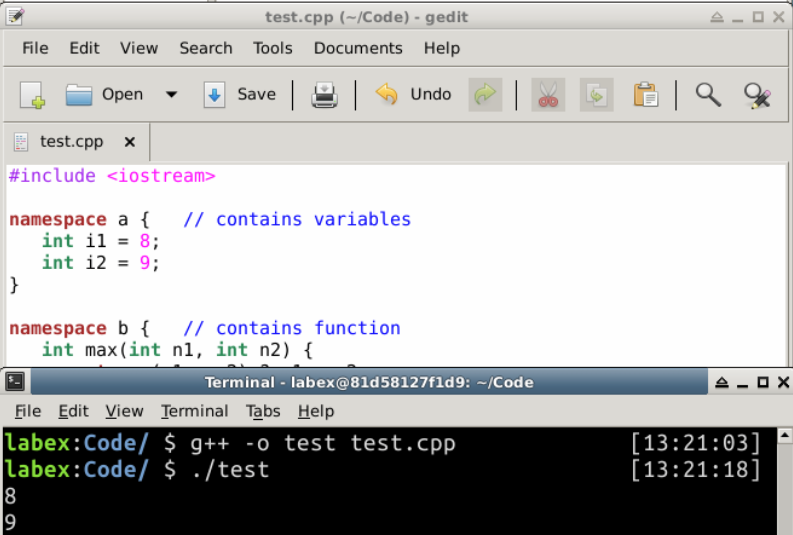
출력:
8
9
네임스페이스 사용하기
// Use the fully qualified names,
// such as std::cout, std::endl, std::setw() and std::string.
std::cout << std::setw(6) << 1234 << std::endl;

// Use a using declaration to declare the particular identifiers.
using std::cout;
using std::endl;
......
cout << std::setw(6) << 1234 << endl;

// Use a using namespace directive.
using namespace std:
......
cout << setw(6) << 1234 << endl;

// For long namespace name, you could define a shorthand (or alias) to the namespace
namespace shorthand = namespace-name;
요약
파일 입출력 단계는 다음과 같습니다.
- 입력을 위해
ifstream을 생성하거나, 출력을 위해ofstream을 생성합니다. open(filename)을 통해 스트림을 입력 또는 출력 파일에 연결합니다.cout <<및cin >>와 유사하게 스트림 삽입 연산자<<를 통해 형식화된 출력을 수행하거나, 스트림 추출 연산자>>를 통해 입력을 수행합니다.- 파일을 닫고 스트림을 해제합니다.
C++ 에서 엔티티 (변수, 함수 또는 클래스) 는 *전역 네임스페이스 (global namespace)*에 속합니다 (네임스페이스 이름 없이 ::로 식별됨).
