



简介
欢迎来到 Python 的世界!在本实验中,你将接触到 Python 编程的基本构建块:数据类型与运算符。我们将探索数字、文本以及真/假值,并学习如何进行计算和比较。本实验专为初学者设计,我们将循序渐进地进行。如果这些内容对你来说很陌生,请不必担心——我们会全程引导你。让我们开始吧!
理解 Python 中的数字
在这一步中,我们将了解 Python 中的两种主要数字类型:整数(整型,integers)和浮点数(浮点型,floats,即带小数点的数字)。
首先,打开 Python 解释器。这是一个让你能够逐行运行 Python 代码的工具。对于初学者来说,桌面界面(Desktop Interface)更加友好。如果你习惯使用终端,也可以从左上角切换到独立的终端选项卡(Terminal Tab)以获得更流畅的操作体验。两种方式都能达到同样的效果。
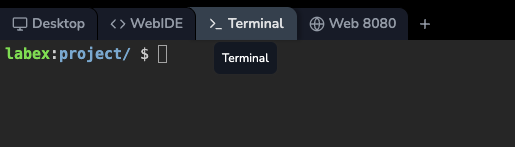
在终端中输入:
python
你应该会看到 >>> 提示符。这意味着 Python 已经准备好接收你的命令了。
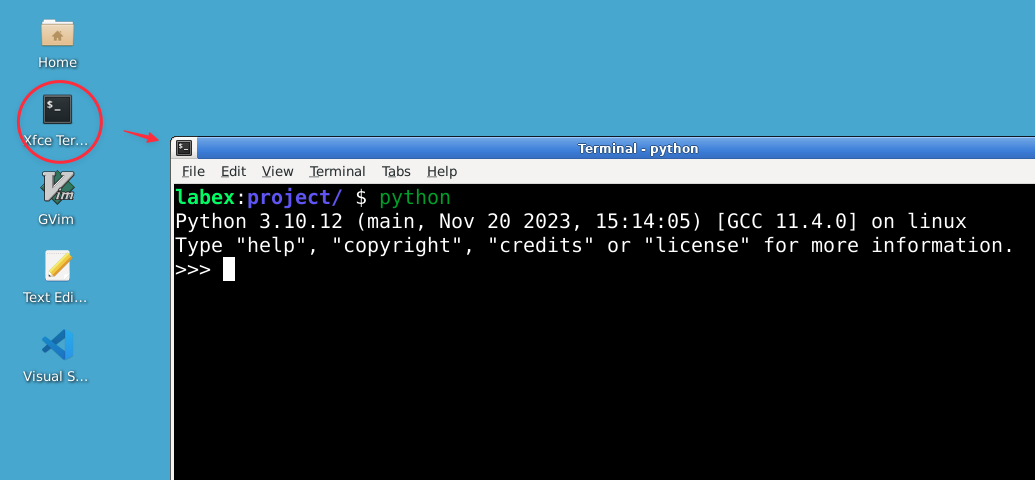
让我们从整数开始。整数就是像 -1、0 和 100 这样的完整数字。
books = 5
print(f"I have {books} books.")
type(books)
输出:
I have 5 books.
<class 'int'>
在这里,我们创建了一个名为 books 的变量,并赋予它值 5。变量就像一个可以存储信息的盒子。print() 函数用于在屏幕上显示输出。我们使用了 f-string(注意引号前的 f),以便轻松地将 books 变量的值包含在文本中。type() 函数告诉我们 books 存储的是一个 int(整数)。
接下来,让我们探索浮点数,即 float。这些是带有小数点的数字。
price = 19.99
print(f"This book costs ${price}.")
type(price)
输出:
This book costs $19.99.
<class 'float'>
变量 price 是一个 float,因为它包含小数点。
现在,让我们做一个简单的计算。Python 可以当作计算器使用!
quantity = 3
total_cost = price * quantity  ## Let's calculate the total cost
print(f"The total cost for {quantity} books is ${total_cost:.2f}.")
输出:
The total cost for 3 books is $59.97.
我们使用了 * 运算符来计算 price 和 quantity 的乘积。f-string 中的 .2f 将数字格式化为保留两位小数。# 符号用于开启注释。注释是写给人类看的说明,Python 会自动忽略它们。
请随意尝试你自己的计算!你可以重新定义变量的值,看看会发生什么。
处理文本(字符串)
在这一步中,你将学习字符串(strings),它在 Python 中用于表示文本。
让我们在 Python 解释器中创建一个字符串变量。字符串总是用单引号 (') 或双引号 (") 括起来。
name = "Alice"
print(f"Hello, {name}!")
type(name)
输出:
Hello, Alice!
<class 'str'>
str 数据类型在 Python 中代表字符串。
字符串可以通过多种方式进行组合或操作。让我们尝试一些常见的操作。
## Joining two strings together (concatenation)
first_name = "John"
last_name = "Doe"
full_name = first_name + " " + last_name
print(full_name)
输出:
John Doe
## Repeating a string
cheer = "Go! " * 3
print(cheer)
输出:
Go! Go! Go!
## Finding the length of a string
print(len(full_name))
输出:
8
## Accessing individual characters
print(full_name[0])  ## Get the first character
print(full_name[-1]) ## Get the last character
输出:
J
e
重要提示:Python 从 0 开始计数。因此,第一个字符的索引是 0。索引 -1 是获取最后一个字符的便捷快捷方式。
Python 中的字符串是不可变(immutable)的,这意味着它们一旦创建就无法更改。你不能修改字符串中的单个字符。但是,你可以基于现有的字符串创建新的字符串。
message = "Hello World"
uppercase_message = message.upper()
print(uppercase_message)
输出:
HELLO WORLD
lowercase_message = message.lower()
print(lowercase_message)
输出:
hello world
.upper() 和 .lower() 方法会创建新的字符串,而原始的 message 变量保持不变。
真还是假?(布尔值)
在这一步中,你将学习布尔值(boolean),它们只能是 True 或 False。这对于代码中的逻辑判断至关重要。
让我们创建一些布尔变量。请注意,在 Python 中,True 和 False 的首字母必须大写。
is_learning = True
is_finished = False
print(f"Are we learning Python? {is_learning}")
type(is_learning)
输出:
Are we learning Python? True
<class 'bool'>
bool 数据类型代表布尔值。
比较运算符用于比较两个值,它们的结果总是布尔值(True 或 False)。
x = 5
y = 10
print(x < y)   ## Is x less than y?
print(x == y)  ## Is x equal to y?
print(x != y)  ## Is x not equal to y?
输出:
True
False
True
常见的比较运算符包括:==(等于)、!=(不等于)、<(小于)、>(大于)、<=(小于等于)、>=(大于等于)。
你也可以比较字符串。Python 会按字母顺序进行比较。
name1 = "Alice"
name2 = "Bob"
print(name1 < name2)  ## "Alice" comes before "Bob" alphabetically
输出:
True
布尔运算符(and、or、not)用于组合布尔表达式。
a = True
b = False
print(a and b)  ## True only if both a AND b are True
print(a or b)   ## True if either a OR b (or both) are True
print(not a)    ## The opposite of a
输出:
False
True
False
这些运算符可以帮助你为程序创建更复杂的条件判断。
数据类型转换
有时,你需要将一个值从一种数据类型转换为另一种。这被称为类型转换(type conversion)或“强制转换”(casting)。
让我们将字符串转换为数字。这在获取用户输入时非常常见,因为输入的内容总是被读取为字符串。
age_string = "25"
age_number = int(age_string) ## Convert string to integer
print(age_number + 5)
输出:
30
price_string = "1.99"
price_float = float(price_string) ## Convert string to float
print(price_float * 2)
输出:
3.98
我们使用 int() 转换为整数,使用 float() 转换为浮点数。请注意!如果你尝试转换一个看起来不像数字的字符串(例如 int("hello")),Python 会报错。
你也可以使用 str() 函数将数字转换为字符串。
count = 50
count_string = str(count)
print("The count is " + count_string)
输出:
The count is 50
最后,你可以使用 bool() 将值转换为布尔值。规则很简单:
0、空字符串 ("") 以及一些特殊的空对象为False。- 其他几乎所有内容都为
True(任何非零数字、任何非空字符串)。
print(bool(100))      ## Non-zero number
print(bool(0))        ## Zero
print(bool("Hello"))  ## Non-empty string
print(bool(""))       ## Empty string
输出:
True
False
True
False
类型转换是让不同数据类型协同工作的强大工具。
综合练习
在最后一步中,让我们编写一个小程序,运用我们所学的一切。
切换到 LabEx 虚拟机中的 WebIDE 选项卡。WebIDE 是一个在线代码编辑器,你可以在其中编写并保存 Python 脚本。
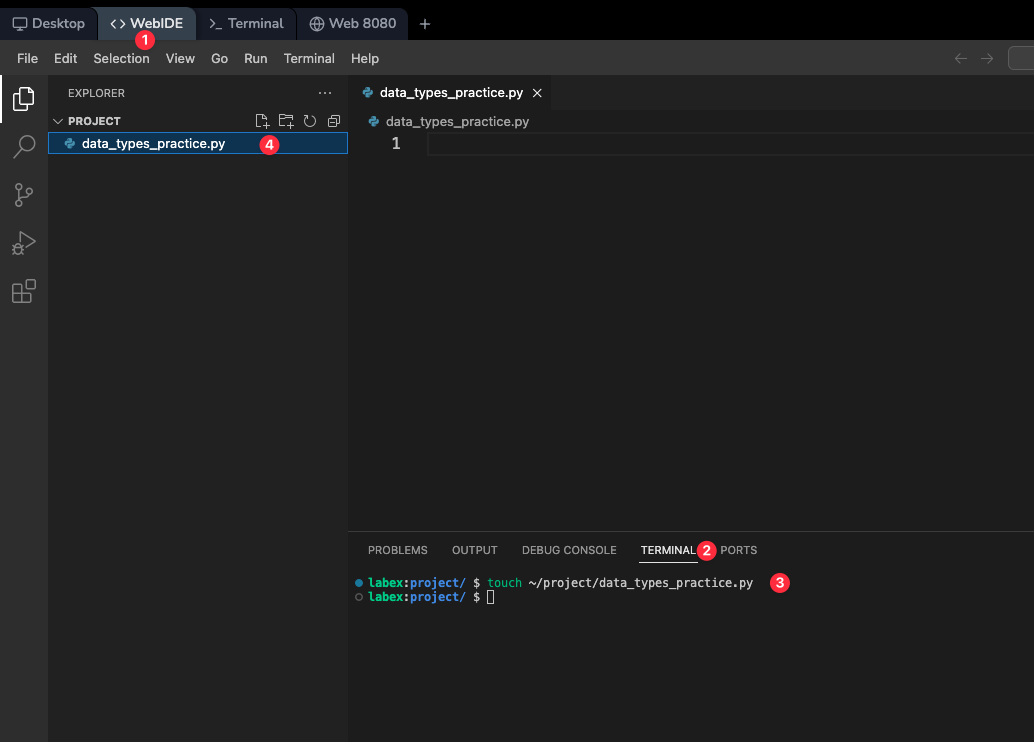
有关 WebIDE 界面的更多详细信息,请参阅 LabEx VM WebIDE 文档。
使用以下命令在 ~/project 目录下创建一个名为 user_info.py 的新文件:
touch ~/project/user_info.py
点击左侧文件浏览器中的新文件,在编辑器中打开它。
将以下代码复制并粘贴到文件中:
## A simple program to practice data types

## Get user input (input is always a string)
name = input("Enter your name: ")
age_str = input("Enter your age: ")

## Convert age to an integer
age = int(age_str)

## Perform a simple calculation
years_to_100 = 100 - age
is_adult = age >= 18

## Create an output message using an f-string
output = f"""
--- User Information ---
Hello, {name}!
You are {age} years old.
You will be 100 years old in {years_to_100} years.
Are you an adult? {is_adult}
--- End of Report ---
"""

## Print the final result
print(output)
该脚本使用 input() 函数询问姓名和年龄。input() 总是以字符串形式返回用户的输入,这就是为什么我们需要使用 int() 将年龄转换为数字。脚本随后创建了一个多行 f-string 用于输出,使用了三引号 (""")。这是一种格式化跨行文本的简洁方法。最后,它执行了一些计算并打印出格式化后的摘要。
保存文件(它应该会自动保存),并在终端中使用以下命令运行它:
python ~/project/user_info.py
程序会询问你的姓名和年龄。输入后,它将打印出摘要。
Enter your name: Alice
Enter your age: 25

--- User Information ---
Hello, Alice!
You are 25 years old.
You will be 100 years old in 75 years.
Are you an adult? True
--- End of Report ---
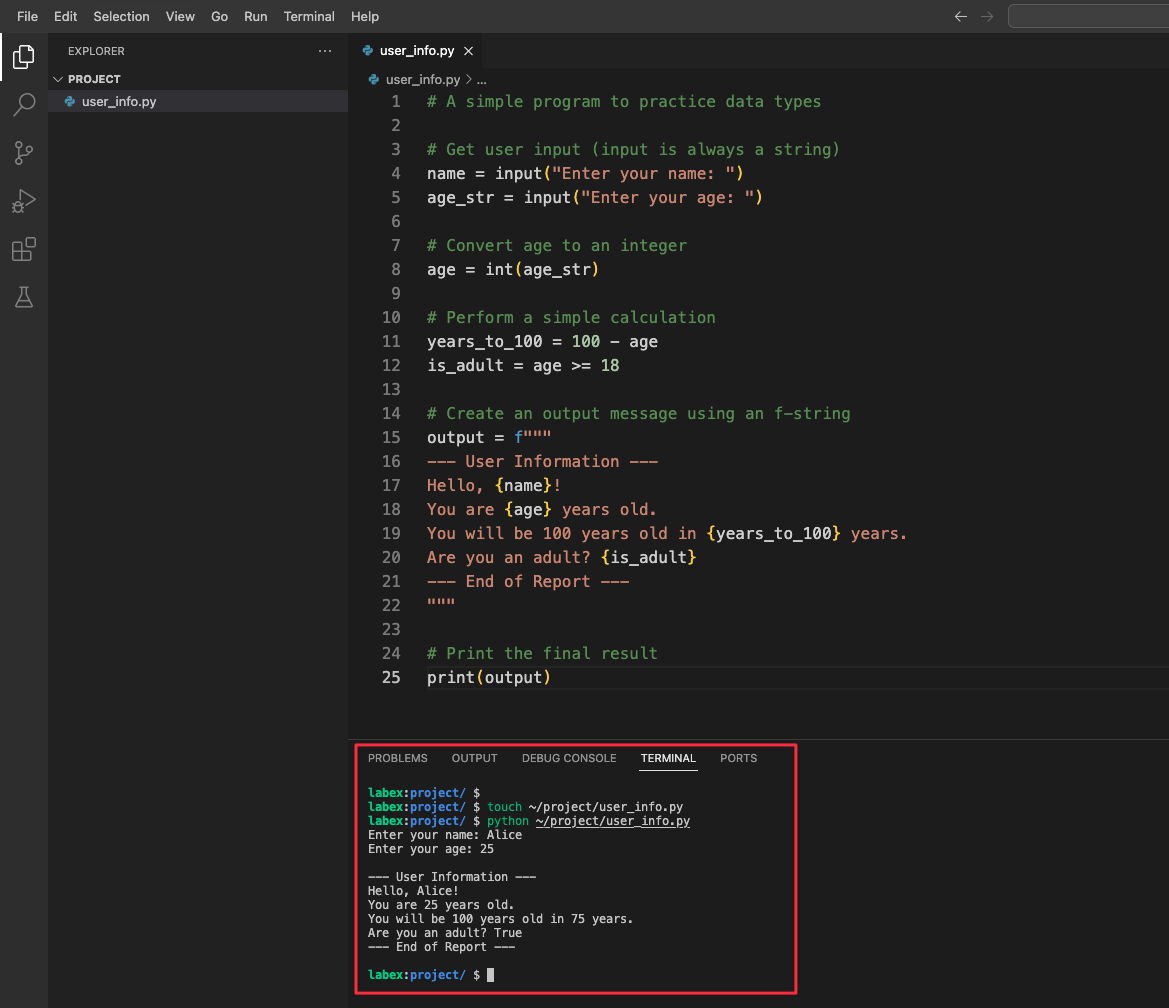
请随意多次运行该脚本,输入不同的内容,看看输出会有什么变化!
总结
恭喜你完成了本实验!你已经迈出了进入 Python 编程世界的重要一步。
在本实验中,你学习了 Python 的基本构建块:
- 数值类型: 你使用了整数 (
int) 处理完整数字,使用浮点数 (float) 处理带小数的数字。 - 字符串 (
str): 你学习了如何创建和操作文本。 - 布尔值 (
bool): 你探索了True和False值,并将其用于比较。 - 运算符: 你使用了算术运算符 (
*)、比较运算符 (==,<) 和布尔运算符 (and,or)。 - 类型转换: 你练习了在不同数据类型之间进行转换,例如将字符串转换为数字。
这些概念是你未来在 Python 中进行一切开发的基础。请继续练习,不要害怕在 Python 解释器中进行实验——这是学习编程最好的方式之一。做得好,祝你编程愉快!


