Poetry と VSCode を使った Python プロジェクト 第 3 部 - Python チートシート

そして最後に、この 3 番目で最後の記事では、以下のことを行います。
- サンプルライブラリを作成する。
- Poetryでプロジェクトをビルドする。
- PyPIで公開する。
Poetry コマンド
このシリーズで使用したコマンドとその説明をまとめた表を以下に示します。完全なリストについては、Poetry Documentationをお読みください。
| コマンド | 説明 |
|---|---|
poetry new [package-name] | 新しい Python プロジェクトを開始します。 |
poetry init | pyproject.toml ファイルを対話形式で作成します。 |
poetry install | pyproject.toml ファイル内のパッケージをインストールします。 |
poetry add [package-name] | パッケージを Virtual Environment に追加します。 |
poetry add -D [package-name] | 開発パッケージを Virtual Environment に追加します。 |
poetry remove [package-name] | パッケージを Virtual Environment から削除します。 |
poetry remove -D [package-name] | 開発パッケージを Virtual Environment から削除します。 |
poetry update | 依存関係の最新バージョンを取得します。 |
poetry shell | 仮想環境内でシェルを起動します。 |
poetry build | ソースおよび wheels アーカイブをビルドします。 |
poetry publish | パッケージを Pypi に公開します。 |
poetry publish --build | パッケージをビルドして公開します。 |
poetry self:update | poetry を最新の安定版に更新します。 |
プロジェクト
ご希望であれば、ソースコードをGitHubからダウンロードできますが、前述のとおり、これは関数の実行にかかる時間をコンソールに出力する簡単なデコレータになります。
動作は次のようになります。
from how_long import timer

@timer
def test_function():
    [i for i in range(10000)]

test_function()
# Execution Time: 955 ms.
プロジェクトのディレクトリ構造は次のようになります。
how-long
├── how_long
│   ├── how_long.py
│   └── __init__.py
├── how_long.egg-info
│   ├── dependency_links.txt
│   ├── PKG-INFO
│   ├── requires.txt
│   ├── SOURCES.txt
│   └── top_level.txt
├── LICENSE
├── poetry.lock
├── pyproject.toml
├── README.rst
└── tests
    ├── __init__.py
    └── test_how_long.py
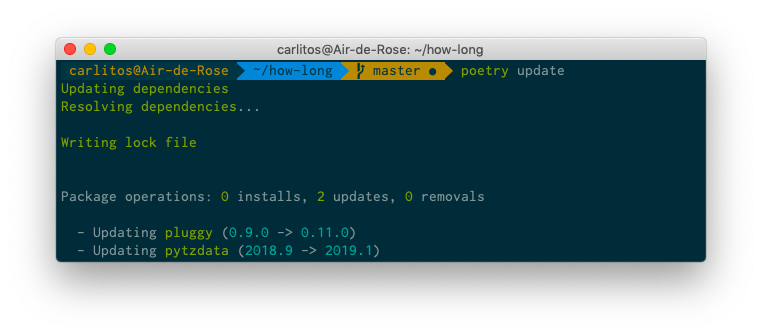
始める前に、ターミナルで poetry update コマンドを実行してパッケージの更新を確認してください。
README.rstにプロジェクトの簡単な説明を追加します。
how_long
========

Simple Decorator to measure a function execution time.

Example
_______

.. code-block:: python

    from how_long import timer

    @timer
    def some_function():
        return [x for x in range(10_000_000)]
how_long/how_long.pyに移動します。
# how_long.py
from functools import wraps

import pendulum

def timer(function):
    """
    Simple Decorator to measure a function execution time.
    """

    @wraps(function)
    def function_wrapper():
        start = pendulum.now()
        function()
        elapsed_time = pendulum.now() - start
        print(f"Execution Time: {elapsed_time.microseconds} ms.")

    return function_wrapper
how_long/__init__.pyで:
from .how_long import timer

__version__ = "0.1.1"
そして最後に、tests/test_how_long.pyファイルです。
from how_long import __version__
from how_long import timer

def test_version():
    assert __version__ == "0.1.1"

def test_wrap():
    @timer
    def wrapped_function():
        return

    assert wrapped_function.__name__ == "wrapped_function"
これで、ターミナルで poetry install を実行して、パッケージをローカルにインストールして確認できます。まだ仮想環境をアクティブ化していない場合はアクティブ化し、Python インタラクティブシェルで次のように実行します。
>>> from how_long import timer
>>>
>>> @timer
... def test_function():
...     [i for i in range(10000)]
...
>>> test_function()
Execution Time: 705 ms.
テストを実行し、すべて問題なければ次に進みます。
ビルドと公開
ついに、このプロジェクトを世界に公開する時が来ました!PyPIにアカウントを持っていることを確認してください。パッケージ名は一意である必要があるため、不明な場合は検索を使用して確認してください。
ビルド
poetry build コマンドは、プロジェクトのソースとしてアップロードされるソースおよびwheelsアーカイブをビルドします。
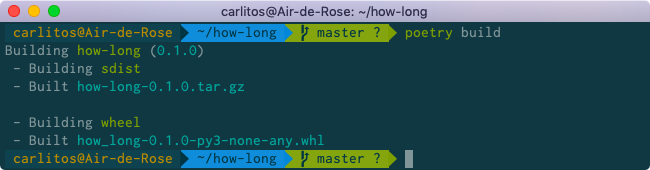
how_long.egg-info ディレクトリが作成されます。
公開
このコマンドは、パッケージをPyPIに公開し、初めて送信される場合は自動的に登録してからアップロードします。
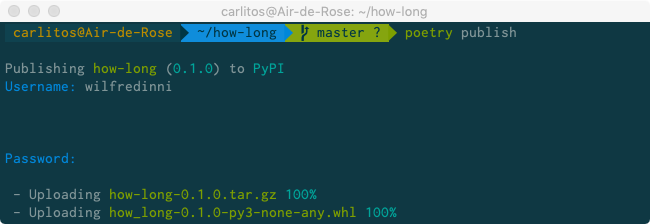
$ poetry publish --buildを使用して、プロジェクトをビルドして公開することもできます。
認証情報を入力し、すべてが正常であれば、プロジェクトを閲覧すると、次のようなものが表示されます。

これで、他の人に、どのマシンからでも、どこからでも pip install how-long できることを知らせることができます!
結論
私が初めてパッケージを公開しようとしたときのことを覚えています。それは悪夢でした。Python を始めたばかりで、setup.pyファイルとは何か、どう使うのかを理解するのに「数時間」費やしました。結局、Makefile、MANIFEST.in、requirements.txt、test_requirements.txtといった複数のファイルが手元に残りました。だからこそ、Poetryの作成者であるSébastien Eustaceの言葉は私にとって非常に理にかなっていました。
Packaging and dependency management in Python are rather convoluted and hard to understand for newcomers. Even for seasoned developers it might be cumbersome at times to create all files needed in a Python project:
setup.py,requirements.txt,setup.cfg,MANIFEST.inand the newly addedPipfile.So I wanted a tool that would limit everything to a single configuration file to do: dependency management, packaging and publishing.
It takes inspiration in tools that exist in other languages, like
composer(PHP) orcargo(Rust).And, finally, there is no reliable tool to properly resolve dependencies in Python, so I started
poetryto bring an exhaustive dependency resolver to the Python community.
Poetry は決して完璧ではありませんが、他のツールとは異なり、約束したことを本当に実行します。